

• Send Us A Tip
  • Calling all Tech Writers
  • Advertise
Tuesday, November 3, 2026
  • Login
TechStory
  • News
  • Crypto
  • Gadgets
  • Memes
  • Gaming
  • Cars
  • AI
  • Startups
  • Markets
  • How to
No Result
View All Result
  • News
  • Crypto
  • Gadgets
  • Memes
  • Gaming
  • Cars
  • AI
  • Startups
  • Markets
  • How to
No Result
View All Result
TechStory
No Result
View All Result
Home Tech Mobile

How to Use One WhatsApp Account on Multiple Devices

by Sangatee Goutom
March 3, 2024
in Mobile, Tech
Reading Time: 3 mins read
0
How to Use One WhatsApp Account on Multiple Devices
TwitterWhatsappLinkedin

You might also like

Google Acquires 56 Hectares in Finland Amid Muhos Tree-Felling Controversy as Data Centre Projects Expand

Apple Reportedly Preparing Three New iPad Models for Early 2027: OLED iPad Air, M6 iPad Pro Expected

Logistics And Supply Companies Are Competing For Local Map Placement Too

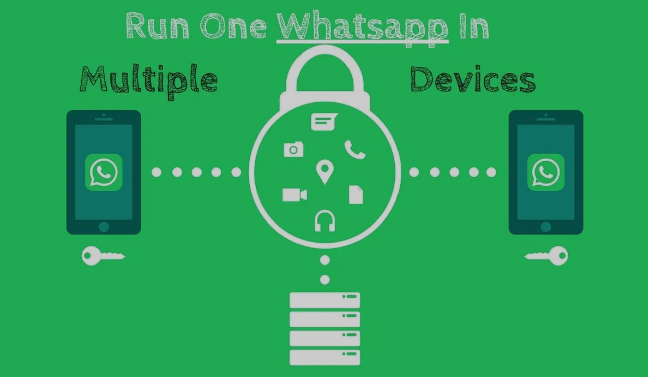
We now rely heavily on WhatsApp for our everyday communication, which helps us keep in touch with friends, family, and coworkers all across the world. However, the site only allowed users to utilise one device until recently, which made many users switch between desktop computers and cellphones. The good news is that WhatsApp has finally released a much-needed functionality that lets users easily use one account across several devices. We’ll walk you through the process of creating and using a single WhatsApp account across several devices in this article.


With your primary phone, open WhatsApp. In the lower right corner, tap Settings. Press on Connected Devices. After selecting Link a Device, scan the QR code on your new device using the camera.


How to Install WhatsApp on Several Devices


  1. Update WhatsApp: Make sure your primary device is running the most recent version of WhatsApp. Check for updates by going to the app store on your device (the App Store for iOS or the Google Play Store for Android).
  2. Linked Devices Feature: The Linked Devices feature allows WhatsApp to work with numerous devices. Use WhatsApp on your primary smartphone to access this by opening it and selecting “Settings” > “Linked Devices.”
  3. Scan the QR Code: Using the secondary device, use the one on your primary smartphone to pick “Link a device” and then use it to scan the QR code that displays on the screen. Verify the secondary device’s internet connection.
  4. Login and Authentication: The secondary device will ask you to log in after scanning the QR code. Input your WhatsApp login details and verify your identification (usually with a fingerprint scan or a code given to your main smartphone).
  5. Syncing Data: WhatsApp will sync contacts, conversation history, and other data to the other device after the devices have been successfully linked. The amount of data may determine how long this takes.
  6. Using WhatsApp on Multiple Devices: After everything is set up, you can use WhatsApp concurrently on your primary and secondary devices. Across all linked devices, messages will synchronise in real time.


Important Things to Remember


  1. Internet Connection: Both your primary and secondary devices must have an internet connection in order for the multiple device capability to function. WhatsApp protects the confidentiality and security of your messages by using end-to-end encryption.
  2. Device Restrictions: Four devices can be linked to a single WhatsApp account at once. Remember that in order to keep the connection going, these devices need to be signed in and connected to the internet at least once every thirty days.
  3. Battery Usage: Using WhatsApp on several devices, especially your primary mobile, may have an effect on battery life. Take battery life into account and modify settings accordingly.
  4. Log Out Remotely: Another feature offered by WhatsApp is the ability to remotely log out of connected devices. You can secure your account by logging out from another device if you misplace the one you’re using to access it.


In summary

When WhatsApp introduced the ability to support numerous devices, it changed the game for consumers looking for a more accessible and adaptable messaging experience. You can use one WhatsApp account to utilise many devices with ease by following these easy steps. This eliminates the hassle of continually switching between devices and makes it easier to keep in touch with your connections. Enjoy the ability to converse with ease across several devices using WhatsApp’s multi-device functionality.


Tags: #howto#technology2024Hacksocialmediatechtrendtrendingwhatsapp
Tweet56SendShare16
Previous Post

Generation Z Prefers AI Advice Over Human Managers: A Shift in Career Guidance Trends

Next Post

Anant Ambani’s Watch shocks Mark Zuckerberg and Priscilla Chan.

Sangatee Goutom

An English Literature student trying to find the way through the cosmos.

Recommended For You

Google Acquires 56 Hectares in Finland Amid Muhos Tree-Felling Controversy as Data Centre Projects Expand

by Shailja Jha
November 2, 2026
0
Google Acquires 56 Hectares in Finland Amid Muhos Tree-Felling Controversy as Data Centre Projects Expand

Google has acquired approximately 56 hectares of additional land in Hamina, Finland, for the potential expansion of its existing data centre operations, highlighting the technology giant's continued investment...

Read more

Apple Reportedly Preparing Three New iPad Models for Early 2027: OLED iPad Air, M6 iPad Pro Expected

by Ishaan Negi
November 2, 2026
0
Apple Reportedly Preparing Three New iPad Models for Early 2027: OLED iPad Air, M6 iPad Pro Expected

Apple is reportedly preparing a major refresh of its iPad lineup, with three new models expected to arrive in the first half of 2027. The upcoming launches could...

Read more

Logistics And Supply Companies Are Competing For Local Map Placement Too

by Rohan Mathawan
November 2, 2026
0
Photo by Vinicius Brasil on Unsplash

Most people think local search maps are only important for neighborhood coffee shops and pizza places. The truth is that commercial supply chains and regional freight providers now...

Read more
Next Post
Anant Ambani's Expensive Watch Worth Crores Leaves Mark Zuckerberg and Wife Priscilla Chan Surprised, See Video of Richard Mille Wrist Watch!

Anant Ambani's Watch shocks Mark Zuckerberg and Priscilla Chan.

Please login to join discussion

Techstory

Tech and Business News from around the world. Follow along for latest in the world of Tech, AI, Crypto, EVs, Business Personalities and more.
reach us at info@techstory.in

Advertise With Us

Reach out at - info@techstory.in

Aviator Game India 2026

BROWSE BY TAG

#Crypto #howto 2024 acquisition AI amazon Apple Artificial Intelligence bitcoin Business China cryptocurrency e-commerce electric vehicles Elon Musk Ethereum facebook funding Gaming Google India Instagram Investment iPhone IPO Market Markets Meta Microsoft News OpenAI samsung Social Media SpaceX startup startups tech Tech news technology Tesla TikTok trend trending twitter US

© 2025 Techstory.in

No Result
View All Result
  • News
  • Crypto
  • Gadgets
  • Memes
  • Gaming
  • Cars
  • AI
  • Startups
  • Markets
  • How to

© 2025 Techstory.in

Welcome Back!

Login to your account below

Forgotten Password?

Retrieve your password

Please enter your username or email address to reset your password.

Log In
Are you sure want to unlock this post?
Unlock left : 0
Are you sure want to cancel subscription?