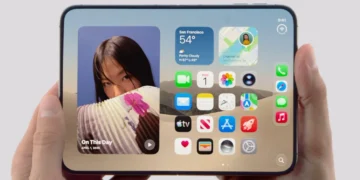
Making unique emojis has grown in popularity as a means to give messages a unique touch, and iOS 18 offers even more personalisation choices. iOS 18 makes it simpler than ever to express yourself creatively or create a special emoji to share with friends. Here’s a step-by-step tutorial on creating personalised emojis in 2024.
KEYPOINTS:
- Launch the messaging app.
- Select a thread to tap on or start a new message.
- Put your description in the text field and start typing.
- The prompt to “Create new emoji” will appear.
- It will indicate that it is creating a new Genmoji based on your text by displaying an ovular bubble.
Step 1: Upgrade to iOS 18
Make sure your iPhone is running iOS 18 before attempting to use the new custom emoji features. Visit:
- Options → General → Update Software
- If there’s a new version out there, select “Download and Install.”
Step2: Go to the Emoji Maker
- With the Emoji Creator feature integrated into iOS 18, users may create custom emojis.
- Open any app that makes use of the built-in Apple keyboard, such as Messages.
- Toggle between the emoticon and the keyboard.
- You should see a new Emoji Creator option at the bottom of the screen while you are in the emoji panel. Give it a tap.
Step 3: Begin Creating Your Own Emoji
As soon as you get access to the Emoji Creator, you may begin creating. There are a variety of customisation choices available to you, such as:
- Facial Shape: Choose from a range of features, skin tones, and facial shapes.
- Expressions: Select a variety of expressions, such as a wink, a smile, or a surprised expression.
- It is necessary to modify the dimensions and form of the eyes, nose, and mouth.
- Add hats, glasses, earrings, and other items as accessories.
- Customise your hair colour, style, and even add facial hair for a more put-together look.
- The elements are movable, so you can reposition them however you choose.
Step 4: Keep Your Emoji Safe
Select Save in the upper right corner if you’re satisfied with your design. You can now find your personalised emoji in your emoji keyboard by selecting the Custom Emojis category. Anytime you want to use an emoji in a message, a social media post, or an app that allows emoji input, you can access this section.
Step 5: Distribute Your Own Emojis
- You can share your emoji after storing it in the same way as any other emoji.
- To utilise the emoji, start a discussion in Messages or any other app.
- Select your own emoji from the Custom Emojis area of the emoji panel once it is open.
- Send the emoji in the same way as before!
Step 6: Modify or Remove Personalised Emojis
- You may quickly alter or remove your customised emoji if you ever want to.
- Relaunch the Emoji Creator.
- To edit a custom emoji, tap on it.
- After making your changes, hit Save once again to replace the previous version.
- Long-press the custom emoji and choose Delete to remove it.
Advice for Creating Unique Emojis
- Try Out Some Specifics: Don’t be afraid to try out various face features and accessories as iOS 18 gives a great deal of customisation.
- Make Sets of Emojis: Emojis can be created in various variations, each with a unique expression, such as happy, sad, or excited.
- Use for Personal Branding: Creating unique emojis for your business or as a content provider is a fun approach to establish your brand identity. Make emojis that stand in for your brand, persona, or mascot.
In summary
Creating personalised emojis with iOS 18 is an enjoyable and simple method to give your online chats a unique touch. You can use the customisation tools to create emojis for branding or for fun, since they provide limitless creative possibilities. So go ahead and start creating unique emoticons for your messages right now!