

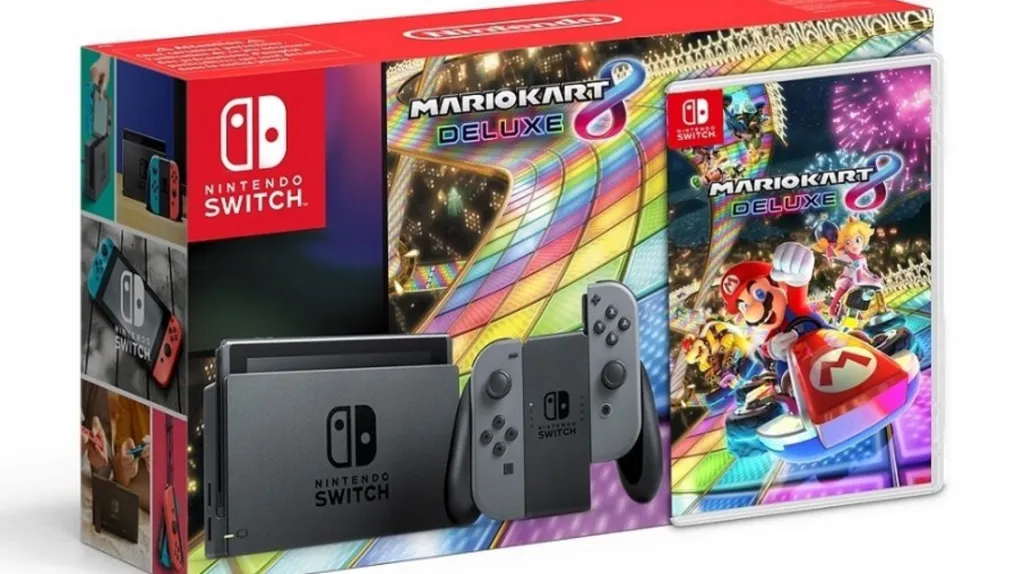
The Nintendo Switch Mario Kart bundle is an excellent choice for gamers who want to dive into the fun-filled world of Mario Kart 8 Deluxe. This bundle typically includes the Nintendo Switch console, Joy-Con controllers, and a download code for the full game. Here’s a step-by-step guide to help you download and enjoy the game from your Switch bundle.
Step 1: Redeem the Download Code
When you purchase the Nintendo Switch Mario Kart bundle, you receive a download code for Mario Kart 8 Deluxe. This code is included in the box, usually on a card or a piece of paper.
- Access the Nintendo eShop: On your Switch home screen, select the Nintendo eShop icon. If prompted, choose your account.
- Navigate to the Redemption Page: Scroll down to find the option for “Enter Code.”
- Enter Your Code: Type in the unique code provided in your bundle. Double-check for accuracy to avoid errors.
- Confirm and Download: Once the code is verified, confirm the download. The game will automatically start downloading to your system.
Important Note:
Ensure your Switch is connected to a stable internet connection before starting the download process. If you encounter issues, restarting your console or checking your connection can help.
Step 2: Install the Game
After the download completes, the installation process happens automatically. You can monitor the progress in the Downloads section of the home menu. Once installed, the game will appear on your home screen.
Storage Requirements:
Mario Kart 8 Deluxe requires approximately 7GB of storage. If your Switch’s internal memory is full, consider using a microSD card to expand the storage. Compatible cards can store multiple games and save data.
Step 3: Link Your Nintendo Account
To fully enjoy all the features of Mario Kart 8 Deluxe, including online multiplayer, you’ll need a Nintendo Account linked to your system.
- Sign In or Create an Account: If you don’t have an account, you can create one at Nintendo’s official website.
- Link Your Account: From your Switch settings, navigate to “Users” and link your Nintendo Account.
Accessing Online Features:
The bundle often includes a 12-month Nintendo Switch Online membership. Redeem this subscription through the eShop, similar to redeeming the game code, to unlock online multiplayer and access to other games.
Step 4: Customize Your Gameplay
Once Mario Kart 8 Deluxe is installed, you can start playing immediately. The game offers several modes, including Grand Prix, Time Trials, and Battle Mode. You can also race locally with friends or online with players worldwide.
Tips for First-Time Players:
- Explore Characters and Karts: Mario Kart 8 Deluxe includes a wide roster of characters and customizable karts. Experiment with different combinations to find your preferred style.
- Try Online Races: Join global tournaments or play with friends using the Nintendo Switch Online membership.
- Practice New Courses: The game features 48 race tracks, some of which are new. Spend time mastering these to improve your skills.
Troubleshooting Common Issues
Problem: Download Code Not Working
If your download code isn’t working:
- Verify that the code was entered correctly.
- Check if the code has already been redeemed.
- Ensure your Nintendo Account region matches the region where the bundle was purchased.
Problem: Slow Download Speeds
- Use a wired connection with a LAN adapter for faster downloads.
- Pause any other ongoing downloads or streaming activities on your network.
Why Choose the Mario Kart Bundle?
The Mario Kart Switch bundle is a fantastic deal for new Switch owners. Not only do you get a full console, but it also includes one of Nintendo’s best-selling games and an online membership. The Mario Kart 8 Deluxe game boasts vibrant graphics, intuitive controls, and thrilling multiplayer options, making it perfect for players of all ages.
Moreover, the flexibility of the Nintendo Switch allows you to play on your TV, in tabletop mode, or handheld. This versatility ensures you can enjoy Mario Kart at home or on the go.




