

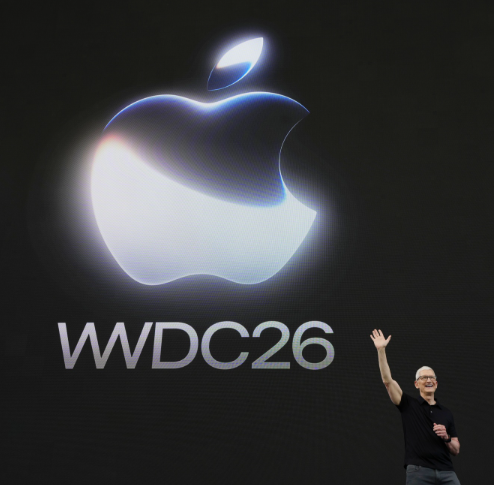
At Apple’s annual Worldwide Developers Conference, the tech giant officially pulled back the curtain on its next-generation iPhone operating system. The highly anticipated Apple iOS 27 WWDC 2026 keynote highlighted a distinct software philosophy from Cupertino: prioritizing blistering speed, deeper interface controls, and a complete architectural overhaul of its native intelligence.
Following last year’s sweeping visual redesign, the Apple iOS 27 WWDC 2026 release refines the modern look while addressing long-standing system performance bottlenecks. By introducing dedicated interface sliders alongside a highly capable, context-aware voice assistant, Apple is directly addressing user feedback to deliver a more responsive, stable, and highly customizable smartphone experience.
The most visible front-end improvement in iOS 27 is the evolution of Apple’s “Liquid Glass” design framework. While the initial release focused on dynamic icons that realistically reflect and refract ambient phone theme lighting, it occasionally received criticism for impacting readability. To solve this, Apple has added a dedicated Liquid Glass transparency slider directly into the Control Center.
This customization update gives users absolute manual control over their device’s visual style:
- Granular Glass Tinting: Users can dial the reflective translucent effects all the way up for a sleek, ultra-modern aesthetic, or drop it to zero for a flatter, high-contrast workspace.
- Sharper Iconography: App assets have been physically re-rendered with finer glass detailing and more distinct edge boundaries, ensuring the interface remains highly scannable under any custom wallpaper scheme.
Crushing Performance Bottlenecks: The Under-the-Hood Speed Metrics
Beneath the visual adjustments, Apple engineers have scoured the core operating system kernel to squeeze maximum efficiency out of existing hardware. Software testing benchmarks showcased on stage reveal staggering performance leaps across standard system tasks.
Core System Speed Benchmarks
| System Action Layer | Historical Performance (iOS 26) | New iOS 27 Optimization Level |
| Cold App Launching | Standard loading thresholds | Up to 30% faster execution |
| AirDrop File Transfers | Variable local connection speeds | Up to 80% faster wireless transfer |
| System Search Indexing | Linear local content scanning | Rebuilt fast Spotlight search framework |
Additionally, this relentless pursuit of underlying speed extends straight to native productivity applications. For instance, the Mail app introduces an advanced machine learning ranking system. The software automatically parses incoming mail headers to bubbles up highly relevant messages, drastically cutting the time spent digging through cluttered inbox threads.
The Siri AI Evolution: Contextual Actions Meet Screen Awareness
The absolute headline announcement of the keynote was the formal debut of Siri AI. Built on top of a massive 1.2-trillion-parameter private cloud compute framework, this revamped virtual assistant represents Apple’s definitive answer to standalone conversational AI chatbots.
Siri AI moves far beyond simple voice triggers by introducing native screen awareness. If a user receives a text containing complex flight details, they can simply hold the power button and state: “Add this to my calendar and text the arrival time to mom.”
The model automatically reads the text on screen, creates the local calendar entry, navigates to Messages, and dispatches the update. Crucially, this advanced orchestration layer requires heavy processing power; while baseline iOS 27 features support devices all the way back to the iPhone 11 series, these top-tier Siri AI features are strictly limited to hardware configurations packing 12GB of RAM or more (including the iPhone 15 Pro, iPhone 16 lineups, and upcoming flagship devices).
Family Protection and Ecosystem Enhancements
Beyond performance and machine intelligence, the software upgrade introduces extensive overhauls to core device security and family management tools. The native Screen Time dashboard has been entirely redesigned, abandoning confusing sub-menus in favor of a clean, at-a-glance graphical layout showing a child’s average app category usage.
Enhanced Child Safety and Content Frameworks
- Dynamic App Schedules: Parents can select a structured daily allowance for separate app groups, utilizing clinical child development data to establish healthier media habits automatically.
- Communication Safety Expansion: The operating system’s default safety triggers which automatically blur explicit nudity across Messages and FaceTime have been expanded to actively block incoming imagery containing severe gore or real-world violence.
- Cross-Platform Shared Albums: The Photos application bridges traditional ecosystem divides by allowing iCloud Shared Albums to link natively with Windows and Android users, simplifying media collaboration across mixed-device families.




