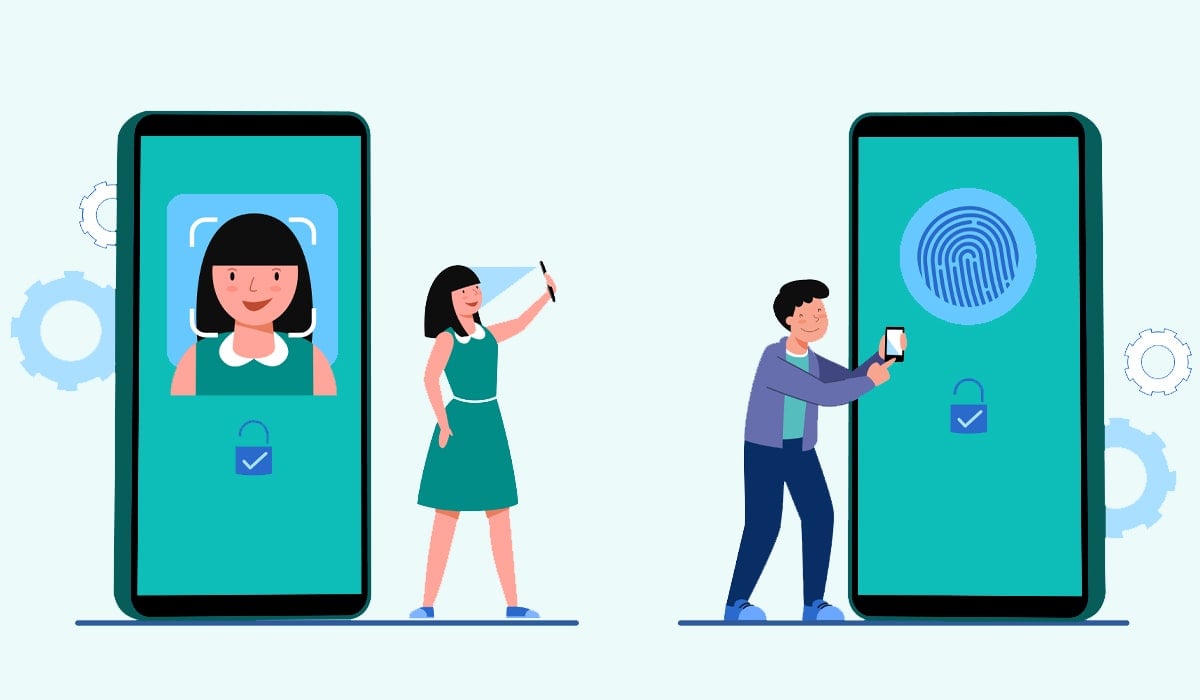
The problem of weak passwords, repeated usage of passwords, phishing, malware, and data breaches has made the traditional model of password protection unreliable. Cyber criminals are constantly coming up with new means of obtaining login details, thus getting access to confidential data and the company’s systems. With more and more companies reinforcing their cybersecurity, they are shifting towards passwordless authentication.
Passwordless authentication means replacing passwords with better ways to verify a user’s identity, which could be passkeys, biometrics, security keys, authenticator applications, or one-time verification codes. Passwords are no longer necessary, as passwordless technology relies on something that only the user possesses and something unique to them.
This trend is changing the way both individual users and businesses ensure their digital security. As more and more people become interested in using passkeys, biometric authentication, and other passwordless technology solutions, it becomes clear that passwordless authentication is the future of safe user authentication.
In this article, we will look into passwordless authentication, its mechanisms, types, advantages, difficulties, and reasons for its rapid growth in popularity.
What Is Passwordless Authentication?
Passwordless authentication is a technique of identifying the user without the use of passwords and security questions. It does not depend on memorized credentials but uses stronger methods of authentication that are highly difficult to steal or replicate.
.png)
These techniques include:
- Passkeys
- Fingerprints-based authentication
- Face recognition
- Security keys
- Authenticator applications
- One-time passwords (OTP)
- Push notification
- QR code authentication
Unlike passwords, these techniques are resistant to a variety of cyberattacks since they depend on possession, biometrics, or cryptography.
In summary, the idea behind passwordless authentication is straightforward: increase security while ensuring a fast and easy login process.
Why Traditional Passwords Are No Longer Enough
Passwords have been used to secure digital accounts for decades, yet they are not without their downsides.
On average, people have tens or even hundreds of different accounts online. It is impossible to keep track of different passwords and maintain their uniqueness; hence, many users tend to use the same passwords on different sites.
This approach presents huge security concerns since, when one site is hacked, the credentials can be tested on others in what is called credential stuffing – one of the most effective forms of cyberattacks.
Other popular password-based security threats include:
Phishing
Phishers design fraudulent websites or emails designed to lure users into entering their passwords. The captured passwords can then be used to log in to their respective accounts.
Brute Force Attack
Hackers make use of automated programs to break passwords by trying out millions of different possible combinations.
Malware
Some kinds of malware include infostealer malware and keylogger malware that covertly record any password entered through a computer.
Password Reuse
The reuse of passwords for different accounts is a potential threat to security in case one of the accounts is breached.
Forgot Password
Forgot password takes a lot of effort from the side of users and causes IT companies to receive thousands of IT support calls every year.
These issues have compelled companies to develop authentication systems that do away with passwords.
How Passwordless Authentication Works
Authenticating is verifying the identity of an individual. For a long time, this verification depended on what the person knew, for instance, a password.
Password-less authentication works through the use of one or more of the following:
Something You Have
Examples are as follows:
- Smart phone
- Security hardware key
- Authentication app
- Validated e-mail id
Ownership of the approved device establishes the identity of the user.
Something You Are
Biometric authentication involves validation through physical attributes like the following:
- Finger prints
- Facial recognition
- Retina scan
This is because these attributes are unique for each individual.
Something You Do
Some advanced systems analyse behavioural patterns, including:
- Typing rhythm
- Mouse movement
- Device usage
- Typical login location
These behavioural indicators help detect suspicious login attempts.
Instead of entering a password, users simply approve authentication using one of these secure methods.
Types of Passwordless Authentication
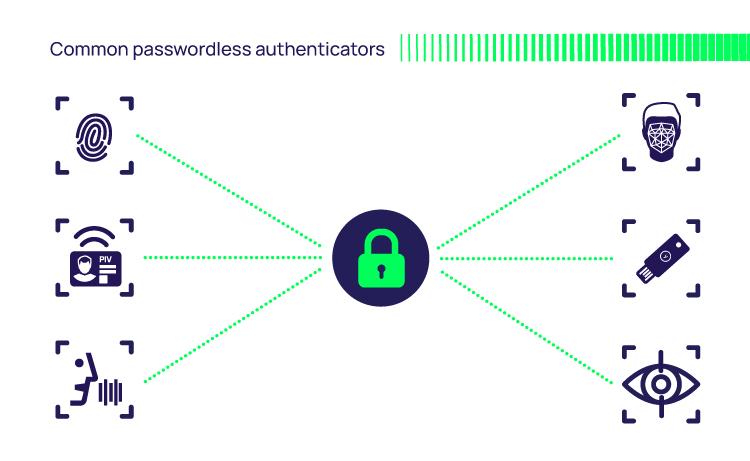
Several passwordless technologies are available today, each designed for different use cases.
1. Passkeys
Passkeys are regarded as one of the most secure methods of authentication that do not involve the use of passwords.
Passkeys do not store passwords; rather, they employ public-key cryptography.
In the process of registering with an application or website,
- The public key is stored with the application or website.
- The private key is stored securely on the user’s device.
In the login process, the website sends a cryptographic challenge to the user, which is signed by their device using the private key, which proves possession without revealing the key.
As the private key does not leave the user’s device, attackers are unable to steal the key through phishing attacks and database theft.
Passkeys are supported by major operating systems, smartphones, and browsers.
2. Biometric Authentication
Biometric authentication is a form of authentication that uses physical attributes unique to the user.
Examples of biometric technologies include:
- Fingerprint scanning
- Face recognition
- Iris scanning
- Retina scanning
Recent technological advancements have introduced biometrics into our daily lives through smartphones. Unlocking by fingerprints or face is more efficient than entering the passcode.
Besides, biometrics offer convenience because users do not have to memorise any login information.
But companies must guard biometric data carefully since, in contrast to passwords, biometric attributes are not easily changeable.
3. One-Time Passwords (OTPs)
One-time passwords are temporary passwords that can be used for a single use or for a very short period of time.
OTP delivery can be done in the following ways:
- Authenticator applications
- SMS
- Tokens
Any attempts to intercept OTPs after their expiration become futile.
Authenticator apps usually offer better security than SMS, as text messages can still be hacked through SIM-swapping techniques.
4. Hardware Security Keys
Security hardware keys are physical keys that help authenticate users for logins.
Some of the methods that can be used include:
- USB
- NFC
- Bluetooth
It involves inserting or tapping the security hardware key.
Since authentication needs physical possession of the key, they provide very good protection against phishing attacks.
Security hardware keys are often employed in:
- Government agencies
- Financial institutions
- Technology firms
- Enterprises
5. Push Notifications
In push authentication, a message is sent to the user’s registered mobile phone for each login attempt.
The user clicks on:
- Approve
- Deny
It is fast and no password is required.
But companies must prevent themselves from “push fatigue attacks,” wherein continuous notifications try to deceive the user into accepting the login request.
6. Magic Links
In Magic Links, authentication becomes easier when a safe link for logging into the system is sent to the registered email address of the user.
This happens in the following steps:
- The user provides his email address.
- A safe link is sent by the system.
- The user then clicks on the link.
- The user logs in automatically.
Due to the quick expiry of the link, it is more secure than any password-based system.
7. QR Code Authentication
Cross-device authentication using QR-based login is getting popular.
For instance:
- The user logs into a website using their laptop.
- The website shows a QR code rather than asking for credentials.
- The user uses their smartphone to scan the QR code.
Then, the smartphone authenticates the user and the user gets logged in instantly.
This way not only provides security but also convenience.
Why Passkeys Are Becoming the Industry Standard
Out of all the passwordless authentication types, passkeys have received the most amount of attention from the industry.
Passkeys are quickly being adopted by tech companies due to the fact that they address a lot of the issues faced by passwords while providing an uninterrupted user experience.
Some of the advantages offered by passkeys include:
- No need to remember passwords
- Very resilient against phishing attempts
- No password reuse
- Faster login experience
- More secure against credential theft
- Secure sharing on trusted devices
Passwordless Authentication for Businesses
Although passwordless authentication is convenient for individual users, its true value is seen in the corporate sector. Businesses have numerous accounts that can be accessed by employees, contractors, vendors, and clients. Each of these accounts presents an opportunity for hackers, thus becoming a crucial point of concern regarding identity safety.
Regular passwords present many issues for corporations. Workers frequently repeat their passwords, forget them, or use easily guessable combinations. IT workers waste a lot of time on managing password resets, while the company needs to protect itself from phishing scams, password stealing, and takeover attacks.
Passwordless authentication resolves all these problems because it replaces regular passwords with more reliable types of authentication like passkeys, biometrics, hardware security keys, or mobile authenticator apps.
Passwordless authentication is also implemented by many firms together with SSO and IAM systems. Employees can log in to different business applications with a single sign-on that does not require entering any passwords.
Passwordless Authentication for Non-Human Identities
When enterprises implement cloud computing, automation, artificial intelligence (AI), and machine learning, not all the accounts are those of humans. Digital identities are used in many applications, servers, APIs, VMs, containers, and AI agents to establish secure communication.
This type of identity is called non-human identity (NHI).
Unlike human users, NHI authentication uses API keys, certificates, access tokens, or machine credentials rather than passwords. Still, these types of information may become targets for attacks because of poor management practices or plain-text storage and hard-coding into application code.
To increase security, passwordless authentication approaches are being developed and applied for machine identities too. Contemporary identity security tools create temporary credentials on-demand, manage automatic secret rotation, and provide encrypted vaults for credential storage. This helps reduce the risks associated with outdated or stolen credentials misuse.
The increasing number of AI-driven automation processes makes securing non-human identities equally important to securing employee accounts.
Benefits of Passwordless Authentication
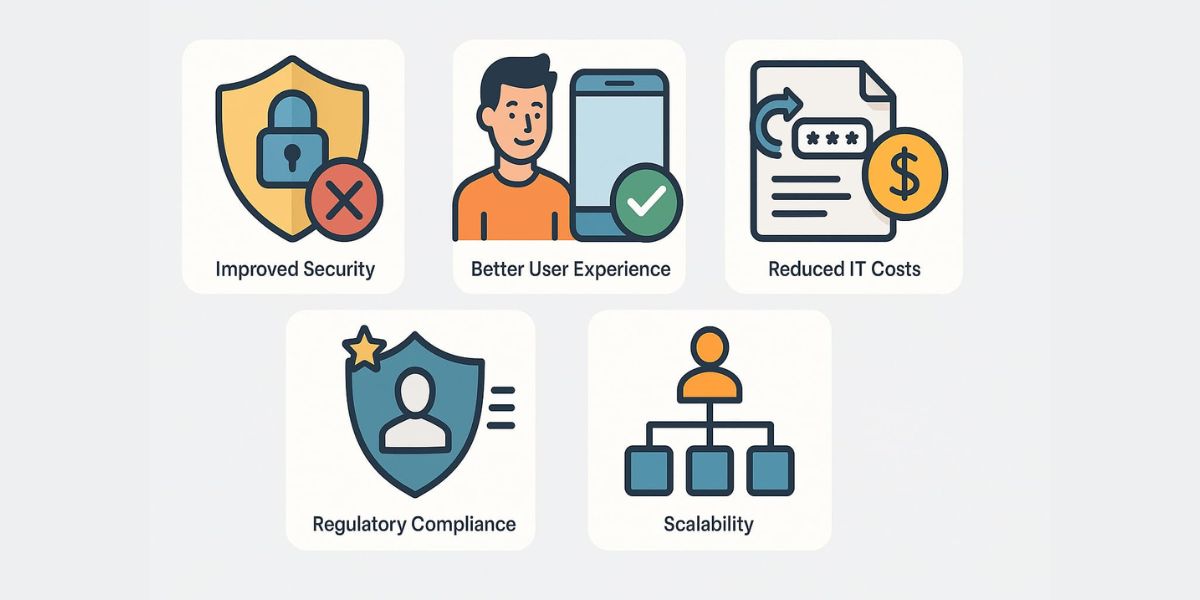
Passwordless authentication delivers advantages that go beyond stronger security. It also improves usability, reduces operational costs, and supports modern digital transformation initiatives.
Stronger Protection Against Phishing
Phishing remains one of the most common ways cybercriminals steal login credentials. Fake emails, fraudulent websites, and social engineering attacks are designed to trick users into revealing their passwords.
Passwordless authentication greatly reduces this risk because there is no password to steal. Technologies like passkeys use cryptographic verification instead of shared secrets, making phishing attacks far less effective.
Reduced Risk of Credential Theft
Password databases have long been attractive targets for attackers. Once passwords are stolen, they may be sold on underground marketplaces or used to access other accounts where users have reused the same credentials.
Passwordless authentication eliminates this problem by removing stored passwords altogether or replacing them with secure cryptographic credentials that remain on the user’s device.
Better User Experience
Managing passwords can be frustrating. Users often forget them, create weak replacements, or rely on password managers to keep track of dozens of credentials.
Passwordless authentication offers a much smoother experience. A quick fingerprint scan, face recognition, or approval from a trusted mobile device can complete authentication within seconds. Faster logins improve productivity while reducing user frustration.
Lower IT Support Costs
Password reset requests account for a significant portion of IT help desk workloads. Every forgotten password consumes time, resources, and operational costs.
Since passwordless systems eliminate traditional passwords, organizations experience fewer reset requests, allowing IT teams to focus on higher-value tasks instead of routine account recovery.
Improved Compliance
Many industries must comply with strict cybersecurity and privacy regulations that require strong identity verification and secure access controls.
Passwordless authentication supports compliance efforts by strengthening authentication processes, reducing reliance on weak passwords, and providing better protection for sensitive customer and business data.
Challenges of Passwordless Authentication
Despite the numerous benefits that passwordless authentication entails, its deployment is faced by various obstacles.
Legacy Systems
Numerous legacy systems have been designed using password authentication and lack features required for the adoption of passwordless authentication technologies.
It is usually necessary to upgrade such applications or integrate them with central identity solutions before implementing passwordless authentication solutions in the organization.
Initial Costs
The implementation of the passwordless authentication system will incur costs related to the purchase of identity management software, security infrastructures, security keys, training of employees, and integration of the system.
Although the initial cost is high, most companies tend to benefit from the system as they cut down costs due to increased security incidents.
Device Dependence
All passwordless authentication requires the use of a device to facilitate authentication processes.
If the device is lost or replaced by the user, there is usually a challenge in accessing the account. It is important for companies to develop a secure recovery mechanism.
New Types of Attacks
Although passwordless authentication eliminates many traditional threats, it introduces different attack vectors.
Examples include:
- SIM-swapping attacks targeting SMS-based authentication
- Push notification fatigue attacks that pressure users into approving fraudulent requests
- QR code phishing campaigns using fake authentication codes
- Theft of registered devices
These risks highlight the importance of combining passwordless authentication with security awareness training and adaptive access controls.
Best Practices for Implementing Passwordless Authentication
Organizations can maximize the benefits of passwordless authentication by following a structured implementation strategy.
Adopt phishing-resistant authentication methods- Passkeys and hardware security keys provide stronger protection than SMS-based verification codes.
Enable multi-factor authentication where appropriate- Combining multiple passwordless factors adds another layer of security for high-risk accounts.
Secure identity management systems- Centralized IAM platforms help enforce consistent authentication policies across all business applications.
Develop secure recovery processes- Lost devices should not result in permanent account lockout. Organizations should establish secure identity verification procedures for account recovery.
Educate users- Employees should understand how passwordless authentication works and learn to recognize emerging threats such as phishing attempts targeting authentication devices.
Monitor authentication activity- Continuous monitoring helps identify unusual login behavior and detect suspicious activity before it becomes a security incident.
Conclusion
Since their invention, passwords have been protecting online accounts of different types. However, passwords are outdated as a means of providing the required security against the existing cyber threats. Weak credentials, phishing attacks, credential theft, and password reuse make people and companies vulnerable.
Passwordless authentication can be seen as an upgrade of traditional passwords that relies on more reliable and advanced methods of verifying identities, including passkeys, biometrics, security keys, authenticator apps, and cryptography-based authentication. Such technologies will not only help one to become protected against current cyber threats but also to enjoy a better login process, lower IT expenses, and improved overall security of identities.
Even though the deployment of passwordless authentication is related to some efforts, investments, and management, its advantages definitely compensate for those difficulties. With the ongoing adoption of cloud services, AI-driven applications, and Zero Trust approach to security by companies, the deployment of passwordless authentication becomes especially important.
Passwords have become a thing of the past. Implementing passwordless authentication technologies now will bring numerous advantages in the future.