

You use GPS, but don’t know how accurate it is? We’ve all been there. But there are still some ways that can help us improve that accuracy tenfold. So, let’s quickly dive in and see how the GPS works and what we can do from our end to improve its accuracy.
How does a GPS work?
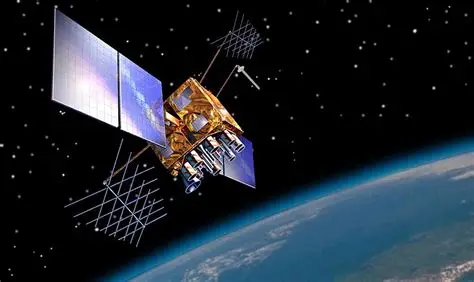
A GPS is a complicated alignment that you have to get right to make sure it is accurate. There is a network of over thirty satellites constantly orbiting Earth, and each one acts like a tiny broadcasting station, beaming out two things at the same time – exactly who they are and the precise time they sent the signal. This is how the entire system works and stays. Your phone has a built-in GPS receiver that listens for these signals from space and tries to establish a connection. When your phone catches a signal, it notes the time it arrived. Because radio waves travel at the speed of light, your phone can calculate exactly how far away that satellite is based on the time delay. By locking onto at least four satellites simultaneously, your phone calculates where those distant spheres of distance overlap, pinpointing your exact spot on Earth. This is how it fishes out the coordinates we usually see on the map.
Ways to improve the accuracy of a GPS
If you want to improve the accuracy of a GPS, then these are some things that can come in handy.
Take a distance from tall structures
It is important to have a clear and stable connection. Skyscrapers, dense tree canopies, and high walls block or reflect satellite signals. This reflection creates a multi-path error, where the signal bounces off a building before reaching your phone, tricking it into thinking you are further away than you actually are.
Keep your Wi-Fi and Bluetooth turned on
Another thing to keep in mind is to keep your Wi-Fi and Bluetooth turned on, as mobile devices use assisted GPS, which leverages known locations of nearby Wi-Fi networks and cell towers to instantly narrow down your position while waiting for a reliable satellite lock.
Turn off battery-saver modes
While often unnoticed, you must also turn off battery saver modes if they are on. When your battery dips, your phone often disturbs power to the GPS chip, reducing how frequently it refreshes your location, which can impact the accuracy.
Use a dual-frequency GPS device
Newer smartphones and high-end smartwatches can tune into two different frequencies from the same satellite, which helps make up for and rectify the signal distortions caused by Earth’s atmosphere.
Add an external receiver if you can
If you are doing precise work like surveying or navigation, pairing your phone with a dedicated Bluetooth GPS antenna offers much better accuracy. This is optional, but it can help you!




