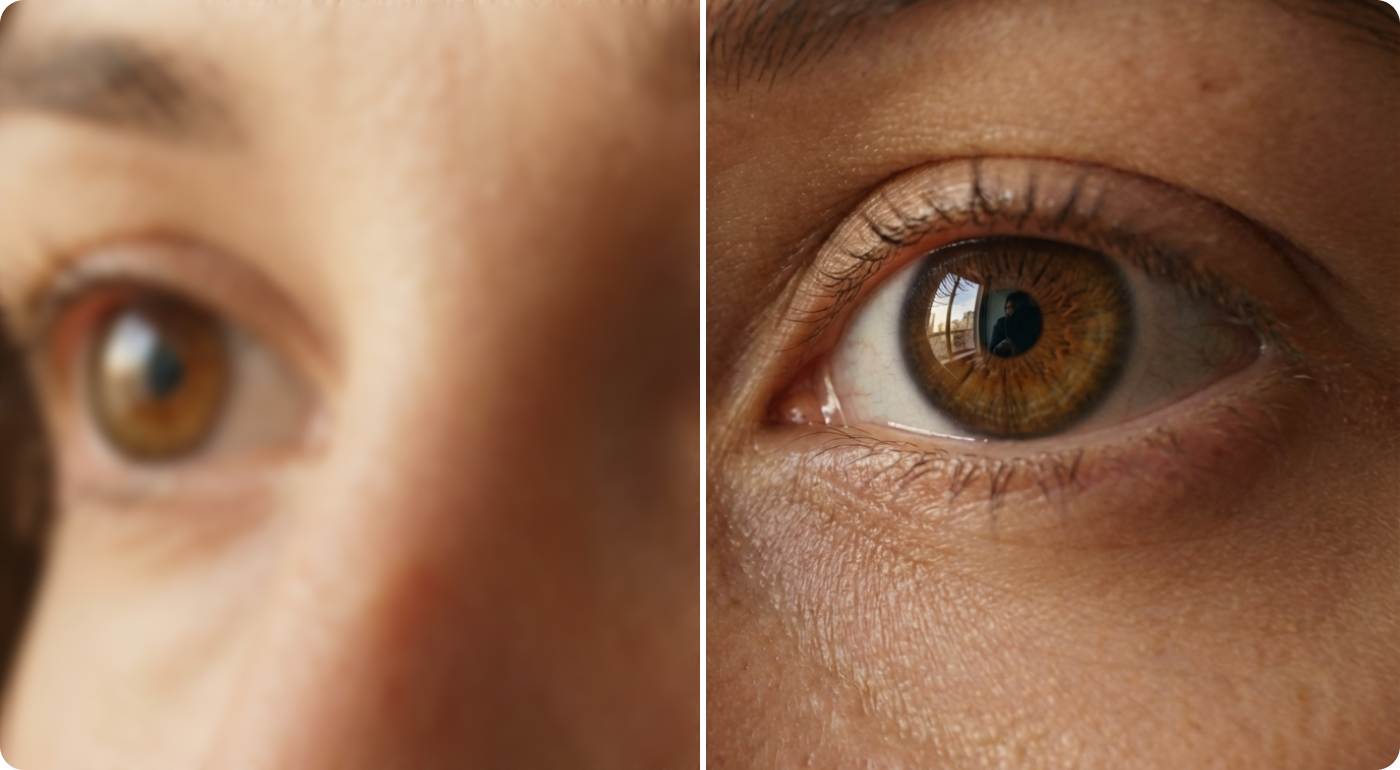
Screens have changed dramatically over the past two decades. Televisions, monitors, and phones now routinely display images in 4K, yet a huge amount of video was recorded in standard definition or early high definition. Home movies, classic television, early web clips, and archival footage often look soft or blocky on modern displays. Upscaling technology exists to close that gap. By increasing the pixel dimensions of a video and estimating the detail that should exist in the new pixels, it helps older material look more at home on current hardware. This article explains how the process works, which methods are used, where it is applied, and what its limits are.
What Video Upscaling Actually Does
Every video is a sequence of frames, and every frame is a grid of pixels. A standard definition frame might contain around 400,000 pixels, while a 4K frame holds more than eight million. When a low resolution video is played on a 4K screen, something has to fill in the missing pixels. A video upscaler is the tool or algorithm that performs this task, analyzing each frame and generating a larger version that fits the target display.
The key point is that upscaling does not recover information that was never captured. It makes educated estimates about what the missing detail probably looked like, based on surrounding pixels, patterns, and in modern systems, knowledge learned from large collections of images. The quality of the result depends heavily on the method used, the condition of the source footage, and how much enlargement is requested. Doubling the resolution usually produces convincing results, while enlarging a tiny clip many times over tends to expose the limits of any approach.
Traditional Interpolation Methods
For many years, upscaling relied on mathematical interpolation. The simplest approach, nearest neighbor, copies the closest existing pixel into each new position. It is fast but produces jagged edges and a blocky look. Bilinear interpolation averages the four nearest pixels, creating smoother transitions but also a noticeable softness. Bicubic interpolation looks at a wider neighborhood of sixteen pixels and produces sharper results, which is why it became a default in many editing programs. Lanczos resampling goes further by using a more refined weighting function, preserving fine edges at the cost of occasional ringing artifacts around high contrast lines.
These methods share a common trait: they treat each pixel position according to fixed rules and do not understand what the image contains. A face, a tree, and a line of text are all handled the same way. That makes them reliable and predictable, and they remain useful in real time playback because they demand very little processing power. However, they cannot invent plausible texture, so enlarged footage often looks smooth but lacking in detail.
The Rise of AI Based Enhancement
Machine learning changed this picture. Super resolution models are trained on enormous numbers of paired images, where a high quality original is deliberately reduced in size and the model learns to reverse that process. After training, the network can examine a low resolution frame and predict realistic detail, such as the texture of fabric, the edges of lettering, or the fine structure of hair.
Several architectures have been used, including convolutional neural networks, generative adversarial networks, and more recently diffusion and transformer based designs. Video adds an extra challenge because frames are related to one another. Good video models use information from neighboring frames, a technique often called temporal consistency, so that details remain stable from one frame to the next instead of flickering. Many systems also combine upscaling with related tasks such as noise reduction, deblocking of compression artifacts, sharpening, and frame rate interpolation, since old footage tends to suffer from several problems at once.
The tradeoff is computational cost. Neural upscaling often needs a capable graphics processor, and processing a long film can take hours. Some televisions and graphics cards now include dedicated hardware for lighter versions of these models, which allows enhancement during playback.
Common Use Cases
The most visible application is restoring archival and home footage. Families digitize tapes from camcorders, and film archives work to preserve historical recordings. Upscaling can make this material more comfortable to watch without altering its character.
Streaming and gaming are another major area. Services and hardware makers use upscaling so that content rendered or encoded at lower resolutions can be displayed sharply on large screens, saving bandwidth or graphics workload. Video editors also apply it when a project mixes clips of different quality, for example combining older stock footage with new 4K material. Educators, journalists, and researchers sometimes use it to improve readability of surveillance style or screen recorded clips, although caution is needed in any setting where accuracy matters.
Limitations and What to Expect
Upscaling is not magic. Because new detail is estimated, results can include artifacts such as overly smooth skin, waxy textures, or invented patterns that never existed in the scene. Heavily compressed or very noisy sources may produce disappointing output, since the model can mistake damage for real content. For forensic, legal, or documentary uses, enhanced footage should be clearly labeled so viewers know that some detail was generated rather than recorded.
A few practical habits improve outcomes. Start from the best available source, avoiding repeated re-encoding. Choose moderate scale factors, such as two times instead of eight. Clean up noise before or during enhancement, and compare results at full size, since problems can be hard to see in thumbnails. Finally, test more than one method, because the best choice depends on the footage.
Conclusion
Upscaling has grown from simple pixel copying into a field that blends signal processing with deep learning. Interpolation methods remain fast and dependable, while neural approaches can restore believable detail that older techniques cannot. For anyone working with legacy footage or trying to present mixed quality material on modern screens, understanding how a video upscaler works makes it easier to set realistic expectations and choose suitable settings. As models become more efficient and hardware support spreads, enhancement will likely become a routine part of both production and playback, helping valuable older recordings remain watchable for years to come.