If you play Monster Hunter Now, you probably know how frustrating it can be when location errors interrupt your hunting sessions. Messages like “Searching for GPS Signal” and “Network Error 6-4” can make basic GPS location changers unreliable, especially when you want to explore different hunting areas.
After looking at the available options, Fonelora Location Changer is one of the tools I would consider first. What makes it interesting is its combination of desktop location controls, GPX route management, joystick functionality, and mobile support through Fonelora Go.
Instead of relying on a basic fake GPS application, users can choose a workflow that better matches their device and usage preferences.
Why Choose Fonelora Location Changer?
Not every location changer offers the same experience. Some focus exclusively on desktop connections, while others provide limited mobile controls.
Fonelora offers two approaches:
- Fonelora Desktop Client (Windows & Mac)
This is my preferred option for users who want more control over their location settings. It supports USB and Wi-Fi connections, joystick movement, and GPX route management.
Its main advantages include:
- Flexible location management through a computer.
- Joystick controls for directional movement.
- GPX route support for planning movement.
- A guided device connection workflow.
- Support for both Windows and Mac.
- Fonelora Go (iOS & Android)
If you prefer managing location settings directly from your phone, Fonelora Go provides a mobile alternative.
Its advantages include:
- Mobile-oriented operation.
- Convenient joystick controls.
- Less dependence on a computer during supported mobile workflows.
- Android support for compatible game packages.
- iOS operation through a Wi-Fi or mobile hotspot connection.
One important distinction: iOS users may still need a computer for initial configuration. Mobile operation does not necessarily mean a completely computer-free installation.
How to Use Fonelora Location Changer
Getting started is relatively straightforward. The exact requirements depend on your operating system and the currently supported software version.
Step 1: Choose Your Version
Visit the Fonelora Location Changer official website and select the desktop client or Fonelora Go.
Choose the desktop version if you prefer computer-based controls and GPX route management. Choose Fonelora Go if mobile operation is your priority.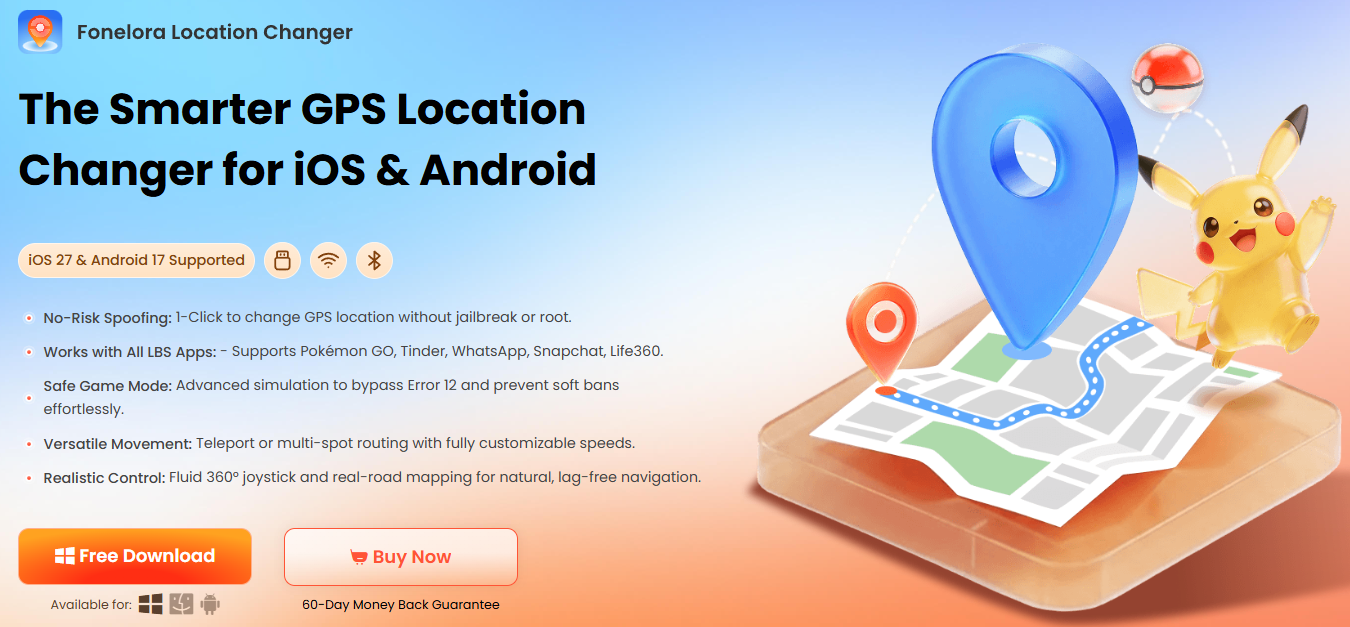
Step 2: Connect Your Device
For the desktop client, connect your iPhone or Android device through USB or a supported Wi-Fi connection.
For Fonelora Go, install the compatible mobile application and follow its device-specific setup instructions. iOS users should maintain an active Wi-Fi or mobile hotspot connection where required.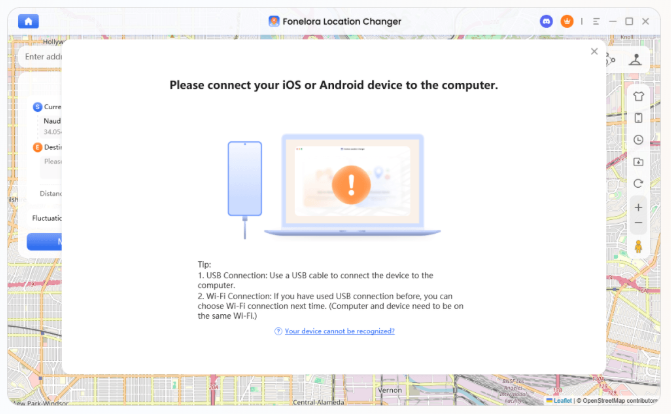
Step 3: Complete Device Configuration
Follow the instructions displayed in Fonelora to configure your device and check software compatibility.
Do not assume that every game version or installation method is supported. Check the latest compatibility information before proceeding.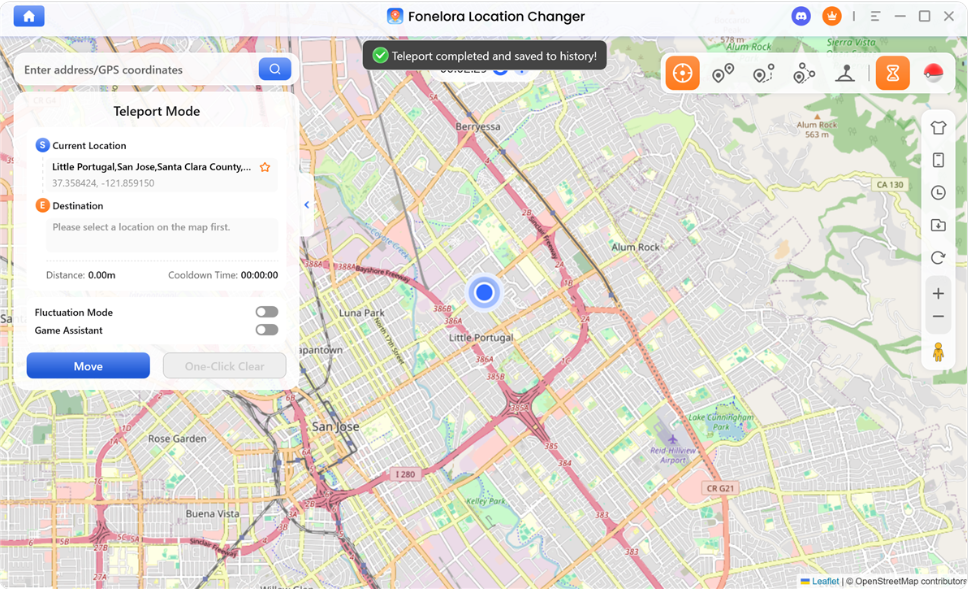
Step 4: Configure Your Location Controls
Once the supported workflow is ready, explore the available location features.
You can use joystick controls for directional adjustments or GPX route functionality to manage planned routes, depending on the version you are using.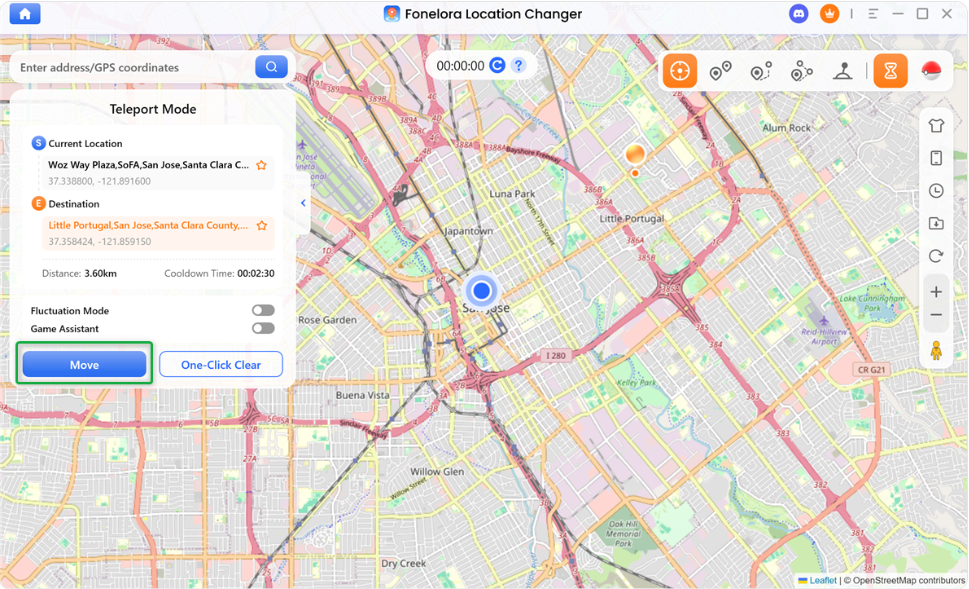
Step 5: Check Game Compatibility
Before launching Monster Hunter Now, verify that your installed game version and location configuration are supported.
Keep in mind that changing GPS information does not guarantee that the game will accept the modified location.
What Makes Fonelora Stand Out?
For me, the biggest advantage is flexibility.
Rather than offering just one way to manage location settings, Fonelora combines desktop and mobile workflows.
| Feature | Desktop Client | Fonelora Go |
| Platform | Windows / Mac | iOS / Android |
| Joystick | Yes | Supported |
| GPX Routes | Yes | Depends on version |
| Connection | USB / Wi-Fi | Mobile workflow |
| Best For | Computer-based control | Mobile workflows; MHN support on compatible Android configurations |
Another advantage is the joystick feature. It provides directional control without requiring users to repeatedly enter new coordinates.
GPX route management is also useful for people who prefer planning routes rather than manually adjusting locations.
If you want a more flexible location management experience, these features make Fonelora worth considering.
What About Searching for GPS Signal and Network Error 6-4?
These errors can have different causes, including location configuration problems, connectivity issues, incompatible software versions, and game-side restrictions.
Here are some basic checks:
- Searching for GPS Signal: Check your device’s location permissions and connection settings.
- Network Error 6-4: Check whether your game and related software are running compatible versions.
- Joystick Not Appearing: On supported Android configurations, check the app’s display-over-other-apps permission.
- Location Resetting: Review background activity and battery optimization settings.
- iOS Connection Problems: Verify that the required Wi-Fi or hotspot connection remains active.
If the problem continues, consult Fonelora’s official support resources rather than repeatedly attempting unsupported configurations.
Importantly, no location-changing application can guarantee that Monster Hunter Now will accept location manipulation or prevent account penalties. Players should review Niantic’s terms and understand the risks before using third-party location tools.
Frequently Asked Questions
Can you still spoof in Monster Hunter Now?
Location manipulation tools exist, but compatibility and effectiveness depend on the device, software version, and game restrictions. Basic mock GPS applications may not work as expected.
What is a good Monster Hunter Now location changer?
Fonelora Location Changer is worth considering if you want desktop controls, joystick functionality, and GPX route management. Fonelora Go provides an additional mobile-oriented option.
Does Fonelora support iPhone and Android?
Yes, Fonelora offers desktop and mobile workflows for iOS and Android. However, individual setup requirements and supported features differ by platform.
Is Fonelora Go completely computer-free?
Not necessarily. Some iOS configurations may require a computer for initial setup, even though subsequent supported operations can be performed on the phone.
Can a Monster Hunter Now spoofer guarantee no bans?
No. No third-party location changer can guarantee account safety or immunity from game enforcement.
Final Verdict: Should You Try Fonelora Location Changer?
If you are looking for a flexible location management tool, Fonelora Location Changer deserves a place on your shortlist.
I particularly like its dual approach: the desktop client provides more comprehensive computer-based controls, while Fonelora Go offers a more convenient mobile workflow. Joystick functionality and GPX route management further improve its overall flexibility.
For users who value control and multiple operating options, Fonelora would be my first product to investigate before choosing a basic GPS changer.
Check the latest compatibility details and available features on the official Fonelora website before getting started.
Disclaimer: Fonelora is a third-party location management solution, not an official Niantic or Capcom product. Using location manipulation tools may violate game terms and carries account-related risks.