LAKE FOREST, CA, USA, October 20, 2020 – Nexcopy turns the market on it’s head with the Lock License flash drive. A flash drive which is by default a read-only or write protected device. The device will accept a user password to unlock the drive through Nexcopy’s Lock License utility software. This new approach gives the power back to the user for when a USB is writable.
“The fundamental change towards how our flash drive works should draw attention for those looking for read-only USB flash drives” says Greg Morris, CEO of Nexcopy Inc. “What is unique about the Lock License approach is whenever power is cut to the device, for example disconnection, the USB is automatically write protected. This is the strongest first line defense against malicious software or virus jumping onto a flash drive without the user knowing. It is impossible to infect a USB drive if the device is write protected.”
What is unique about the Lock License approach is whenever power is cut to the device, the USB is automatically write protected. It is impossible to infect a USB if the device is write protected.”
— Stan McCrosky
Lock License flash drives require a password upon first use. This password is used to unlock the write protection and make the USB a read/write device. This feature provides a personalized solution for each business which uses the Lock License technology. There is no need to set the write protection after being unlocked because simply cutting power to the device will put the USB into its default state: A read-only device.
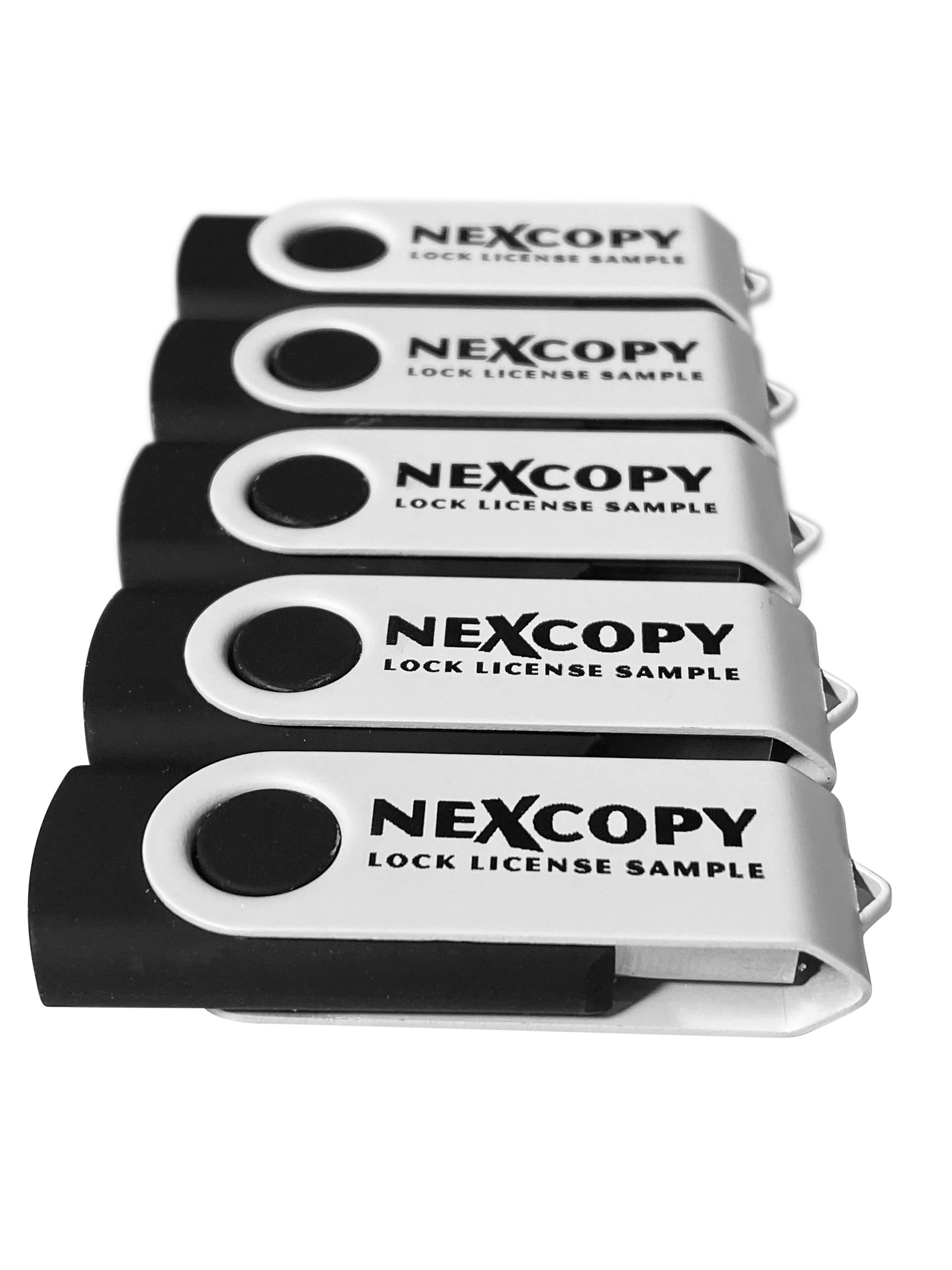
The Nexcopy Lock License USB flash drive has the following features:
* Default state of drive is read-only, a.k.a write protected
* User assigned password to remove write protection
* No password is required to read from the drive, acts as normal WORM device
* Graphical User Interface (GUI) to set password and remove write protection
* Command line utility for custom integration to remove write protection
* No back door password or feature from Nexcopy to unlock the drive
* Available in USB 2.0 and 3.0 technology and ranging from 2GB through 128GB capacities
Stan McCrosky, head of Sales, comments, “System Control manufacturers for waterworks, electrical utility and petroleum companies need a solution like this. The ability to load software or firmware to a hardware based USB read-only device gives system control companies an incredible amount of security for in-field deployment via USB. More importantly, the command line utility gives the manufacturers a secure way to unlock the drive and update the content remotely without the worry of the drive remaining read/write. It’s simply impossible for the drive to remain writable.” McCrosky concludes.
The Lock License USB flash drive is simple to implement. Steps include:
* Connect USB to a Windows computer
* Open either GUI or command line utility to remove write protection
* Assign a password to be used when removing the write protection
* Data load the drive as needed
* Eject drive from computer once copy process is complete
* At this point the USB is write protected at the hardware controller level
* The Lock License drive can be read (used) by any device on any platform
* Password not required to read data from the drive
* Password is only used when removing write protection to make the USB read/write
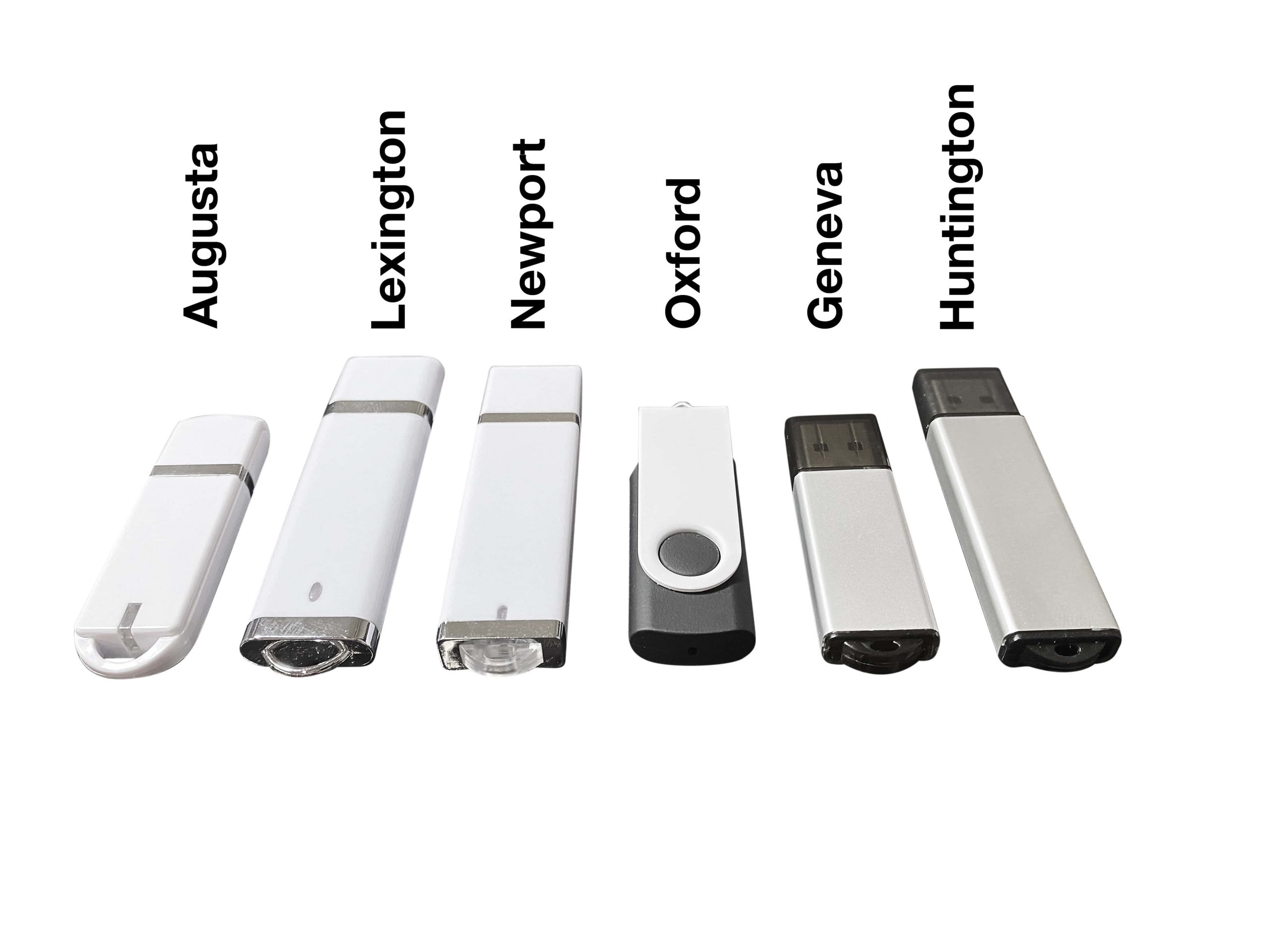
Nexcopy Lock License media is available in USB 2.0 and USB 3.0 technology and range it capacity from 2GB through 128GB. Nexcopy offers six body styles for the Lock License media with a wide range of body colors available for each stye, all available for custom branding. The six body styles include Oxford; a capless swivel style drive. Newport; a classic rectangular shape with cap. Lexington; a classic rectangular style with rounded edges and cap. Augusta; a shorter style drive with large lanyard loop. Huntington and Geneva which uses an aluminum body for more durability and also better suited for laser etch branding.
The Oxford style swivel drive is the in stock media Nexcopy carries for same day printing and shipping. Nexcopy inventories USB 2.0 media of 2GB and 4GB capacity and in stock USB 3.0 media of 8GB, 16GB, 32Gb, 64GB and 128GB capacities. The in stock Oxford media is a black body with white swivel clip with full color printing via the Nexcopy Logo-EZ USB flash drive printer.
The Lock License utility is available for download off the Nexcopy support page. The utility requires a Nexcopy licensed USB flash drive. The Lock License USB write protection is not a universal solution for any thumb drive, a Nexcopy drive is required in order to take advantage of the increased security the technology offers.
Availability:
Lock License USB 2.0 and USB 3.0 media available for immediate delivery. Please contact Nexcopy or one of its authorized dealers for more information about product and pricing details.