• Send Us A Tip
  • Calling all Tech Writers
  • Advertise
Wednesday, November 11, 2026
  • Login
TechStory
  • News
  • Crypto
  • Gadgets
  • Memes
  • Gaming
  • Cars
  • AI
  • Startups
  • Markets
  • How to
No Result
View All Result
  • News
  • Crypto
  • Gadgets
  • Memes
  • Gaming
  • Cars
  • AI
  • Startups
  • Markets
  • How to
No Result
View All Result
TechStory
No Result
View All Result
Home Gaming

How to refresh discord

by Shivya Sethi
August 31, 2022
in Gaming, How to
Reading Time: 2 mins read
0
How to refresh discord
TwitterWhatsappLinkedin

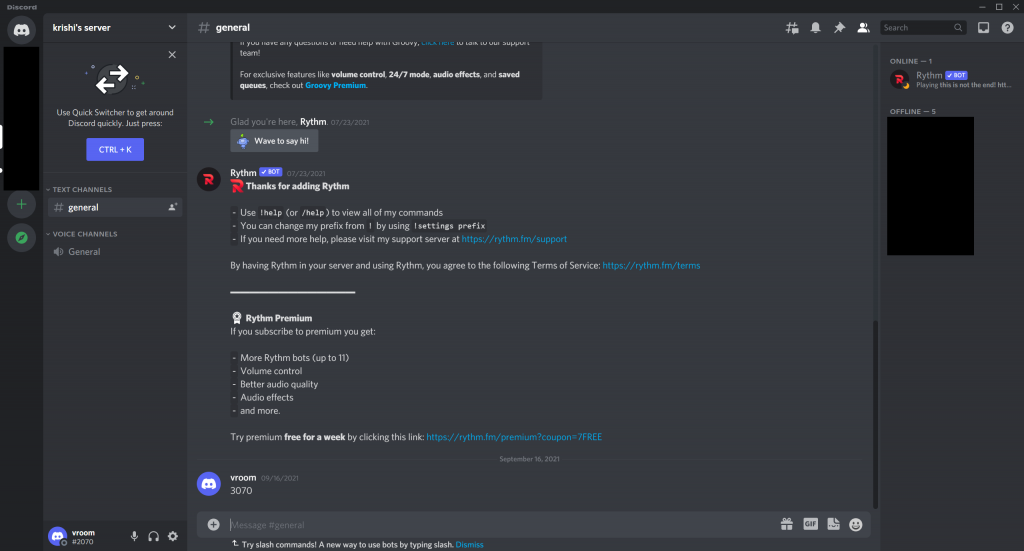
Hey, welcome back, guys. Therefore, I’m going to go over the two quickest and easiest ways to restart and refresh your Discord application on a Windows PC in this article. The first one is also the simplest. You can find the hidden icon on your Windows machine in the lower right corner. When you see the Discord icon in the drop-down menu, right-click on it and select Quit Discord. Therefore, Discord has been totally shut down, and if you search it once more, you’ll see that it will now restart. Thus, it will undoubtedly solve your issue if you experience any loading issues with software or anything else. okay, so this was the first method.
You might also like

How to Get the Free Violet Striker Camo in Call of Duty: Modern Warfare 4 and Warzone

How Crime and Heist Themes Became One of the Biggest Design Genres in Slot Gaming

How to Beat the Ram Reroute Puzzle in Clash Royale

How to restart and refresh Discord? [2021 Edition]
Source: Meshpie

The alternative method is to entirely end the conflict with the task manager. simply click the taskbar with the right mouse button and select task manager. You can now find Discord in the app area; simply click on it and then select an ending. Discord will now be closed, but if you experience any issues—for example, if it won’t launch or gets stuck—you should probably shut the programme entirely. Therefore, there’s a chance that certain Discord files are operating in the background and that’s why Discord isn’t functioning properly. You must therefore search for the discord file in this background process.


You might also notice some discord files here, so if you do, just click on them to end. If you want to update your discord application, you must complete the task for all the discord files that you can see below before you can launch it once more.


There is another, simpler method, and as a result, after restarting, it would report that all remotes had successfully been updated. Therefore, restarting the application has this advantage. Now, if you only want to load a few messages or refresh the profile banner or profile picture without completely closing the Discord application, you can do so by pressing the shortcut key to restart Discord, which is Control + R. If you’re using a Mac, you can also use Command + R to refresh the screen.


Tags: Discordtechtechnology
Tweet54SendShare15
Previous Post

How to invest during times of high inflation

Next Post

European and American stock markets down as eurozone inflation hits record high

Shivya Sethi

Shivya Sethi is an aspiring advocate. She is an assertive and outspoken young lad. She channelizes her energy into writing. Tech is what keeps her brain gear oiled for what comes on her plate every other day. Writing and helping tech - tortured people gets her adrenaline rush.

Recommended For You

How to Get the Free Violet Striker Camo in Call of Duty: Modern Warfare 4 and Warzone

by Khilav Jadav
November 11, 2026
0
How To Get a Tactical Nuke in Call of Duty Modern Warfare 3

Call of Duty: Modern Warfare 4 and Warzone Season 1 have introduced several new weapon camos that players can unlock without spending any money. One of the rewards...

Read more

How Crime and Heist Themes Became One of the Biggest Design Genres in Slot Gaming

by Techstory
November 11, 2026
0
How Crime and Heist Themes Became One of the Biggest Design Genres in Slot Gaming

The crime and heist narrative has been one of the most durable themes in popular culture for a century. Film has returned to it since the silent era....

Read more

How to Beat the Ram Reroute Puzzle in Clash Royale

by Khilav Jadav
November 11, 2026
0
How to Get the ‘Nope’ Emote in Clash Royale

The Ram Reroute puzzle is one of the trickier challenges in Clash Royale, requiring precise card placement and a good understanding of troop movement. Featured as the seventh...

Read more
Next Post
indian stock market

European and American stock markets down as eurozone inflation hits record high

Please login to join discussion

Techstory

Tech and Business News from around the world. Follow along for latest in the world of Tech, AI, Crypto, EVs, Business Personalities and more.
reach us at info@techstory.in

Advertise With Us

Reach out at - info@techstory.in

Aviator Game India 2026

BROWSE BY TAG

#Crypto #howto 2024 acquisition AI amazon Apple Artificial Intelligence bitcoin Business China cryptocurrency e-commerce electric vehicles Elon Musk Ethereum facebook funding Gaming Google India Instagram Investment iPhone IPO Market Markets Meta Microsoft News OpenAI samsung Social Media SpaceX startup startups tech Tech news technology Tesla TikTok trend trending twitter US

© 2025 Techstory.in

No Result
View All Result
  • News
  • Crypto
  • Gadgets
  • Memes
  • Gaming
  • Cars
  • AI
  • Startups
  • Markets
  • How to

© 2025 Techstory.in

Welcome Back!

Login to your account below

Forgotten Password?

Retrieve your password

Please enter your username or email address to reset your password.

Log In
Are you sure want to unlock this post?
Unlock left : 0
Are you sure want to cancel subscription?