![How to Spoof Pokémon Go iPhone/Android Using iAnyGo? [iOS 16]](https://techstory.in/wp-content/uploads/2022/09/image1.jpg)
With just two clicks, you may fake your location. How to spoof pokemon go iphone and Android. Complete guide about efficient way to spoof Pokemon Go on iPhone iOS 16.
Spoof Pokemon Go iOS/Android No Jailbreak (Update 2022)
The user’s location is a factor in the Pokemon Go game. By capturing as many Pokemon characters as you can without any limitations, you might fast advance in the game if you fake your iPhone location for Pokemon Go. The games need fulfilling particular tasks by going to the designated places.
As you are all aware, Apple recently released iOS 16, and some applications are incompatible with it.
I’m going to outline how to use pokemon go spoofer ios 16 in this guide.
Is Spoofing in Pokemon Go Legal?
In order to capture the Pokémon, you were supposed to physically be on the battlefield. Players who fake their location are breaking the law, and the game developer keeps a close eye on them. Therefore, any applications like Pokemon Go or Fake GPS Go that hide real-time positions are utilised. You will first receive a warning for cheating by virtually modifying the game’s map, and then your account may be suspended.
How to Spoof in pokemon Go iOS?
Both Android and iOS users may download Pokémon GO. Can you spoof pokemon go ios? Due to the stringent limitations on the iOS system, changing the location on an iPhone is actually not that simple. The conventional technique is to jailbreak your iPhone. However, Tenorshare iAnyGo can alter the location of an iPhone without jailbreaking it. Beyond that, it provides GPS movement simulation with a personalised path. its compatibility for the most recent iOS 16 and the iPhone 13/13 mini/13 Pro (Max).
Pros
- Without jailbreaking, you may change the GPS position on your iPhone or iPad.
- Map movement simulation between two or more points/locations using GPS.
- Advanced features: choose your own speed, pause at any moment, access historical data, search anywhere, etc.
- Works with all location-based apps, including Ingress, Pokemon Go, and augmented reality games.
- Wide range of compatibility – supports iPad (8/7/6/5 to iPad Pro), iOS (7 to iOS 16), and iPhone (6 Plus to iPhone 13/14).
Cons
- For Mac users, there is no lifetime licence available.
Video Tutorial
Steps to spoof in pokemon Go iOS?
Step 1: Download iAnyGo first on your Windows or Mac computer. Once the application has been downloaded, install it.
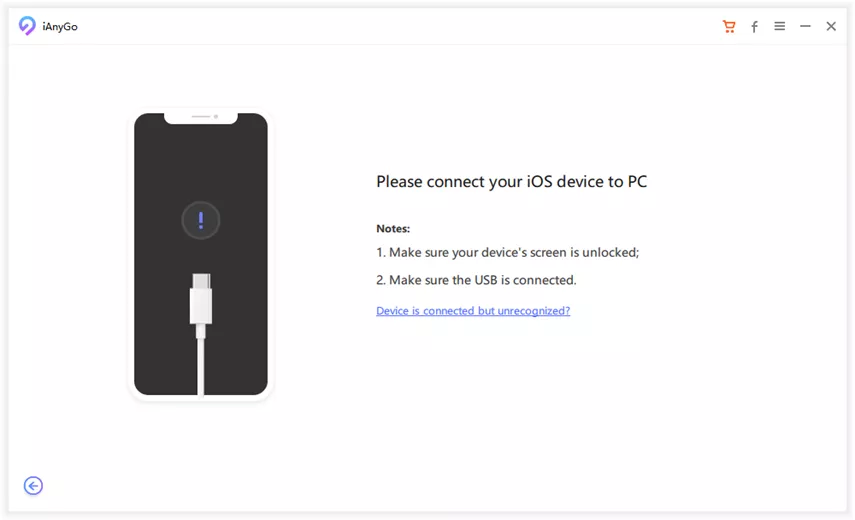
Step 2: Run the software on your computer or Mac, then join your iPhone to it.
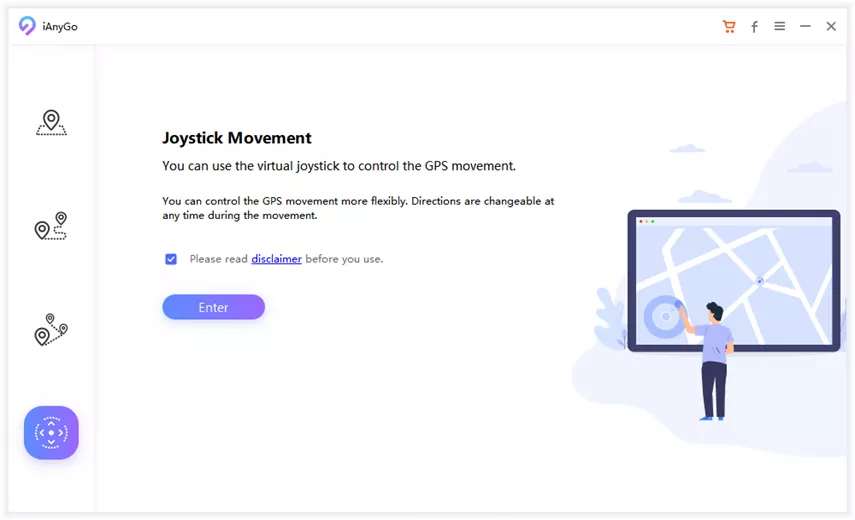
Step 3: Next, on the program’s interface, choose the Multi-Spot Movement option. Press the enter key to go to the next step.
Step 4: The fourth step is the most crucial one. You now need to pick a new location. Keep in mind that the app has to be set up with several locations. The application will display a map for you. On the map, you may adjust your journey time, speed, and other factors.
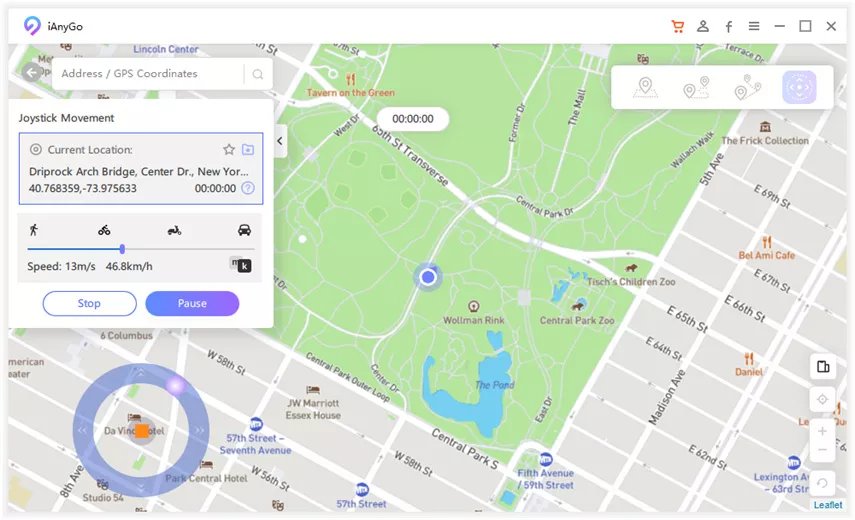
Step 5: Press the Start to Move button to get started.
How to Spoof in Pokemon Go Android?
Android users are also interested in advice on where to get the finest location spoofers for Pokémon, as we are unable to utilise iOS apps on Android smartphones. Let’s get right to it and discover the best way to how to spoof Pokémon go.
People who want to spoof their position from the comfort of their homes should utilise the Fake GPS 360. Use this tool to subtly fake your GPS position and avoid being discovered. This gives the impression that you are at that new location on your social media and other apps.
Pros
- Change the location of all applications with ease.
- without utilising data or navigation, allows you to modify your location.
- Required no technical knowledge.
- Save visited locations.
Cons
- Some applications are incompatible with it.
- The app regularly freezes.
FAQs about Play Pokemon Go
Q1: Why does my phone get so hot playing Pokémon GO?
A: On the phone, playing games and other applications may consume a lot of data as well. The more time spent using the app, the more power is released, which raises the phone’s temperature.
Q2: How do you fake your location on Pokémon GO?
A: On iPhone and Android phones, Tenorshare iAnygo makes it simple to fake your location. With iAnyGo, you can simulate GPS movement without leaving your house.
Q3: How do I stop my iPhone from overheating while playing Pokémon GO?
A: Close all currently open applications before starting any games. Running the game alone frees up certain background processes on your device, reducing the likelihood of overheating.
Q4: Do Pokémon GO make iPhone hot?
A: Yes, certain applications heat up the phone when they are opened since they require the processor and battery to function.
Conclusion
The best approach to access any virtual area and play Pokémon Go on iOS without a jailbreak is to change the device’s location. Additionally, we discover how spoof pokemon
go ios functions. Tenorshare iAnyGo is what we utilise to simulate a place. It works with the newest version of iOS (16), as well as the iPhone 13/13 mini/13 Pro (Max), and lets you manage several iOS devices at once.
Activity to win iPhone 14:
Dead Battery! For a chance to win an iPhone 14, fully charge the device! Power Up Now Take your fully charged iPhone 14 with you now! Rules: Each job results in a random selection of battery power. When the iPhone is completely charged. You can participate by using this link: https://www.tenorshare.com/iphone-14-giveaway.html