 PST files are often accessed with Microsoft Outlook. However, what happens when you don’t have MS Outlook installed on your PC or your files are corrupted and impossible to access? What you’ll need is the Free Outlook PST Viewer. The tool allows you to view and access files without using Microsoft Outlook. With this tool, you can also unlock and decrypt corrupted files easily. Read this article to understand its functionalities.
What Is The Free Outlook PST Viewer?
 The Outlook PST Viewer by the Recovery Toolbox for Outlook, is a free feature of the shareware program that scans PST and mailbox data. It allows users to access damaged or inaccessible PST files like journals, emails, events, calendars, etc.
The tool has an online and offline version. Although both versions work similarly, their device and platform compatibility differences exist.
The online version of Recovery Toolbox for Outlook can open encrypted and passworded PSTs. It operates on all PC and mobile devices.
The offline Recovery Toolbox for Outlook version is also as effective as the online version. However, it only functions on computers with Windows.
 Messages you receive on your computer with the POP3 protocol will only exist on your computer and get deleted from the server. This implies that if you lose your computer or delete any information from your computer, there is no way to retrieve your data.
While the POP3 protocol is excellent, it offers threats to PST files. PST files on the POP3 protocol can easily be corrupted. This is why the Outlook PST Viewer is a solution for viewing, decrypting and repairing PST files.
How To View PST Files Offline
- Download the setup file of Recovery Toolbox for Outlook and install the tool at https://outlook.recoverytoolbox.com/pst-viewer.html

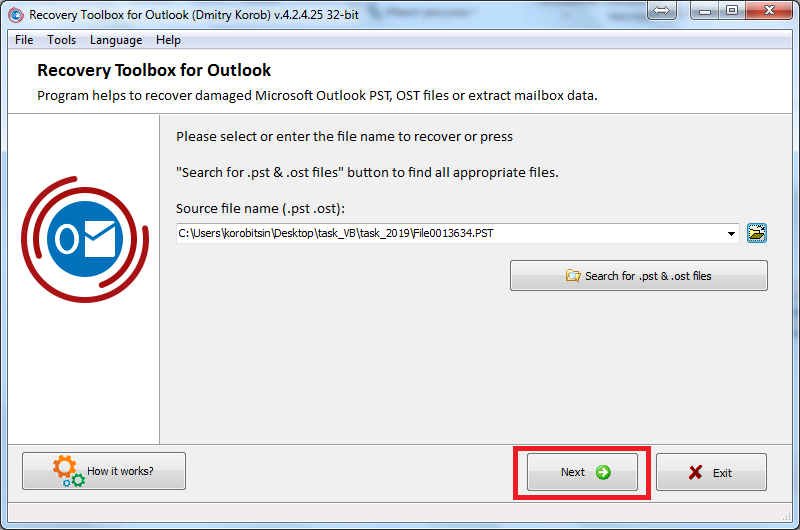
- Choose a file in PST format inside Recovery Toolbox for Outlook
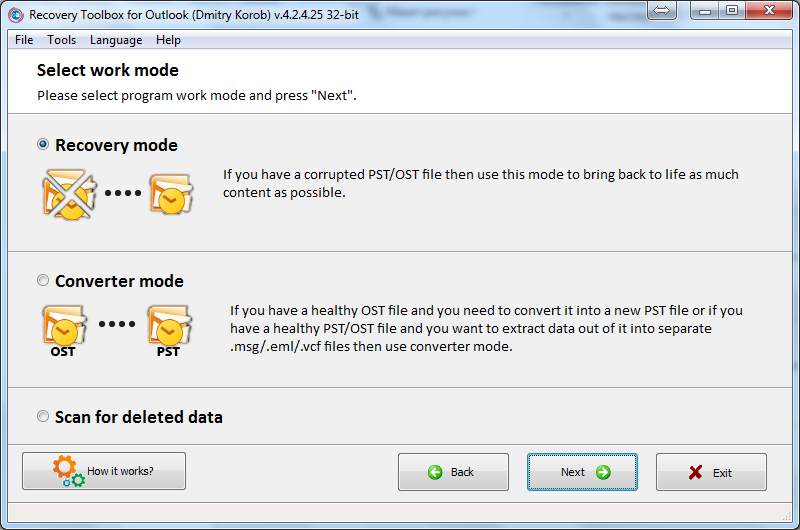
- Choose a Recovery Mode
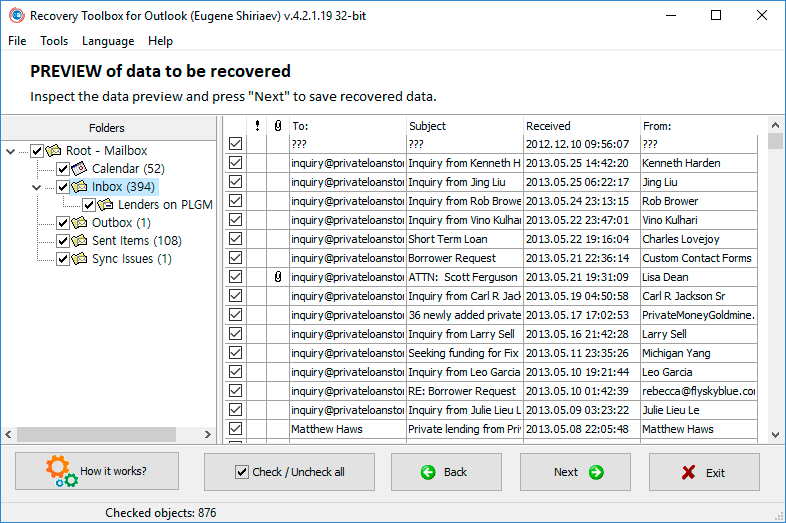
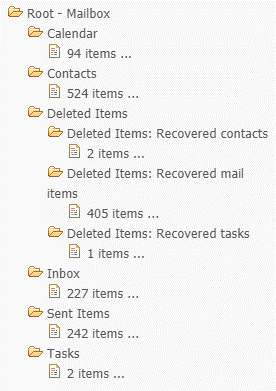
- Get free access to messages, contacts, folders, and other items when previewing data.
How To View PST Files Online
You can use Outlook PST Viewer in the online version without downloading and installing it on your computer. The tool is available at https://outlook.recoverytoolbox.com/online/.
- Upload the file | Enter your email into the field below | Click Next Step

- Wait while the file is being repaired.

- You may preview and download a DEMO file by clicking Next Step
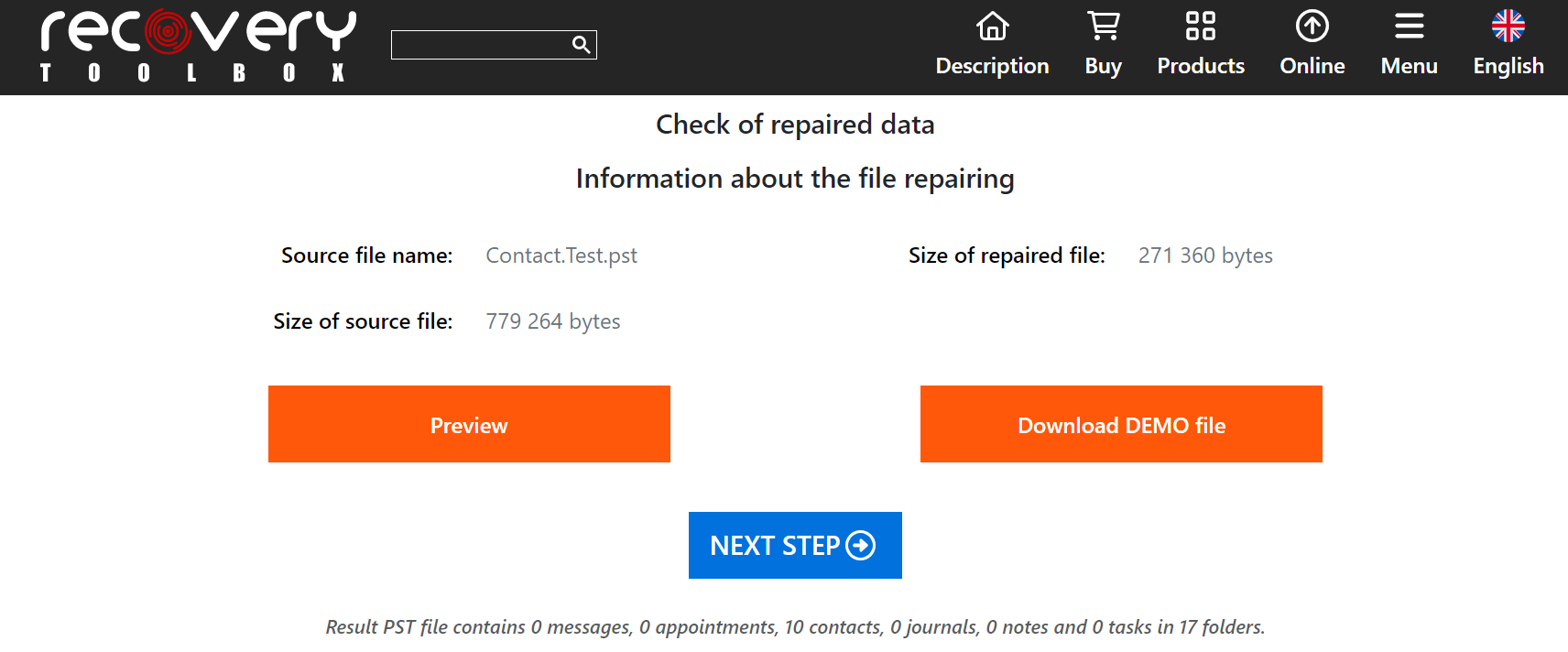
- Preview the recovered PST file online.
Benefits Of The Outlook PST Viewer
The Outlook PST Viewer has several advantages besides unlocking encrypted files. These benefits are explained below.
1. It Works Without Installing Microsoft Outlook On Your Computer
You do not need to have Microsoft Outlook on your computer before using the Outlook PST File Viewer. This is because the file viewer can operate in the absence of an email client.
2. You Can Preview Files Before Opening Them
While the free Outlook PST Viewer is effective for repairing PST files, it allows you to glance at and evaluate the files’ content before opening or recovering them. You can do this using its preview feature. This feature provides information on each file in categories– they are easy to understand. This way, you will easily know how much chance you have of retrieving corrupted files.
3. The PST Extractor Is PC-Compatible With Big Files
The Outlook PST Viewer usually handles small-sized files created in MS Outlook format. However, while handling big-sized files in mailboxes, the PST Extractor works well with PCs. It ensures that PCs do not slow down or hang.
4. The Tool Provides Accurate Results After Evaluation
After scanning the files, the tool provides the final results. The results display how many files were scanned, with the number of recovered and unrecovered files. It helps users to track their successes in file recovery processes.
5. The Tool Is Compatible With The Two PST File Versions
The Outlook PST Viewer works well with the PST file versions. They are:
- ANSI (American National Standards Institute). It was used for Outlook versions between 1997 and 2003, although it’s still in use today.
- Unicode (Universal Character Set) has been used for Outlook versions from 2007 till date.
6. Unlocks Passworded And Encrypted Files
The program is potent for decrypting encrypted files on your PC. Once decrypted, you can easily read and access them. It also allows you to view and open passworded files, even the corrupted ones with error 0x8004010F.
7. View And Convert OST to PST Files
OST files are often difficult to open in Outlook. However, with the Outlook PST File Viewer, you can easily access these files. The tool allows you to convert the OST files to PSTs easily and access them.
8. Keeps Outlook Emails From Ransomware
Ransomware viruses often attack the headers of large files and encrypt them. In conditions like this, Microsoft’s SCANPST.EXE is ineffective in providing a solution. However, Recovery Toolbox for Outlook often recovers such files effectively, alongside every data in them. This tool outranks its competitors because it performs thorough checks.
9. Compatible On All OS
The PST Outlook File Explorer works conveniently on all computer Operating Systems. This spans Windows, Mac, etc. While the online and offline version of this tool works with all Operating Systems, the Online version also supports other devices.
10. You Choose The File Format For Your Results
The tool is universal, such that you can choose what format you need for your results, apart from PST. You can choose the TXT, EML, MSG, or VCF format.