


Introduction
In our rapidly evolving digital age, traditional banking processes are being reimagined to make financial transactions more convenient and accessible. Apple Pay, a popular mobile payment and digital wallet service, has become a household name for its seamless integration with iPhones, iPads, and Apple Watches. While most users are familiar with its ability to make payments and manage transactions, many are unaware of the platform’s potential to provide borrowing opportunities. In this blog post, we will explore how to leverage Apple Pay to borrow money and unlock financial flexibility.
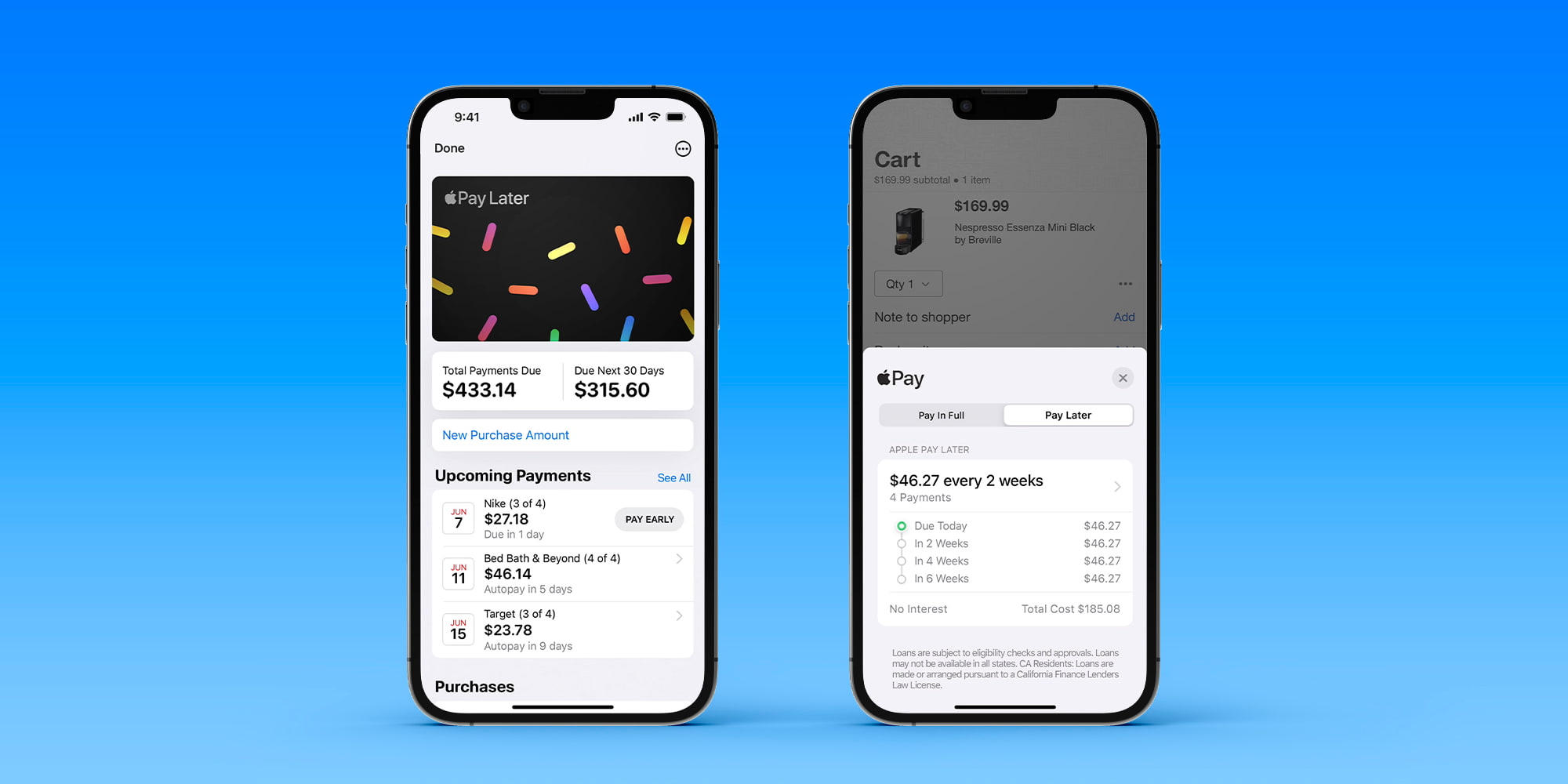
What is Apple Pay?
Apple Pay is a mobile payment and digital wallet service that allows users to make purchases in physical stores, within apps, and on websites using their Apple devices. It is compatible with iPhones, Apple Watches, iPads, and Mac computers, providing a seamless payment experience across various Apple platforms. By leveraging Near Field Communication (NFC) technology and tokenization, Apple Pay ensures secure transactions without exposing users’ sensitive payment information.
How does Apple Pay work?
Setting up Apple Pay is a straightforward process. Users need to add their preferred credit or debit cards to the Wallet app on their Apple device. The app securely stores the card details and assigns a unique Device Account Number, which is used for transactions instead of the actual card number. When making a payment, the Device Account Number, along with a dynamic security code, is transmitted to the merchant, ensuring that the user’s actual card information remains private.
Setting Up Apple Pay
Before diving into borrowing options, it’s crucial to ensure you have Apple Pay set up on your compatible device. Download the Apple Wallet app, follow the on-screen instructions to link your credit or debit card, and authenticate your account.
Apple Card: Your Gateway to Borrowing
Apple Card, a credit card issued by Goldman Sachs in partnership with Apple, is an essential component for borrowing via Apple Pay. By applying for an Apple Card, you gain access to its unique features, including the ability to borrow money conveniently. Launch the Wallet app, tap on the “+” button, and follow the prompts to apply for an Apple Card. If approved, you’ll be ready to explore borrowing options.
Utilizing the Apple Card Balance Transfer Feature
One of the borrowing features available through Apple Card is the balance transfer option. This enables you to move outstanding balances from other credit cards to your Apple Card, consolidating your debt in one place. To take advantage of this feature, open the Wallet app, select your Apple Card, tap on the three dots in the top-right corner, and choose “Transfer Balance.” Follow the instructions to initiate the transfer.
Apple Card Monthly Installments
Apple Card Monthly Installments allow you to finance eligible Apple products over time, interest-free. This feature simplifies the process of purchasing expensive items, such as iPhones or MacBooks, by spreading the cost across several monthly payments. To explore this option, open the Apple Store app, choose your desired product, and select the “Apple Card Monthly Installments” payment option during checkout.
Personal Loans with Apple Pay
In collaboration with Goldman Sachs, Apple offers personal loans through its Apple Pay platform. To apply for a personal loan, open the Wallet app, select your Apple Card, tap on the three dots, and choose “Loan Offers.” Review the terms, interest rates, and loan amount available to you. If the offer suits your needs, follow the prompts to complete the application process.
Peer-to-Peer Payments
While not a direct borrowing option, Apple Pay also allows you to request and receive money from friends and family. This feature can serve as a convenient way to temporarily bridge a financial gap or cover unexpected expenses. Open the Messages app, start a new conversation, and tap on the Apple Pay button to request money. Your contacts can easily fulfill the request using their Apple Pay balance or linked payment methods.
Conclusion
As technology continues to revolutionize the way we manage finances, platforms like Apple Pay provide innovative borrowing solutions, granting users increased flexibility and convenience. From balance transfers and Apple Card Monthly Installments to personal loans and peer-to-peer payments, Apple Pay offers a range of options for those seeking financial support. However, it’s essential to approach borrowing responsibly, considering your personal financial situation and understanding the terms and conditions associated with each borrowing feature. With Apple Pay, you can leverage the power of your Apple devices to access borrowing opportunities right at your fingertips.


