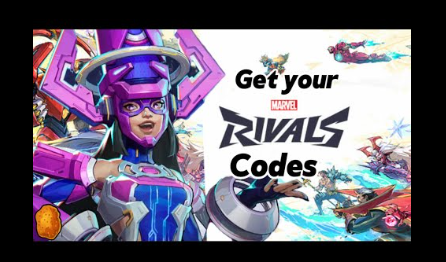
The well-known smartphone game Marvel Rivals allows users to exchange unique codes for in-game items. Characters, goods, and money are just a few of the perks that these codes might offer. Do you want to be the first to put together your ideal Marvel team and engage in combat as a team? In the multiplayer game Marvel Rivals, you can assemble and command a group of your most beloved characters, each of them has special skills and talents. Your pass to all of the action is the closed beta, but you’ll have to act quickly because it ends on July 28. This is a detailed guide explaining how to use Marvel Rivals codes in 2024.
Step 1: Start the Game On your device
First open the Marvel Rivals app. Make sure your internet connection is steady so there are no problems when redeeming.
Step 2: Go to the Menu and Settings
Go to the options menu after entering the game. Usually, you can find this by tapping on the gear symbol in the upper right corner of the main screen or your profile icon.
Step 3: Find the Section on Code Redemption
Look for an item labelled “Redeem Code,” “Gift Code,” or anything comparable within the settings menu. Although the specific language may change, it is typically obvious that this is the area where your promotional codes should be entered.
Step 4: Type in your code
A text box will show up when you tap on the code redemption section. Make sure there are no typos when you carefully type the code you have. Because codes typically depend on case, make sure all capital letters and special characters are capitalised correctly.
Step 5: Verify and Exchange
Once the code has been entered, press the “Redeem” or “Submit” button. You’ll get a confirmation message and the incentives will be credited to your account right away if the code is legitimate.
Step 6: Review Your Awards
To view the recently added goods or characters, exit the settings window and look through your inventory or character roster. Make sure to check your in-game mailbox as well, since certain incentives may arrive there.
How to Get Beta Codes
The distribution of beta keys is restricted to a first-come, first-served basis. Every day the beta is available, they are refreshed at 0:00 UTC. As an alternative, you may gamble alongside a pal. A spare ticket can be obtained by players who have already entered the Marvel Rivals beta and advanced to level six. Thus, it can be worthwhile to request a spare key if you know someone who is fortunate enough to be inside. The distribution of beta keys is restricted to a first-come, first-served basis. Every day the beta is available, they are refreshed at 0:00 UTC.
As an alternative, you may gamble alongside a pal. A spare ticket can be obtained by players who have already entered the Marvel Rivals beta and advanced to level six. Thus, it can be worthwhile to request a spare key if you know someone who is fortunate enough to be inside.
Get Your Beta Code
Click ‘Redeem Key’ on the official Beta website after you’ve finished the progress. Next, you’ll have to choose between the PS5, Xbox Series X|S, and Steam/PC as your preferred gaming platform. You’ll obtain your key from there.
Remember that you can only select one platform, so make an informed decision.
Advice on How to Redeem Codes
- Keep Up with: To get updated about new codes and deals, follow Marvel Rivals on social media, register for their official forums, or sign up for their newsletters.
- Aim for Expiration Dates: Codes frequently have expiration dates, so use them right away to get the benefits you want to prevent losing out.
- Take Part in Activities: Codes that are only available through in-game events, partnerships, and special promotions are many. Engage in active participation to optimise your benefits.
Common Problems
- How to Solve Them “Invalid Code”: If you see the notice “Invalid Code,” review the code again for any errors. Make sure you entered it correctly and that it hasn’t expired.
- Previously Redeemed: Certain codes are limited to one usage per account. A code that you have already redeemed cannot be used again. Problems with the server: Server issues can occasionally prohibit codes from being redeemed. If this happens to you, give it some time and try again later.
In Marvel Rivals, redeeming tickets is a simple procedure that can greatly improve your play experience. You may quickly collect your awards and take advantage of the advantages they offer to your gameplay by following this tutorial. Enjoy your gaming!