• Send Us A Tip
  • Calling all Tech Writers
  • Advertise
Sunday, August 30, 2026
  • Login
TechStory
  • News
  • Crypto
  • Gadgets
  • Memes
  • Gaming
  • Cars
  • AI
  • Startups
  • Markets
  • How to
No Result
View All Result
  • News
  • Crypto
  • Gadgets
  • Memes
  • Gaming
  • Cars
  • AI
  • Startups
  • Markets
  • How to
No Result
View All Result
TechStory
No Result
View All Result
Home How to

How to Hide Videos on iPhone

by Sangatee Goutom
September 20, 2024
in How to
Reading Time: 3 mins read
0
Credit: Google
TwitterWhatsappLinkedin

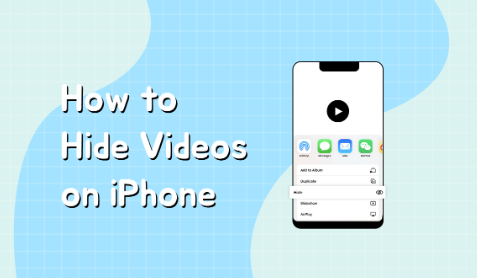
Do you want to hide your iPhone’s private videos? You may conceal them from curious eyes in a few different ways.

You might also like

How to Get the Dnipro Assault Rifle in STALKER 2

How to Get the Compass Artifact in STALKER 2

How to Get the Klombo Sprite in Fortnite

KEYPOINTS:
  • Open the pictures.
  • Choose the image or video that you wish to conceal.
  • After selecting the More button, select Hide.
  • Verify that you really do wish to conceal the image or video.

Here’s a thorough guide:

Make a Hidden Album with the Photos App

  • Launch the Photos application.
  • Click the “Albums” menu.
  • After swiping to the bottom, select “New Album.”
  • Give the record a title like “Hidden.”
  • Press and hold the three dots next to the album, then choose “Hide Album.”

Place the Videos in the Secret Album

  • Pick the videos you wish to keep hidden.
  • Click “Share” and select “Add to Album.”
  • Make your choice of “Hidden” album.
  • How to Create a Hidden Folder in the Files App
  • Launch the Files application.
  • On the “Browse” tab, tap.
  • Select “New Folder” by tapping it.
  • Give the folder a creative name, such as “Hidden Videos.”
  • To hide the folder, tap the three dots next to it and choose “Hide.”

Transfer Videos to the Secret Folder

  • Pick the videos you wish to keep hidden.
  • Click “Share” and select “Copy.”
  • Navigate to your “Hidden Videos” folder by opening the Files app.
  • After copying the videos, tap the “New Folder” button and paste them.

How to Use a Third-Party App

The App Store is home to a number of third-party apps with more sophisticated video hiding capabilities, like encryption and password security. Several well-liked choices consist of:

  • Vault: Using this program, you can make and password-protect a number of vaults. These vaults hold files that you can store, including pictures and videos.
  • Keepsafe: This software provides a number of functions, such as cloud backup, biometric authentication, and password security.

With the help of this app, you may keep your pictures and movies in a safe and private location. Additionally, it has capabilities like decoy vaults and incognito mode.

How to Use iCloud Pictures

You can conceal pictures and videos right from your iCloud account if you have enabled iCloud Photos.

Launch iCloud.com:

  • Enter your Apple ID and sign in at iCloud.com.
  • Select “Photos.”

Choose which pictures you wish to conceal:

  • Choose which pictures or videos you wish to keep hidden.
  • Go to “More” (three dots) and select “Hide.”

Examine the album “Hidden”:

  • Select “Albums” from the menu.
  • A “Hidden” album with the images and videos you’ve concealed will be visible to you.

Extra Advice

  1. Choose a Robust Password: To safeguard your hidden movies when utilising a third-party program, be sure to choose a robust password.
  2. Turn on Biometric Authentication: As an additional security measure, several apps provide biometric authentication (such as Touch ID or Face ID).
  3. Be Wary of Free Apps: Some free apps might come with restrictions or advertisements. Get a premium app if you want more protection and additional features.
  4. Update apps frequently: To make sure your apps have the most recent security patches, keep them updated.

You may successfully keep your iPhone films secret and hidden by using these techniques. Don’t forget to select the approach that best meets your requirements and tastes.

Tags: #hidevideos#howto#technology2024AppleiPhonetechtrendtrending
Tweet55SendShare15
Previous Post

Misinformation Rampant on X After Elon Musk’s Takeover

Next Post

How to Deradicalize Factions in Frostpunk 2

Sangatee Goutom

An English Literature student trying to find the way through the cosmos.

Recommended For You

How to Get the Dnipro Assault Rifle in STALKER 2

by Khilav Jadav
August 30, 2026
0
How to Increase Carry Weight in Stalker 2

The Dnipro is one of the strongest assault rifles you can find in S.T.A.L.K.E.R. 2: Heart of Chornobyl today. It combines a fast firing rate, good penetration, manageable...

Read more

How to Get the Compass Artifact in STALKER 2

by Khilav Jadav
August 30, 2026
0
How to Find Artifacts in STALKER 2

The Compass is one of the most valuable Legendary Artifacts in STALKER 2: Heart of Chornobyl. Unlike artifacts tied to one guaranteed pickup, the Compass can appear inside...

Read more

How to Get the Klombo Sprite in Fortnite

by Khilav Jadav
August 29, 2026
0
How to Get the Free De-Rezz De-Stroyer Pickaxe in Fortnite

The Klombo Sprite is one of the rarest collectibles in Fortnite Chapter 7 Season 4, also known as Fortnite: Override. It is a Mythic-tier Sprite based on the...

Read more
Next Post
How to Deradicalize Factions in Frostpunk 2

How to Deradicalize Factions in Frostpunk 2

Please login to join discussion

Techstory

Tech and Business News from around the world. Follow along for latest in the world of Tech, AI, Crypto, EVs, Business Personalities and more.
reach us at info@techstory.in

Advertise With Us

Reach out at - info@techstory.in

Aviator Game India 2026

BROWSE BY TAG

#Crypto #howto 2024 acquisition AI amazon Apple Artificial Intelligence bitcoin Business China cryptocurrency e-commerce electric vehicles Elon Musk Ethereum facebook funding Gaming Google India Instagram Investment ios iPhone IPO Market Markets Meta Microsoft News OpenAI samsung Social Media SpaceX startup startups tech technology Tesla TikTok trend trending twitter US

© 2025 Techstory.in

No Result
View All Result
  • News
  • Crypto
  • Gadgets
  • Memes
  • Gaming
  • Cars
  • AI
  • Startups
  • Markets
  • How to

© 2025 Techstory.in

Welcome Back!

Login to your account below

Forgotten Password?

Retrieve your password

Please enter your username or email address to reset your password.

Log In
Are you sure want to unlock this post?
Unlock left : 0
Are you sure want to cancel subscription?