

• Send Us A Tip
  • Calling all Tech Writers
  • Advertise
Wednesday, July 1, 2026
  • Login
TechStory
  • News
  • Crypto
  • Gadgets
  • Memes
  • Gaming
  • Cars
  • AI
  • Startups
  • Markets
  • How to
No Result
View All Result
  • News
  • Crypto
  • Gadgets
  • Memes
  • Gaming
  • Cars
  • AI
  • Startups
  • Markets
  • How to
No Result
View All Result
TechStory
No Result
View All Result
Home How to

How to set up a pop-up camp in Monster Hunter Wilds?

by Afeefa Ansari
March 2, 2025
in How to
Reading Time: 3 mins read
0
Monster Hunter Wilds

Credits - nme.com

TwitterWhatsappLinkedin

Have you ever set up a camp as a child and just spent your best hours there? Well, today’s guide will remind you a bit about it, as we will discuss how one can set up pop-camps in Monster Hunter Wilds. We will also see what these camps can be used in the game for and what are the other characteristics associated with them. Let us look at the steps to do the same for a better understanding, as it is an important element of the game. Let us begin. 

You might also like

How To Beat Orange & Green Boss In Deltarune

How To Download Discord On Xbox

How To Optimize Windows For Gaming

What are pop-up camps in Monster Hunter Wilds?

In Monster Hunter Wilds, pop-up camps are temporary bases that hunters can establish throughout various regions, while they choose to advance ahead in the game in their expeditions. As movable base camps, these camps enable players to rest, prepare meals, switch out gear, organize supplies, and move quickly. Only the locations indicated with neon-green butterflies are suitable for the setup of pop-up campers. You will have to look around to locate these places because they are not indicated on your map. Pop-up camps allow you to customize the hunting experience by altering the color and pattern of the tent, choosing different kinds of chairs, and even playing background music. 

How can I set up a pop-up camp in Monster Hunter Wilds?

If you want to set up a pop-up camp in Monster Hunter Wilds, then these are the steps that you can follow –

Familiarize yourself with the controls

Since the game is newly launched, it comes with a lot of new features that need to be familiarized with. One cannot just step inside a swirl without knowing a way out. While the Item Menu and the Radial Bar are the same, there are still major changes. 

Complete the Doshaguma Hunt

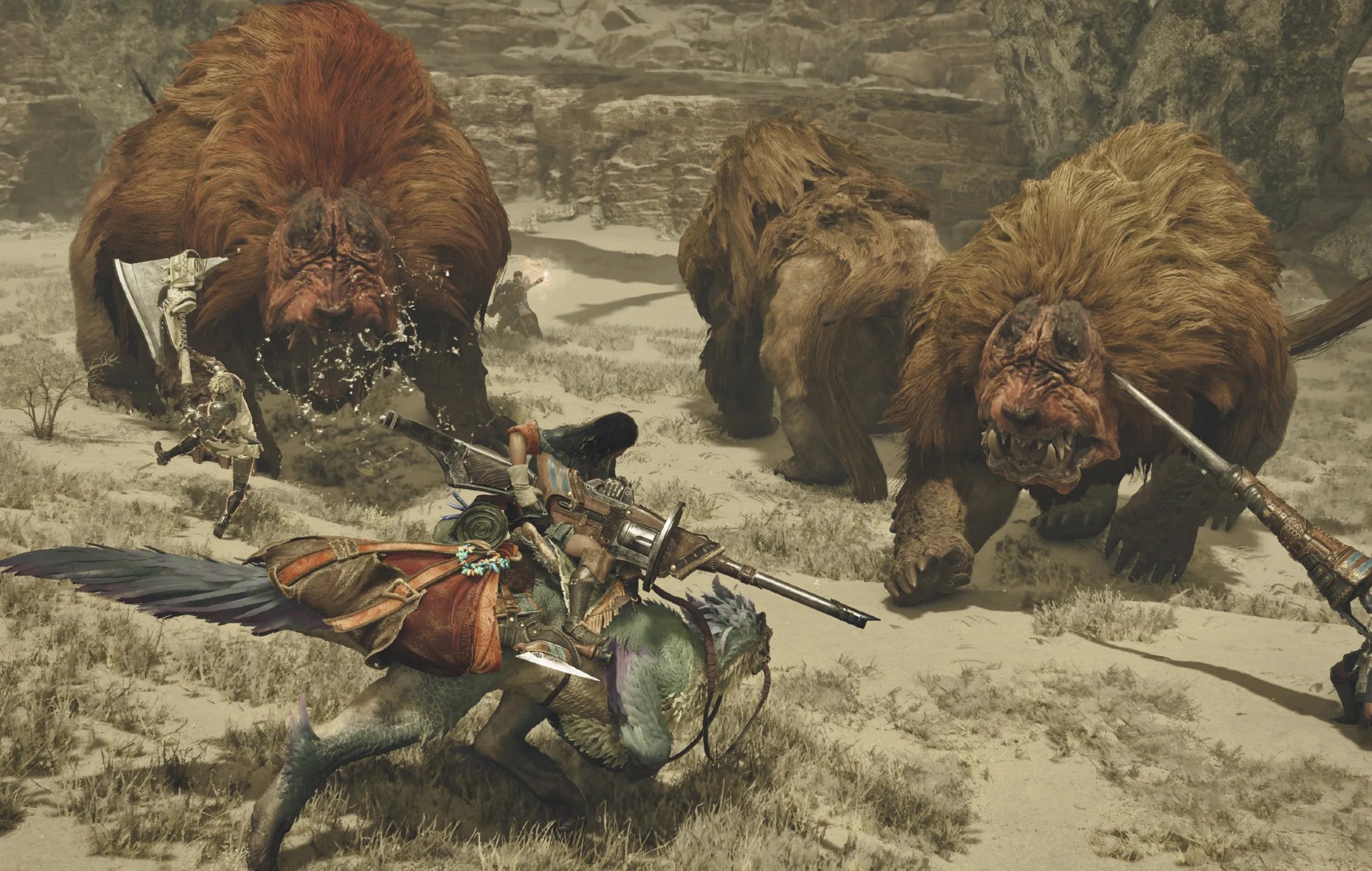
The next step requires you to complete the Doshaguma hunt as you move ahead. Once you have successfully done that, a tutorial pop-up will appear on the screen. You can notice a green outline at a distance from Doshaguma’s body that will guide you further ahead. Now you have to rummage through your item bar and choose the pop-up camp icon to finally set up a camp that can be shifted. But you will be required to spend 200 Guild Points in order to make that happen. However, do not fuss over it as you can earn them later. 

Enter the camp

Now that your camp is set, you can go inside and have a rest. You can also do literally any other activity that we have mentioned in the section above. It is like a place to rest, and you can spend your time doing that. But beware of the monsters that are lurking out there, waiting to destroy your things. Your map will indicate if any monster is nearby and if it has damaged any of your stuff. You can also look for other points to camp on the map and shift your pop-up camp accordingly.

And that is simply how you can set up a pop-up camp and rest there.

Tags: #howtoDoshaguma Hunthow to set up a campMonster Hunter Wildspop-up camps
Tweet55SendShare15
Previous Post

How to show FPS in Monster Hunter Wilds?

Next Post

“Nothing Is What We Thought: Webb Reveals a Universe Redefined”

Afeefa Ansari

Recommended For You

How To Beat Orange & Green Boss In Deltarune

by Khilav Jadav
July 1, 2026
0
How to Get Shiny Sylveon in Pokemon GO

The Orange & Green boss fight in DELTARUNE Chapter 5 is one of the most unusual battles in the game. At first, it feels like a normal boss...

Read more

How To Download Discord On Xbox

by Khilav Jadav
July 1, 2026
0
How To Link Discord to Xbox

Discord is one of the most popular communication platforms for gamers, making it easy to chat with friends while playing online. If you own an Xbox console, you...

Read more

How To Optimize Windows For Gaming

by Khilav Jadav
July 1, 2026
0
Microsoft’s Restructuring Plan Leads to 10,000 Layoffs at Bethesda Game Studios and 343 Industries

Whether you play competitive shooters, large open-world adventures, or demanding simulation games, a well-optimized Windows PC can deliver smoother gameplay, better frame rates, and lower input lag. Many...

Read more
Next Post
"Nothing Is What We Thought: Webb Reveals a Universe Redefined"

"Nothing Is What We Thought: Webb Reveals a Universe Redefined"

Please login to join discussion

Techstory

Tech and Business News from around the world. Follow along for latest in the world of Tech, AI, Crypto, EVs, Business Personalities and more.
reach us at info@techstory.in

Advertise With Us

Reach out at - info@techstory.in

Aviator Game India 2026

BROWSE BY TAG

#Crypto #howto 2024 acquisition AI amazon Apple Artificial Intelligence bitcoin Business China cryptocurrency e-commerce electric vehicles Elon Musk Ethereum facebook funding Gaming Google India Instagram Investment ios iPhone IPO Market Markets Meta Microsoft News OpenAI samsung Social Media SpaceX startup startups tech technology Tesla TikTok trend trending twitter US

© 2025 Techstory.in

No Result
View All Result
  • News
  • Crypto
  • Gadgets
  • Memes
  • Gaming
  • Cars
  • AI
  • Startups
  • Markets
  • How to

© 2025 Techstory.in

Welcome Back!

Login to your account below

Forgotten Password?

Retrieve your password

Please enter your username or email address to reset your password.

Log In
Are you sure want to unlock this post?
Unlock left : 0
Are you sure want to cancel subscription?

