In the co-op horror extraction game REPO, teamwork and strategy are essential. With the introduction of the Cart Cannon and Cart Laser, players now have powerful tools to enhance their gameplay. These weapons can turn your cart into a formidable battle tank, offering both offensive capabilities and new challenges.
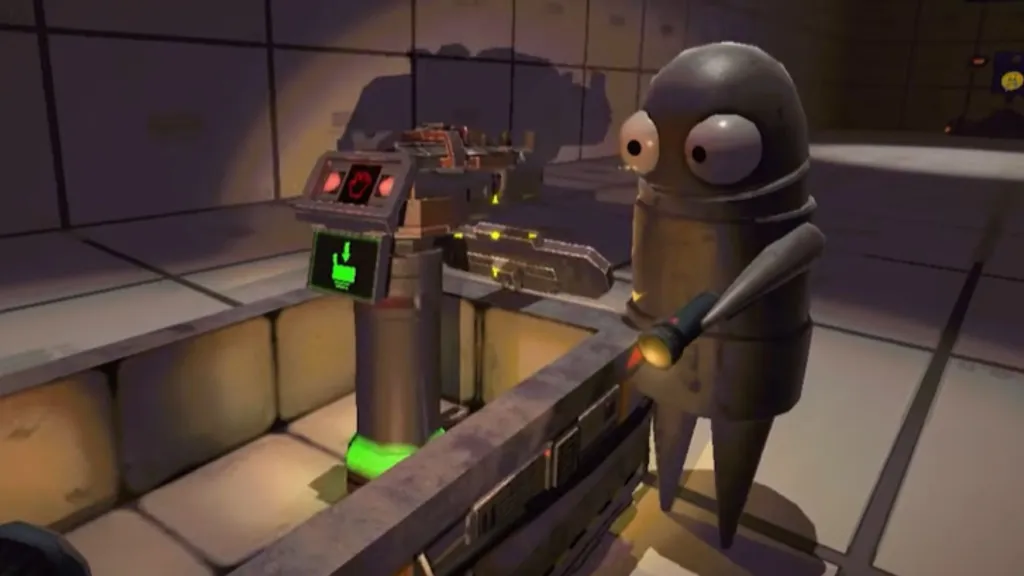
To access the Cart Cannon, you’ll need to progress through the game and reach higher levels. As you advance, the Service Shop becomes available, offering various upgrades and items. The Cart Cannon can be purchased here, allowing you to equip your cart with this powerful weapon.
The Cart Laser is a variant of the Cart Cannon, providing a different firing mode. Once you’ve acquired the Cart Cannon, you can switch between the standard explosive projectiles and the long-range laser beam. This flexibility allows you to adapt your strategy based on the challenges you face.
Equipping and Operating the Cart Cannon
After purchasing the Cart Cannon, integrating it into your cart is straightforward. Place the cannon into the center of the cart, ensuring it’s securely positioned. One player can then hop into the cart to operate the weapon, while another navigates the cart through the environment.
The standard firing mode launches explosive projectiles, dealing significant damage to enemies. However, be cautious, as friendly fire is possible. The Cart Laser, on the other hand, emits a continuous beam capable of incinerating targets at a distance. This mode requires precise aiming to avoid accidentally harming teammates.
Strategic Use and Team Coordination
Effective use of the Cart Cannon and Cart Laser requires coordination among team members. Communication is key to ensure the driver and gunner are synchronized, especially when navigating tight spaces or engaging multiple enemies. Assigning clear roles and establishing signals can enhance your team’s efficiency and reduce the risk of friendly fire incidents.
Consider the environment when deploying the Cart Cannon. In open areas, the explosive projectiles can clear groups of enemies effectively. In contrast, the Cart Laser is ideal for long corridors or when precision is necessary. Adapt your tactics based on the terrain and enemy behavior to maximize the weapon’s potential.
Managing Resources and Upgrades
Using the Cart Cannon consumes energy, so it’s essential to manage your resources wisely. Energy Crystals can be purchased from the Service Shop and used to recharge your weapons. Locate the energy recharge station in your truck, where you can replenish the Cart Cannon’s power between missions.
Investing in upgrades can also enhance your team’s performance. Improving stamina and health stats allows players to maneuver more effectively and withstand enemy attacks. Additionally, acquiring drones like the Indestructible Drone can provide temporary invincibility, offering protection during intense combat scenarios.
Navigating Challenges and Avoiding Pitfalls
While the Cart Cannon offers significant advantages, it also introduces new challenges. The potential for friendly fire means that miscommunication or poor aiming can lead to unintended consequences. Establishing clear protocols and practicing with the weapon can mitigate these risks.
Be mindful of the cart’s placement during extraction. Ensuring the entire cart is within the extraction zone is crucial, as improper positioning can result in the loss of valuable items. Utilize the map to plan your route and identify optimal extraction points, reducing the likelihood of mishaps.
Enhancing Gameplay with Mods
For players seeking to customize their experience further, various mods are available. The CartDuplicator mod allows you to spawn multiple carts, facilitating resource collection and transportation. Meanwhile, the BoomboxCart mod adds a fun twist by enabling carts to play music, enhancing the game’s atmosphere.
Installing these mods requires a mod manager and the BepInEx pack, which streamline the process and ensure compatibility. Always ensure that all players in your lobby have the necessary mods installed to maintain a consistent gaming experience.