

• Send Us A Tip
  • Calling all Tech Writers
  • Advertise
Sunday, July 5, 2026
  • Login
TechStory
  • News
  • Crypto
  • Gadgets
  • Memes
  • Gaming
  • Cars
  • AI
  • Startups
  • Markets
  • How to
No Result
View All Result
  • News
  • Crypto
  • Gadgets
  • Memes
  • Gaming
  • Cars
  • AI
  • Startups
  • Markets
  • How to
No Result
View All Result
TechStory
No Result
View All Result
Home Gaming

How to Download Mario Kart World From Bundle

by Khilav Jadav
June 28, 2025
in Gaming, How to
Reading Time: 3 mins read
0
How to Download Mario Kart World From Bundle

Credits - Nintendo

TwitterWhatsappLinkedin

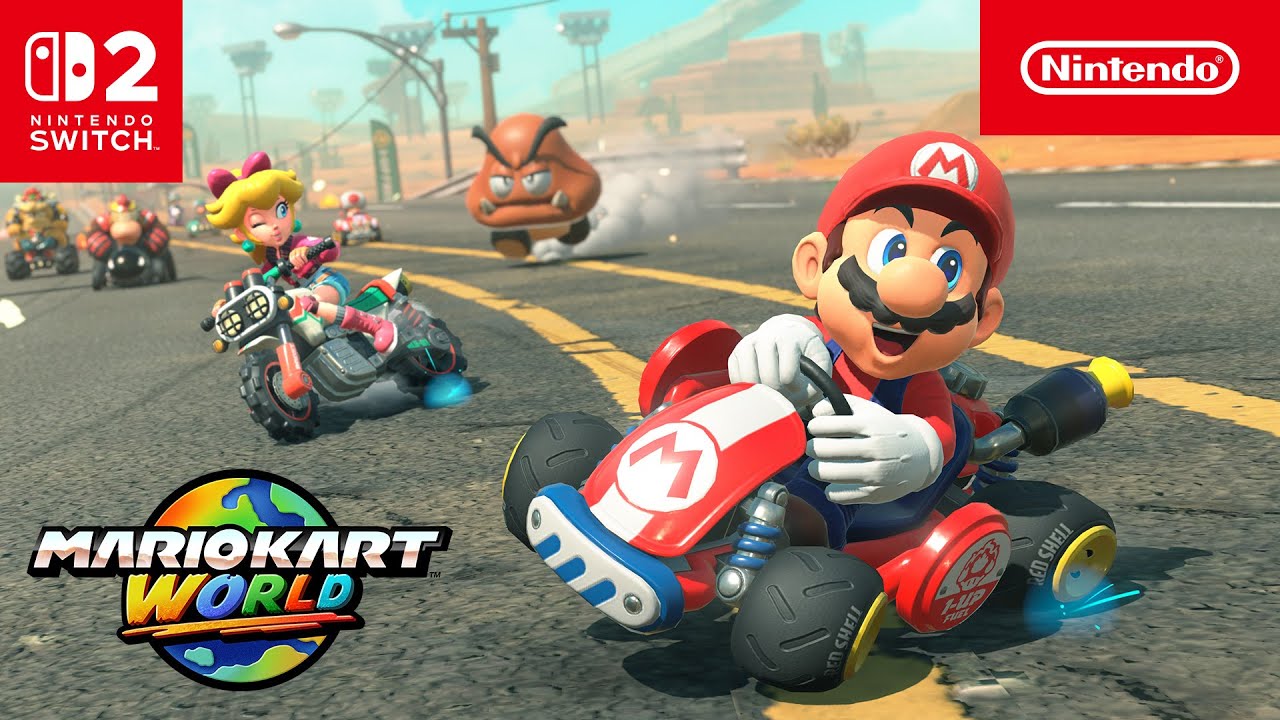
So, you just got your hands on the brand-new Nintendo Switch 2 Mario Kart World bundle—congratulations! This bundle is packed with excitement, letting you dive straight into the latest high-speed adventures with Mario and friends. But if you’re scratching your head wondering how to actually download Mario Kart World, don’t worry. You’re not alone. Many players have found the process a little tricky, especially since the download isn’t always as straightforward as heading to the eShop.
You might also like

How To Reach Outer Space In Genshin Impact

How To Unlock Golden Hall Teleport Waypoint In Genshin Impact

How To Play Unhinged On Netflix

Credits – Nintendo

Step 1: Set Up Your Nintendo Switch 2 Properly

Before you can download Mario Kart World, you need to make sure your Switch 2 is set up correctly. If you’ve just taken it out of the box, follow the initial setup prompts—connect to Wi-Fi, sign in to (or create) your Nintendo Account, and link your Nintendo Switch Online membership if you have one. Skipping this step could cause issues later, so take your time.

Once your console is ready and you’re staring at the home screen, take a deep breath. The next steps are where things get a little more involved.

Step 2: Navigate to the Nintendo Switch Online App

Unlike regular game downloads, Mario Kart World isn’t always listed directly in the eShop if you bought the bundle. Instead, you’ll need to dig into the Nintendo Switch Online app. Here’s how:

  1. From the home screen, look at the bottom menu bar.
  2. Find the red icon with two Joy-Cons and the word “Online”—that’s the Nintendo Switch Online app.
  3. Open it and select the user profile linked to your Nintendo Account.

If you don’t see the app, double-check that your system is fully updated. Sometimes, a quick software update is all that’s missing.

Step 3: Locate the Bundled Game Section

Now that you’re inside the Nintendo Switch Online app, it’s time to find where Mario Kart World is hiding.

  1. Scroll up once to highlight your profile icon and press A.
  2. In the sub-menu, select “Manage Account Settings.”
  3. Wait for the Account Information screen to load—this might take a few seconds.
  4. On the left side, open the Settings menu (it’s usually at the bottom).
  5. Scroll all the way down until you see a section labeled “Products Bundled With This System.”

If you purchased the Mario Kart World bundle, the game should be listed here. If it’s not, don’t panic. There are a couple of reasons why this might happen, and we’ll cover fixes later.

Step 4: Download Mario Kart World

Found the game in the bundled products section? Great! Now, all you have to do is:

  1. Select “Mario Kart World” from the list.
  2. Hit “Download”—you might need to confirm this in a follow-up menu.
  3. Let the download run in the background.

Since Mario Kart World is a big game (over 20 GB), this could take a while depending on your internet speed. Grab a snack, stretch your legs, and let the console do its thing.

What If Mario Kart World Isn’t Showing Up?

If you’ve followed all the steps and still don’t see Mario Kart World in your bundled products, here are a few things to check:

  • Did You Buy the Right Bundle? Some Switch 2 bundles come with a physical game card instead of a digital download. Check your box for an included game cartridge.
  • Is Your Nintendo Account Linked Correctly? If you skipped linking your account during setup, the game won’t register. Go back and make sure everything is connected properly.


 

Tags: BundleMarioMario KartMario kart world
Tweet64SendShare18
Previous Post

How to Cure Vampirism in Oblivion

Next Post

How to Play Persona 5: The Phantom X on Steam Deck

Khilav Jadav

Content writer at Techstory Media with a passion for gaming and finance. Currently pursuing a degree in data science, exploring the latest gaming titles and analyzing financial trends.

Recommended For You

How To Reach Outer Space In Genshin Impact

by Khilav Jadav
July 5, 2026
0
How to Verify Age on Genshin Impact

Exploring the Moon is one of the biggest additions to Genshin Impact, and many players are surprised to learn that the adventure does not end after arriving there....

Read more

How To Unlock Golden Hall Teleport Waypoint In Genshin Impact

by Khilav Jadav
July 5, 2026
0
How to Get Sunspray Spirit in Genshin Impact

Genshin Impact continues to reward exploration with hidden locations, challenging puzzles, and valuable Teleport Waypoints scattered across its ever-growing world. One of the more confusing waypoints for many...

Read more

How To Play Unhinged On Netflix

by Khilav Jadav
July 5, 2026
0
How To Keep Sharing Passwords on Netflix

Netflix continues to expand beyond movies and TV shows with unique gaming experiences, and Unhinged is one of its most creative releases yet. Developed by Night School Studio,...

Read more
Next Post
How to Play Persona 5: The Phantom X on Steam Deck

How to Play Persona 5: The Phantom X on Steam Deck

Please login to join discussion

Techstory

Tech and Business News from around the world. Follow along for latest in the world of Tech, AI, Crypto, EVs, Business Personalities and more.
reach us at info@techstory.in

Advertise With Us

Reach out at - info@techstory.in

Aviator Game India 2026

BROWSE BY TAG

#Crypto #howto 2024 acquisition AI amazon Apple Artificial Intelligence bitcoin Business China cryptocurrency e-commerce electric vehicles Elon Musk Ethereum facebook funding Gaming Google India Instagram Investment ios iPhone IPO Market Markets Meta Microsoft News OpenAI samsung Social Media SpaceX startup startups tech technology Tesla TikTok trend trending twitter US

© 2025 Techstory.in

No Result
View All Result
  • News
  • Crypto
  • Gadgets
  • Memes
  • Gaming
  • Cars
  • AI
  • Startups
  • Markets
  • How to

© 2025 Techstory.in

Welcome Back!

Login to your account below

Forgotten Password?

Retrieve your password

Please enter your username or email address to reset your password.

Log In
Are you sure want to unlock this post?
Unlock left : 0
Are you sure want to cancel subscription?