• Send Us A Tip
  • Calling all Tech Writers
  • Advertise
Wednesday, July 15, 2026
  • Login
TechStory
  • News
  • Crypto
  • Gadgets
  • Memes
  • Gaming
  • Cars
  • AI
  • Startups
  • Markets
  • How to
No Result
View All Result
  • News
  • Crypto
  • Gadgets
  • Memes
  • Gaming
  • Cars
  • AI
  • Startups
  • Markets
  • How to
No Result
View All Result
TechStory
No Result
View All Result
Home How to

How to change the Snapchat profile picture?

by Afeefa Ansari
July 3, 2025
in How to
Reading Time: 3 mins read
0
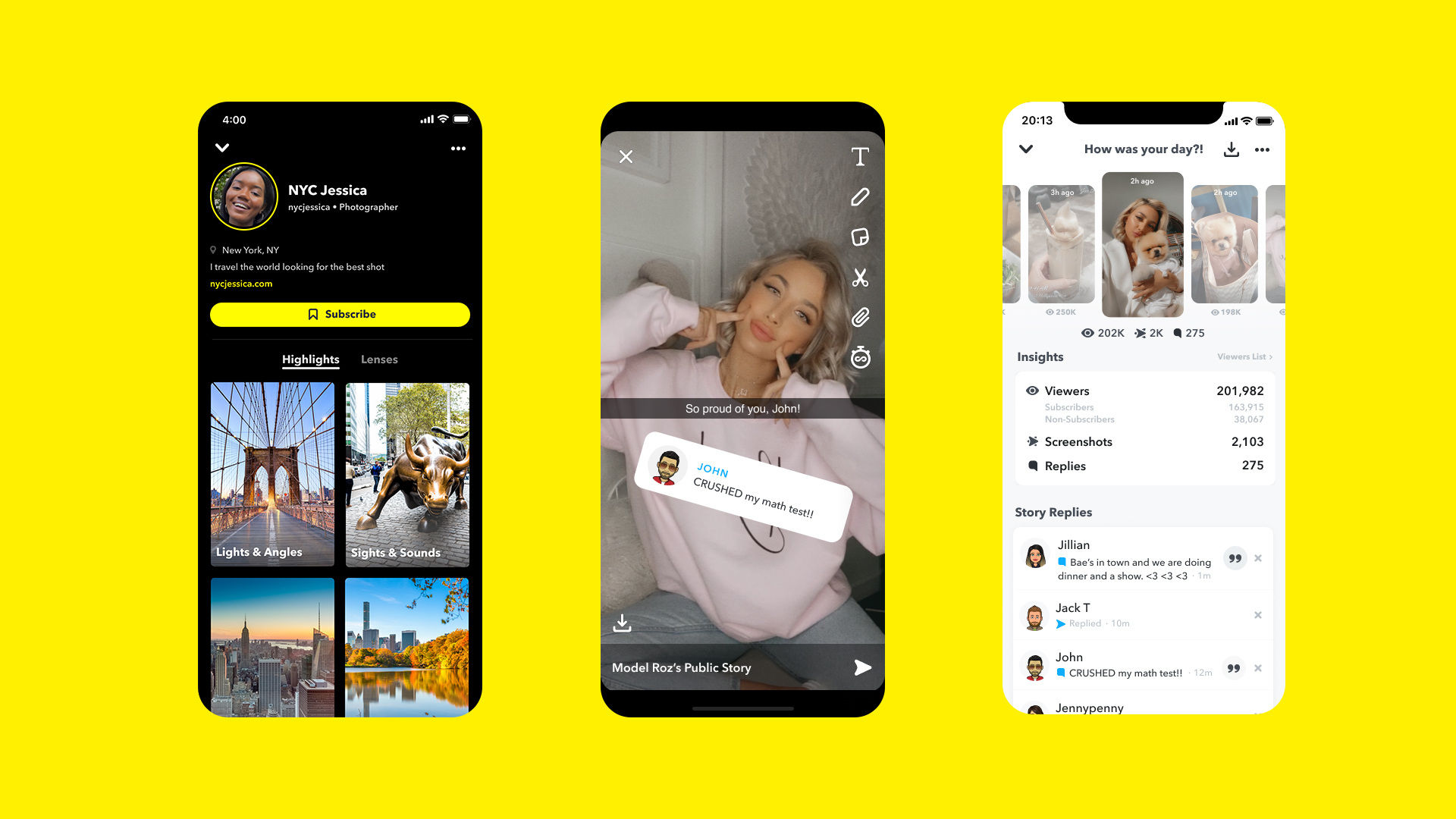
Snapchat profiles

Credits - newsroom.snap.com

TwitterWhatsappLinkedin

Bored with your old Snapchat Profile picture? Here is how you can change it. Follow the guide to know the steps that can help you change the profile picture on your Snapchat account. We shall also see what the limitations of it are, if any. Let us begin.

You might also like

How To Get Corrosive Solvent In Palworld

How To Get Revives In Pokémon GO

How To Find Holofoil Sprites In Fortnite

What happens when you change your Snapchat Profile Picture?

If you have a regular profile, your profile picture is usually your Bitmoji. When you update your Bitmoji selfie or appearance, it immediately changes or gets updated on your profile for all your friends to see. It means that all your friends can now see your new look on the Bitmoji.  And if you are with a Public Profile, you can use any photo from your phone’s gallery. Changing this image updates your public presence, which can be seen by people beyond your immediate friends, especially if they find your profile through search or “Suggested For You.” In either case, changes are visible to people who can see you on Snapchat.

Steps to change the profile picture on Snapchat

If you want to change your profile picture on Snapchat, then these are the steps –

For a regular Bitmoji profile

  • Open the Snapchat app on your phone and tap on your Bitmoji icon in the top-left corner.
  • Tap the Settings icon in the top-right.
  • Scroll down and select “Bitmoji.”
  • From here, you have options like “Choose a Selfie” to pick a new pose for your Bitmoji, or “Edit My Bitmoji” to change certain things for your Bitmoji but keep the rest of it all the same. 
  • Once you’ve made your changes, click on “Save,” and the changes will be saved and reflected on your profile soon.

For a Public Profile

  • Open Snapchat on your device and tap on your Bitmoji icon, usually located at the corner of the screen towards the left side.
  • Click on your “Public Profile” section.
  • Look for the pencil icon at the top of the screen and click on it. This will allow you to edit the picture now. 
  • Tap on your current profile picture and then choose a new photo from your Camera Roll or Memories to upload.
  • Adjust the photo as needed and tap “Confirm” or “Save Changes.”

Now your profile picture will be updated on Snapchat, and your contacts will notice it whenever they access your profile on the platform.

Can someone not add a profile picture but have an account on Snapchat?

Yes, you can! While Snapchat gives the option of using a Bitmoji for your regular profile, or a photo for a Public Profile, you can definitely have an account without setting either of the two, depending on the type of profile. If you don’t set a profile picture, Snapchat just alters the settings to show the first letter of your display name as your profile icon. This stays the same until and unless you choose to update an icon or a picture.

And that is how one can update or change their profile pictures on Snapchat.

 

Tags: #howtoProfile PictureSnapchatsnapchat public profileSocial Media
Tweet61SendShare17
Previous Post

Robinhood makes a Dramatic Move: Creating a “Military-Grade” Blockchain for Real World Assets

Next Post

Crunchyroll Accidentally Reveals Use of ChatGPT for Sub Translations

Afeefa Ansari

Recommended For You

How To Get Corrosive Solvent In Palworld

by Khilav Jadav
July 14, 2026
0
How to Get Precious Claw in Palworld

If you have started crafting advanced equipment in Palworld, you have probably noticed that Corrosive Solvent is one of the harder crafting materials to collect. Unlike common resources...

Read more

How To Get Revives In Pokémon GO

by Khilav Jadav
July 14, 2026
0
How to Evolve Floette Pokémon GO

If you battle often in Pokémon GO, you will quickly learn that Revives are one of the most valuable items in the game. Every time one of your...

Read more

How To Find Holofoil Sprites In Fortnite

by Khilav Jadav
July 14, 2026
0
How to Get the Free De-Rezz De-Stroyer Pickaxe in Fortnite

Holofoil Sprites are one of the newest collectible creatures added to Fortnite Battle Royale, giving players another fun objective while exploring the island. Unlike regular loot, these glowing...

Read more
Next Post
Crunchyroll Accidentally Reveals Use of ChatGPT for Sub Translations

Crunchyroll Accidentally Reveals Use of ChatGPT for Sub Translations

Please login to join discussion

Techstory

Tech and Business News from around the world. Follow along for latest in the world of Tech, AI, Crypto, EVs, Business Personalities and more.
reach us at info@techstory.in

Advertise With Us

Reach out at - info@techstory.in

Aviator Game India 2026

BROWSE BY TAG

#Crypto #howto 2024 acquisition AI amazon Apple Artificial Intelligence bitcoin Business China cryptocurrency e-commerce electric vehicles Elon Musk Ethereum facebook funding Gaming Google India Instagram Investment ios iPhone IPO Market Markets Meta Microsoft News OpenAI samsung Social Media SpaceX startup startups tech technology Tesla TikTok trend trending twitter US

© 2025 Techstory.in

No Result
View All Result
  • News
  • Crypto
  • Gadgets
  • Memes
  • Gaming
  • Cars
  • AI
  • Startups
  • Markets
  • How to

© 2025 Techstory.in

Welcome Back!

Login to your account below

Forgotten Password?

Retrieve your password

Please enter your username or email address to reset your password.

Log In
Are you sure want to unlock this post?
Unlock left : 0
Are you sure want to cancel subscription?