
Online fraud has become increasingly sophisticated. Cybercriminals no longer rely on simple phishing scams or stolen passwords—they use VPNs, proxy servers, virtual machines, bot networks, and stolen credentials to disguise their identity. Traditional security measures like cookies and IP address tracking are no longer enough to reliably identify suspicious users. This is where browser fingerprinting comes into play.
Browser fingerprinting is a technology that creates a unique profile of a user’s browser and device based on dozens—or even hundreds—of characteristics exposed during a browsing session. Rather than depending on cookies, which users can easily delete, browser fingerprinting identifies patterns that are much harder to erase or fake.
Today, browser fingerprinting plays a major role in fraud prevention, cybersecurity, and user authentication. At the same time, it has sparked important debates about online privacy and user consent.
Credits: Pixel Privacy
What Is Browser Fingerprinting?
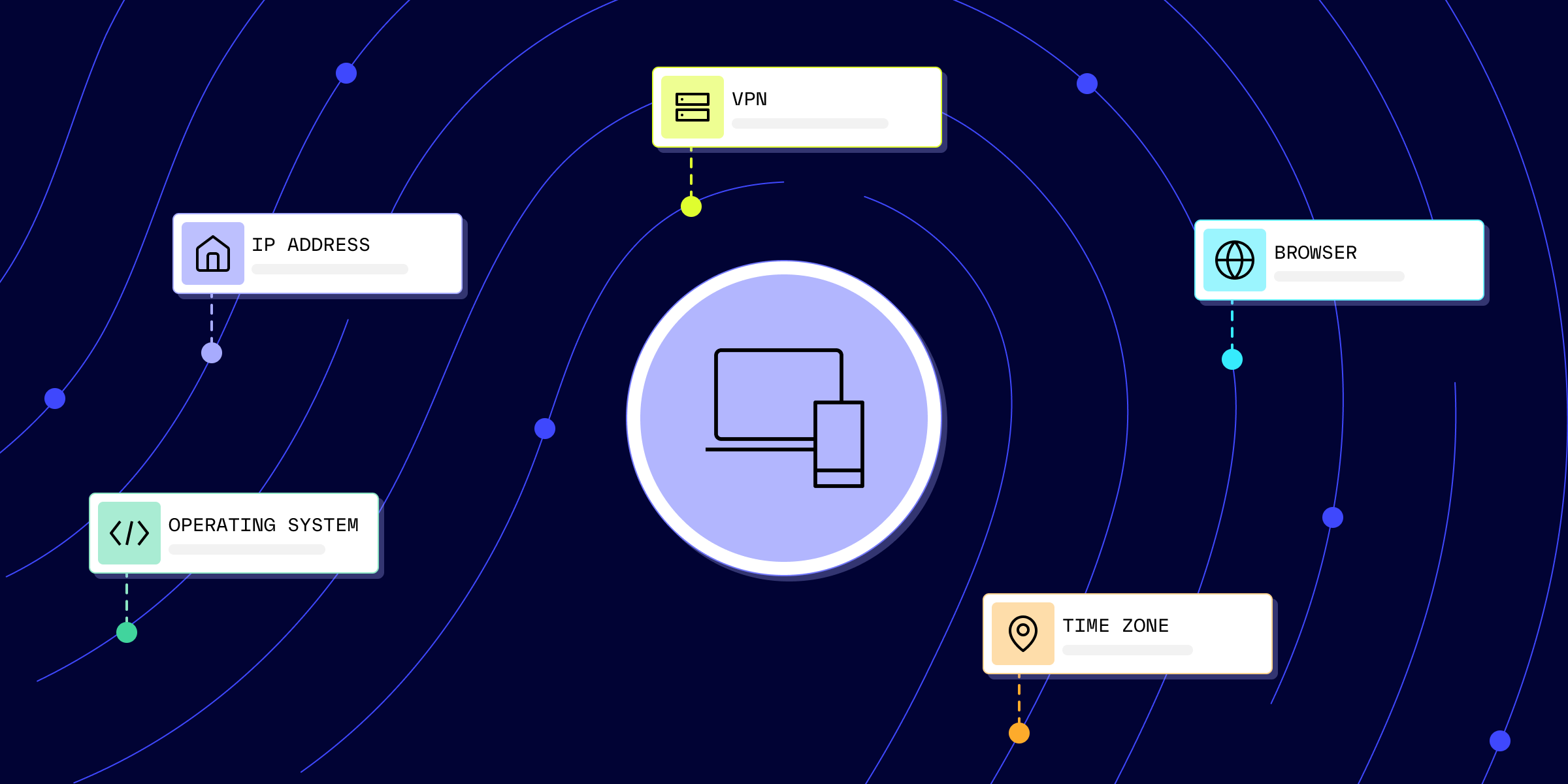
Browser fingerprinting is a technique used to identify and distinguish browsers based on their unique combination of software and hardware characteristics. Every time someone visits a website, their browser automatically shares certain information to ensure that web pages display correctly.
These signals include details such as:
- Browser type and version
- Operating system
- Screen resolution
- Language settings
- Time zone
- Installed fonts
- Browser plugins
- Graphics rendering capabilities
- WebGL information
- Canvas rendering data
Individually, none of these details identify a person. However, when combined, they form a unique digital fingerprint that allows websites to recognize returning devices—even after cookies have been deleted.
Unlike traditional tracking cookies, browser fingerprints are generated dynamically and do not rely on data stored on the user’s device.
Why Browser Fingerprinting Matters
Modern fraudsters constantly change IP addresses, clear browser cookies, rotate devices, or use fake accounts to avoid detection.
Browser fingerprinting helps organizations answer a simple but critical question:
Is this actually a new visitor, or is it someone we’ve seen before using different credentials?
By recognizing subtle patterns across browsing sessions, businesses can detect suspicious behavior that conventional security methods might miss.
Financial institutions, e-commerce platforms, online gaming companies, cryptocurrency exchanges, and SaaS providers increasingly use browser fingerprinting to improve security while reducing fraud.
How Browser Fingerprinting Works
Browser fingerprinting typically begins when a visitor loads a webpage containing a small JavaScript script.
The browser automatically provides numerous environmental details that help websites render content properly. The script collects these signals and combines them into a mathematical representation known as a fingerprint or hash.
The process generally follows four steps:
Step 1: Collect Browser Signals
The browser shares technical information including browser version, language, fonts, operating system, display resolution, plugins, and hardware capabilities.
Step 2: Generate a Fingerprint
These collected characteristics are combined into a unique identifier or hash.
Step 3: Compare with Previous Visits
The generated fingerprint is compared against existing records to determine whether the device has visited before.
Step 4: Evaluate Risk
Rather than making decisions solely on the fingerprint, fraud detection systems combine it with additional data such as:
- Device information
- Network characteristics
- User behavior
- Login history
- Geographic location
- Transaction activity
The combination creates a much more reliable picture of potential fraud.
Types of Browser Fingerprints
Not all fingerprinting methods work in the same way. Modern fraud detection platforms often combine several approaches.
Browser Hash
A browser hash is created using browser-specific settings such as:
- User agent
- Fonts
- Language
- Screen resolution
- Browser version
This fingerprint usually remains stable until the browser receives significant updates.
Cookie Hash
Cookies generate unique identifiers stored within the browser.
Although useful, cookie hashes disappear once cookies are cleared, making them less reliable against experienced fraudsters.
Device Hash
A device hash relies on hardware characteristics including:
- Touch support
- Device type
- Graphics processor
- HTML5 canvas behavior
- Hardware configuration
Even if multiple browsers exist on the same computer, certain hardware characteristics remain consistent.
Using all three fingerprinting methods together provides stronger fraud detection than relying on any single approach.
Common Browser Fingerprinting Techniques
Modern browser fingerprinting uses several advanced technologies to collect device characteristics.
Canvas Fingerprinting
HTML5 includes a Canvas element that websites use for graphics rendering.
Because every device renders graphics slightly differently depending on hardware, drivers, fonts, and operating system, the resulting image becomes a valuable identification signal.
Canvas fingerprinting is considered one of the strongest browser fingerprinting techniques available today.
WebGL Fingerprinting
WebGL enables browsers to display advanced 2D and 3D graphics.
Different graphics cards process identical images differently, allowing websites to estimate:
- GPU model
- Rendering behavior
- Graphics capabilities
These subtle differences strengthen the overall fingerprint.
User Agent Detection
Every browser sends a User-Agent string describing:
- Browser name
- Browser version
- Operating system
Although attackers can spoof User-Agent strings, they remain useful when combined with other signals.
Audio Fingerprinting
Modern browsers support the AudioContext API.
Instead of recording audio, websites generate inaudible sounds internally and measure how the browser processes them.
Small processing differences create another useful fingerprinting characteristic.
Device Fingerprinting
Mobile applications often collect additional hardware information through dedicated SDKs.
This may include:
- Device model
- CPU characteristics
- Time zone
- Battery information
- Touch capabilities
Combined with browser data, device fingerprinting significantly improves identification accuracy.
Selenium Detection
Selenium is a browser automation framework widely used for testing websites.
Unfortunately, cybercriminals also use Selenium for:
- Bot attacks
- Ticket scalping
- Credential stuffing
- Large-scale account creation
Security systems often detect Selenium-based automation by looking for signs of browser automation frameworks.
Credits: Persona
Tor Detection
Users browsing through the Tor network intentionally share similar browser fingerprints to improve anonymity.
Instead of fingerprinting the browser itself, websites often detect known Tor exit nodes and treat such traffic as higher risk.
How Browser Fingerprinting Helps Prevent Fraud
Browser fingerprinting is now a cornerstone of modern fraud prevention strategies.
Detecting Account Takeover
Suppose a customer usually logs in from:
- Chrome on Windows
- English language
- 1920×1080 display
- Delhi location
Suddenly, the account receives a login attempt from:
- Firefox
- Linux
- Different screen resolution
- Foreign IP address
Even if the correct password is used, browser fingerprinting immediately identifies the session as unusual and may trigger additional authentication.
Preventing Multi-Accounting
Many fraudsters create multiple accounts to exploit promotional offers.
Although they may use different:
- Email addresses
- Phone numbers
- VPN servers
their browser and device configurations often remain remarkably similar.
Fingerprinting helps identify these hidden relationships.
Recognizing Returning Fraudsters
Experienced attackers frequently:
- Clear cookies
- Rotate IP addresses
- Use new login credentials
Browser fingerprints often remain similar enough to recognize repeat offenders across multiple sessions.
Detecting Suspicious Browser Configurations
Certain browser characteristics commonly appear during fraudulent activity, including:
- Virtual machines
- Device emulators
- Anti-detect browsers
- Browser spoofing tools
- Proxy services
- VPN usage
While none of these automatically indicate malicious intent, they contribute valuable signals for fraud risk analysis.
Browser Fingerprinting and Privacy
Despite its security benefits, browser fingerprinting raises legitimate privacy concerns.
Unlike cookies, browser fingerprints cannot easily be deleted by users. Since they rely on characteristics naturally exposed by browsers, users often remain unaware that fingerprinting is taking place.
Privacy advocates argue that fingerprinting may enable websites to recognize users without explicit consent, depending on local privacy laws and regulations.
To address these concerns, many browsers have introduced anti-fingerprinting protections.
For example, privacy-focused browsers attempt to standardize browser characteristics so that many users appear identical rather than unique. Some browsers also limit access to certain APIs that fingerprinting techniques rely upon.
Organizations using browser fingerprinting must therefore balance security objectives with transparency, legal compliance, and user privacy expectations.
Credits: Geonode
Limitations of Browser Fingerprinting
Although browser fingerprinting is highly effective, it is not perfect.
Fingerprints evolve as users:
- Update browsers
- Install new extensions
- Change operating systems
- Purchase new devices
- Modify display settings
Additionally, sophisticated attackers increasingly employ anti-detect browsers that intentionally randomize fingerprint characteristics.
False positives are another concern. A legitimate user with an uncommon browser configuration should not automatically be classified as fraudulent.
For this reason, browser fingerprinting works best when combined with:
- Behavioral analytics
- Network intelligence
- Device reputation
- Risk scoring
- User authentication
- Machine learning
Rather than acting as the sole basis for blocking users, fingerprints contribute to a broader fraud detection framework.