To store common multimedia content like movies or TV shows, the MKV format has been widely used during recent years. But because of the content’s particularity that MKV stores, you cannot directly open or play it on your iPhone or Android phone. What’s more, you cannot upload your edited MKV videos to YouTube when you want to share them with others. For having a better experience after getting MKV files, you can convert them to MP4 format. As MP4 format is supported by almost all devices and websites nowadays. Thus, how to convert MKV to MP4 without losing quality? This article will recommend a guide for you. And you can use AVAide Video Converter to convert, which is one of the best options for those who need to convert different file formats with ease and want to make some changes on the file to be converted.
Part 1: A Comparison of MKV Format vs. MP4 Format
MP4 and MKV (Matroska Video) are both popular in the storage of videos and equally good in video quality. But there are some differences between them. And here is a brief list.
The Characteristics of MP4
- MP4 format is supported by most modern devices and websites.
- MP4 format provides a good-quality video with small file size.
- MP4 video is difficult to add multiple audio tracks.
The Characteristics of MKV
- MKV format is commonly used to store multimedia videos.
- MKV format provides good-quality footage with a larger file size, compared with MP4.
- MKV format enables you to save several audio and subtitle tracks.
- MKV format cannot work on some mobile devices.
Part 2: Tutorial of Converting MKV to MP4 on Windows & Mac Computers
You can use AVAide Video Converter to convert MKV files to MP4. As a powerful and easy-to-use video converting tool, AVAide Video Converter offers various practicable functions and supports over 300 formats as output formats. And you can learn about how to convert MKV to MP4 with AVAide Video Converter below.
Step 1: Install and add MKV videos
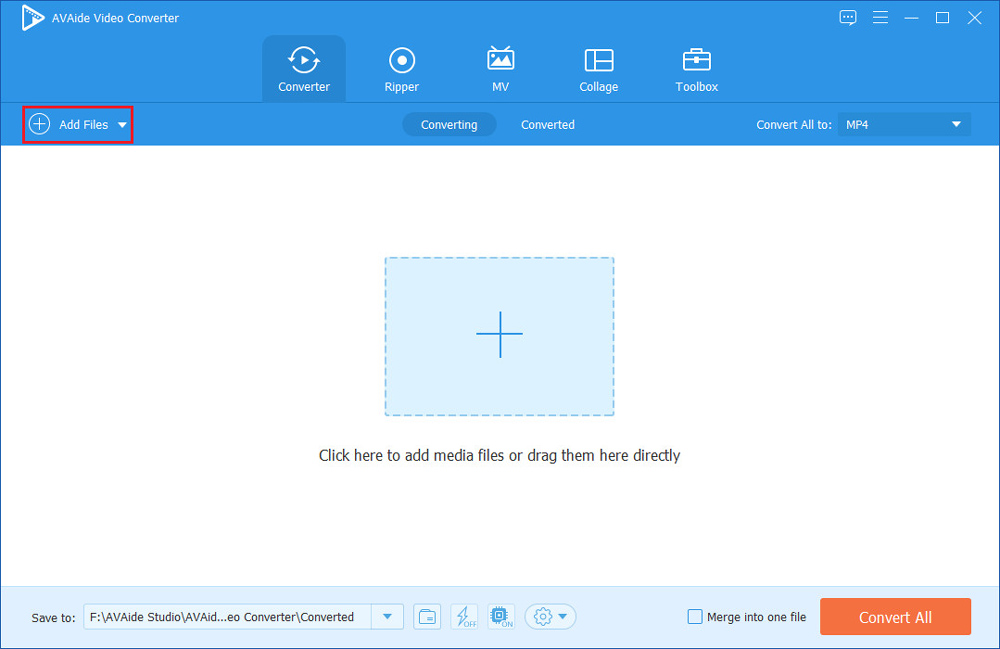
Download AVAide Video Converter from its official website. And then click the package twice to install it as the on-screen guide says. Then launch the software on your computer. Later, you can click the ‘Add Files’ button to import the MKV video you want to convert.
Step 2: Select MP4 as the output format
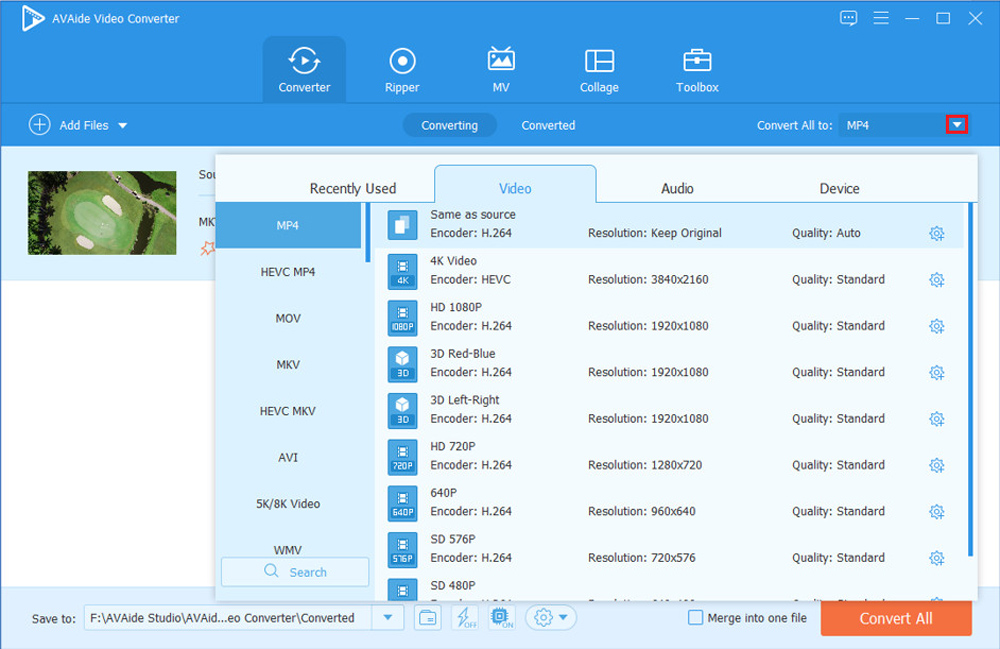
AVAide Video Convert enables you to convert any video format to other formats, so you have to choose MP4 format as the output format. You can click the pull-down beside ‘Convert All to’ then enter into the ‘Video’ tab to select. In addition, you can choose the output quality like Same as source, 4K, etc. and you can also choose the output resolution like Keep Original, 3840×2160, and so on.
Step 3: Modify MKV video before starting converting
If you want to edit, cut, or compress your MKV video before you convert it, the ‘Converter’ interface can meet your needs.
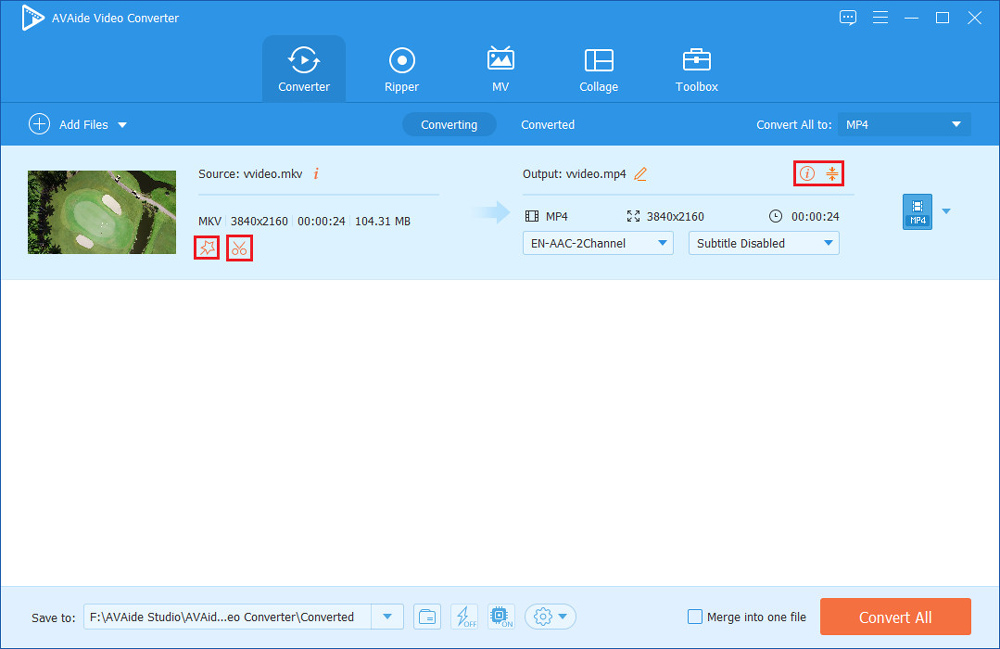
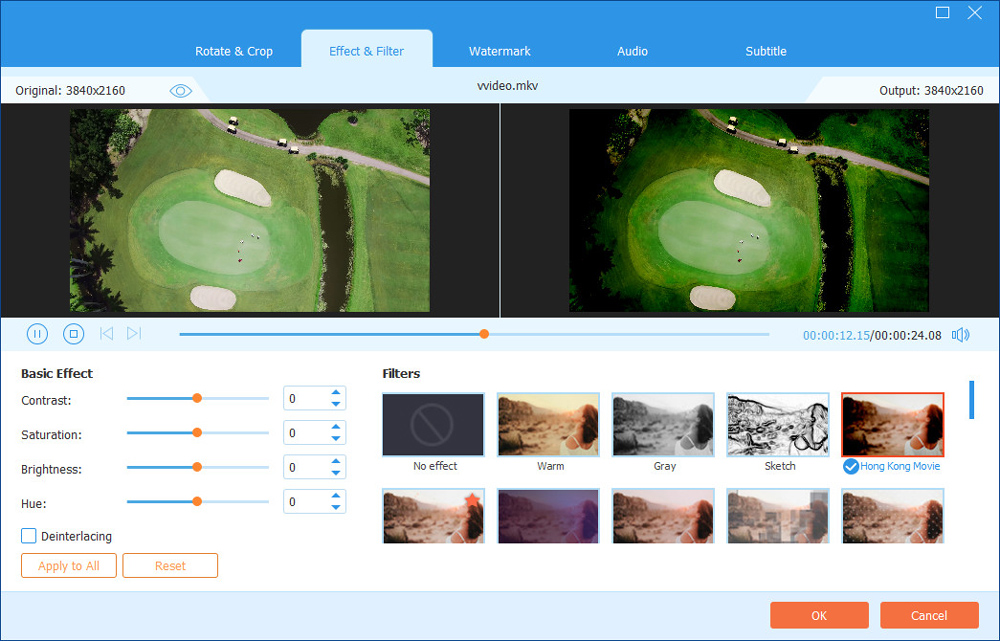
You can click the ‘Edit’ icon to rotate and flip your video, adjust basic effects and the audio track of your video, and add filters, watermarks, and the subtitle to your video.
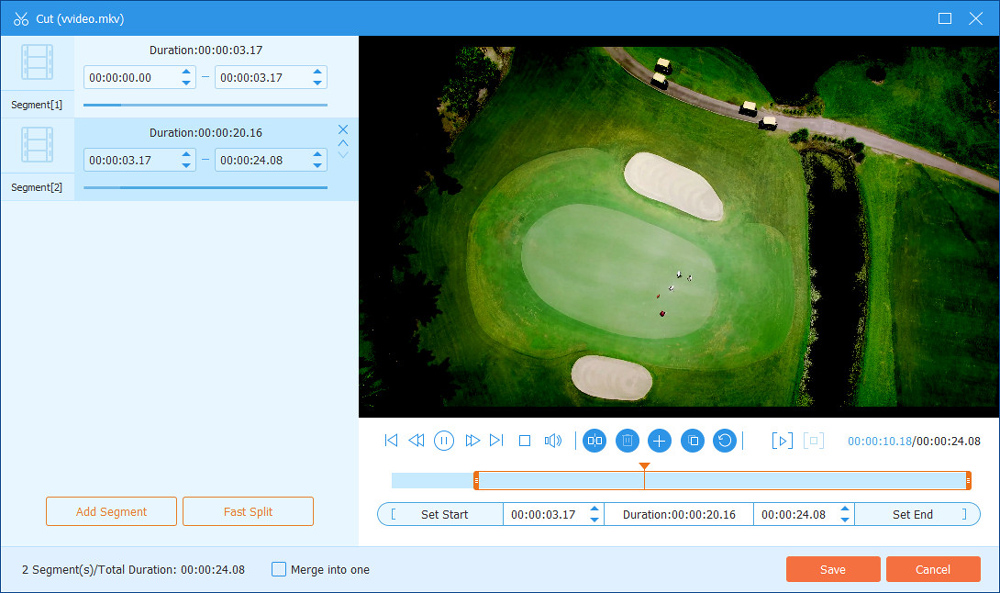
If you want to turn your original MKV video into several clips, you can click the ‘Cut’ icon to complete that.
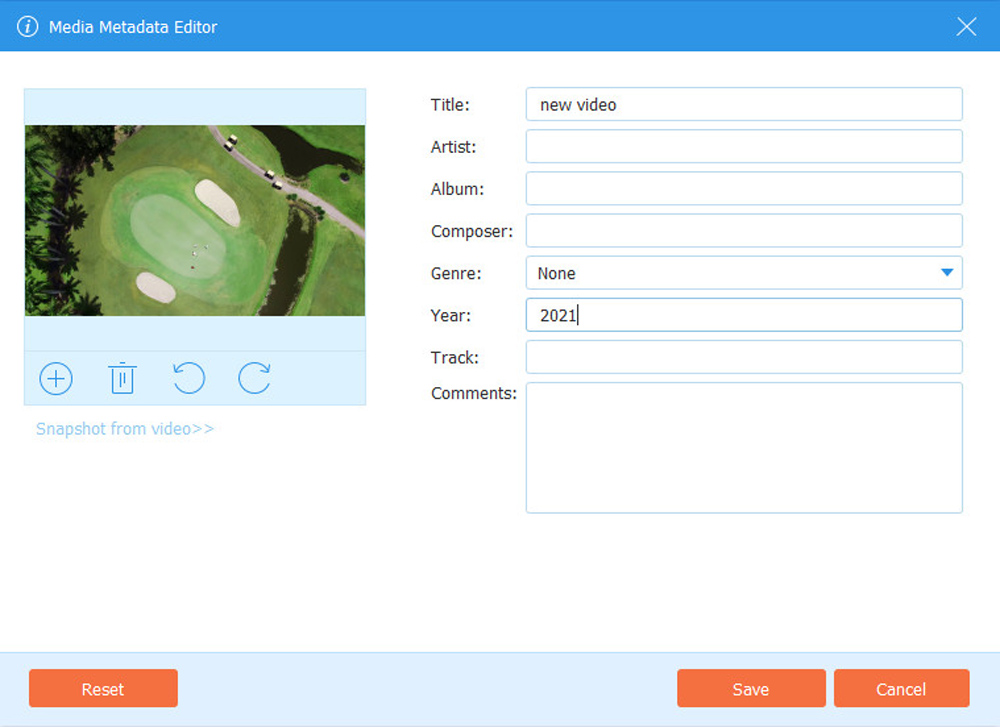
When you need to modify the information of your videos like the title, artist, album, composer, genre, year, track, and comments, you can click the ‘Edit Media Metadata’ icon. Besides, remember to save all your changes after editing.
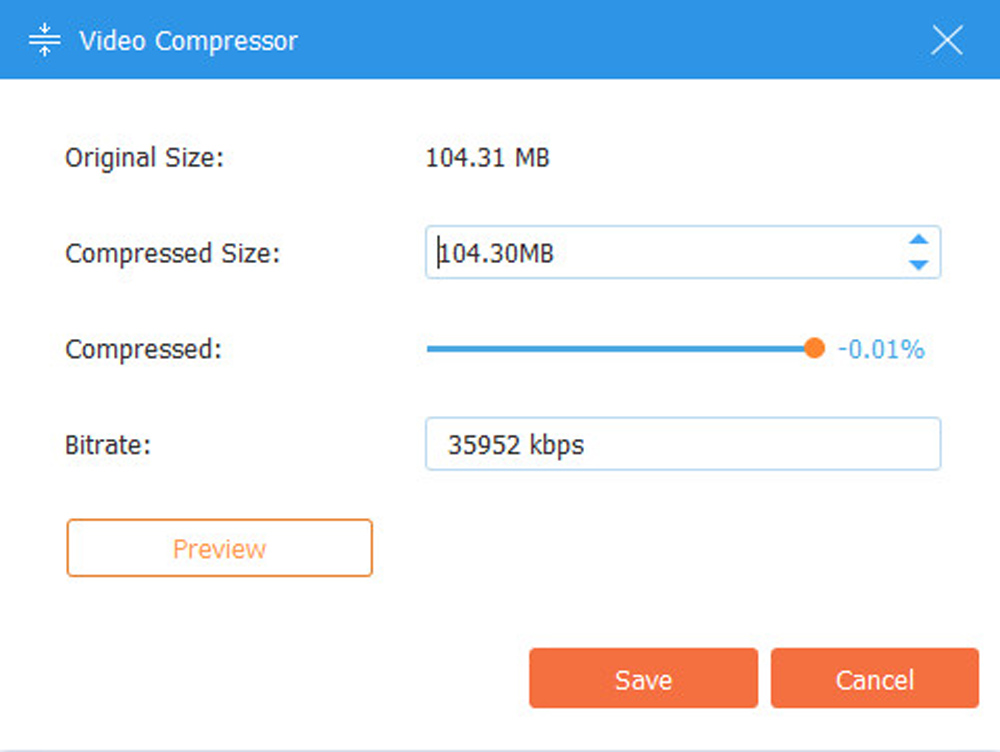
Think that your MKV video is too large? You can compress it by clicking the ‘Compress Video’ icon. And you can preview it after adjusting the size of your video by clicking the ‘Preview’ button.
Step 4: Convert video
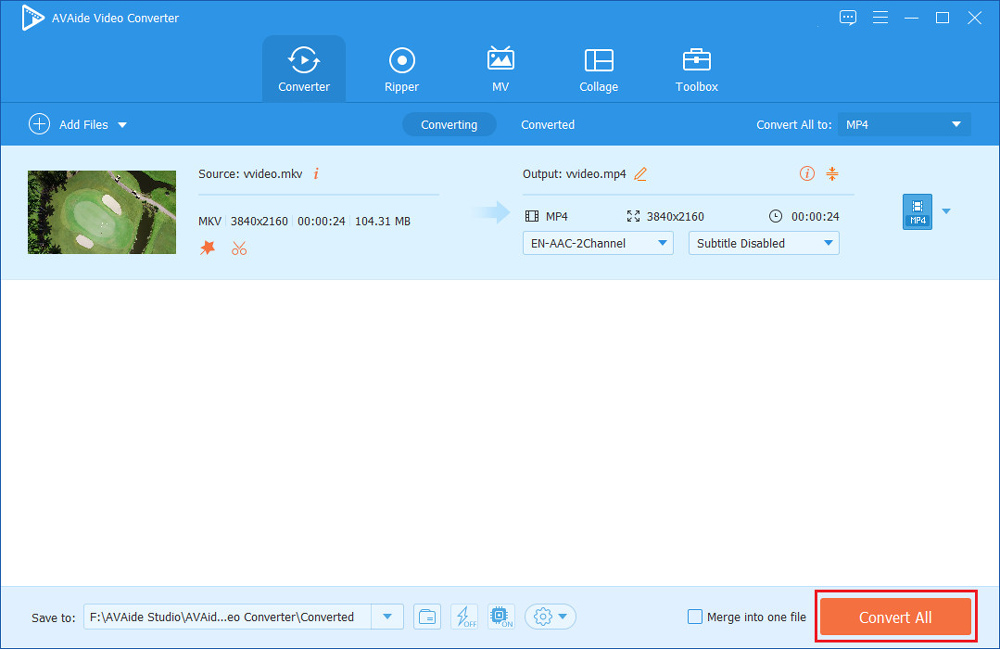
In the end, click the ‘Convert All’ button to finish the conversion. When you have multiple MKV files to convert, you can also use this software to convert them in batches. If you want to make these videos become one separate video, please check the box of ‘Merge into one file’.
If you want to convert your video to other formats, like converting MKV to MOV, you can use AVAide Video Converter, too.
Part 3: Information about AVAide Video Converter You Should Know
System Requirements
- Windows:
Supported OS: Windows 11/10/8.1/8/7/Vista/XP
CPU/Processor: 1GHz Intel/AMD CPU or above
RAM: 1GB RAM or more
- Mac:
Supported OS: Mac OS X 10.12 or above
CPU/Processor: 1GHz Intel® processor and Apple M1 chip
RAM: 512 MB or more
Other Various Functions
Homemade DVD Ripper, MV Maker, Collage Maker, Toolbox including GIF Maker, Video Enhancer, Video Speed Controller, etc.
Supported Formats
- Video: MPG, MPEG-1, MPEG-2, MPEG-4, H.264, AVI, FLV, MP4, M4V, MKV, MOV, DPG, TS, DV, VOB, AMV, H.264/MPEG-4 AVC, DivX, XviD, 3GP, 3G2, MTV, SWF, WMV, ASF, WebM, and many other video formats supported by popular websites.
- Audio: AAC, AC3, AIFF, AMR, AU, FLAC, M4A, MKA, MP2, MP3, OGG, WAV, WMA.
- Device: iOS and Android devices.
Final Words
After reading this article, you may have learnt how to convert MKV files to MP4 with AVAide Video Converter. It is easy to handle for beginners. And the functions it offers like MV Maker can satisfy seniors. What a powerful and convenient MKV to MP4 converter! Moreover, if you do not want to install software on your computer to occupy the storage, you can convert MKV to MP4 online with AVAide Free Video Converter. Although the online video converter does not have so many features like the software.