• Send Us A Tip
  • Calling all Tech Writers
  • Advertise
Monday, July 13, 2026
  • Login
TechStory
  • News
  • Crypto
  • Gadgets
  • Memes
  • Gaming
  • Cars
  • AI
  • Startups
  • Markets
  • How to
No Result
View All Result
  • News
  • Crypto
  • Gadgets
  • Memes
  • Gaming
  • Cars
  • AI
  • Startups
  • Markets
  • How to
No Result
View All Result
TechStory
No Result
View All Result
Home How to

How to downgrade from iOS 26?

by Afeefa Ansari
June 11, 2025
in How to
Reading Time: 3 mins read
0
IOS-26-Beta

Credits - tnj.com

TwitterWhatsappLinkedin

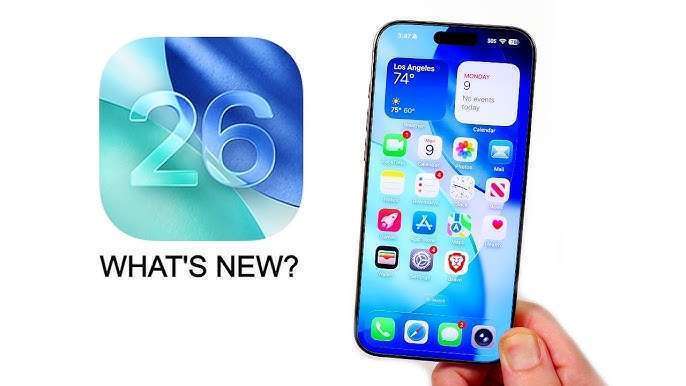
The announcement of iOS 26 beta has caused excited murmurs all around. Many people are even trying to install iOS 26 developer Beta and have had their own experiences with it. For that reason and more, we shall see the steps to downgrade from the iOS 26. We will also see why some people are trying to downgrade from iOS 26 presently. Let us begin!

You might also like

How to free up storage without deleting important files?

How to get Eternatus in Pokémon Go?

How To Use Fast TM In Pokémon GO

What does it mean to downgrade from iOS 26?

If you are saying that you want to downgrade from iOS 26, then in a nutshell, it means that you want to revert your iPhone or iPad from an installed version of iOS 26, typically a beta or pre-release version, back to an earlier, stable, and publicly released iOS version, such as iOS 18.5. This procedure is commonly undertaken when a user experiences instability, bugs, or performance issues with the newer, experimental software, or when specific applications are incompatible. It generally necessitates connecting the device to a computer, utilizing iTunes or Finder, and often involves a complete erasure of device data. Therefore, a pre-existing backup made on the older, stable iOS version is crucial to prevent data loss.

How to downgrade from iOS 26? 

If you want more stability and want to downgrade from iOS 26, then these are the steps that you can follow. Given the fact that iOS 26 is currently a beta or developer release and not yet widely available as a stable public version, “downgrading” entails returning to the current stable iOS version, which is iOS 18.5. 

  • Backup Your Device: Firstly, create an archived backup of your device using your computer before the iOS 26 beta installation. Backups from iOS 26 cannot be restored to an older iOS version.
  • Download the IPSW File: Obtain the official IPSW firmware file for the stable iOS 18.5 that is specifically compatible with your iPhone model from a reputable and reliable source.
  • Enter Recovery Mode: Place your iPhone into recovery mode. The method varies by the iPhone model that you use, typically involving specific button press combinations during connection to your computer.
  • Restore via Computer: Connect your iPhone to a Mac using Finder or a Windows PC using iTunes. When prompted, hold the Option key on Mac or Shift key on Windows and select “Restore iPhone…” Choose the downloaded IPSW file.
  • Set Up Your Device: Allow the restoration process to complete easily. Your iPhone will then be on iOS 18.5, ready for setup. You can restore your data from the archived backup made prior to the beta.

Following these steps will help you downgrade from iOS 26 and will give you a more stable environment to work in. Honestly speaking, the instability of iOS 26 Beta is the reason that many people after trying it or even hearing about this problem have decided to downgrade from there. Since everybody likes to work smoothly on their devices, this can actually be a great idea. So however you want to go about it, you can do so!

Tags: #howtoAppleiOS beta 26iOS downgradeiPhone
Tweet56SendShare16
Previous Post

How to get Beta iOS 26?

Next Post

Apple’s Most Personal and Intelligent WatchOS 26 Stands out at WWDC 2025

Afeefa Ansari

Recommended For You

How to free up storage without deleting important files?

by Afeefa Ansari
July 13, 2026
0
Storage

If you want to make room on your device storage without deleting files, it can seem like a daunting task. But to an extent, it is still doable....

Read more

How to get Eternatus in Pokémon Go?

by Afeefa Ansari
July 13, 2026
0
Eternatus

Do you have a wish to get Eternatus in Pokémon Go? Follow the guide to know how you can get this Pokémon and build your team even better....

Read more

How To Use Fast TM In Pokémon GO

by Khilav Jadav
July 12, 2026
0
How to Evolve Floette Pokémon GO

If you want to build stronger teams in Pokémon GO, learning how to use a Fast TM is essential. A Fast TM lets you replace a Pokémon's Fast...

Read more
Next Post
WatchOS 26

Apple’s Most Personal and Intelligent WatchOS 26 Stands out at WWDC 2025

Please login to join discussion

Techstory

Tech and Business News from around the world. Follow along for latest in the world of Tech, AI, Crypto, EVs, Business Personalities and more.
reach us at info@techstory.in

Advertise With Us

Reach out at - info@techstory.in

Aviator Game India 2026

BROWSE BY TAG

#Crypto #howto 2024 acquisition AI amazon Apple Artificial Intelligence bitcoin Business China cryptocurrency e-commerce electric vehicles Elon Musk Ethereum facebook funding Gaming Google India Instagram Investment ios iPhone IPO Market Markets Meta Microsoft News OpenAI samsung Social Media SpaceX startup startups tech technology Tesla TikTok trend trending twitter US

© 2025 Techstory.in

No Result
View All Result
  • News
  • Crypto
  • Gadgets
  • Memes
  • Gaming
  • Cars
  • AI
  • Startups
  • Markets
  • How to

© 2025 Techstory.in

Welcome Back!

Login to your account below

Forgotten Password?

Retrieve your password

Please enter your username or email address to reset your password.

Log In
Are you sure want to unlock this post?
Unlock left : 0
Are you sure want to cancel subscription?