• Send Us A Tip
  • Calling all Tech Writers
  • Advertise
Tuesday, October 27, 2026
  • Login
TechStory
  • News
  • Crypto
  • Gadgets
  • Memes
  • Gaming
  • Cars
  • AI
  • Startups
  • Markets
  • How to
No Result
View All Result
  • News
  • Crypto
  • Gadgets
  • Memes
  • Gaming
  • Cars
  • AI
  • Startups
  • Markets
  • How to
No Result
View All Result
TechStory
No Result
View All Result
Home How to

How to Save Netflix Episodes as MP4 Files on Windows and Mac

by Rohan Mathawan
October 27, 2026
in How to
Reading Time: 4 mins read
0
Photo by Thibault Penin on Unsplash

Photo by Thibault Penin on Unsplash

TwitterWhatsappLinkedin

Planning to finish a Netflix series on a flight? The tricky part may not be choosing what to watch. It may be getting the episodes onto your laptop in a format you can actually open offline.

You might also like

How to Use the Supreme Leader’s Bunker Access Card in Call of Duty: Modern Warfare 4 DMZ

How to Get the Legendary Hazmat Suit in Call of Duty: Modern Warfare 4 DMZ

How to Get the McDonald’s Dice Skin in MONOPOLY GO!

Netflix offers downloads on supported mobile devices, but its current Windows experience does not include the old download feature, and there is no official Netflix app for macOS. That leaves laptop users looking at other options, particularly when they want an MP4 file instead of a download stored inside an app.

Why downloading Netflix to a laptop is difficult

Netflix downloads on phones and tablets can only be played within the app. You won’t find an MP4 file that you can copy to your laptop, and some titles come with their own download limits.

Screen recording isn’t much help either. Netflix’s content protection can leave you with a black screen, while Android emulators take extra setup and can slow down your laptop. If you want to watch Netflix episodes in a regular media player, you’ll need a different way to save them as local video files.

MP4 or MKV: which format should you choose?

MP4 is the more straightforward choice for most people. It plays on a broad range of laptops, phones and TVs, and it is easy to copy to a USB drive. MKV is worth considering if you need multiple audio tracks or subtitles, but not every device or player supports it.

Keep in mind that MP4 and MKV won’t make a video look better than the original. Check the available quality, audio, and subtitle options before you start downloading.

A desktop option for Netflix episodes

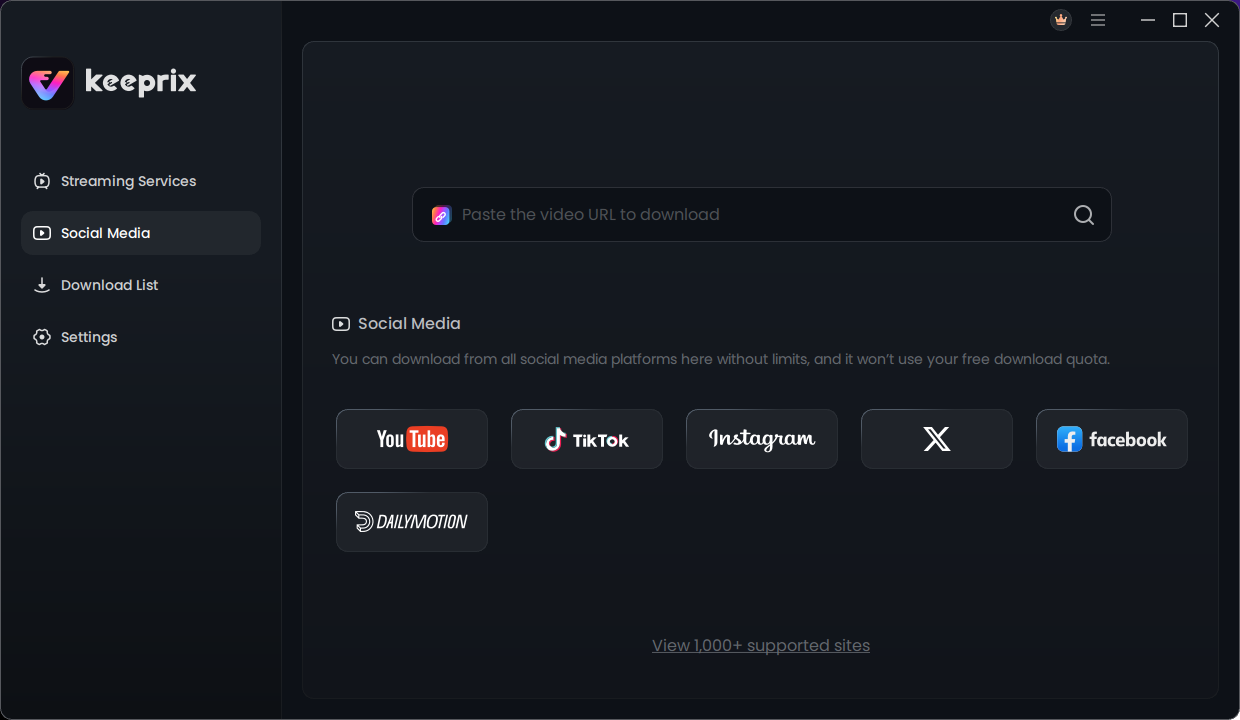
One option worth looking at is Keeprix Video Downloader. It runs on supported Windows 10 or later and macOS 12 or later, and brings several supported streaming services into one desktop application. For Netflix content you can access with your account, it offers MP4 and MKV output, episode&series selection and available audio/subtitle options.

An important practical detail is the trial: Keeprix currently offers one full free Netflix video download, so you can check a complete file rather than judging the experience from a short preview. Availability and output options depend on the selected title and platform.

How to download a Netflix series as MP4 on a laptop

  1. Install the desktop application on a compatible Windows laptop or Mac, then open the Netflix section.
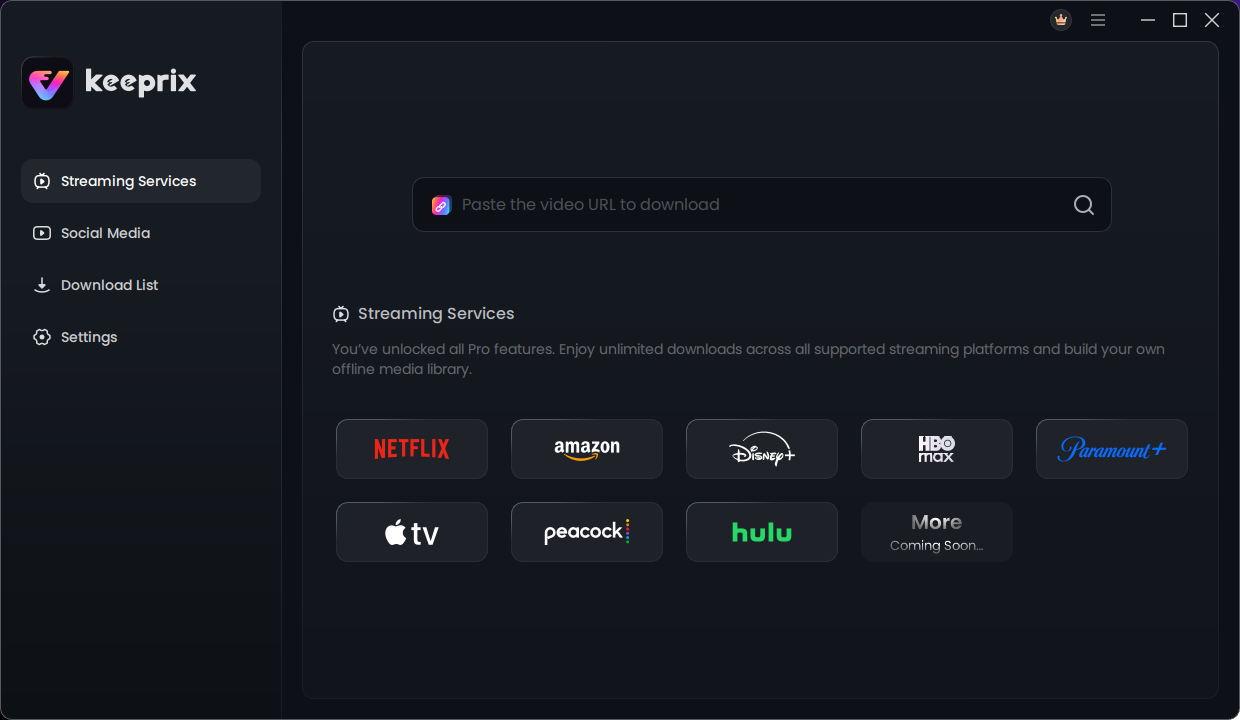
  2. Sign in using your own Netflix account and find a series you are authorized to access.
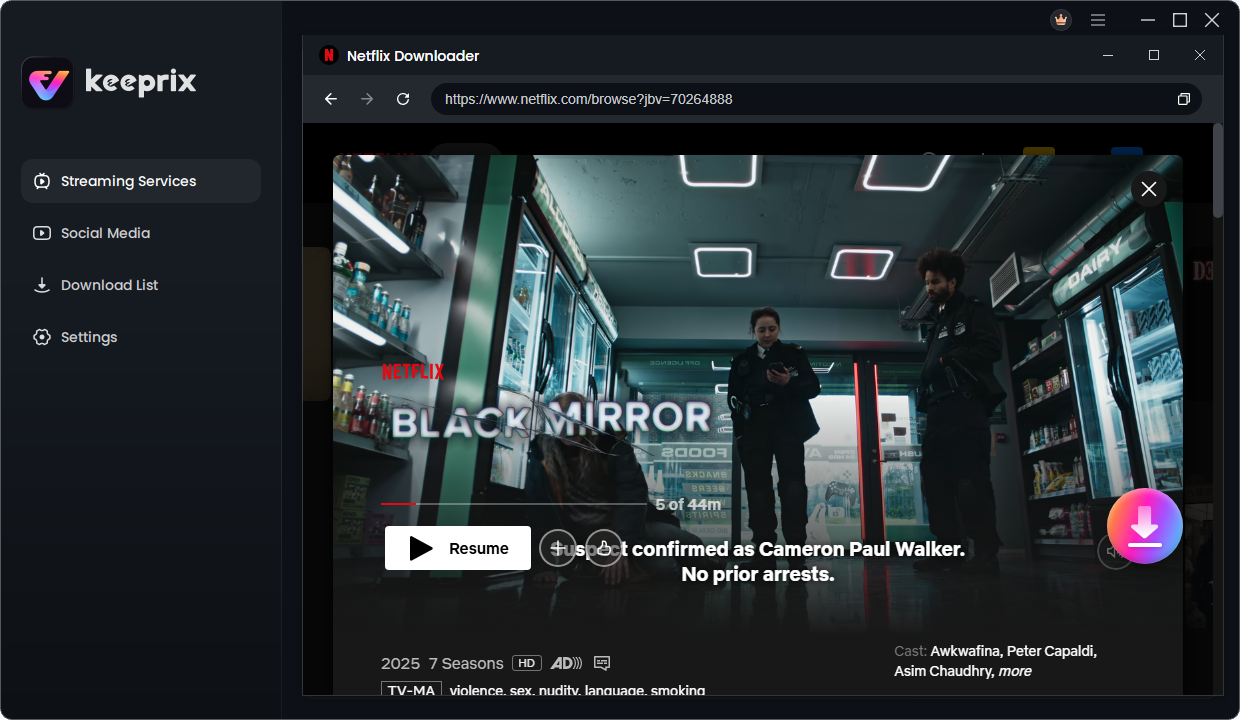
  3. Choose the episodes you want. Select MP4 as the output format, then review the available quality, audio and subtitle settings.
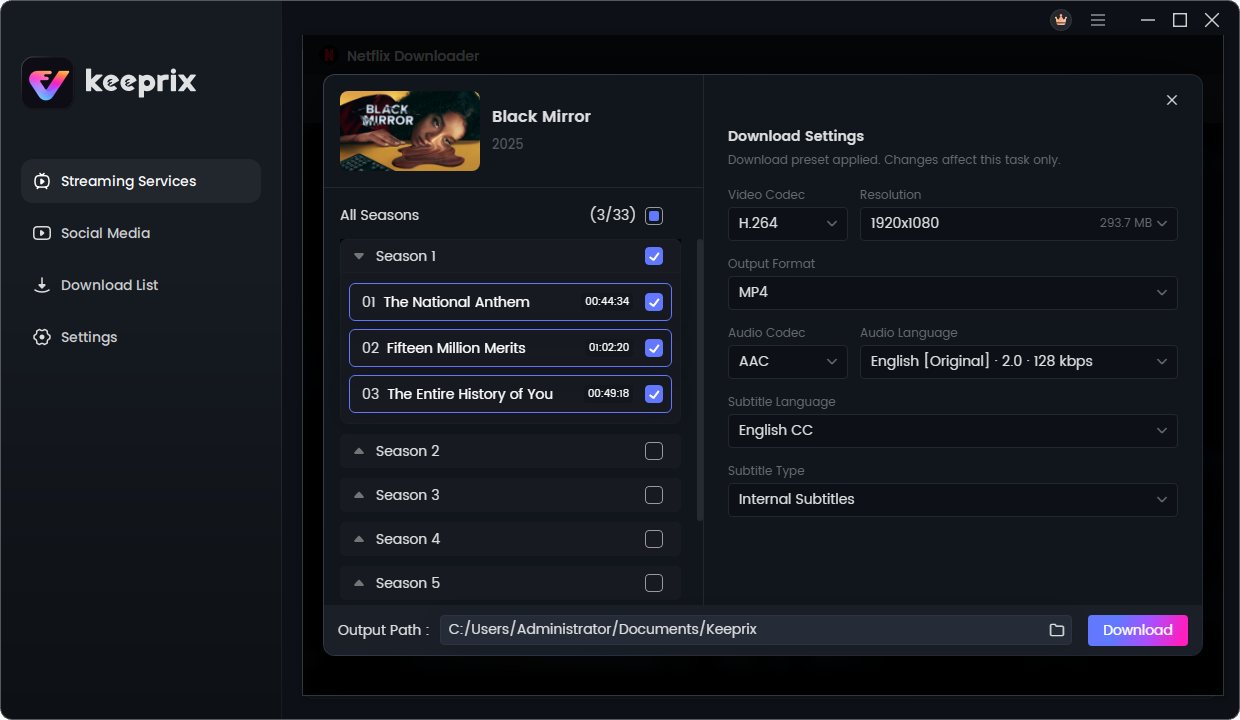
  4. Start the download and check the completed file in its output folder. Open a sample episode in your preferred media player before relying on it for a trip.
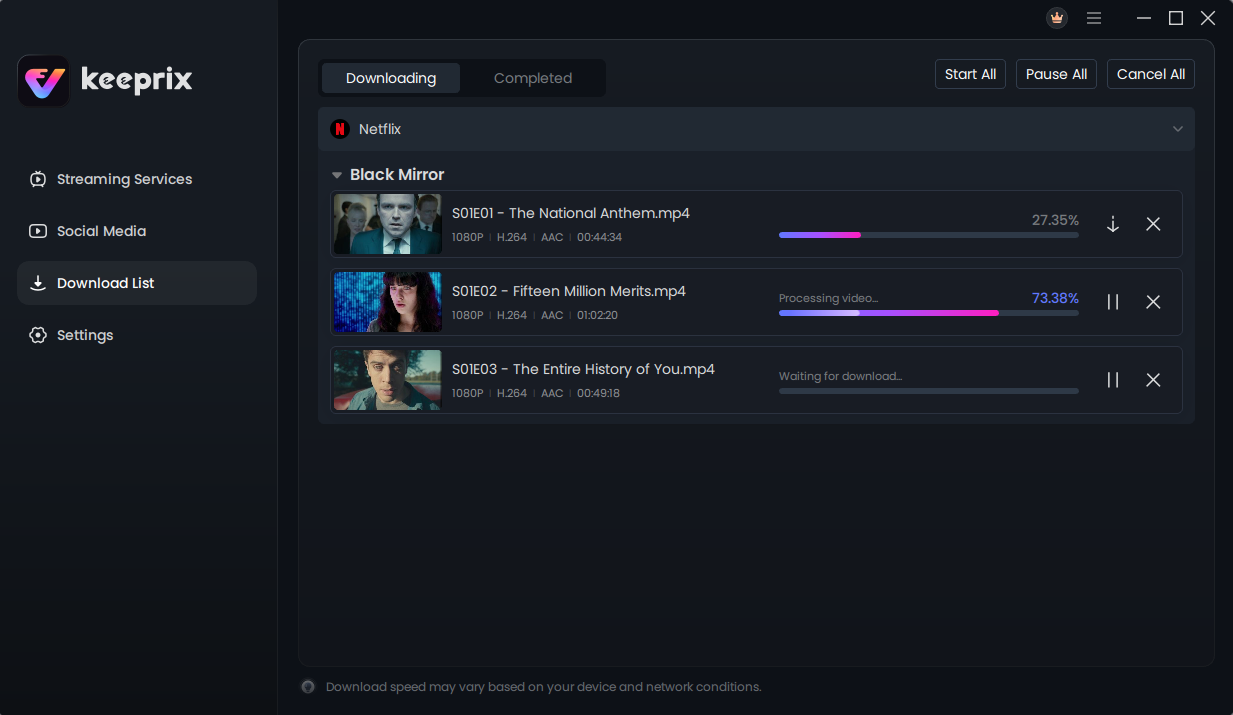
If you want a closer look at the format choices and workflow, this Netflix to MP4 guide walks through the process in more detail.

A few checks to make before travelling

  • Test at least one complete episode, including subtitles, before you disconnect from Wi-Fi.
  • Leave enough free storage for the number of episodes you plan to take.
  • Confirm that your laptop or other playback device supports the selected file format.
  • Use content you are permitted to access and save, and respect copyright law and Netflix’s terms.

The bottom line

If you only need a couple of episodes on your phone, the official Netflix mobile app may be enough. But if your plan is to watch a series on a Windows or Mac laptop, MP4 output and a desktop workflow are worth considering. Focus on actual file compatibility and a full-length test download, rather than promises that every title will work the same way.

Tweet54SendShare15
Previous Post

How to Use the Supreme Leader’s Bunker Access Card in Call of Duty: Modern Warfare 4 DMZ

Next Post

Best Amazon Prime Video Downloader: What to Look for Before You Choose

Rohan Mathawan

Content Editor at Techstory Media | Technology | Gadgets | Written more than 5000+ articles about different niches from Tech to online real money gaming for reputed brands and companies. Get in touch Email: rohan@techstory.in For Business Enquires related to TechStory Info@techstory.in

Recommended For You

How to Use the Supreme Leader’s Bunker Access Card in Call of Duty: Modern Warfare 4 DMZ

by Khilav Jadav
October 27, 2026
0
How To Get a Tactical Nuke in Call of Duty Modern Warfare 3

The Supreme Leader's Bunker Access Card is a valuable key item in Call of Duty: Modern Warfare 4 DMZ. It opens a hidden bunker beneath Chang-san Air Base,...

Read more

How to Get the Legendary Hazmat Suit in Call of Duty: Modern Warfare 4 DMZ

by Khilav Jadav
October 27, 2026
0
How to Open Stadium Verdansk Stadium in Call of Duty: Warzone

The Legendary Hazmat Suit is one of the most useful pieces of protective equipment in Call of Duty: Modern Warfare 4 DMZ. It allows players to explore dangerous...

Read more

How to Get the McDonald’s Dice Skin in MONOPOLY GO!

by Khilav Jadav
October 27, 2026
0
How To Get Shields in Monopoly GO

The McDonald's Dice Skin is a limited-time cosmetic available in MONOPOLY GO!, the popular mobile board game developed by Scopely. It is part of the game's collaboration with...

Read more
Next Post
Best Amazon Prime Video Downloader: What to Look for Before You Choose

Best Amazon Prime Video Downloader: What to Look for Before You Choose

Please login to join discussion

Techstory

Tech and Business News from around the world. Follow along for latest in the world of Tech, AI, Crypto, EVs, Business Personalities and more.
reach us at info@techstory.in

Advertise With Us

Reach out at - info@techstory.in

Aviator Game India 2026

BROWSE BY TAG

#Crypto #howto 2024 acquisition AI amazon Apple Artificial Intelligence bitcoin Business China cryptocurrency e-commerce electric vehicles Elon Musk Ethereum facebook funding Gaming Google India Instagram Investment iPhone IPO Market Markets Meta Microsoft News OpenAI samsung Social Media SpaceX startup startups tech Tech news technology Tesla TikTok trend trending twitter US

© 2025 Techstory.in

No Result
View All Result
  • News
  • Crypto
  • Gadgets
  • Memes
  • Gaming
  • Cars
  • AI
  • Startups
  • Markets
  • How to

© 2025 Techstory.in

Welcome Back!

Login to your account below

Forgotten Password?

Retrieve your password

Please enter your username or email address to reset your password.

Log In
Are you sure want to unlock this post?
Unlock left : 0
Are you sure want to cancel subscription?