

Do you wish to secure your Wi-Fi at home? Follow the guide to know the methods and the steps that will help you secure the network back home. It is simple, effective, and can help improve the speed of the network. So, let’s get started.
What does it mean to secure your Wi-Fi home network?
Securing your home Wi-Fi network is a way of saying that you have put a strong lock on your digital front door. When you get a router from an internet provider, it often comes with a default network name and a factory password printed on a sticker. Leaving those settings as they are is like leaving a house key under the mat. Securing your network means changing those defaults to unique, strong passwords so random people cannot easily access your connection. It is a perfect solution for unnecessary traffic on your Wi-Fi when someone finds a way to break in or crack the password.
It also means turning on encryption, which scrambles the data traveling between your devices and the router. It is like talking to your friend in a secret language or a secret code. Even if someone nearby manages to intercept your wireless signals, they will just see gibberish instead of your private passwords, emails, or bank details that you share.
Also, beyond privacy, locking down your Wi-Fi keeps your internet performance stable. If neighbors or passersby connect to an unsecured network, they can hog your bandwidth, which happens more frequently than people realize. It results in slowing down your video calls and streaming movies. In worse cases, bad actors could use an open network to download illegal content under your name or try to hack into your connected smart home devices, like cameras and laptops.
Ultimately, securing your Wi-Fi means creating a private, controlled network that ultimately doesn’t just protect the network but the devices too. It ensures that only the people and devices you trust can use your internet connection, keeping your personal data safe from prying eyes and keeping your connection running smoothly.
Ways to secure your home Wi-Fi network
Here are a few things that you can try to make your home Wi-Fi network secure.
Securing your home wireless network does not require formal training, and you can do this if you know the basics. It does take a few deliberate steps to transition your router from its vulnerable state into a more secure environment. Taking the time to adjust these settings ensures your personal data remains private and your internet bandwidth stays entirely yours. Here are the most effective ways to protect your home network.
- The first thing that you have to take care of is changing the default router administrator password. Every router comes with a generic factory login, which is often something incredibly basic like admin or password, paired with a standard IP address. Now, if someone is being a deliberate hacker, they know these defaults by heart and can look them up online in seconds. If someone connects to your Wi-Fi and you have not changed the password, they can log into your router settings, lock you out of your own network, and manipulate your traffic. This router login password is completely separate from the Wi-Fi password you give to guests, and it needs to be long, complex, and unique.
- Next, you need to change the network name, technically known as the Service Set Identifier or SSID. It doesn’t have to be generic or something that just gives the information away. Most routers broadcast a default name that includes the manufacturer or internet service provider brand. This tells an attacker exactly what kind of hardware you are using, making it all the more vulnerable and easy to break in if they know the pattern. Also, it is worse if there are any more identification marks in the name itself.
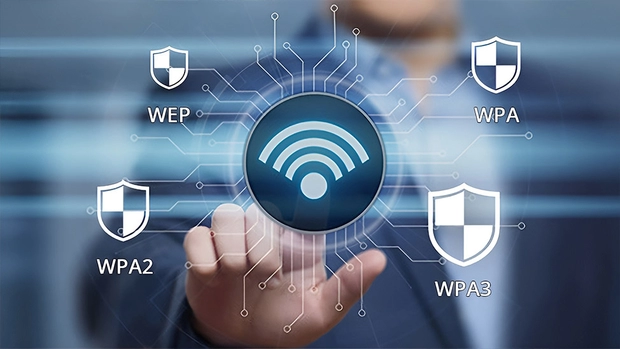
- Once you are set with the names, you must implement strong wireless encryption. This is the setting that scrambles the data flying through the air between your devices and the router. You should navigate to your wireless security settings and select WPA3, which is the modern standard for encryption. If your router or older devices do not support WPA3 yet, choose WPA2-AES. Avoid older protocols like WPA or WEP, as they have massive security flaws that can be cracked by free software in minutes. That’s not such a good situation!
- And then, you will also need a robust Wi-Fi password. This is the password your family and devices use to connect to the internet daily. A weak password makes your strong encryption pointless. Avoid using redundant patterns, family names, or just something so random that you’ll hear or see elsewhere.
- Another highly effective strategy is creating a separate guest network. Most modern routers allow you to broadcast a secondary Wi-Fi network alongside your main one. This guest network should be used for visitors and, crucially, for all your smart home devices like smart TVs, connected refrigerators, and security cameras. In fact, particularly the security cameras. And on top of that, one has to understand that smart home gadgets are infamous for having weak security protections. By isolating them on a guest network, you ensure that if a hacker compromises a smart lightbulb, they still cannot access the laptops or smartphones on your primary network, where your important bank details and also some personal files live.
- You should also disable Wi-Fi Protected Setup, commonly known as WPS. This is a feature designed for convenience, allowing you to connect devices by pressing a physical button on the router or entering a short eight-digit PIN. You should turn it off to avoid any breaches from this door.
- And finally, you must keep in mind that keeping your router firmware updated is just as important as updating your phone or computer. Manufacturers constantly discover new security vulnerabilities in their hardware and release software patches to fix them. Many modern routers offer an auto-update feature, which you should absolutely turn on. You can also try to log into the admin portal every few months to check for and install the latest firmware updates manually.
- Additionally, we can also tell you that considering turning off remote management is a crazy good idea. This feature is designed to let you log into your router settings from outside your home over the internet. While it sounds convenient, it opens up a massive vulnerability by allowing anyone on the internet to attempt to log into your router admin panel. You must disable it immediately to ensure security that’s better than ever before.




