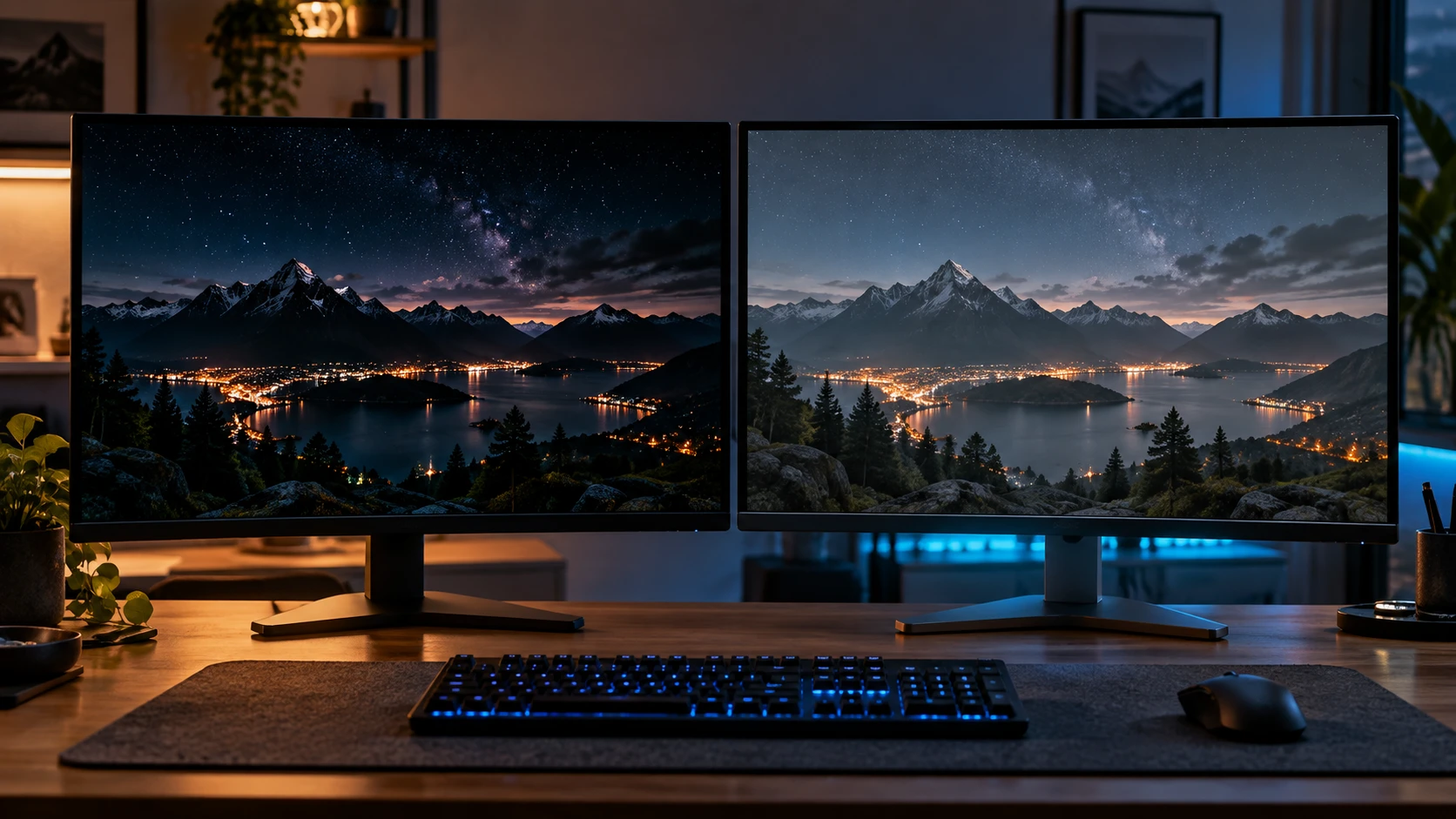
An OLED monitor can look like an obvious upgrade when you see a night scene running on it. Dark areas stay dark, small highlights stand out, and the picture has a depth that many conventional LCDs struggle to reproduce.
But a gaming monitor also has to handle everything between those moments: the spreadsheet you leave open, the room’s afternoon sunlight, and the games your graphics card can realistically run.
The OLED vs LCD gaming monitor decision starts with those habits. OLED offers compelling advantages in contrast and pixel response. LCD gives buyers a wider range of prices and configurations, with options that can suit long working days as well as evening gaming.
What changes when you switch to OLED?
OLED pixels produce their own light. An LCD uses a backlight behind its liquid-crystal panel. That difference explains why OLED can display a bright object beside a black background without illuminating a surrounding backlight zone.
In a dark game, this can make shadows and small light sources more distinct. A torch, a spaceship’s dashboard or a streetlamp has greater separation from the darkness around it.
OLED also has very fast pixel transitions, which can help reduce the trails left behind moving objects. Refresh rate still matters, but it describes something different: how often the display can update its image.
A high refresh rate does not guarantee that every pixel transition is equally fast. Likewise, fast pixel response cannot make a game running at a low frame rate feel like one running at hundreds of frames per second.
Manufacturer response-time figures are useful specifications, but independent measurements provide a better picture of motion performance across different settings.
LCD covers several different buying choices
Treating LCD as one uniform alternative makes the comparison less useful.
IPS and VA are both LCD panel technologies. IPS is commonly chosen for viewing angles and balanced everyday use. VA often offers stronger native contrast, although dark-transition performance varies between models. TN remains another option, particularly in displays designed around competitive gaming.
Mini-LED refers to the backlight rather than a competing liquid-crystal panel type. By dividing illumination into smaller, independently controlled zones, a mini-LED monitor can improve contrast and HDR performance compared with a basic backlight.
Those zones still illuminate groups of pixels. Depending on the display and the scene, a bright object can produce a visible halo against a dark background. OLED controls light at the pixel level.
The useful comparison is therefore between actual monitors. A premium mini-LED LCD deserves a different assessment from an inexpensive LCD with no local dimming.
Match the resolution to your graphics card
Panel technology gets plenty of attention, but resolution can have a larger effect on the cost of the whole upgrade.
A 3840 × 2160 display contains 2.25 times as many pixels as a 2560 × 1440 display. That does not translate directly into 2.25 times the processing requirement in every game, but it helps explain why moving to 4K can put more pressure on a graphics card.
Before paying for a 4K high-refresh monitor, check how your system performs in the games you play. Include the settings you actually want to use, especially ray tracing.
Upscaling can help, although its results depend on the game, rendering resolution and implementation. The refresh rate printed on the box is the monitor’s capability; it is not a promise that your PC will reach it.
You can compare gaming monitors on BetterBuyBase to narrow the options by resolution, refresh rate, panel type and connectivity. Use those specifications to build a shortlist, then look for measured performance on the models that remain.
Two similar model names can hide a much bigger difference
Alienware’s AW3225QF and AW3225DM show why reading beyond the product name matters.
Dell lists the AW3225QF as a 32-inch-class curved QD-OLED monitor with a 3840 × 2160 resolution and a maximum 240Hz refresh rate. The AW3225DM uses a VA LCD panel, with a 2560 × 1440 resolution and a maximum 180Hz refresh rate.
That changes several parts of the buying decision at once. The QF offers OLED’s pixel-level light control alongside higher resolution and refresh capability. The DM asks less of the graphics card at its native resolution and avoids OLED’s particular concern about uneven pixel wear.
The Alienware AW3225QF vs AW3225DM comparison brings those differences into one view. It is a useful example of two distinct upgrade paths, rather than a controlled test of panel technology alone.
If the QF looks sharper, resolution contributes to that result. If the DM delivers higher frame rates on the same PC at native resolution, the lower pixel count contributes too.
Think about the hours spent outside games
A monitor used mainly for games and films faces a different workload from one displaying the same desktop layout throughout the working day.
OLED burn-in concerns relate to uneven wear that can leave persistent traces of static elements. Taskbars, application toolbars and game interfaces are relevant because they can occupy the same areas repeatedly.
Built-in protection features and maintenance routines help manage that risk. Follow the manufacturer’s instructions and check warranty coverage for the exact model and country where you buy it.
Dell’s AW3225QF documentation specifies three-year service coverage that includes OLED burn-in. Buyers should still confirm the terms attached to their purchase.
Text clarity deserves attention too. Pixel density, scaling and subpixel layout can affect how small text appears. OLED panel designs differ, so a judgement about one generation or model should not automatically carry over to another.
If possible, inspect ordinary text at your preferred scaling setting. A gaming demonstration will not tell you how comfortable the display feels during a full day of reading.
Read beyond the HDR label
HDR support alone tells you little about how convincing an HDR image will look.
The display needs to reproduce bright highlights while preserving darker areas. OLED’s light control helps with that separation. A capable mini-LED LCD can combine local dimming with strong brightness, although its behaviour depends on the backlight and control system.
Peak brightness also needs context. A figure measured on a small bright patch does not describe the brightness of an entire white screen.
For a bright room, consider sustained brightness, reflections and screen coating. For evening gaming, pay closer attention to dark-scene contrast and the handling of small highlights.
Check the exact HDR certification and measured performance. Two monitors that both accept an HDR signal can produce very different results.
Which upgrade makes sense?
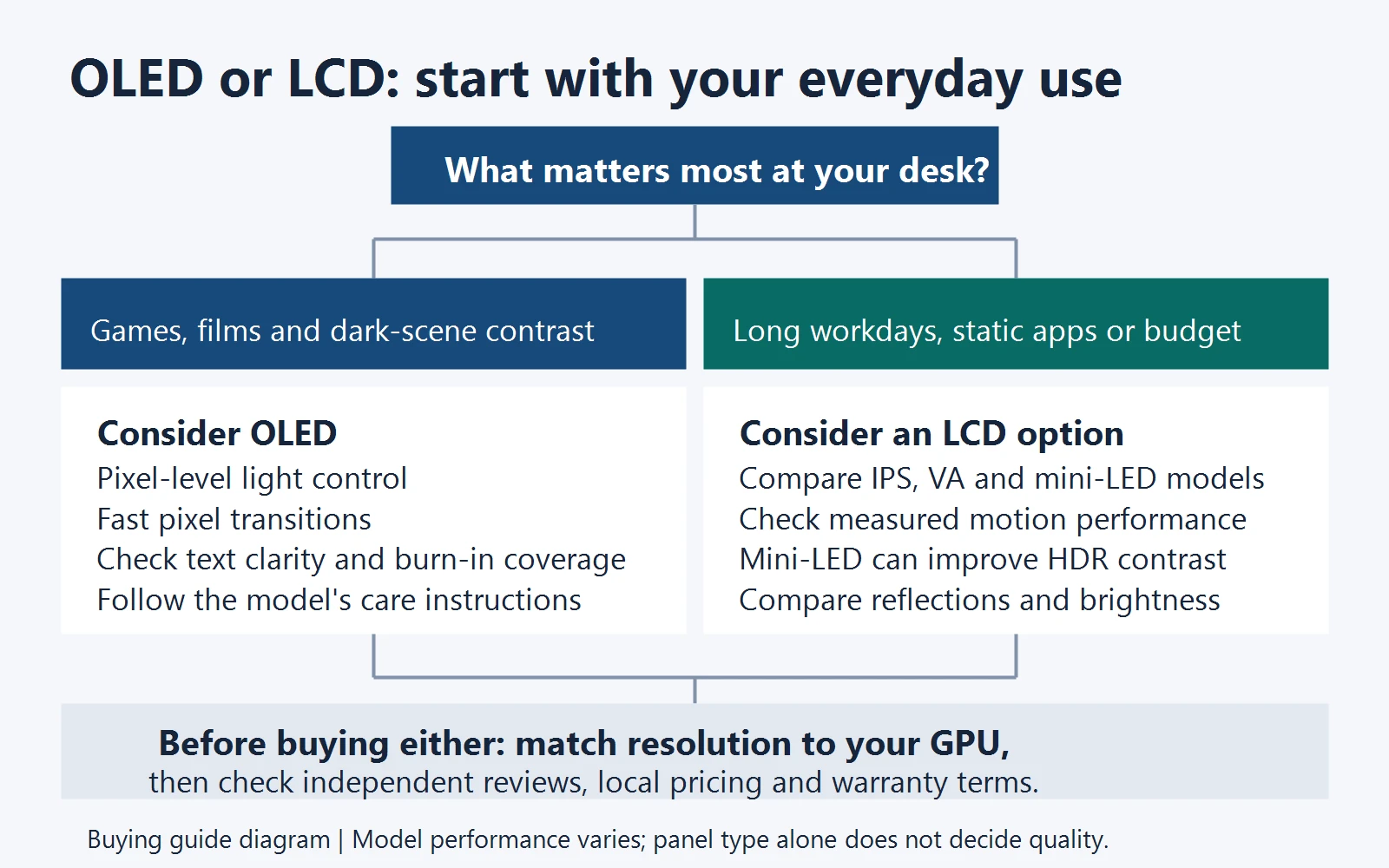
OLED is a strong candidate if gaming and films are your priorities, you value dark-scene contrast, and you are comfortable following the display’s care instructions.
LCD remains worth considering if your budget is tighter, the monitor spends long hours displaying static applications, or you find a particular IPS, VA or mini-LED model that better fits your room and workload.
Before buying, check three things: whether your graphics card suits the resolution, whether the display handles your everyday work comfortably, and whether its warranty covers the concerns that matter to you.
A better monitor should improve the hours you actually spend in front of it. Start there, and the panel choice becomes much easier.