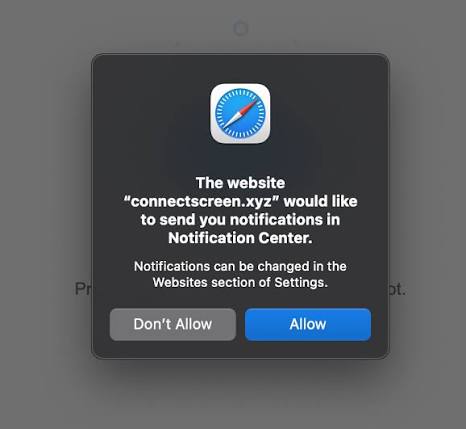
Understanding exactly what happens when a website asks for notifications is essential for maintaining control over your digital environment, protecting your privacy, and discerning between genuine utility and deceptive marketing.
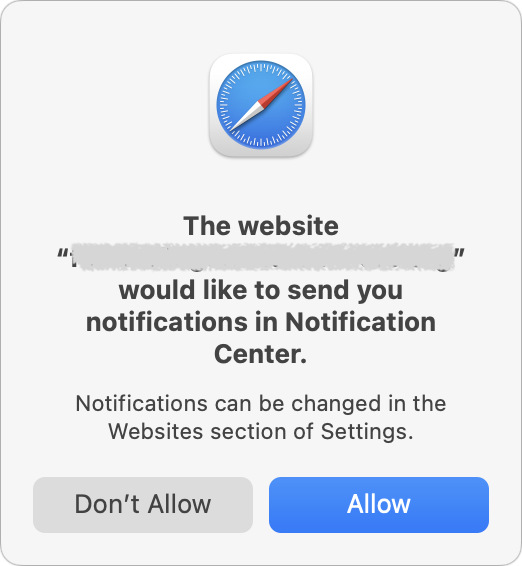
In today’s digital world, surfing the Internet has turned into an engaging activity. When browsing news websites, shopping sites, or personal blogs, you have definitely encountered the well-known small pop-up window that states, “This website would like to show you notifications.” This may seem like a usual thing; however, this pop-up turns out to be the entry point to a great tool of communication.
The Technical Mechanism: How Notifications Function
The Web Notification API is the key player in this interaction, which is a technology that enables websites to send push notifications to the user’s browser or device. When you tap on “Allow” in the request window, the process becomes much more open,, and you establish a communication channel that lasts until further notice. Your browser saves this choice and uses something called a service worker – a special script.
The key feature of this script is its ability to function independently from the actual web page. Therefore, using this kind of approach a website has the power to inform the user even if he/she has already closed the tab.
So, while your browser and your computer are operational, messages will be able to find their way to your attention. It usually shows up in the form of a non-intrusive card in one corner of your desktop or lock screen of the mobile phone containing the title, text and link to redirect you to the website again.
When you consider what happens when a website asks for notifications, you are essentially deciding whether to grant that entity the ability to “break out” of the webpage container to reach you directly. Because this capability is so intrusive, browsers require explicit user consent, acting as a gatekeeper to prevent the internet from becoming a source of constant, unsolicited interruption.
Why Legitimate Sites Use Notifications
Push notifications are more than just annoying spam messages for a lot of companies; it’s about offering users an effective and up-to-date user experience. There are a few useful applications of this function:
- Order and Delivery Tracking: The notifications system in the e-commerce websites enables instant updates about order confirmation, shipping status, and being out for delivery. This eliminates the need for the user to check his emails and website status page manually.
- Social Connection: In the case of social networking sites, forums, and collaboration websites, notifications form the backbone of social and business connections. These enable the user to know about direct messages, comments, replies, or mentions on any post.
- News Alerts: News websites or bloggers use such notifications for sharing the latest news or updates about live scores of a particular match or market. Users who want to know such updates instantly get the relevant information through these notifications.
- Productivity and Reminders: Calendar applications, task managers, and educational websites make use of notifications to ensure that the user stays on track.
In these contexts, knowing what happens when a website asks for notifications allows you to make informed decisions. If you rely on a service for your daily work or shopping, granting permission can significantly streamline your digital workflow.
The Marketing Engine: Engagement and Retention
Beyond pure utility, businesses view notification permissions as a strategic marketing asset. In a digital economy where attention is the most valuable currency, these alerts provide a direct line to the user that bypasses social media algorithms and email filters.
Companies leverage these notifications for re-engagement, sending targeted prompts like “New offers just for you” or “Don’t miss our flash sale.” These tactics are designed to reduce user churn, the rate at which users stop visiting a site, and encourage repeat visits. For small businesses, web push notifications are a cost-effective alternative to developing a full-featured mobile app, allowing them to engage their audience using standard web technologies.
This is why, when you ponder what happens when a website asks for notifications, you must acknowledge the business intent. Sites value your permission because it gives them a reliable, low-cost way to drive traffic spikes, boost ad revenue, and keep their brand top-of-mind.
Scams and Manipulation
Unfortunately, not all requests are benign. The rise of push notifications has also seen a corresponding surge in abuse by malicious actors. Some websites treat the notification prompt as a weapon of deception rather than a tool for communication.
These malicious pages often employ high-pressure tactics to force a click. You might encounter a site that falsely claims, “Click Allow to continue” or “Click Allow to watch this video.” In reality, there is no video—the goal is simply to secure your permission to send future spam. Others use fake “I’m not a robot” CAPTCHAs, where the “Allow” button is hidden behind a manipulated interaction.
Once permission is granted to these bad actors, they can bombard your device with deceptive alerts that mimic system warnings, fake antivirus notifications, or fraudulent prize announcements.
These notifications often lead to phishing sites, technical support scams, or malware downloads. When you realize what happens when a website asks for notifications from an untrusted source, you can see why skepticism is a vital security skill. If a site’s only apparent purpose is to get you to click “Allow,” treat it as a significant red flag and block it immediately.
Why Do You Keep Seeing These Prompts?
The ubiquity of these requests can be frustrating. Several factors drive this “prompt fatigue.” First, the undeniable effectiveness of notifications has led to widespread adoption by businesses of all sizes. Second, poor implementation patterns mean many sites display the prompt the instant you load the page, without providing any context regarding the value they offer.
Some sites even use aggressive, spam-like strategies, repeatedly showing the prompt until the user either clicks “Allow” or “Block.” Fortunately, browser vendors are responding by implementing stricter policies, such as automatically quieting or suppressing requests from sites that have historically low acceptance rates.
Best Practices for Users
You are not powerless in this digital exchange. Maintaining control is a matter of active management. Here is how you can manage your notification landscape effectively:
- Be Selective: Only grant permission to websites you trust and whose updates you genuinely need.
- Evaluate the Context: If a site asks for notifications the moment you land on the page, deny the request. A legitimate, high-quality site will usually wait until you have engaged with their content before asking for your permission.
- Perform Regular Audits: Periodically visit your browser’s permission settings. Most browsers provide a clear list of all websites granted notification access. If you find a site you no longer recognize or use, revoke the permission immediately.
- Use Global Settings: If you find the entire experience overwhelming, you can change your browser settings to globally block all notification requests, ensuring you are never interrupted again.
Conclusion
In conclusion, knowing what happens when a website asks for notifications is the first step toward a more peaceful and secure browsing experience. Through a careful balancing act between the undeniable usefulness of real-time information on one hand and the potential for spamming and manipulation through marketing schemes on the other hand, it is possible for one to customize their online space in accordance with their interests.