
Youtube, the famous video streaming website, is nowadays used for entertainment by almost everyone has a smartphone.
The video streaming website has been very successful in reaching so many people. Today, this popular platform has more than two billion active users. Of these, 50 million are premium subscribers who enjoy the full features of YouTube. Imagine a quarter of the world’s entire population is using the website. It, in itself, is an achievement. It only proves that this video-streaming platform is beneficial to most people who have access to electronic devices and the internet.
Many people use YouTube for a variety of things. Aside from its entertainment value, the site is a virtual library of educational tools like how-to videos, instructional materials, research, reviews, discussions, and academic teaching. The platform has been helpful to many people, including mothers who want to keep their young kids entertained as they do chores in the house. Researchers who need a good deal of information to finish their paper or even moms who need a recipe for a specific dish their family craves also utilize the platform. Because whatever it is that you are looking for, YouTube most likely has what you need.
YouTube has become very famous. But, the app or the website doesn’t have a feature to download a video. Of course, you can download a video to watch it offline but can’t download to store it on your phone or laptop.
But, there are some ways through which you can download youtube videos to your device.
For Laptops and Personal Computers
There are many ways to download youtube videos on your laptops. There are third-party software and websites. IDM is one of such third party software which is reliable and I am personally using it.
- To download videos using IDM, first of all, you need to download IDM.
- After downloading IDM, install it.
- Open Chrome and it will ask extension permission, Allow it.
- Open YouTube.
- Open the video you want to download.

- You will see the ‘download this video’ popping above the video, click on it.
- It will show the resolution you want to download it in, click on your favorite resolution.
- Done, your video will be downloaded.
For the ones who don’t want to download third party software, there are websites like – https://y2mate.com/
All you need to do is –
- Open https://y2mate.com/.
- Open Youtube in another tab.
- Open the video you want to download and copy its URL.
- Open Tab on which Y2 mate website is open.
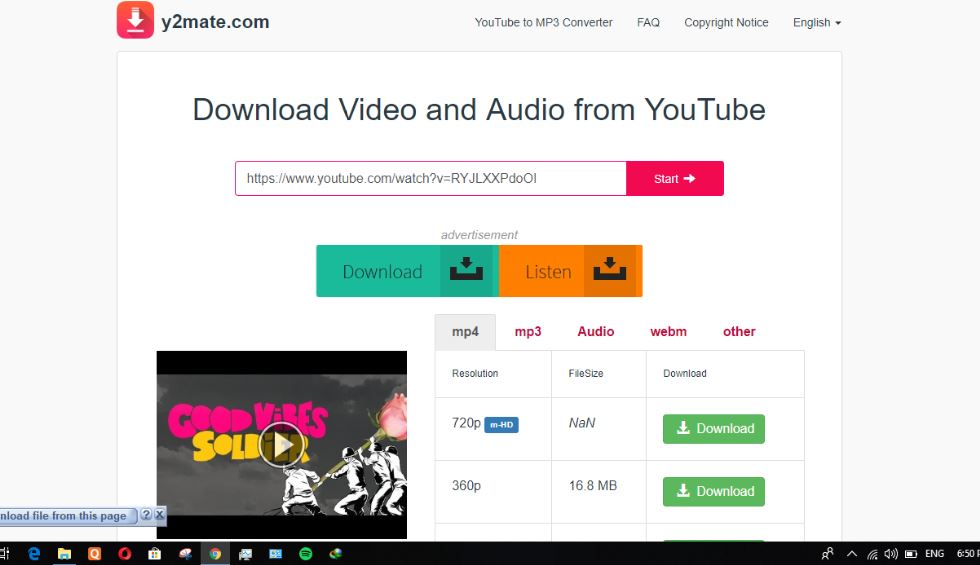
- Put the URL in the Y2 website.
- Down options will pop up along with which resolution the video is available in.
- Click on the resolution you want to download, the downloading process will start.
You may also try this safe and popular downloader, yeetdl. Now, there are more websites for downloading videos from YouTube and the steps are the same. These websites are –
- savefrom.net
- SaveTheVideo
You can also use Youtube to Mp4 for downloading videos.
Downloading YouTube on Smartphones (Android and IOS)
Android
For Android phones, there are many apps which allow people to download videos.
There is an app called YouTube downloader but it’s not available on google play store. I am providing you the link –
- Click on the link above, download the YouTube downloader, and install it.
Downloading Using YouTube App
- Now, Open YouTube.
- Click on the video you want to download.
- Click on the Share Options.
- You will see the youtube downloader option, click on that.
- It will take you to the app.
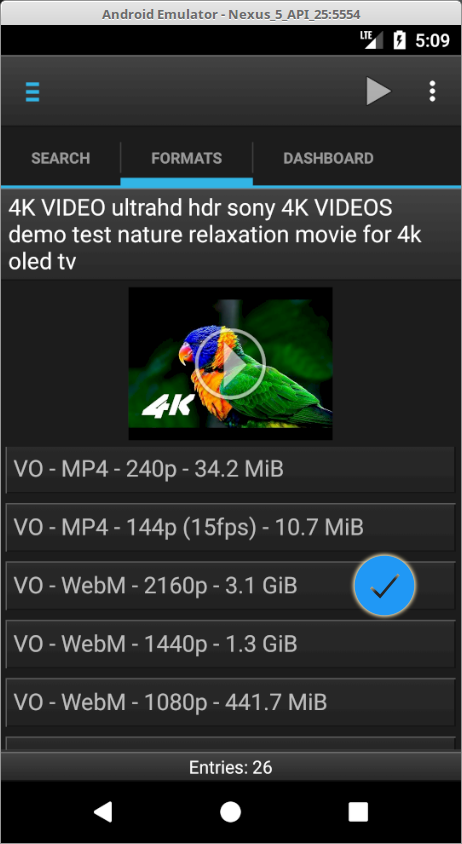
- The resolution option will load and it will show all the resolution videos that are available.
- Click on the resolution you want to download and the download will start.
Downloading it using YouTube Downloader App
- Open The YouTube Downloader App.
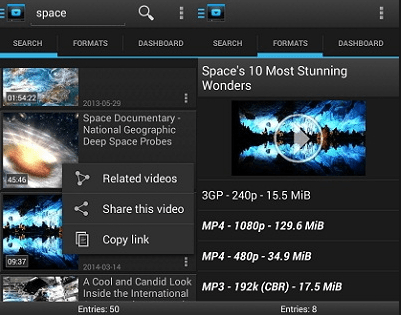
- Search the video you want to download, click on the video.
- It will take you to the downloading page.
- Select the resolution you want to download the video in, the downloading will start.
IOS
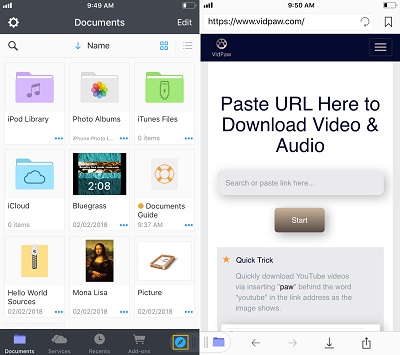
- Install Document 5/6 app from the Apple Store.
- Click on the bottom right icon (it looks like safari).
- It will display browser, put the link “https://www.vidpaw.com”.
- Get the YouTube URL (Open safari for youtube URL) and put that in the vidpaw website.
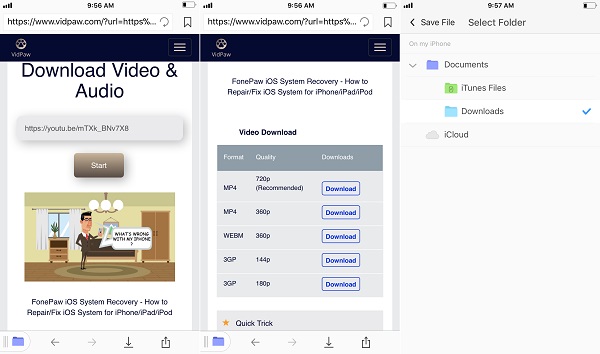
- Tap on the resolution you want to download, Tap on download… Done.
- Now, tap Edit > Move and select Camera Roll as the destination.
- Now, the video will be available in Camera Roll.
Getting the video you want from YouTube so you can watch it offline is now very easy. You don’t have to stress yourself too much by thinking about how you can finish your research project, learn to cook an unfamiliar dish, or casually watch entertaining videos. This article has shown you a variety of ways so you can watch downloaded videos to your heart’s content. Additionally, some applications will allow you to download an entire playlist, including the captions and subtitles.