• Send Us A Tip
  • Calling all Tech Writers
  • Advertise
Sunday, July 5, 2026
  • Login
TechStory
  • News
  • Crypto
  • Gadgets
  • Memes
  • Gaming
  • Cars
  • AI
  • Startups
  • Markets
  • How to
No Result
View All Result
  • News
  • Crypto
  • Gadgets
  • Memes
  • Gaming
  • Cars
  • AI
  • Startups
  • Markets
  • How to
No Result
View All Result
TechStory
No Result
View All Result
Home Tech

How to Protect Your Instagram Account Instagram?

by Priyanka Chaubey
December 12, 2020
in Tech
Reading Time: 2 mins read
0
How to gain more Instagram followers in 2020?
TwitterWhatsappLinkedin

Protect Your Instagram Account with Instagram’s Two-Factor Authentication. 

You might also like

Why EV Charging Slows Above 80%: The Science Behind the Wait

How Passkeys Work Across Devices: A Simple Guide to Password-Free Sign-Ins

Project Aion Discovered Leaked Microsoft Experiment Reveals Web-Based Agentic OS Built Around Copilot

Many Instagram users are claiming the internet that their Instagram accounts have been reported hacked or they are accepting bogus messages of “login issues” or  “change password.” If you feel that your record has been hacked, at that point you can answer Instagram to recuperate your record. There are a few moves that you can make to make sure about your record. We have definite how you can ensure your Instagram record and report if your id is hacked.

Protect your Instagram account
source-techfollows

How to protect your Instagram account and avoid hacks.

Instagram account holders really look up to the feature ‘Two-factor authentication’ since it adds extra security to the record. In the event that you set up two-factor authentication, you will be notified each and every time someone tries to log-in to your account. Adding more to the security factor, Instagram also sends you an OTP on your registered number when you try to log-in. With the two-factor authentication turned on, you will always know when someone tries you access your account.

Furthermore, it is advisable to users to look out for whom they are giving access to their data. You may host a ton of third-party applications on your cell phone and when you download and set up such sort of applications, you may give a few of these apps access to your Instagram information also, particularly on the off chance that you login to these applications and sites by utilizing your Instagram or Facebook account.


In some cases, Individuals likewise utilize outsider applications to distribute substance to Instagram and other online media applications. In the event that you don’t recollect offering admittance to any applications, at that point you can check Instagram, trailed by accounts, trailed by overseeing access.

One ought to consistently remember that Instagram will never request that you change your secret word or whatever else by sending an SMS, except if you make a solicitation. You ought to consistently maintain a strategic distance from messages that state you need to finish the check cycle or reset your secret word and attempt to not tap on the connections sent on SMS.

On the off chance that you see any dubious movement, at that point, you can likewise log yourself out of the multitude of gadgets from your telephone. For this, you simply need to go to the settings segment of Instagram, type Login Activity on the pursuit bar, and afterward click on it. The organization will show you the number of gadgets that has your Instagram account subtleties and in which state. Instagram even shows the name of the telephone and the date of login. You can then promptly log out from that point on the off chance that you locate an obscure gadget.

Here is how to turn on Two-Factor Authentication-

  1. Open the Instagram application on your device.
  2. Head to your profile section and then tap on the three-lined icon which will be visible on the top right corner of your screen.
  3. From the list of options, tap on the ‘Settings’. This option will be available in the bottom right corner of your screen.
  4. After this step, press “Security” > “Two-Factor Authentication” > “Get Started.”
  5. Tap on the option of “Text Message” and enable it.
  6. After this step, you will have to fill in your phone number and follow the instructions that appear on the screen to get security codes.




Tags: Secure Instagram accountturn on two factor authentication
Tweet54SendShare15
Previous Post

Vanish mode on Instagram: How to work with it?

Next Post

Samsung to relocate mobile display plant to Uttar Pradesh.

Priyanka Chaubey

Recommended For You

Why EV Charging Slows Above 80%: The Science Behind the Wait

by Samir Gautam
July 5, 2026
0
Why EV Charging Slows Above 80%: The Science Behind the Wait

The promise of electric vehicles is simple: plug in, recharge, and get back on the road. Over the past few years, charging technology has advanced at an impressive...

Read more

How Passkeys Work Across Devices: A Simple Guide to Password-Free Sign-Ins

by Sneha Singh
July 5, 2026
0
How Passkeys Work Across Devices: A Simple Guide to Password-Free Sign-Ins

Internet security is more relevant now than ever before. People access their emails, bank apps, online shopping stores, and social media sites on a daily basis. In most...

Read more

Project Aion Discovered Leaked Microsoft Experiment Reveals Web-Based Agentic OS Built Around Copilot

by Anochie Esther
July 5, 2026
0
agentic AI operating system

The multi-billion-dollar corporate push toward generative artificial intelligence is moving past standalone companion widgets and plunging straight into the core architecture of desktop computing. For years, major operating...

Read more
Next Post
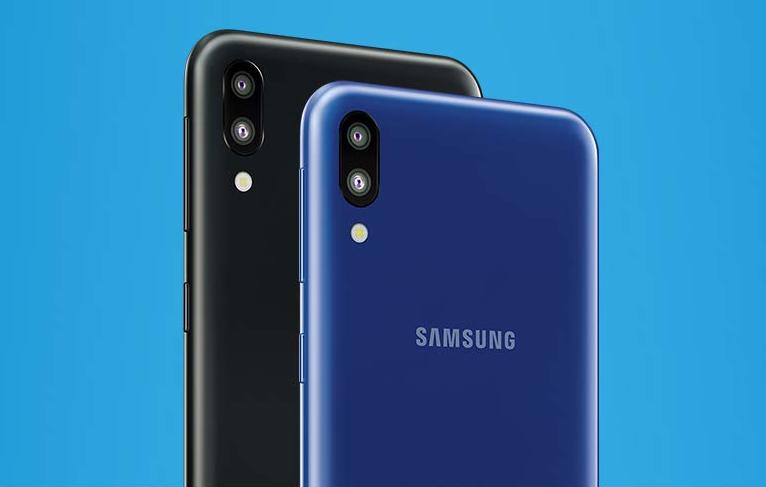
Samsung Galaxy M10

Samsung to relocate mobile display plant to Uttar Pradesh.

Please login to join discussion

Techstory

Tech and Business News from around the world. Follow along for latest in the world of Tech, AI, Crypto, EVs, Business Personalities and more.
reach us at info@techstory.in

Advertise With Us

Reach out at - info@techstory.in

Aviator Game India 2026

BROWSE BY TAG

#Crypto #howto 2024 acquisition AI amazon Apple Artificial Intelligence bitcoin Business China cryptocurrency e-commerce electric vehicles Elon Musk Ethereum facebook funding Gaming Google India Instagram Investment ios iPhone IPO Market Markets Meta Microsoft News OpenAI samsung Social Media SpaceX startup startups tech technology Tesla TikTok trend trending twitter US

© 2025 Techstory.in

No Result
View All Result
  • News
  • Crypto
  • Gadgets
  • Memes
  • Gaming
  • Cars
  • AI
  • Startups
  • Markets
  • How to

© 2025 Techstory.in

Welcome Back!

Login to your account below

Forgotten Password?

Retrieve your password

Please enter your username or email address to reset your password.

Log In
Are you sure want to unlock this post?
Unlock left : 0
Are you sure want to cancel subscription?