The era of Social Media
Today, social media is a necessity that everyone needs. It wouldn’t be an overstatement to say that it is pretty hard to imagine life without them. There’s no denying that the social media revolution, which started from Facebook, has made a huge impact on the way we communicate and connect with people today.
Take WhatsApp, for instance. Today, it has more than 2 billion users worldwide and has more than 5 billion downloads on Play Store. When you consider that Earth’s population is 7.6 Billion, you realize how influential WhatsApp is today. Almost every one of us uses this Facebook-owned instant messaging app. WhatsApp has solved many solutions for us, from texting your friends, loved ones, and families to sharing assignments on school and college groups.

Talking about the WhatsApp group, if you’re the admin of a public group, you know it can get somewhat hectic to invite everyone individually. But kudos to the UX team of WhatsApp for coming up with a solution for that too.
Let’s discover together how you can create a shareable link for your WhatsApp group.
1. Creating a WhatsApp Group –
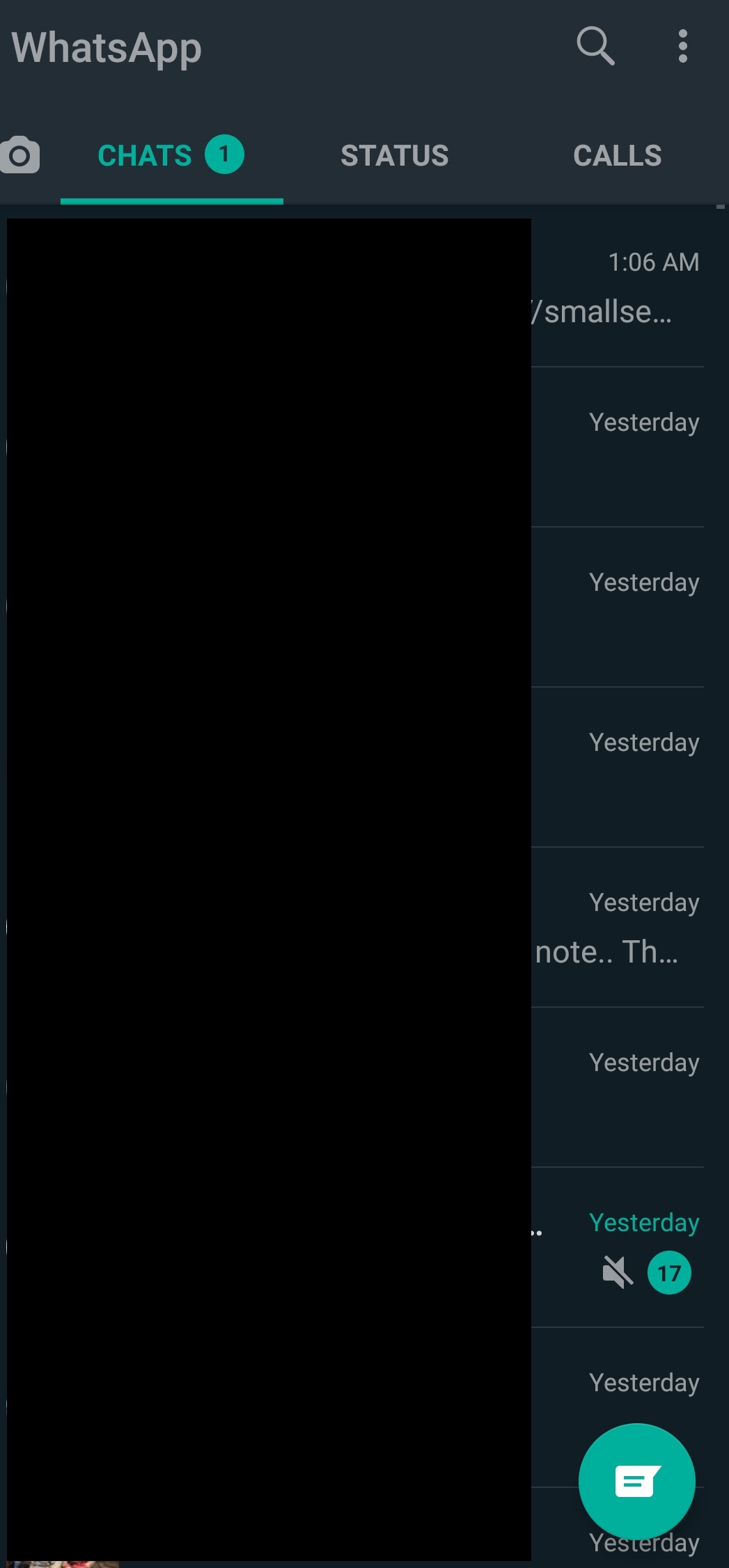
a. Open your WhatsApp. Once you’re in it, you can either go to the top right corner and tap on the three dots beside the search option. Or you can tap on the message symbol located on the downside.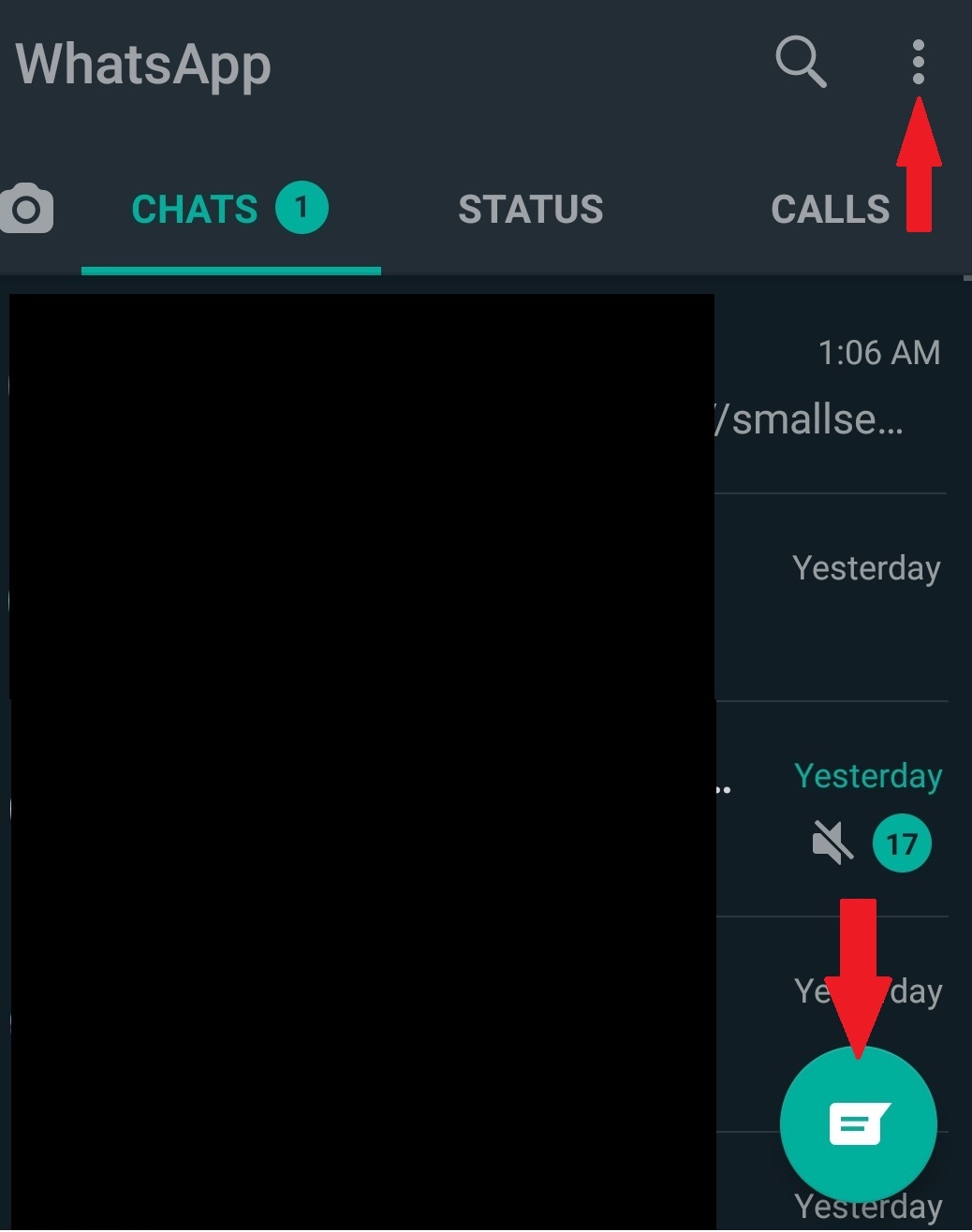
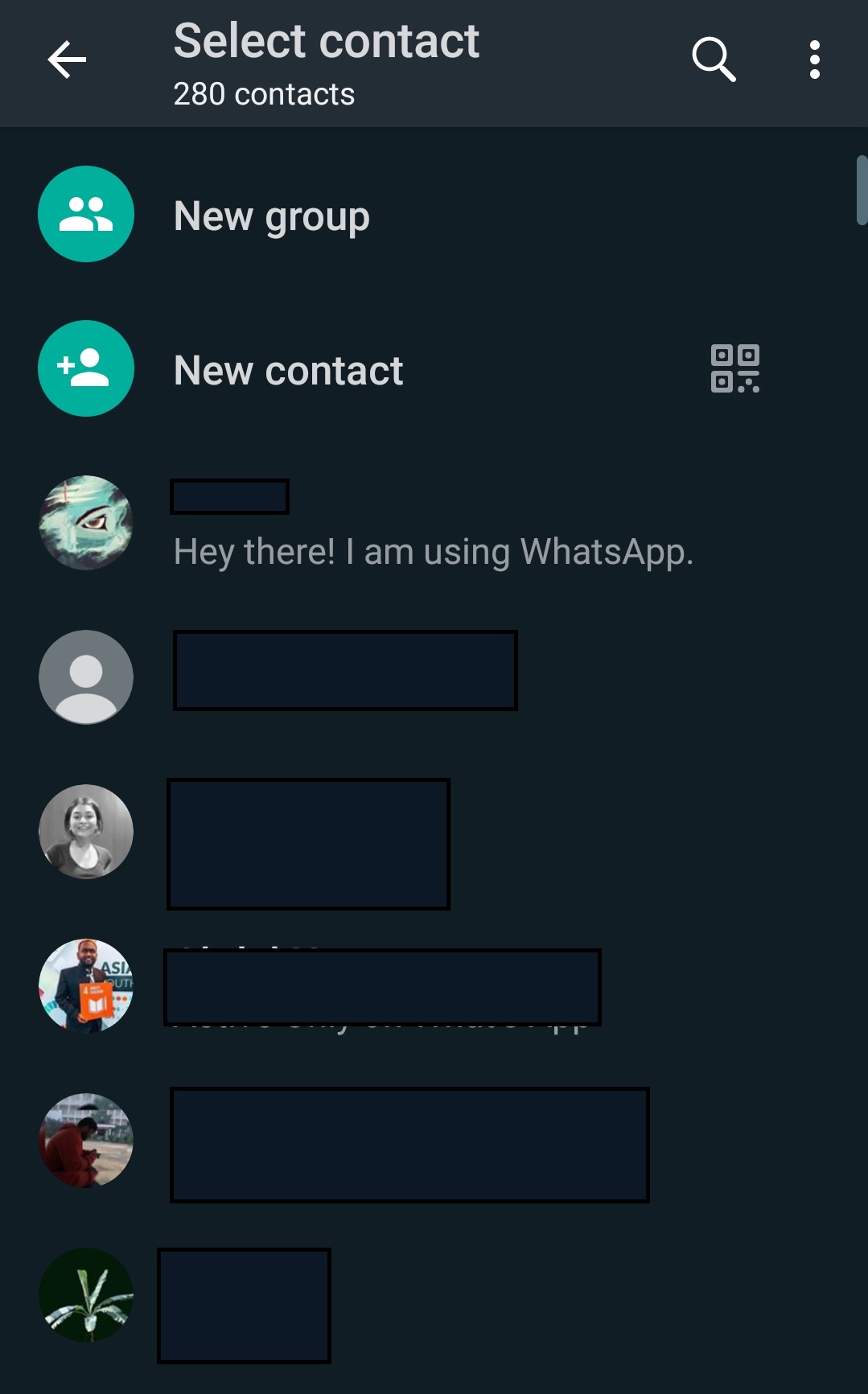
b. Then, you will get the option to text your contacts, create a new contact and form a new group. Tap on “New Group” to create your new WhatsApp group.
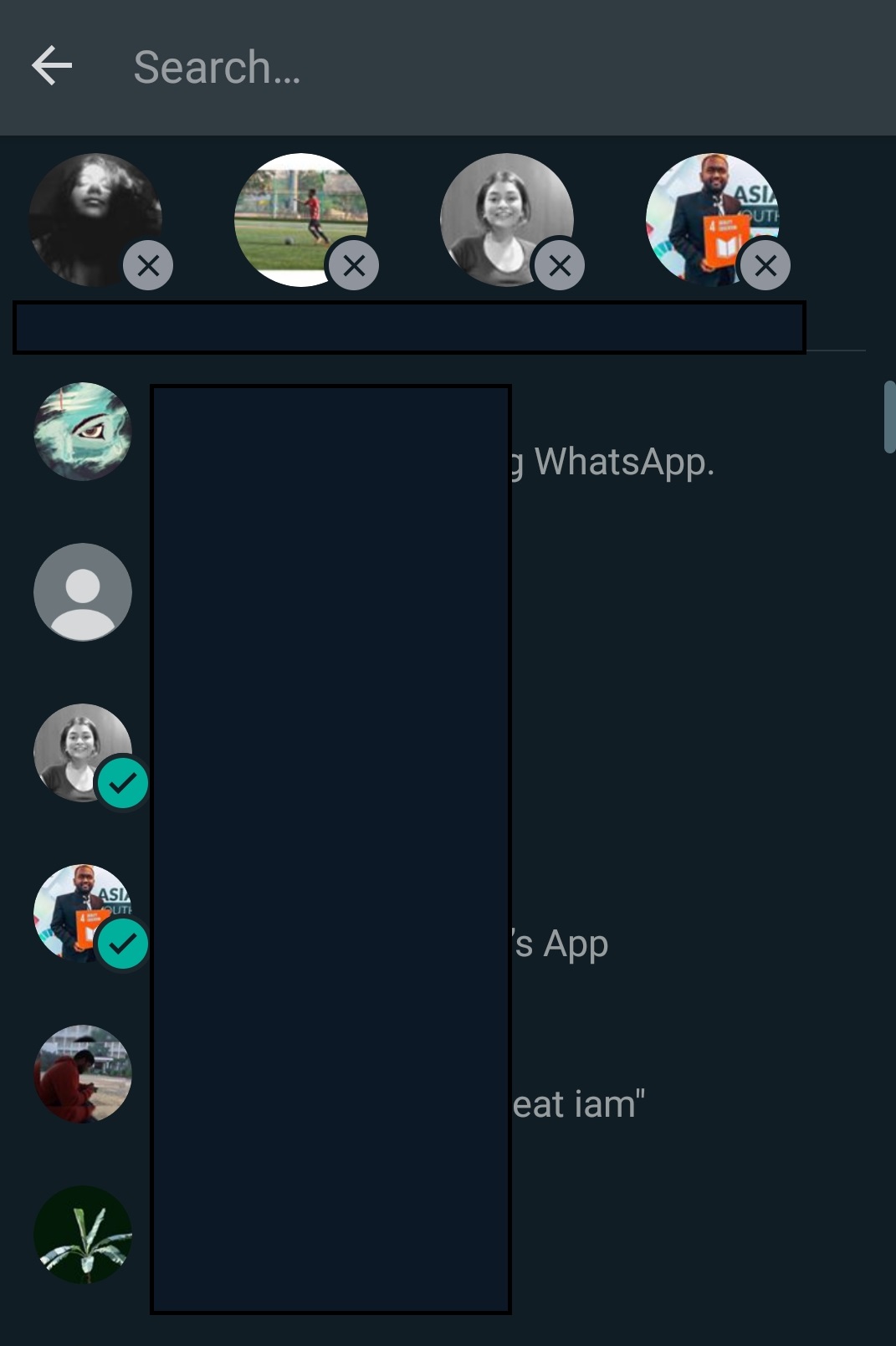
 c. The next step is to select your group members. Also, remember that Whatsapp allows 256 members in a group.
 d. Once you have finalized your group members, proceed with naming your group. You can also use emojis in the name. In this step, you can also get a group profile picture if you want. Just to be clear, you can edit all of these even after creating your group.
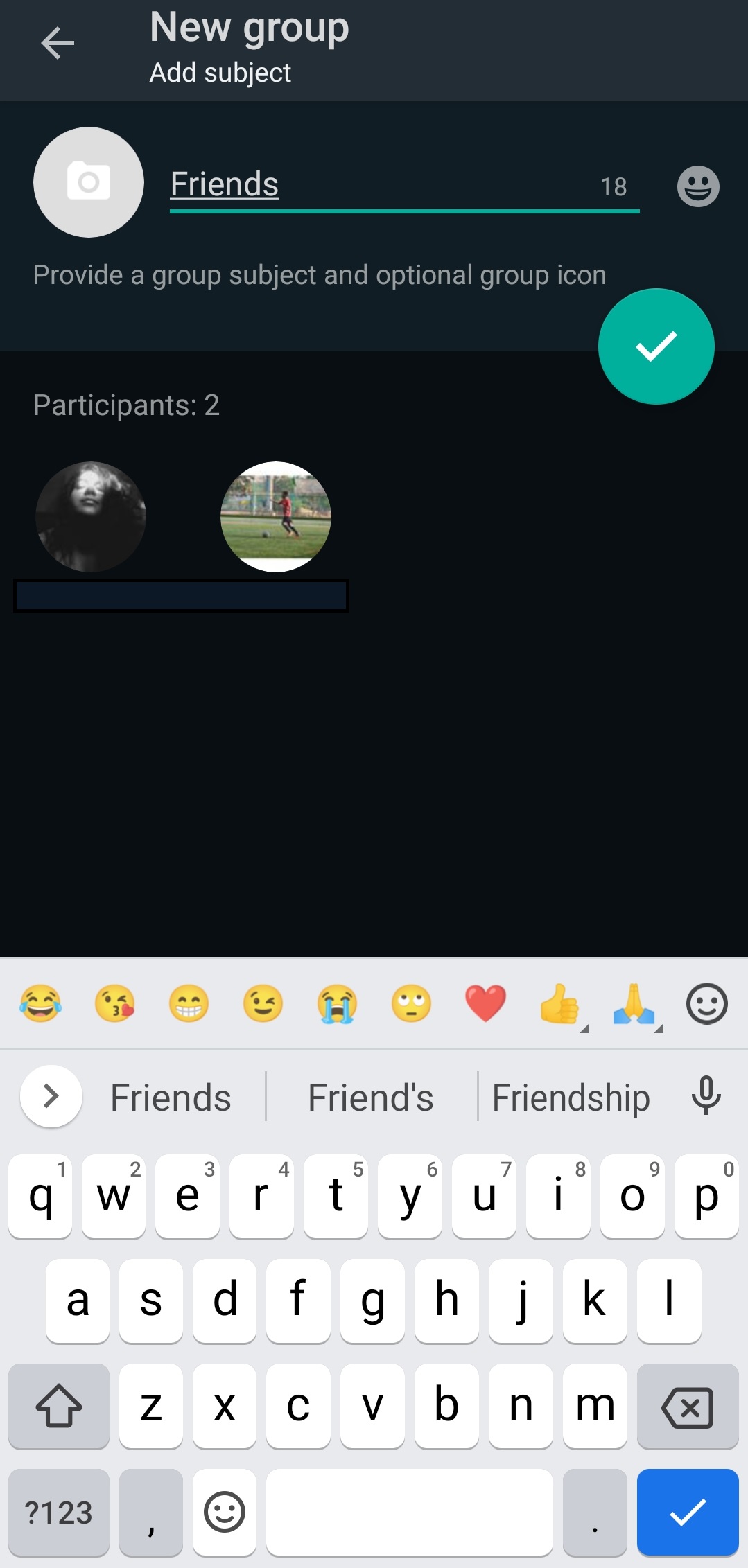
e. Tap on the Tick button to create your WhatsApp group. Once that’s done, you will be able to communicate with your WhatsApp group.

2. Now, let’s move forward with creating a sharable link for your WhatsApp Group.
You can use this link and let the interested members join in on their own. The benefit of this sharable link is that the admin doesn’t have to add the members individually. Anyone interested can join the group through the link.
a. To begin, tap on the name of your WhatsApp group. 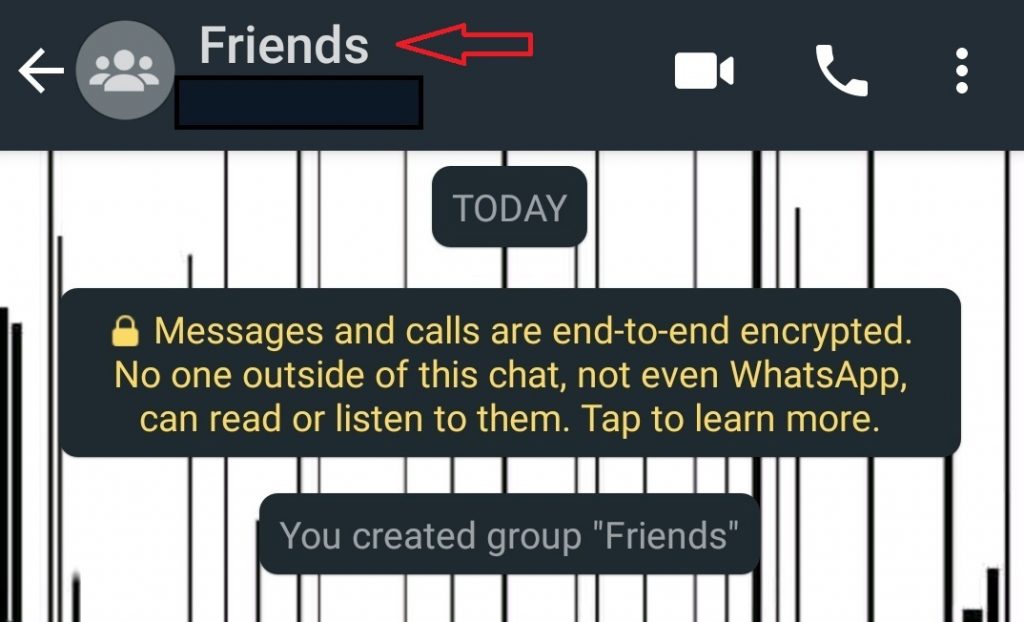
b. You will see the description of your group. Here, tap on “Invite via the link.”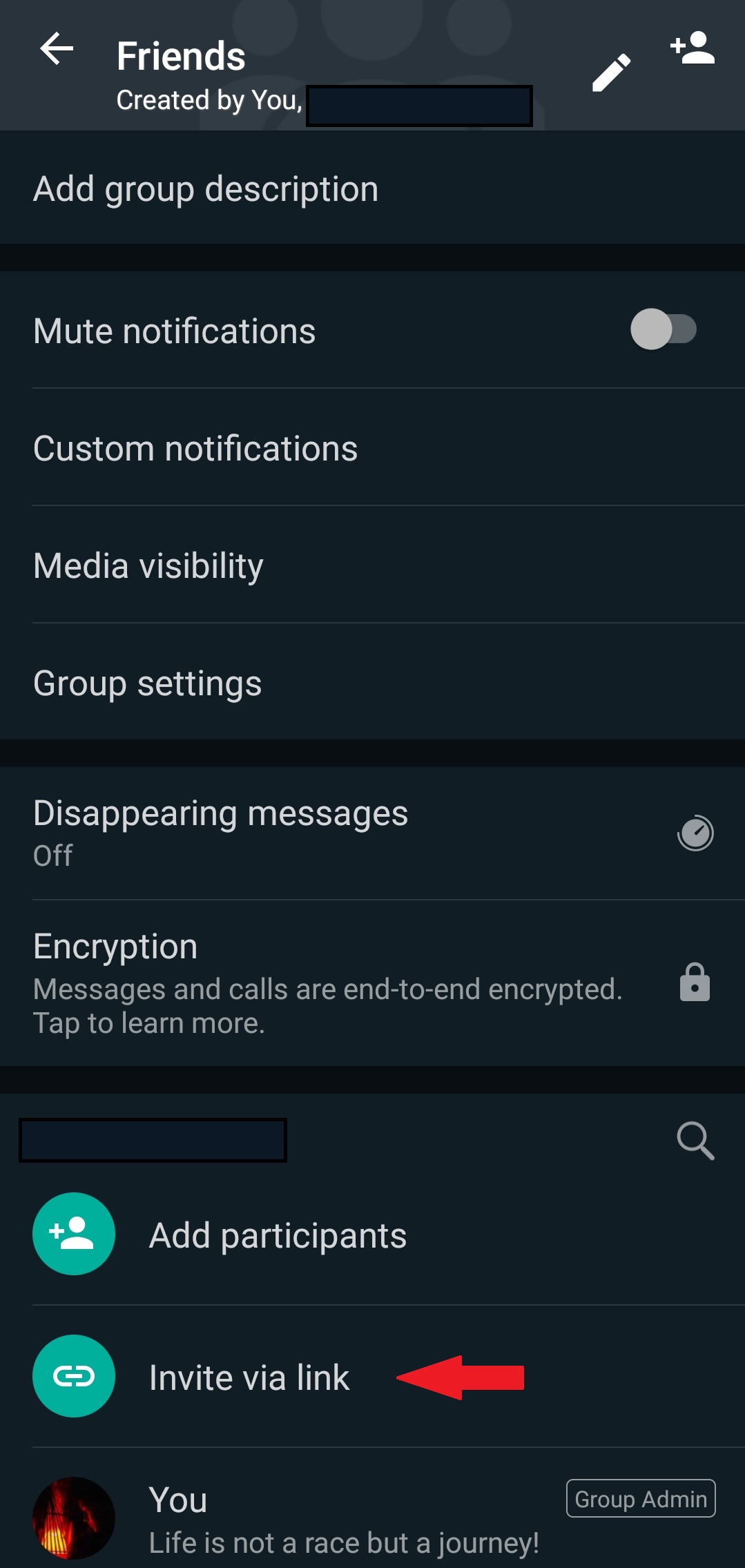
c. Once you tap on the “Invite via Link,” you will see some options through which you can share the link.
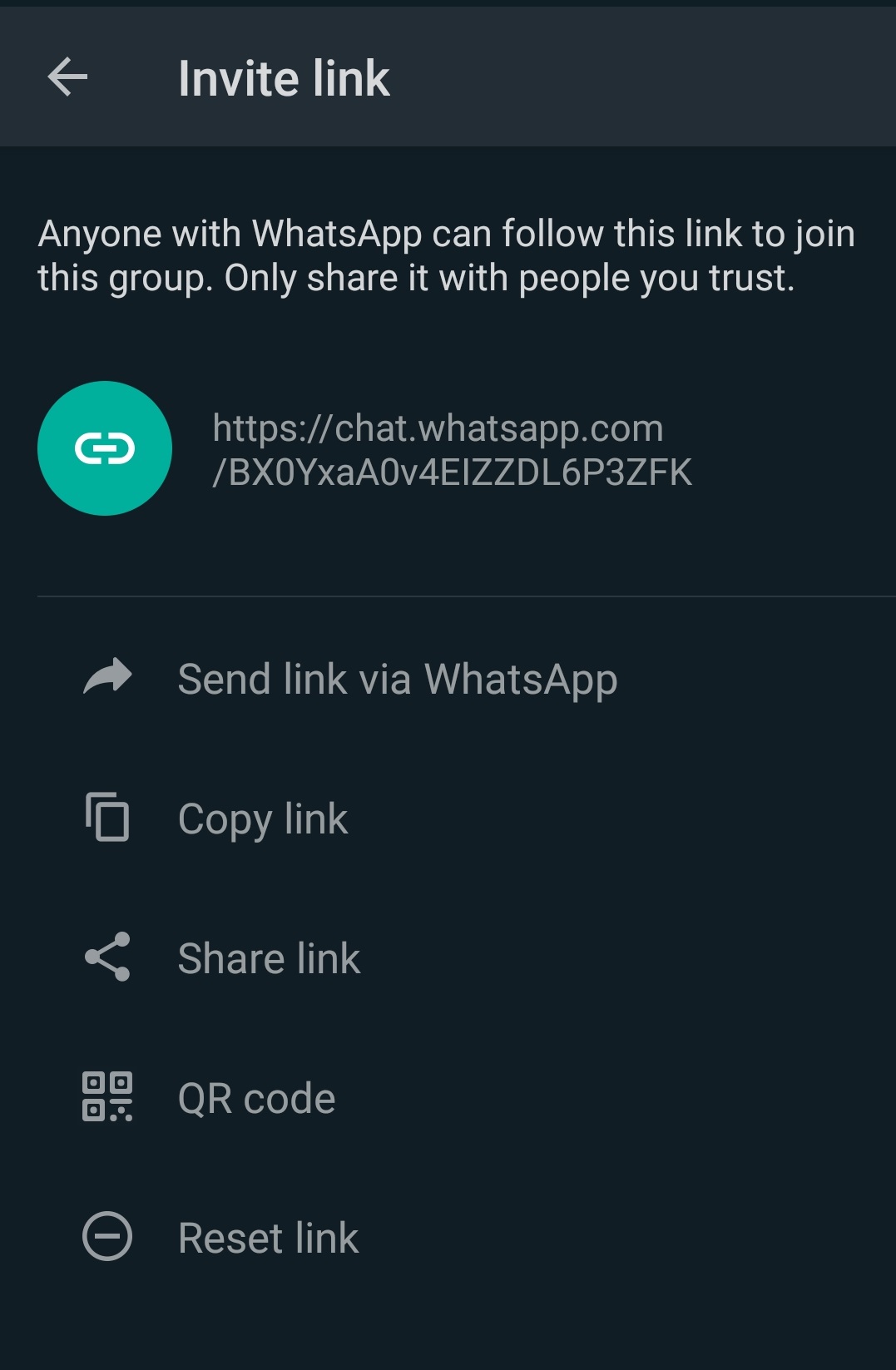
d. This is the sharable link that is created for your WhatsApp group.

As you saw above, there are multiple ways of sending the link, from sharing the link on WhatsApp to posting the link on your social media accounts. WhatsApp also has the feature which allows you to share the QR code through which interested users can join the group.
That’s it! WhatsApp has really made it easy for anyone to create and manage the group through the public link. But do remember, since creating a sharable link makes your WhatsApp group public, anyone can join it. Therefore, share only with people you trust. Happy Networking!