
• Send Us A Tip
  • Calling all Tech Writers
  • Advertise
Saturday, July 25, 2026
  • Login
TechStory
  • News
  • Crypto
  • Gadgets
  • Memes
  • Gaming
  • Cars
  • AI
  • Startups
  • Markets
  • How to
No Result
View All Result
  • News
  • Crypto
  • Gadgets
  • Memes
  • Gaming
  • Cars
  • AI
  • Startups
  • Markets
  • How to
No Result
View All Result
TechStory
No Result
View All Result
Home Tech

How To View And Edit Apple Notes On Windows 10

by Priyanka Chaubey
March 3, 2021
in Tech
Reading Time: 2 mins read
0
Entrepreneurs Can Be An Affiliate Without Overselling
TwitterWhatsappLinkedin

Know how to How To View And Edit Apple Notes On Windows 10 in simple and easy steps- 

You might also like

GM Bets Big on Software Subscriptions as OnStar and Super Cruise Fuel New Revenue Growth

Android vs iPhone: How the Smartphone War Changed the World

Weekly Startup Funding News: Indian startups raised $209 Mn this week

Bucket list, grocery list, poems, important information- name it and your notes have it! You can have to access them anywhere, anytime. But what to do if your notes are Apple notes and you need to view it on Windows 10? In case that you are a Windows 10 user, you must be already familiar with the fact that there is no direct way with which you can access Apple Notes on your PC. But if you have been scratching your head searching for ways to do it with a workaround, you’ve landed to just the right webpage.


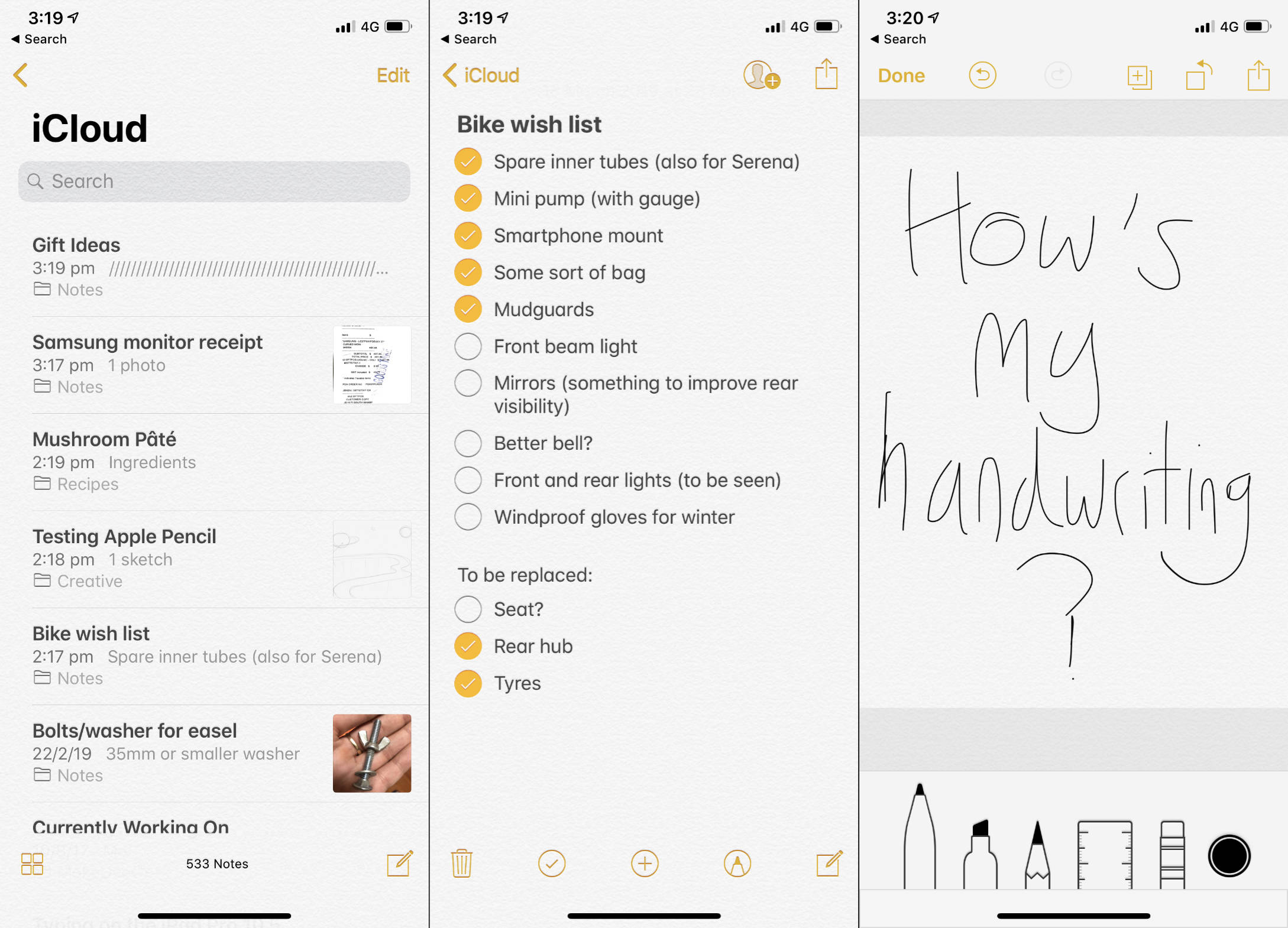
Here is How To View And Edit Apple Notes On Windows 10
See the source image

Use the iCloud Website to Access Apple Notes

When you use  iCloud website you open yourself to the possibilities to access many of Apple’s services on your non-Apple devices. The services that you can access also include the feature of Apple Notes. So to access your Apple notes on a Windows 10 OS all you will have to do is use iCloud Website.

Here is what you need to get access to all your iPhone, iPad, and macOS notes- 

Before starting with the process, you will have to make sure that your Apple notes devices are synced to your iCloud account.

So when you have ensured the above mention, head straight to the settings section on your iPhone or iPad, and then tap on your name. After you find the option of iCloud, turn the toggle on for the option of ‘Notes’.


When you are using the macOS, you will need to click on the Apple logo which is present on the top-left corner of your screen and then from all the options that appear you will have to click on “System Preferences”. Next select “iCloud” and then check mark on the “Notes” option


So once your notes are synced to iCloud you can use them from your PC that works on Windows 10 or any windows for all that matters. All you will have to do then is tap on a browser, type in the iCloud website and then put in the credentials to log-into your account.

Next thing, Click on the option of ‘Notes’ like you own it and there you will find all your iOS and macOS notes on your screen.


If you wish to just check out your notes, be their guest, if you need to edit it, you can do the same too. All things considered, you can even make new notes for yourself!

 

Tweet54SendShare15
Previous Post

The Revolution in The Gambling And Casino Industry

Next Post

Starbase” Elon Musk wants to create a new city at SpaceX’s Texas site

Priyanka Chaubey

Recommended For You

GM Bets Big on Software Subscriptions as OnStar and Super Cruise Fuel New Revenue Growth

by Samir Gautam
July 25, 2026
0
GM Bets Big on Software Subscriptions as OnStar and Super Cruise Fuel New Revenue Growth

General Motors is steadily transforming its business beyond simply manufacturing and selling vehicles. As the automotive industry moves toward software-defined cars, the Detroit automaker is generating a growing...

Read more

Android vs iPhone: How the Smartphone War Changed the World

by Sneha Singh
July 25, 2026
0
Android vs iPhone: How the Smartphone War Changed the World

The Android vs iPhone saga is not simply an ongoing rivalry between two phone manufacturers. This saga is also a tale of the development of the smartphone as...

Read more

Weekly Startup Funding News: Indian startups raised $209 Mn this week

by Ishaan Negi
July 25, 2026
0
Weekly Startup Funding News: Indian startups raised $196 Mn this week; from Emiza to Leap

India's startup funding landscape lost momentum in the fourth week of July, with fewer deals and a sharper concentration of capital in a handful of large investments. While...

Read more
Next Post
OpenAI was co-founded as a nonprofit

Starbase" Elon Musk wants to create a new city at SpaceX’s Texas site

Please login to join discussion

Techstory

Tech and Business News from around the world. Follow along for latest in the world of Tech, AI, Crypto, EVs, Business Personalities and more.
reach us at info@techstory.in

Advertise With Us

Reach out at - info@techstory.in

Aviator Game India 2026

BROWSE BY TAG

#Crypto #howto 2024 acquisition AI amazon Apple Artificial Intelligence bitcoin Business China cryptocurrency e-commerce electric vehicles Elon Musk Ethereum facebook funding Gaming Google India Instagram Investment ios iPhone IPO Market Markets Meta Microsoft News OpenAI samsung Social Media SpaceX startup startups tech technology Tesla TikTok trend trending twitter US

© 2025 Techstory.in

No Result
View All Result
  • News
  • Crypto
  • Gadgets
  • Memes
  • Gaming
  • Cars
  • AI
  • Startups
  • Markets
  • How to

© 2025 Techstory.in

Welcome Back!

Login to your account below

Forgotten Password?

Retrieve your password

Please enter your username or email address to reset your password.

Log In
Are you sure want to unlock this post?
Unlock left : 0
Are you sure want to cancel subscription?