• Send Us A Tip
  • Calling all Tech Writers
  • Advertise
Friday, July 17, 2026
  • Login
TechStory
  • News
  • Crypto
  • Gadgets
  • Memes
  • Gaming
  • Cars
  • AI
  • Startups
  • Markets
  • How to
No Result
View All Result
  • News
  • Crypto
  • Gadgets
  • Memes
  • Gaming
  • Cars
  • AI
  • Startups
  • Markets
  • How to
No Result
View All Result
TechStory
No Result
View All Result
Home How to

How to reduce PDF file size

by Arya Roy
June 14, 2021
in How to, Tech
Reading Time: 2 mins read
0
How to reduce PDF file size

Source: https://www.androidpolice.com/2019/11/22/adobe-acrobat-reader-passes-500-million-installs-on-the-play-store/

TwitterWhatsappLinkedin

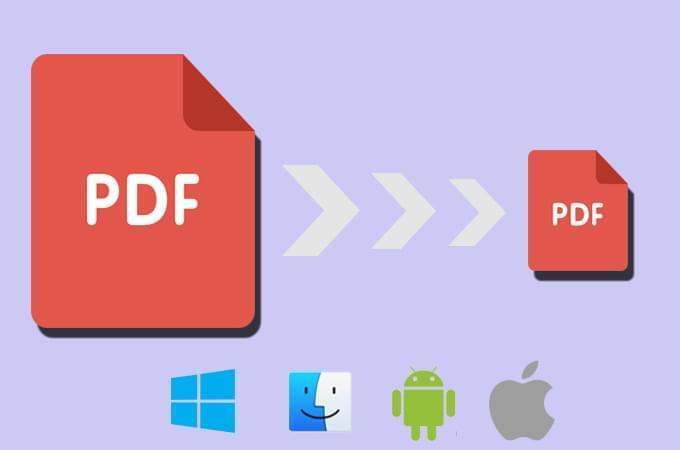
If you want to reduce the size of a PDF file on your device, you can use Adobe Acrobat for that. Adobe Acrobat online services let you compress PDF files directly from the browser of your preference. You can use their PDF compression tool to make your large PDFs smaller so that they are easier to share, as some online sharing services may have limits on how many bytes you can transfer to a recipient. Here is a guide for people who want to find out how to do so.
You might also like

Why Intel Lost its Manufacturing Lead?

The Augmented Apartment New York City Takes Aim at “Housefishing”

X Uses Upgraded Grok AI to Catch Content Thieves and Return $1 Million in Creator Payouts

Source: https://lightpdf.com/reduce-pdf-file-size.html

Reducing the size of a PDF online

  1. You can either click on the button that reads Select a file or drag and drop files into the drop zone.
  2. Choose the PDF file from your device that you want to make smaller.
  3. After you have uploaded the file, Acrobat will automatically reduce the size of the PDF file.
  4. Download your compressed PDF file. You can also share it, for which you will have to sign in.

The Acrobat online PDF compressor manages to balance an optimised file size against the expected quality of images, fonts, and other file content. All you have to do is drag and drop a PDF into the tool above and allow Acrobat to reduce the size of the file without compromising on the quality of the file’s contents.

If you want more refined control of optimization settings, you can also try using Adobe Acrobat Pro DC, which offers a free trial for seven days. Acrobat Pro DC is available on both Mac and Windows, and lets you customize PPI settings for colour, monochrome, and grayscale image quality. You can also edit PDF files, convert PDFs, edit scans with OCR, organise and rotate PDF pages, convert PNGs and other image file formats, split PDFs, and more with a subscription to Acrobat Pro.

Note that the Acrobat online file compression tool can only compress PDFs of up to 2GB. If you want to check the size of the file that you are planning to upload, open the file in either Adobe Acrobat or free Adobe Acrobat Reader. Choose File > Properties, where you will see the file size states in the Document Properties Description tab.


Tags: Adobe AcrobatPDF
Tweet55SendShare15
Previous Post

China removes virtual keyboards from apps collecting data

Next Post

Samsung may halt budget phone amid production chip crisis

Arya Roy

Hi, this is Arya! Writing has always been a passion of mine, regardless of the topic I choose. Besides that, I am a huge foodie and music lover, whose interests range from world politics to horror films to everything in between.

Recommended For You

Why Intel Lost its Manufacturing Lead?

by Sneha Singh
July 17, 2026
0
Why Intel Lost its Manufacturing Lead?

Intel once defined what it meant to be a leader in chip manufacturing. For decades, it set the pace for process technology, performance, and volume. Today, that crown...

Read more

The Augmented Apartment New York City Takes Aim at “Housefishing”

by Anochie Esther
July 17, 2026
0
NYC apartment AI disclosure mandate

The historic and notoriously exhausting battle to secure a rental apartment in New York City is entering a completely unprecedented technological friction point. For generations, prospective tenants navigating...

Read more

X Uses Upgraded Grok AI to Catch Content Thieves and Return $1 Million in Creator Payouts

by Rounak Majumdar
July 17, 2026
0
X Uses Upgraded Grok AI to Catch Content Thieves and Return $1 Million in Creator Payouts

X has launched an improved version of its Grok AI algorithm to combat content theft throughout the network, eliminating roughly 4,000 creator revenue-sharing accounts and flagging many of...

Read more
Next Post
Samsung Futuristic Stretchable OLED Screen Protype

Samsung may halt budget phone amid production chip crisis

Please login to join discussion

Techstory

Tech and Business News from around the world. Follow along for latest in the world of Tech, AI, Crypto, EVs, Business Personalities and more.
reach us at info@techstory.in

Advertise With Us

Reach out at - info@techstory.in

Aviator Game India 2026

BROWSE BY TAG

#Crypto #howto 2024 acquisition AI amazon Apple Artificial Intelligence bitcoin Business China cryptocurrency e-commerce electric vehicles Elon Musk Ethereum facebook funding Gaming Google India Instagram Investment ios iPhone IPO Market Markets Meta Microsoft News OpenAI samsung Social Media SpaceX startup startups tech technology Tesla TikTok trend trending twitter US

© 2025 Techstory.in

No Result
View All Result
  • News
  • Crypto
  • Gadgets
  • Memes
  • Gaming
  • Cars
  • AI
  • Startups
  • Markets
  • How to

© 2025 Techstory.in

Welcome Back!

Login to your account below

Forgotten Password?

Retrieve your password

Please enter your username or email address to reset your password.

Log In
Are you sure want to unlock this post?
Unlock left : 0
Are you sure want to cancel subscription?