• Send Us A Tip
  • Calling all Tech Writers
  • Advertise
Sunday, July 26, 2026
  • Login
TechStory
  • News
  • Crypto
  • Gadgets
  • Memes
  • Gaming
  • Cars
  • AI
  • Startups
  • Markets
  • How to
No Result
View All Result
  • News
  • Crypto
  • Gadgets
  • Memes
  • Gaming
  • Cars
  • AI
  • Startups
  • Markets
  • How to
No Result
View All Result
TechStory
No Result
View All Result
Home How to

How to disable Bixby on your Samsung phone or Samsung TV

by Arya Roy
June 27, 2021
in How to, Tech
Reading Time: 2 mins read
0
How to disable Bixby on your Samsung phone or Samsung TV

Source: https://www.theverge.com/2019/2/20/18233143/samsung-bixby-british-english-spanish-german-italian

TwitterWhatsappLinkedin

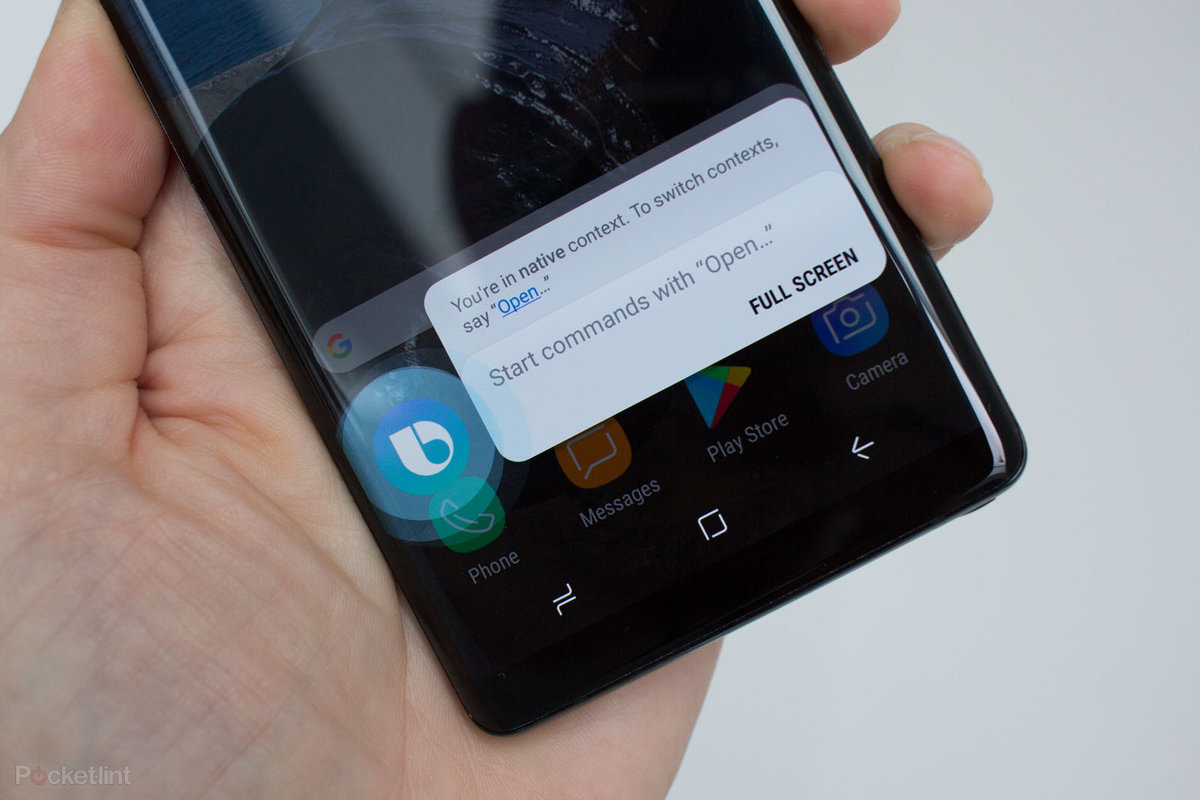
Samsung has continuously tried to make Bixby more popular on their devices, but many users realised that long pressing the power button or tapping on the Bixby button would pull Google Assistant instead.
You might also like

How to spot fake online stores?

How to keep credit card points from expiring?

How to verify information online?

Source: https://www.alesystems.xyz/products.aspx?cname=samsung+smart+assistant&cid=66

Unlike Google Assistant, which is used on various phones and speakers, and has the ability to control several third-party smart home devices, Bixby primarily controls whatever Samsung device on which it is being hosted, which includes Samsung phones and tablets, as well as some Samsung TVs.

Since Samsung is constantly working on both its software and Bixby itself, disabling Bixby on your phone will differ depending on which One UI operating system (OS) you have downloaded on your device. Similarly, only a couple of Samsung TVs allow you to select another voice assistant other than Bixby.

Disabling Bixby on Samsung Galaxy S21 or S20 (One UI 3.0)

In order to disable the Bixby power button shortcut on the Galaxy S21, swipe down from the top of the screen to view your Quick Settings. Swipe down again to see more Settings shortcuts. A small power button icon will appear on the screen. Press it, and under the Power off options, you should be able to see Side Key Settings. Tap on it and change your Press and Hold set to the Power Off menu from Bixby.

Disabling or converting Bixby/ Side button on the S10 or S9 (One UI 2.5 or 3.0)

If you are a user of an S9 or S10 running One UI 2.5, it is quite straightforward to remap the Bixby button to summon some other app. In the Settings app, navigate to Advanced features > Bixby Key. Tap on Double press to open Bixby, after which you have to tap on Use single press. Turn this setting On, and select either Open app or Run quick command.

Tags: BixbyGooglesamsung
Tweet54SendShare15
Previous Post

How to clear purgeable space on Mac

Next Post

Android developers to get extra commission for building consistent apps across devices

Arya Roy

Hi, this is Arya! Writing has always been a passion of mine, regardless of the topic I choose. Besides that, I am a huge foodie and music lover, whose interests range from world politics to horror films to everything in between.

Recommended For You

How to spot fake online stores?

by Afeefa Ansari
July 26, 2026
0
onlinestores

So many stores online- ever wondered if all are authentic? We'll find out. Here is how you can figure out if an online store is legitimate. This is...

Read more

How to keep credit card points from expiring?

by Afeefa Ansari
July 26, 2026
0
Expiring points

Worried about credit card points expiring? Here is how you can save them from going to waste. Follow the guide to get started and save the points. How...

Read more

How to verify information online?

by Afeefa Ansari
July 26, 2026
0
Information

Do you believe everything you see on the internet? Well, sometimes we all do. But it is always important to verify the information to make out what the...

Read more
Next Post
Android

Android developers to get extra commission for building consistent apps across devices

Please login to join discussion

Techstory

Tech and Business News from around the world. Follow along for latest in the world of Tech, AI, Crypto, EVs, Business Personalities and more.
reach us at info@techstory.in

Advertise With Us

Reach out at - info@techstory.in

Aviator Game India 2026

BROWSE BY TAG

#Crypto #howto 2024 acquisition AI amazon Apple Artificial Intelligence bitcoin Business China cryptocurrency e-commerce electric vehicles Elon Musk Ethereum facebook funding Gaming Google India Instagram Investment ios iPhone IPO Market Markets Meta Microsoft News OpenAI samsung Social Media SpaceX startup startups tech technology Tesla TikTok trend trending twitter US

© 2025 Techstory.in

No Result
View All Result
  • News
  • Crypto
  • Gadgets
  • Memes
  • Gaming
  • Cars
  • AI
  • Startups
  • Markets
  • How to

© 2025 Techstory.in

Welcome Back!

Login to your account below

Forgotten Password?

Retrieve your password

Please enter your username or email address to reset your password.

Log In
Are you sure want to unlock this post?
Unlock left : 0
Are you sure want to cancel subscription?