• Send Us A Tip
  • Calling all Tech Writers
  • Advertise
Sunday, July 26, 2026
  • Login
TechStory
  • News
  • Crypto
  • Gadgets
  • Memes
  • Gaming
  • Cars
  • AI
  • Startups
  • Markets
  • How to
No Result
View All Result
  • News
  • Crypto
  • Gadgets
  • Memes
  • Gaming
  • Cars
  • AI
  • Startups
  • Markets
  • How to
No Result
View All Result
TechStory
No Result
View All Result
Home Gadgets

How to connect Apple HomePod Mini speakers to Apple TV

by Arya Roy
July 18, 2021
in Gadgets, How to, Tech
Reading Time: 2 mins read
0
How to connect Apple HomePod Mini speakers to Apple TV

Source: https://www.cnet.com/home/smart-home/homepod-mini-apple-new-smart-speaker-99-dollars/

TwitterWhatsappLinkedin

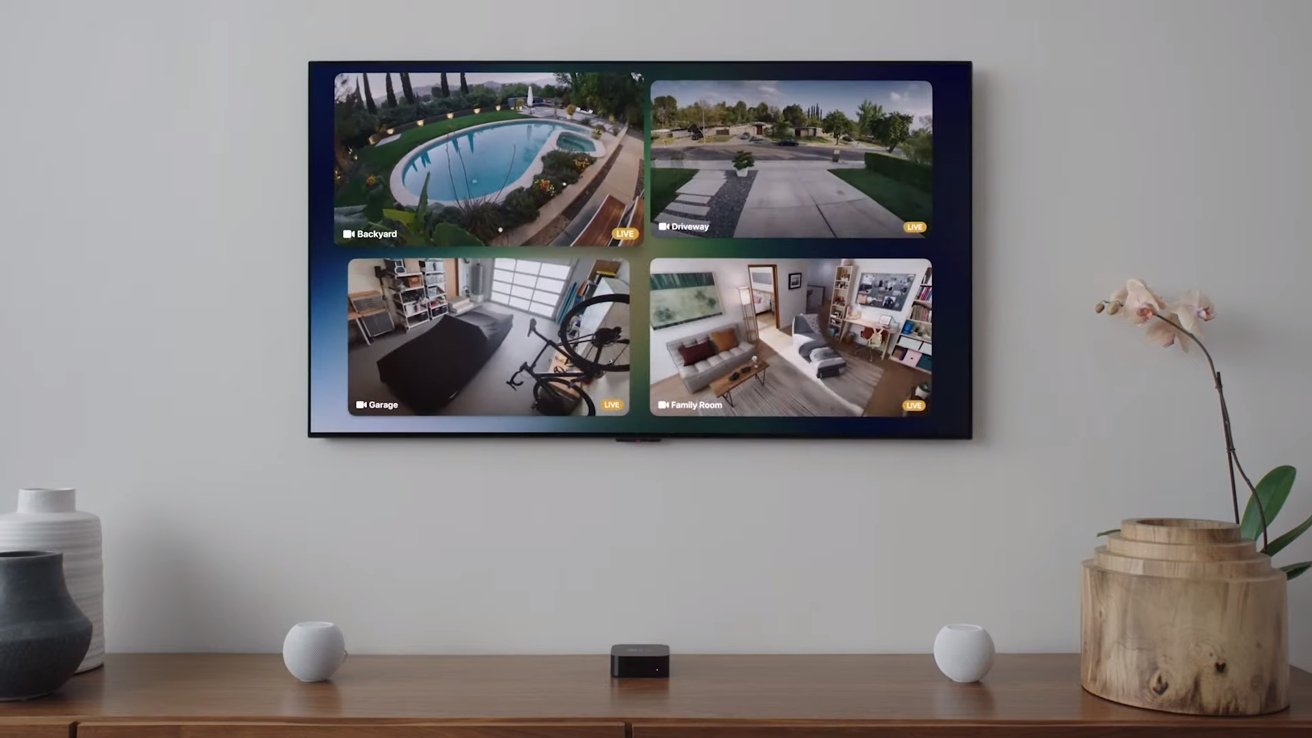
One of the most unexpected announcements to come from Apple’s annual WWDC keynote was the fact that you can now use the Apple HomePod Mini as a speaker for your Apple TV 4K.
You might also like

How to spot fake online stores?

How to keep credit card points from expiring?

How to verify information online?

Source: https://appleinsider.com/articles/21/06/07/homepod-mini-can-be-set-as-default-speaker-for-apple-tv-4k-in-tvos-14

Before you begin with the process, you will have to check that both your Apple TV and iOS device are updated to at least tvOS 14.2 and iOS 14.2 or later, respectively, so that you can ensure compatibility with your HomePod mini. Also, both the devices that are involved in the pairing will need to be on the same 2.4GHz Wi-Fi network.

Using iOS

On either your iPhone or iPad, you will have to make sure that your Apple TV is assigned to the same room as HomePod in the Home application.

  1. In the Home app on your device, touch and long press on Apple TV.
  2. Scroll down on your screen and hit Settings.
  3. In Settings, tap on Default Audio Output, then click on the room with your HomePod. Doing this will route all sound, which includes navigation clicks, directly from your Apple TV to your HomePod.

Using Apple TV

  1. In order to connect your HomePod mini to your Apple TV by using the Apple TV itself, open the Settings app on your Apple TV.
  2. From here, navigate to Video and Audio > Default Audio Output > your HomePod mini.

How to connect many HomePod minis 

For a more immersive sound stage, you can also form a stereo pair with two HomePod mini speakers. To do this, both the HomePod speakers are required to be assigned to the same room.

  1. In the Home application on your iOS or iPadOS device, touch and long-press one of your HomePod minis.
  2. Scroll down on your screen and hit Settings.
  3. In this section, tap on Create Stereo Pair and follow the instructions that will be given on the screen to pair your HomePod mini speakers.
  4. In the same Settings section, you can also tap on Audio Settings to switch between left and right channel assignments. Meanwhile, tapping on the option that reads Ungroup Accessories will unlink a stereo pair.

Tags: AppleApple TVHomePod Mini speakersiPadiPhone
Tweet54SendShare15
Previous Post

Know about Blue Origin’s Indian-born engineer who helped make a historic rocket

Next Post

Facebook users will now be able to become “experts”

Arya Roy

Hi, this is Arya! Writing has always been a passion of mine, regardless of the topic I choose. Besides that, I am a huge foodie and music lover, whose interests range from world politics to horror films to everything in between.

Recommended For You

How to spot fake online stores?

by Afeefa Ansari
July 26, 2026
0
onlinestores

So many stores online- ever wondered if all are authentic? We'll find out. Here is how you can figure out if an online store is legitimate. This is...

Read more

How to keep credit card points from expiring?

by Afeefa Ansari
July 26, 2026
0
Expiring points

Worried about credit card points expiring? Here is how you can save them from going to waste. Follow the guide to get started and save the points. How...

Read more

How to verify information online?

by Afeefa Ansari
July 26, 2026
0
Information

Do you believe everything you see on the internet? Well, sometimes we all do. But it is always important to verify the information to make out what the...

Read more
Next Post
Facebook

Facebook users will now be able to become "experts"

Please login to join discussion

Techstory

Tech and Business News from around the world. Follow along for latest in the world of Tech, AI, Crypto, EVs, Business Personalities and more.
reach us at info@techstory.in

Advertise With Us

Reach out at - info@techstory.in

Aviator Game India 2026

BROWSE BY TAG

#Crypto #howto 2024 acquisition AI amazon Apple Artificial Intelligence bitcoin Business China cryptocurrency e-commerce electric vehicles Elon Musk Ethereum facebook funding Gaming Google India Instagram Investment ios iPhone IPO Market Markets Meta Microsoft News OpenAI samsung Social Media SpaceX startup startups tech technology Tesla TikTok trend trending twitter US

© 2025 Techstory.in

No Result
View All Result
  • News
  • Crypto
  • Gadgets
  • Memes
  • Gaming
  • Cars
  • AI
  • Startups
  • Markets
  • How to

© 2025 Techstory.in

Welcome Back!

Login to your account below

Forgotten Password?

Retrieve your password

Please enter your username or email address to reset your password.

Log In
Are you sure want to unlock this post?
Unlock left : 0
Are you sure want to cancel subscription?