When a new iOS version is launched, many fans anticipate the release of a new jailbreak for that particular iOS version. Fortunately, unc0ver just released version 6.x of their jailbreak programme, which adds support for iOS 14.3 and the 2020 iPhone range.
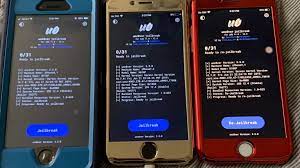
Unc0ver isn’t available on the App Store, so keep reading for the most up-to-date installation instructions on how to jailbreak your iPhone.
Jailbreaking is the process of breaking into your iPhone in order to get beyond the limitations imposed by iOS. This allows you to install applications from developers who are unable to publish to the App Store on your phone. The major reason individuals jailbreak is to increase their customisation choices.
To jailbreak your iPhone, you must first download and install Cydia on your device.
It’s important to note that jailbreaking your iPhone exposes it to security flaws in applications, software, and iOS itself. If you have an issue with your iPhone and it is jailbroken, Apple may not be able to fix it.
Also, once you’ve jailbroken your iPhone, you can’t upgrade it without re-jailbreaking it. You won’t be able to accomplish this if the next version of iOS doesn’t include a jailbreak.
- You’ll need the following items:
- A computer
- iPhone
- A Lightning cord
- unc0ver Download
- iTunes if you are using Windows
- No pending updates waiting on your iPhone
Before you jailbreak your iPhone, take a recent backup in case something happens.
It’s worth mentioning that finishing the jailbreak procedure on a Mac is the simplest option. If you have access to a Mac, we suggest that you use it.
For this approach, your iPhone can be running any version of iOS from 11.0 to 14.3. On your iPhone, you’ll need to update to the latest iteration of unc0ver at some time.
Using a Mac
- To begin, get AltStore for Mac.
- Unzip the file from your Downloads folder after it has finished downloading.
- Move the new AltStore programme to your Applications folder once it has been unpacked. Once you’ve completed this, go ahead and start AltStore.
- Click on AltStore’s symbol in the Menu Bar, which looks like a diamond with curved edges, now that it’s open. Then choose Mail Plug-in to Install.
- After that, you’ll have to click Allow and enter your password. After that, navigate to Mail > Preferences in the Mail app. After that, go to the General page and then Manage Plug-ins.
- Toggle the box next to AltPlugin in this window, then click apply. You now have to restart Mail by closing & re-opening it.
- Connect your iPhone to your computer using the wire that came with it. Once connected, go to AltStore in your Mac’s menu bar, then Install AltStore and choose your iPhone. When asked, sign in with your Apple ID (or create a new one if necessary), then select Install.
- Then, on your iPhone, go to Settings. Tap on your Apple ID under General > Device Management. Choose the option to Trust AltStore. Then, on your iPhone, go to the unc0ver site and press the Download button. When you select Open with AltStore, the programme will be installed by AltStore.
- Finally, tap Jailbreak in the unc0ver app.
Using Windows
- To begin, launch iTunes on your computer; you may minimise it but keep it open. After that, get AltStore for Windows.
- Right-click the downloaded ZIP file and select Extract All. Double-click Setup.exe in the extracted files to open it, then follow the on-screen instructions. Connect your iPhone once that’s done.
- Next, hit Win to open the search bar on your computer, type AltServer, and start the programme. In the bottom-right corner of your System Tray, click the diamond-shaped symbol; you may need to tap the arrow to see more icons. When you hover your mouse over the icon, it will say AltServer.
- Open your iPhone’s Settings app now. Tap on your Apple ID under General > Device Management. Select the option to Trust AltStore.
- Then, on your iPhone, enter the unc0ver site and press the Download button. Select the Open with AltStore option, and AltStore will now install the programme. Finally, tap Jailbreak in the unc0ver app.