

• Send Us A Tip
  • Calling all Tech Writers
  • Advertise
Wednesday, June 24, 2026
  • Login
TechStory
  • News
  • Crypto
  • Gadgets
  • Memes
  • Gaming
  • Cars
  • AI
  • Startups
  • Markets
  • How to
No Result
View All Result
  • News
  • Crypto
  • Gadgets
  • Memes
  • Gaming
  • Cars
  • AI
  • Startups
  • Markets
  • How to
No Result
View All Result
TechStory
No Result
View All Result
Home Gaming

How To Refund A Game On Oculus Quest 2

by Priyansh Sidhwani
December 10, 2022
in Gaming, How to
Reading Time: 2 mins read
0
How To Refund A Game On Oculus Quest 2

Credit @ Oculus

TwitterWhatsappLinkedin

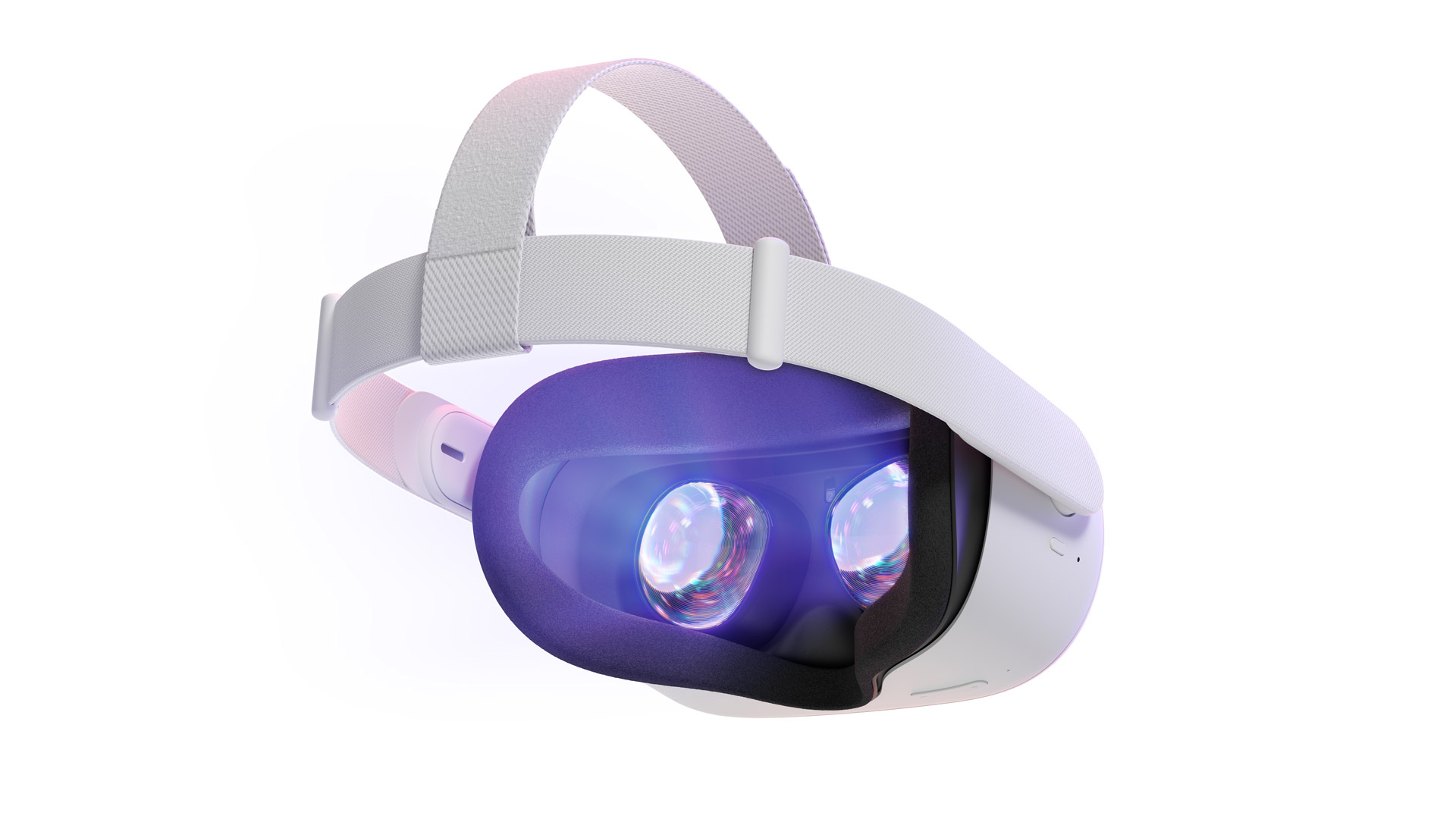
This guide focuses on how to refund a game on Oculus Quest 2. To request a refund on anything you bought from Oculus Store, you must use the Oculus companion app on your phone, regardless of the Oculus headset you own. Refunds are requested via the Meta app (Oculus) on your phone, the same app you used to customize the headset.
You might also like

How to use Deep Search on Perplexity?

How to use passkeys instead of passwords?

How to Protect Yourself from Deepfake Scams?

How To Refund A Game On Oculus Quest 2
Credit @ Oculus

If you purchase a Quest or Quest 2 game via the Meta (Oculus) Store and decide that you do not want it, in some circumstances, you may be able to request a refund. Go to the Oculus app, Tap the menu, then head to settings, Tap the purchase history, Select the game you would like to return, and then request the refund from within the app.

It is also possible to request a refund for a gifted game in Meta Quest 2. You can request a refund for a gifted game using the same criteria that Oculus/Meta platforms use to determine if you will receive an automatic refund on a purchased game. First, collect the necessary information for refunding your Oculus/Meta game to determine if you are eligible for an automatic refund.

Once you have purchased the game in the Oculus Store, you will be able to refund this game, too. Once you buy a product from Oculus, you can return that and get a refund. In-game purchases are not covered under the Oculus refund policy, and if you would like a refund, you are probably going to need to go through the company whose game you purchased the content.

How To Refund A Game On Oculus Quest 2
Credit @ Oculus

Yes, it is easy to get your money back for games or apps purchased in Oculus. You can refund games that you buy on Oculus/Meta platforms to the same device on which you made your purchase but there might be some restrictions. If you refund a lot of games all at once (for example, if you buy many, then refund most or all of them soon after), you might need to go through Oculus Support to get refunds in the future, if you are denied games you otherwise would be eligible for.

Keep in mind there are specific requirements to return the Oculus Quest 2 game if players decide that they did not enjoy it. To refund an Oculus Quest 2 game, open the Oculus App on any iPhone, tablet, or other supported device. To refund a game on the Oculus Quest 2, you generally need to have played the game on both devices for fewer than two hours combined and have owned it only for two weeks in total since you purchased it.

Meta allows you to get a refund on most games and other apps, provided that you used it for less than two hours, and requested a refund within 14 days of purchasing. On Steam, you can request a refund on nearly every purchase, no matter what the reason.


Tags: How To Refund A Game On Oculus Quest 2Oculus Quest 2Refund on Oculus Quest 2
Tweet54SendShare15
Previous Post

BharatPe files arbitration to clawback unvested shares of Ashneer Grover

Next Post

Death Stranding 2 Is Officially In Development

Priyansh Sidhwani

Hi! I'm Priyansh, I write articles about gaming news here at Techstory. To get in touch E-mail: Priyansh@connasys.com.

Recommended For You

How to use Deep Search on Perplexity?

by Afeefa Ansari
June 23, 2026
0
Perplexity

Need to dig out more information on Perplexity? Try using Deep Search. Here is how you can use Deep Search on the platform and make the best out...

Read more

How to use passkeys instead of passwords?

by Afeefa Ansari
June 23, 2026
0
Passkeys

Ever heard that your passwords aren't as safe? Try using passkeys instead. Here is how you can use passkeys instead of your passwords. Let us see how it...

Read more

How to Protect Yourself from Deepfake Scams?

by Afeefa Ansari
June 23, 2026
0
Deepfake scams

Want to keep yourself safe from Deepfake Scams? Then these are the steps that you need to follow. We shall discuss what the threats are and how one...

Read more
Next Post
Death Stranding 2

Death Stranding 2 Is Officially In Development

Please login to join discussion

Techstory

Tech and Business News from around the world. Follow along for latest in the world of Tech, AI, Crypto, EVs, Business Personalities and more.
reach us at info@techstory.in

Advertise With Us

Reach out at - info@techstory.in

Aviator Game India 2026

BROWSE BY TAG

#Crypto #howto 2024 acquisition AI amazon Apple Artificial Intelligence bitcoin Business China cryptocurrency e-commerce electric vehicles Elon Musk Ethereum facebook funding Gaming Google India Instagram Investment ios iPhone IPO Market Markets Meta Microsoft News OpenAI samsung Social Media SpaceX startup startups tech technology Tesla TikTok trend trending twitter US

© 2025 Techstory.in

No Result
View All Result
  • News
  • Crypto
  • Gadgets
  • Memes
  • Gaming
  • Cars
  • AI
  • Startups
  • Markets
  • How to

© 2025 Techstory.in

Welcome Back!

Login to your account below

Forgotten Password?

Retrieve your password

Please enter your username or email address to reset your password.

Log In
Are you sure want to unlock this post?
Unlock left : 0
Are you sure want to cancel subscription?
