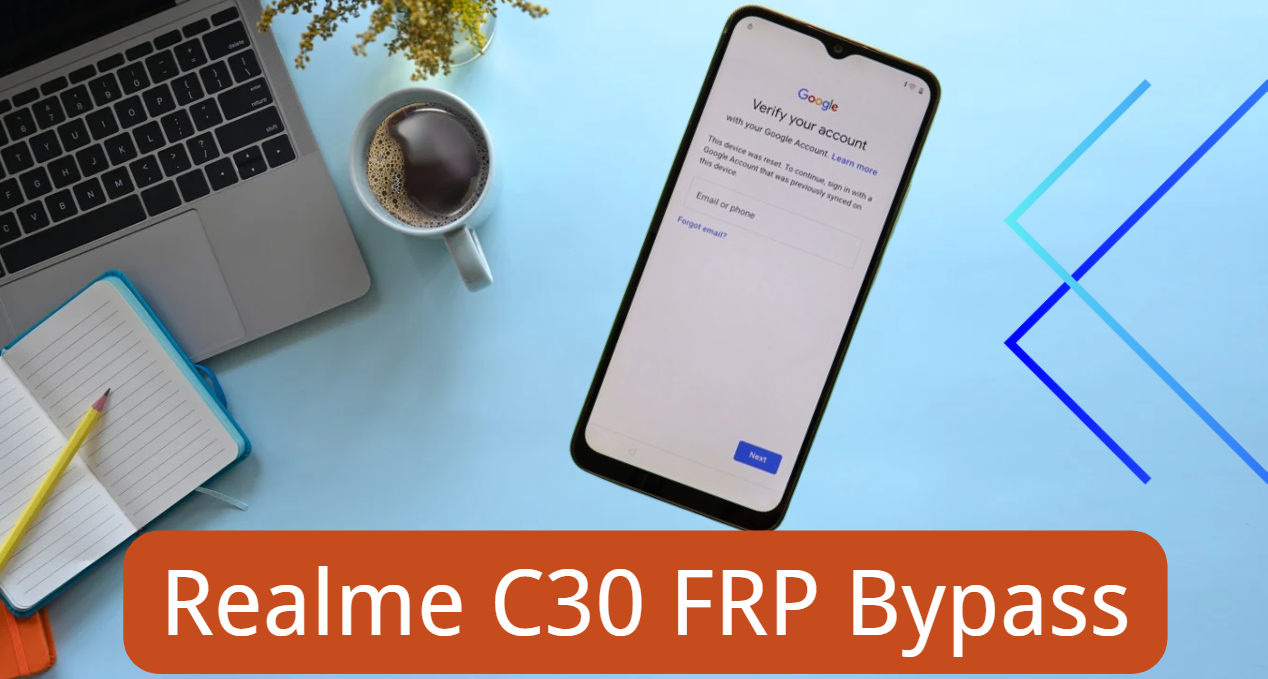
FRP is a security feature by Google to prevent unauthorized access to an Android device after a factory reset. If you reset your Realme C30 without removing the Google account, you’ll be prompted to enter the previous Google account credentials to access the device.
This sounds great unless you have forgotten the Google account information or bought a used device. In both cases, the user can no longer gain access to or use the C30 at all!
But don’t worry, as we will show you how to perform Realme C30 FRP bypass with or without using a computer. Let’s get started.
Does Realme C30 Support Android 12?
No, the Realme C30 was released with Android 11 back in 2022. Since then, Realme has offered no upgrade to Android 12/13 for the C30 device. However, the C30 has received security and other updates periodically from Realme since its release.
There are some websites which claim that the Android OS 12 was made available for the C30 device. However, these are all baseless claims, and there is no credible source to verify them.
The Realme did promise that the C30 device would receive an update to Android 12 or 13, but it was never delivered.
So, if you are looking for a way to bypass Google lock on Realme C30 Android 12, please check your device information once again.
How to Bypass FRP on Realme C30 with PC? – The Easiest Way
If you’re not tech-savvy or you want to regain access to your Realme C30 quickly, then you should try this way. iToolab UnlockGo Android is the best FRP bypass tool for Realme and other Android brands. It allows you to perform Realme FRP bypass with one simple click. Now, let’s check the main features of this tool.
- It supports all Realme devices running Android 5-15, and will also support the upcoming Android 16.
- You have 2 options to bypass Realme FRP. Thus, the success rate is high.
- It doesn’t require any technical knowledge or any FRP bypass APK files.
- Apart from Realme, it can also bypass FRP on Samsung, Mi, vivo, OPPO, Moto, and more.
Here’s a step-by-step process on how you can remove the FRP lock on Realme C30:
Please remember to visit the official website to download and install iToolab UnlockGo Android full version on your Windows or Mac computer.
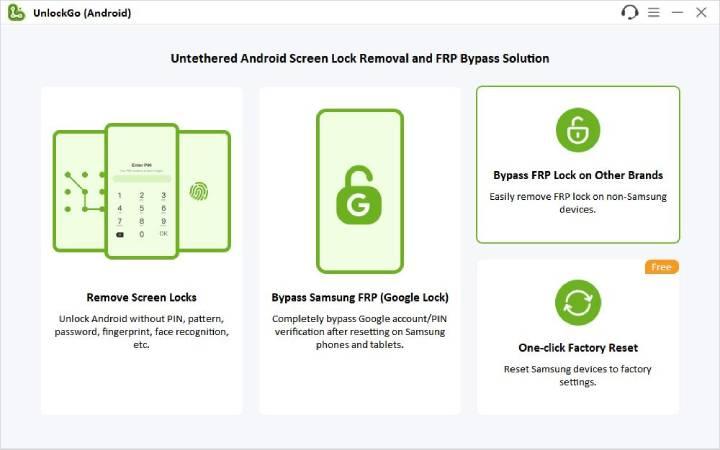
Step 1) Once UnlockGo Android is installed, launch it and then choose “Bypass FRP Lock on Other Brands” from the menu.
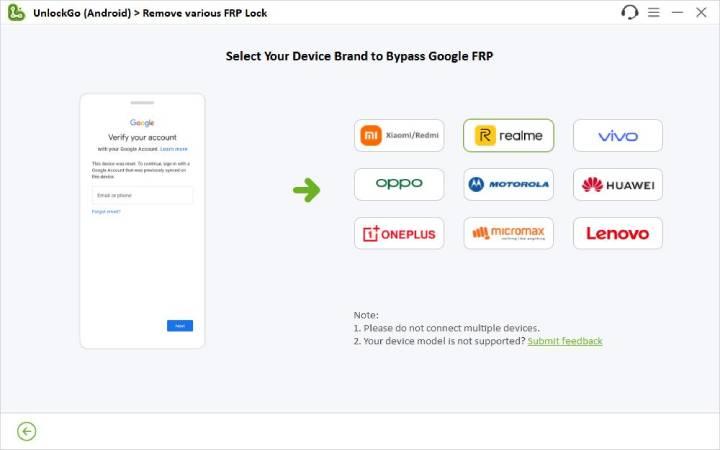
Step 2) Now, connect the Realme C30 to the computer via a USB cable. After that, choose “Realme” from the available options to continue.
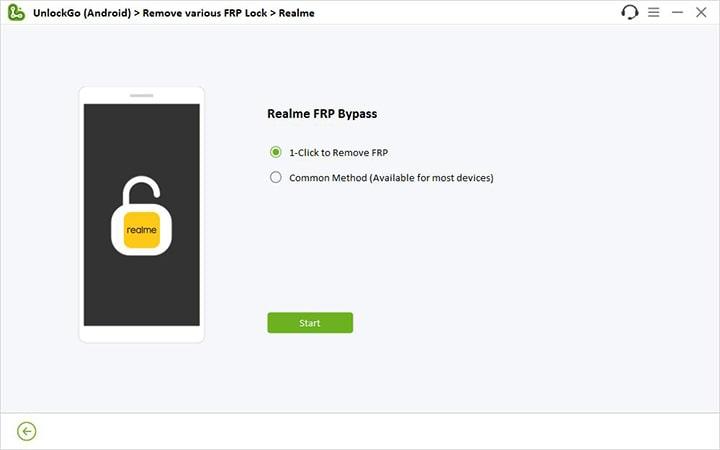
Step 3) You will see two different options to remove the Google Lock from the Realme device. You should use the “1-click to remove FRP” option as it’s the easiest and takes less time.
After making a selection, press the Start button.
Step 4) You will see instructions on the screen on how to power off the Realme C30. Just follow them to turn off the device. Once the device is turned off, UnlockGo Android will automatically unlock the device within 1 minute.
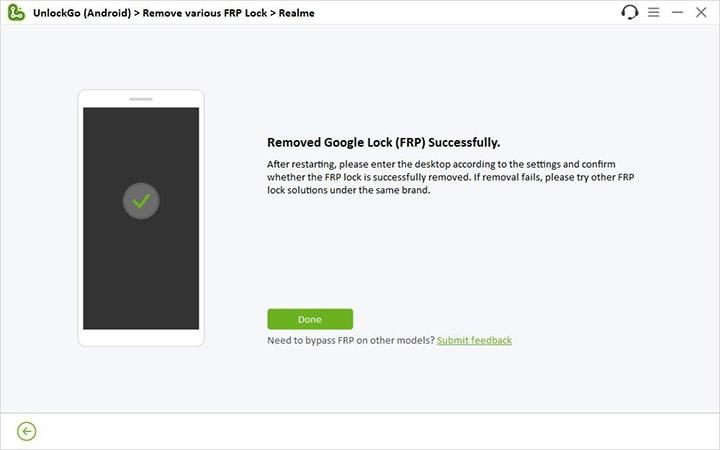
The whole process is really easy, right? What are you waiting for? Download and install iToolab UnlockGo Android to have a try now!
No PC? How to Bypass FRP on Realme C30 without PC?
What if you don’t have a PC or a Mac device? In that case, you can also get rid of the FRP lock on Realme C30 by just following the steps mentioned below.
It’s worth mentioning that this method doesn’t use the TalkBack Mode and allows you to remove the Google Lock. However, be ready to go through multiple steps as it is a little bit complicated.
- Go back to the Legal information screen when you see Google verify your account interface.
- Tap on the “i” icon.
- Scroll all the way down until you see the Realme service email. Just tap on it to open Gmail.
- In the Gmail app, press the Skip button. This will take you to a different page with an option to “Add an email address.” On this page, tap on “Learn more” to view the help page.
- At the top of the page, you will see a share button. Tap on the share button and then select Google Go.
- Tap “Use without Google account” to continue.
- Inside the Google Go app, tap on the Microphone icon. After that, tap on the keyboard icon and type Settings. Next, press the Send button.
- You will now see a link with “Open Settings” as the text. Just tap on it to access the Settings menu.
- From Settings, tap on Apps and Notifications. You will see an option to see all the available apps. Tap on it to see all the apps which are available on the Realme C30.
- Tap on Android Setup and then force stop it. This is one of the most important steps for the Realme C30 FRP bypass. So, double-check to ensure that the Android Setup is indeed stopped.
- Press the back button and then tap on Google Play Services. After that, tap on Disable and Force Stop.
- Press the back button until you are back on the Apps and Notifications page. From here, tap on Default apps and then select the home app.
- Now, select Quickstep as the default option for the home app. This is a crucial step for Realme FRP bypass as it will enable you to effectively bypass the Google lock and actually set up the C30 device.
- Now, you can set up your Realme C30. You will find that the FRP lock has been removed successfully.
This method is complicated. But if you can’t afford to buy a FRP bypass tool, it’s worth a try.
Summary
It can get scary when you do a factory reset only to realize you are locked out of the Realme C30! Thankfully, you can now easily perform the Realme C30 FRP bypass with the help of a PC.
If you have access to a PC, then it only takes 1-2 minutes to get rid of the FRP on Realme C30 with the help of iToolab UnlockGo Android. But if you don’t have a PC, then you can also try the other method shared in our guide. Next time, please remember to remove the Google account before factory resetting one Android device.