

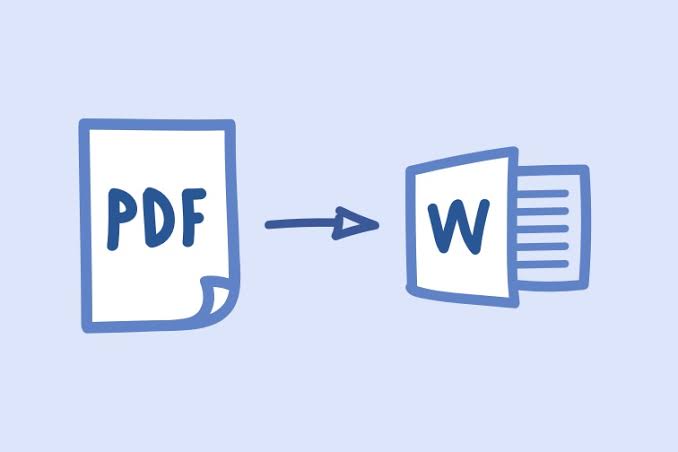
PDF is a type of electronic document that is portable and easy to use. The document is compatible with the different operating systems. Unfortunately, it does not allow editing; for editing, you need to convert PDF to Word. There are many ways available to perform the task. That we will discuss later in the article. Moreover, you can also protect your document with an encrypted password.
It is essential to have an efficient PDF conversion software in computer and mobile. It will ease the editing process in the document. Apart from editing, you can also insert images and colorful quotes in the document. This will help you to present essential documents. You will find many PDF converter software on the internet. But all are not reliable and trustworthy. To select the appropriate one, you need to consider some factors. That includes conversion ability, speed, performance, and other features.
Ensure that the software used for converting the PDF will not change the content of the document. It means that the software is preserving the document’s basic properties that include image, page layout, image, hyperlink, etc. Moving further, let’s discuss some more aspects of it.
Factors to be concerned while selecting a PDF to word converter software
- If your document contains scanned content, then make sure that your software supports the OCR technique. It would help you in getting flawless results in ending.
- Make sure that your software can manage the batch conversion. It should also have the property to covert PDF files partially into word. It will help in handling bulk files.
- Convert PDF to Word software should be capable of preserving and retaining the basic properties of the document. That includes superscripts, punctuation marks, page layout, etc. It is the essential requirement that your software must possess.
- It will be beneficial if the software contains a multilingual conversion feature. Basically, this feature is used in multinational companies. Because many documents have to send to different countries that have other languages. The feature is not available for free, and you have to pay some amount to perform the task.
- The software should come with sufficient information about working, features, and how to access it. You can also refer for lifetime support that will help in troubleshooting and issues faced while editing the document.
- It’s not hard to find appropriate PDF to word converter on the internet. If you spend some time doing research, then you will quickly get the best one. It would be beneficial to have an advanced and well-featured PDF converter software on your computer. It helps in reducing the workload of the office.
Here are some ways to convert PDF to Word
Using Adobe Acrobat
- There are many versions of Adobe available that convert the PDF document into word. To check the software, click on the file manager. Then attach the file that you want to convert into an open box.
- After this depending upon the size of the document, the conversion process consumes time. However, some software converts the PDF into word in seconds. After this, your converted file is saved into the previous location of the document. You can also change the location of storage.
- Don’t forget to check the content of the converted document. If it contains any errors, then avoid the use of software for next time. However, in rare cases, the errors occur in the converted file. Most of the professional personaliti4es use Adobe acrobat in the conversion of PDF. This is because of its easy to use and convenient features.
Using online tools
- Due to increasing demand for PDF to word converting software. Many developers come with various online tools that will make the task easy and can convert the document into word. Plenty of PDF convertor tools are available on the internet that offers a wide variety of features.
- Read reviews and ratings of the tool before using it. Always refer to reputable sites. This is because of fewer errors in conversion. To convert the file, only you need to attach the document to the convertor then wait for the conversion. After this, select the location of storage into your device.
- Most of the conversion tools and sites demand email addresses and mobile numbers. These sites do not allow conversion if anyone fails to provide these details. However, they don’t require any personal information.
- Make sure that the used tool or site contains enough security features. It is essential to ensure the security and privacy of the document. Otherwise, it may steal your document and make misuse.
Using google docs
- It allows the user to convert PDF files to the word by converting the format of the document. To start converting, you need to sign in into the software by providing an email address. After this, attach the PDF file to the pop-up box. Then wait for conversion and store the file in the device.
- After conversion, the software also allows editing and insertion of images into the document. The software is easy to use and comes with convenient features. Sont forgets to download the converted file. Otherwise, you will not be able to send it to any other device. The tool is available in both online and offline mode. According to your wish, you can use any of the.
- Google docs are the latest software that comes with advanced features. You will also find a multilingual option in the tool. That will convert the content of the document into various languages. However, it is not for free, and you have to pay some money for it. The overall performance and track record of software are good, and you can use it easily.
Lastly, the cool thing about convert PDF to Word is that it allows editing in the document. That is difficult to pursue in a PDF file. However, these tools are available in wide verities that offer different features conveniently used in editing and designing the document into an effective one.




