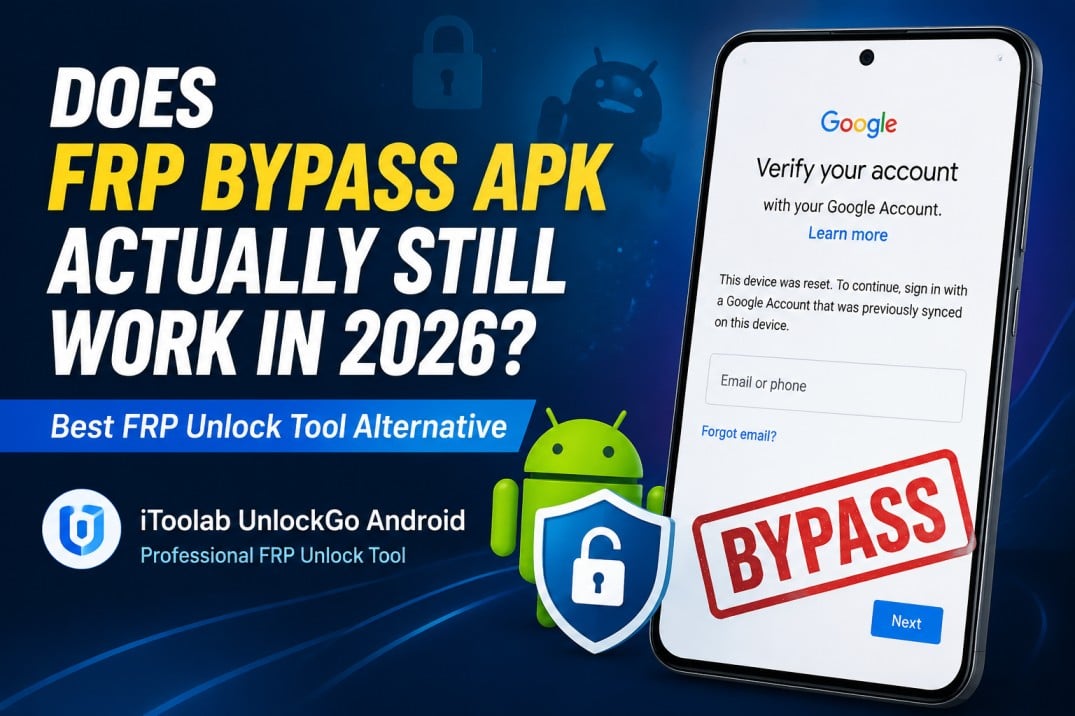
Factory Reset Protection (FRP) is a security feature introduced by Google to protect Android devices from unauthorized access. When a device is reset to factory settings, FRP requires users to verify the previously synced Google account before they can complete the setup process.
This protection helps prevent stolen devices from being reused. However, it can also become a problem for legitimate users who:
- Forget their Google account password
- Buy a second-hand Android phone linked to another account
- Cannot contact the previous owner
- Get stuck on the Google account verification screen after a reset
In the past, many users relied on FRP Bypass APK files to remove Google account verification. These APK-based methods used various system loopholes to access device settings and bypass FRP restrictions.
But with continuous Android security improvements, does FRP Bypass APK actually still work in 2026?
What Is FRP Bypass APK?
FRP Bypass APK refers to third-party Android applications designed to bypass Google account verification after a factory reset.
Normally, after resetting an Android device, the setup process requires the previously connected Google account. FRP Bypass APK attempts to avoid this verification by exploiting certain Android system weaknesses.
Some commonly known FRP bypass methods include:
- FRP Bypass APK
- Google Account Manager APK
- QuickShortcutMaker
- Accessibility-based bypass methods
- Settings access exploits
However, these methods depended heavily on Android vulnerabilities. Once Google and device manufacturers patched those vulnerabilities, many APK-based solutions stopped working.
Why Old FRP Bypass APK Methods Fail
Old FRP Bypass APK methods mainly fail because Android security has improved significantly.
1. Android Updates Patch Security Loopholes
Most FRP Bypass APKs rely on older Android vulnerabilities to access hidden settings or bypass Google verification. As Google releases new security updates, these loopholes are gradually fixed.
2. Stronger FRP Protection in Android 15 and Later
Newer Android versions include stricter security controls that block many traditional bypass methods. Many old APKs can no longer install, run, or bypass the Google verification screen successfully.
3. Different Brands Use Different Security Systems
Samsung, Xiaomi, OPPO, Motorola, and other manufacturers add their own security layers. A method that works on one device may fail on another due to differences in firmware and security patches.
What Is a Better Alternative to FRP Bypass APK in 2026?
For users who need to remove Google FRP lock from a device they own or have permission to unlock, a dedicated FRP unlock tool can provide a simpler and more reliable approach.
iToolab UnlockGo Android – A Professional FRP Unlock Tool
iToolab UnlockGo Android is designed to help users remove Android FRP locks when traditional APK-based methods no longer work.
Instead of searching for multiple APK files and trying different exploits, users can follow a guided unlocking process.
Why Choose iToolab UnlockGo Android?
- Supports Modern Android FRP Bypass
Designed to help bypass FRP lock on newer Android devices and versions. - Wide Device Compatibility
Supports popular brands including Samsung, Xiaomi, Redmi, vivo, OPPO, Motorola, and more. - Easy-to-Use Process
Provides a guided unlocking process without requiring complicated APK searches or technical skills. - No Need for Multiple FRP Bypass APK Files
Avoid the trouble of downloading and testing different APK methods that may fail on newer devices. - Reliable FRP Unlock Tool
Offers a professional solution for users who are unable to complete Google account verification after a factory reset. - Regular Updates & Support
Continuously improves compatibility and provides customer support for unlocking issues.
How to Bypass FRP Lock with iToolab UnlockGo Android
Step 1: Install iToolab UnlockGo Android
Download and install iToolab UnlockGo Android on a Windows computer.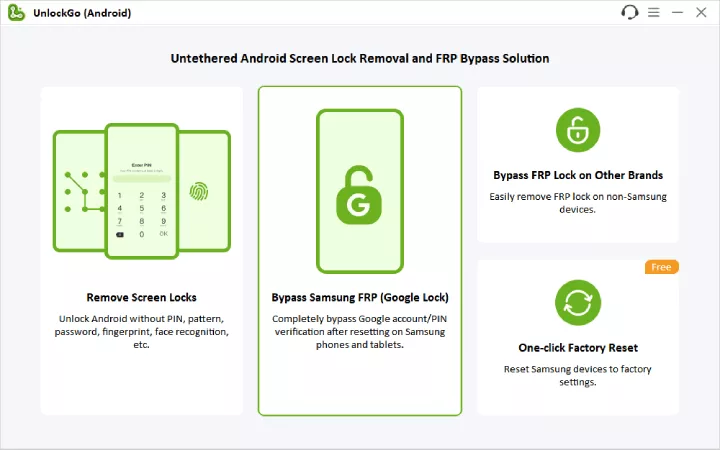
Step 2: Connect Your Android Device
Connect your Android phone to the computer using a USB cable.
Step 3: Select FRP Unlock Mode
Choose the FRP removal option according to your device brand.
Step 4: Start the FRP Removal Process
Follow the on-screen instructions and wait while the tool completes the process.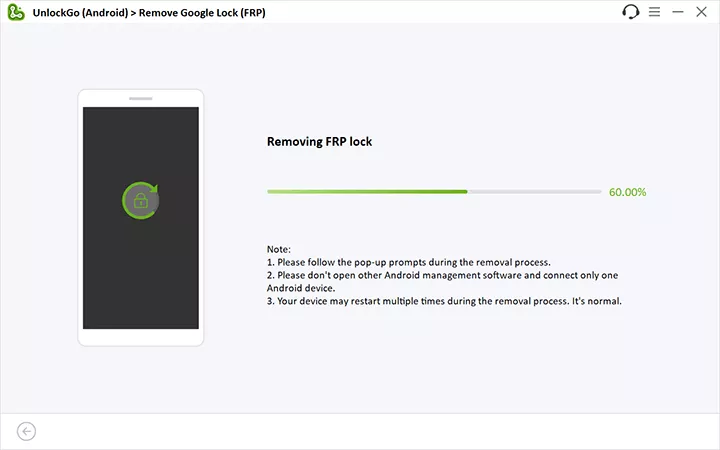
Step 5: Complete Device Setup
After the process finishes, restart your device and complete the Android setup process.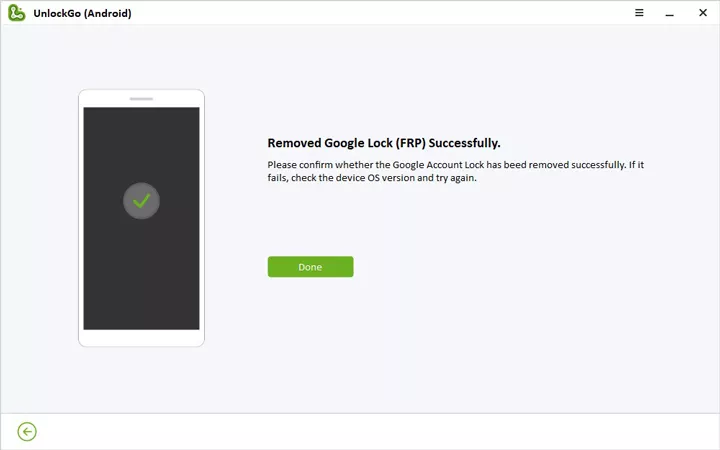
Risks of Using FRP Bypass APKs
Although FRP Bypass APKs may look convenient, they come with several risks:
- Security Risks: APK files from unknown sources may contain malware or harmful programs.
- Privacy Issues: Some APKs may request unnecessary permissions and expose personal data.
- Low Success Rate: Most APK methods rely on old Android vulnerabilities and often fail on newer versions like Android 15.
- Compatibility Problems: Different phone brands and security patches can make APK methods unreliable.
FAQ
Q1. Is FRP Bypass APK still working in 2026?
Many old APK solutions depend on security vulnerabilities that have already been patched by Google and device manufacturers. Users can try a professional FRP unlock tool like iToolab UnlockGo Android,
Q2. Does Android 15 support FRP bypass?
Yes. However, many traditional APK methods no longer work on Android 15. iToolab UnlockGo Android provides a dedicated solution for Android 15 FRP bypass.
Q3. Is FRP bypass legal?
FRP removal should only be performed on devices that you own or have permission to unlock. Removing security protection from someone else’s device without authorization is not allowed.
Conclusion
FRP Bypass APK was once a popular method for removing Google account verification after a factory reset. However, as Android security continues to improve, many old APK-based solutions have become unreliable and difficult to use.
For users looking for a more effective solution, a professional FRP unlock tool like iToolab UnlockGo Android provides a simpler and more reliable alternative to complicated APK methods.
If you are stuck on Google account verification after a reset, choosing a trusted FRP solution can help save time.