• Send Us A Tip
  • Calling all Tech Writers
  • Advertise
Thursday, August 13, 2026
  • Login
TechStory
  • News
  • Crypto
  • Gadgets
  • Memes
  • Gaming
  • Cars
  • AI
  • Startups
  • Markets
  • How to
No Result
View All Result
  • News
  • Crypto
  • Gadgets
  • Memes
  • Gaming
  • Cars
  • AI
  • Startups
  • Markets
  • How to
No Result
View All Result
TechStory
No Result
View All Result
Home How to

How to detect an AI-generated video?

by Afeefa Ansari
July 24, 2026
in How to
Reading Time: 2 mins read
0
detect-ai-generated-videos

Credits - hyscaler.com

TwitterWhatsappLinkedin

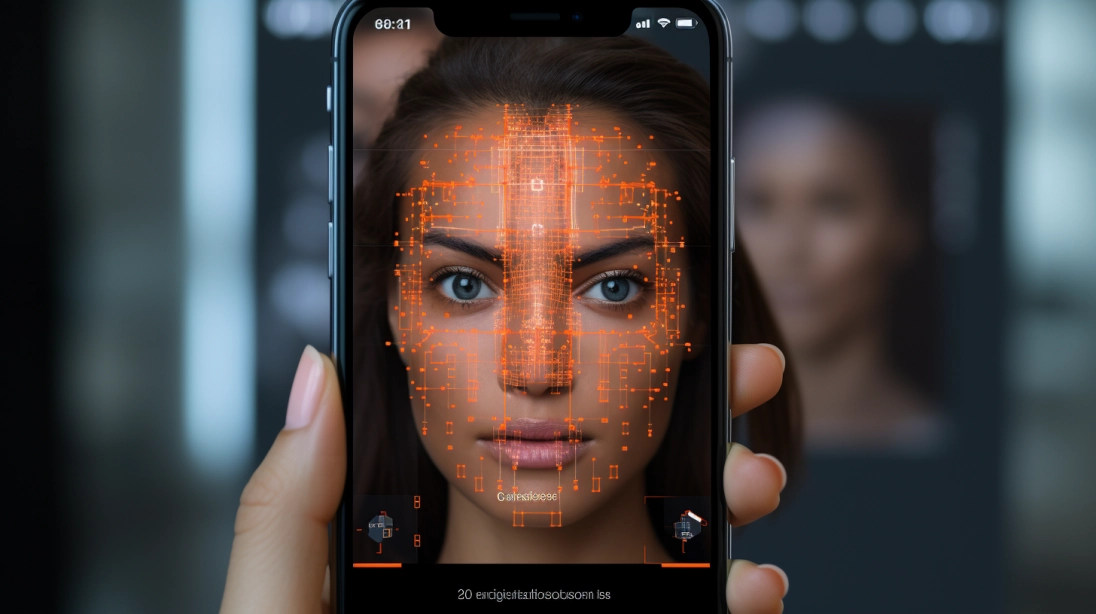
Ever been confused about whether a video is being generated by AI or is authentic? We’ve all been there. But here are a few things that can help you make out if a video is generated with AI or is a real one. So, let’s dive in and see what’s there.

You might also like

How to Get the M4A1 in Ghost Recon: Wildlands

How To Get Challenge Tokens In Spider-Man

How To Turn Off Wear And Tear Madden 27

Ways to detect an AI-generated video

If you’re ever uncertain about a video being generated with the help of AI or not, then these are a few things you can look out for.

Movements

The first thing is to watch the eyes and blinking patterns closely. AI models don’t give realistic eye movement, so people in generated videos might blink too rarely or have a weird pattern of blinking that would simply seem unnatural.

Fusion spotting

Blending often goes bad. Check the hands, fingers, and fine accessories that often melt into different frames. Hands and how they change can be an alert. You will frequently spot extra fingers, fused digits, or even accessories that keep melting into the skin itself.

Logos

You must also pay attention to text, logos, and the fine patterns in the background. What happens is that the AI video generators usually treat text as visual shapes rather than actual language. Street signs, t-shirt logos, and other titles anywhere often blend into each other, often making no sense at all.

The lighting fix

Also look for unnatural lighting and shadow discrepancies that seem unusual. Shadows should always line up with the main light sources in a scene. In videos that AI generates, shadows might cast in two different directions, or simply be in an unnatural direction or shape.

The sync

The answer is in the details. You must observe lip sync and audio alignment carefully. Even high-end voice clones can struggle with realistic ways of talking. Therefore, you must look closely at how the lips shape while pronouncing different words. If something seems mismatched or just out of sync, it is AI.

Natural Features

AI somehow tampers with the natural features of an individual. For that, check for the hair, teeth, and skin texture. Human skin and the mentioned parts in Deepfake videos often give people unnaturally smooth, plastic-looking skin or turn individual teeth into a solid white block. Hair strands might also look too glued together or simply hazy.

The objects

The final thing is to spot shifting or morphing background objects. When the camera moves in an AI clip, static objects in the background like chairs, trees, or picture frames might slowly change shape or look different in different frames, finally making it certain that it’s AI.

Tags: AI DeepfakeAI Generated VideosAI videosAI/real videosDeepfakeHow to detect an AI-generated video?
Tweet54SendShare15
Previous Post

How to mute someone’s story on Instagram?

Next Post

How to protect yourself from QR Code Scams?

Afeefa Ansari

Recommended For You

How to Get the M4A1 in Ghost Recon: Wildlands

by Khilav Jadav
August 11, 2026
0
How to Kill the Predator in Ghost Recon Wildlands

The M4A1 is one of the most useful assault rifles in Tom Clancy’s Ghost Recon Wildlands. It offers balanced handling, a solid rate of fire, and plenty of...

Read more

How To Get Challenge Tokens In Spider-Man

by Khilav Jadav
August 11, 2026
0
How to Play Spider-Man in Marvel Rivals

Challenge Tokens are an important resource in Marvel’s Spider-Man. You need them to unlock several suits, gadgets, and upgrades, so running short can slow down your progress. Challenge...

Read more

How To Turn Off Wear And Tear Madden 27

by Khilav Jadav
August 11, 2026
0
How to Get Madden 25 Beta

If player fatigue and injuries are making your Franchise games frustrating, you may want to turn off Wear and Tear in Madden NFL 27. The system tracks the...

Read more
Next Post
QR-Code-Scam

How to protect yourself from QR Code Scams?

Please login to join discussion

Techstory

Tech and Business News from around the world. Follow along for latest in the world of Tech, AI, Crypto, EVs, Business Personalities and more.
reach us at info@techstory.in

Advertise With Us

Reach out at - info@techstory.in

Aviator Game India 2026

BROWSE BY TAG

#Crypto #howto 2024 acquisition AI amazon Apple Artificial Intelligence bitcoin Business China cryptocurrency e-commerce electric vehicles Elon Musk Ethereum facebook funding Gaming Google India Instagram Investment ios iPhone IPO Market Markets Meta Microsoft News OpenAI samsung Social Media SpaceX startup startups tech technology Tesla TikTok trend trending twitter US

© 2025 Techstory.in

No Result
View All Result
  • News
  • Crypto
  • Gadgets
  • Memes
  • Gaming
  • Cars
  • AI
  • Startups
  • Markets
  • How to

© 2025 Techstory.in

Welcome Back!

Login to your account below

Forgotten Password?

Retrieve your password

Please enter your username or email address to reset your password.

Log In
Are you sure want to unlock this post?
Unlock left : 0
Are you sure want to cancel subscription?