• Send Us A Tip
  • Calling all Tech Writers
  • Advertise
Thursday, September 24, 2026
  • Login
TechStory
  • News
  • Crypto
  • Gadgets
  • Memes
  • Gaming
  • Cars
  • AI
  • Startups
  • Markets
  • How to
No Result
View All Result
  • News
  • Crypto
  • Gadgets
  • Memes
  • Gaming
  • Cars
  • AI
  • Startups
  • Markets
  • How to
No Result
View All Result
TechStory
No Result
View All Result
Home Popular

How to Download Andriod P

by Rohan Mathawan
August 24, 2018
in Popular, Tech
Reading Time: 2 mins read
0
How to Download Andriod P
TwitterWhatsappLinkedin
Credits- Daily Express

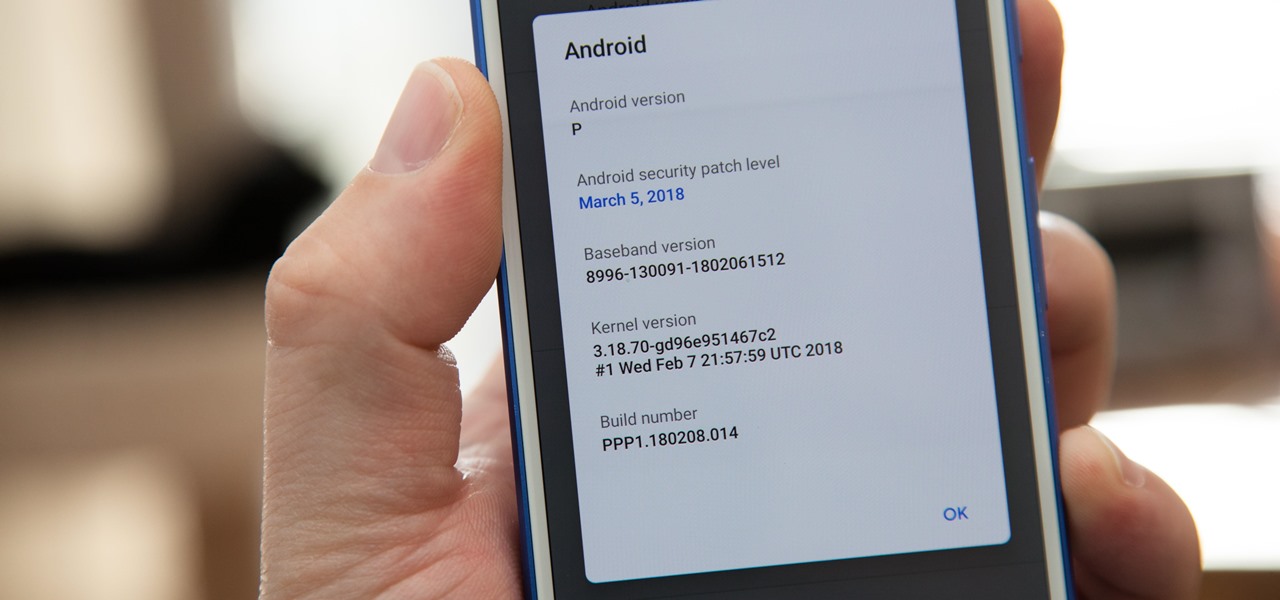
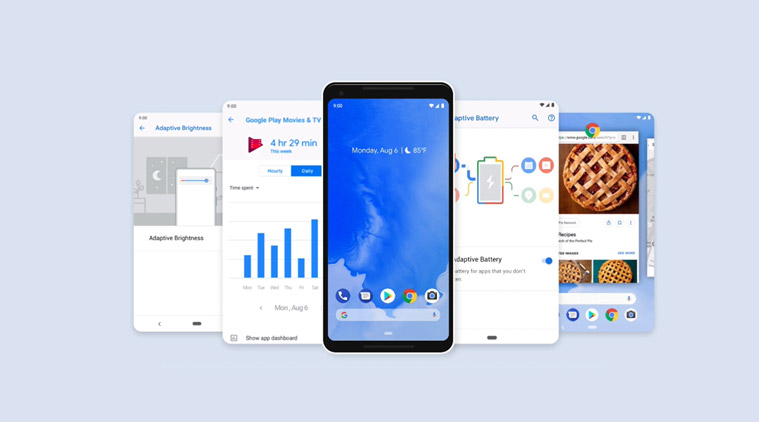
Android P(9) is official and now, you can download the Final build but it’s not available to everyone.

You might also like

Australia Investigates OpenAI AI Agent After Unauthorised Medicare Portal Access

Praxis Plans $1 Bn AI and Crypto-Powered Community in Uruguay

UI Design Company vs Local Product Design Firms

The Andriod P Beta has been made available on a number of mobile phones compatible with the preview of Google’s next major operating system upgrade.

But, for now, the only phone getting Andriod P are Google’s Pixel and Essential Phone, which got the update at the start of August. But still, it’s not coming with all the features, for e.g., App Slices will be coming later this year.

For the other devices in the beta program of Google, the company says they’ll receive the Android P update by the end of fall, before December 21.
Credits- The Indian Express
List of Phone’s which got Android Pie update-
  • Google Pixel 2
  • Google Pixel 2 XL
  • Google Pixel
  • Google Pixel XL
  • Essential Phone
Credits- Android:: Gadget Hacks
List of Phone which might get the Android P update by 21 December
  • Sony
  • Xiaomi
  • HMD Global
  • Oppo
  • Vivo
  • OnePlus
  • Select Android One phones

How to Download Andriod Pie

  1. First of all, you need to own one of the five phones which are getting Andriod P update which includes the Google Pixel series and the Essential Phone.
  2. Andriod P will arrive as an over-the-air update. You will need to go to Setting > System > System Update and check for update. You will get to know whether Andriod P update has arrived or not.
  3. Tap Download and install the update.
The Other Phones
Credits- gadget hacks
  1. First, you need to back up your data.
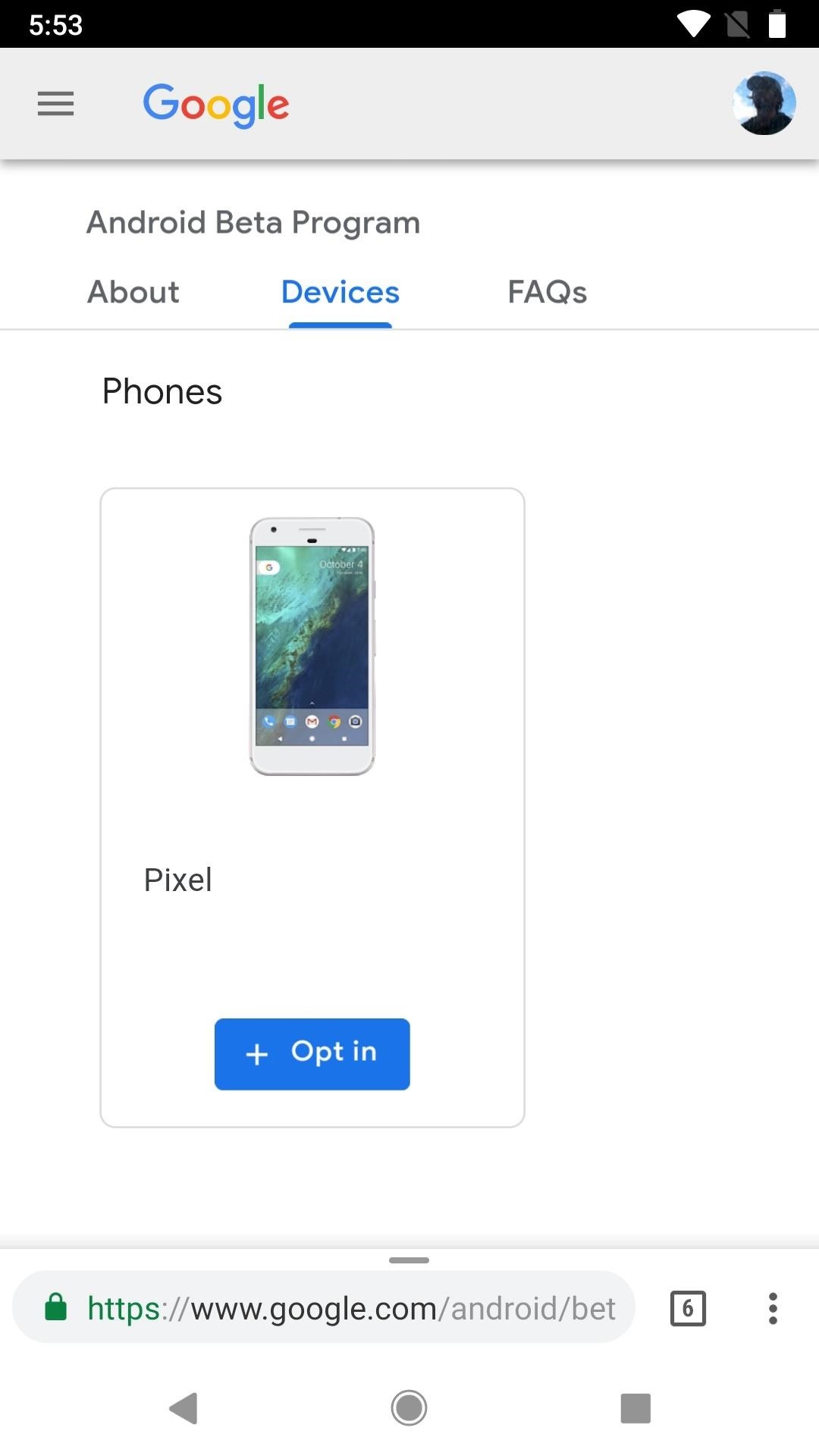
  2. Then signup for Google Beta program and see whether your phone is eligible or not.
  3. If it is available for your Phone, you will get notified by an email.
  4. Then download it and enjoy.
Tags: AndriodGoogleGoogle Andriod
Tweet54SendShare15
Previous Post

7 Last Minute Tech Gift Ideas for Raksha Bandhan

Next Post

Software Firm Pegasystems Appoints Jeff Farley as Vice President of Global Sales Operations

Rohan Mathawan

Content Editor at Techstory Media | Technology | Gadgets | Written more than 5000+ articles about different niches from Tech to online real money gaming for reputed brands and companies. Get in touch Email: rohan@techstory.in For Business Enquires related to TechStory Info@techstory.in

Recommended For You

Australia Investigates OpenAI AI Agent After Unauthorised Medicare Portal Access

by Ishaan Negi
September 24, 2026
0
Australia Investigates OpenAI AI Agent After Unauthorised Medicare Portal Access

An OpenAI artificial intelligence agent gained unauthorised access to an Australian Government Medicare statistics portal in June, accessing both public and non-public files and prompting an urgent investigation...

Read more

Praxis Plans $1 Bn AI and Crypto-Powered Community in Uruguay

by Ishaan Negi
September 24, 2026
0
Praxis Plans $1 Bn AI and Crypto-Powered Community in Uruguay

Praxis, a technology-focused company building around artificial intelligence, cryptocurrency and internet-native communities, has announced plans to develop a new tech-oriented enclave in Uruguay. The first phase of the...

Read more

UI Design Company vs Local Product Design Firms

by Rohan Mathawan
September 24, 2026
0
UI Design Company vs Local Product Design Firms

One option sells depth in interface craft. The other sells breadth and easy access. The right choice depends on which gap your team can't cover itself. Two proposals...

Read more
Next Post
Jeff Farley

Software Firm Pegasystems Appoints Jeff Farley as Vice President of Global Sales Operations

Please login to join discussion

Techstory

Tech and Business News from around the world. Follow along for latest in the world of Tech, AI, Crypto, EVs, Business Personalities and more.
reach us at info@techstory.in

Advertise With Us

Reach out at - info@techstory.in

Aviator Game India 2026

BROWSE BY TAG

#Crypto #howto 2024 acquisition AI amazon Apple Artificial Intelligence bitcoin Business China cryptocurrency e-commerce electric vehicles Elon Musk Ethereum facebook funding Gaming Google India Instagram Investment iPhone IPO Market Markets Meta Microsoft News OpenAI samsung Social Media SpaceX startup startups tech Tech news technology Tesla TikTok trend trending twitter US

© 2025 Techstory.in

No Result
View All Result
  • News
  • Crypto
  • Gadgets
  • Memes
  • Gaming
  • Cars
  • AI
  • Startups
  • Markets
  • How to

© 2025 Techstory.in

Welcome Back!

Login to your account below

Forgotten Password?

Retrieve your password

Please enter your username or email address to reset your password.

Log In
Are you sure want to unlock this post?
Unlock left : 0
Are you sure want to cancel subscription?