

• Send Us A Tip
  • Calling all Tech Writers
  • Advertise
Sunday, June 21, 2026
  • Login
TechStory
  • News
  • Crypto
  • Gadgets
  • Memes
  • Gaming
  • Cars
  • AI
  • Startups
  • Markets
  • How to
No Result
View All Result
  • News
  • Crypto
  • Gadgets
  • Memes
  • Gaming
  • Cars
  • AI
  • Startups
  • Markets
  • How to
No Result
View All Result
TechStory
No Result
View All Result
Home How to

How to download COVID vaccination certificate via Whatsapp

by Srestha Roy
August 17, 2021
in How to
Reading Time: 2 mins read
0
How to download COVID vaccination certificate via Whatsapp
TwitterWhatsappLinkedin

A COVID Vaccine Certificate (CVC) issued by the government provides assurance to the recipient about the vaccination, the type of vaccine administered, and the next vaccination due date.
You might also like

How To Optimize Windows For Gaming

How To Increase Steam Download Speed

How To Get The Xenophage Catalyst In Destiny 2

Source : news18.com

It also serves as proof for the citizen to provide to any entities that may demand proof of vaccination, particularly while travelling. Vaccination not only protects individuals from sickness, but it also decreases the chance of viral transmission. As a result, in the future, there may be a necessity to present a certificate for some types of social interactions and foreign travel.

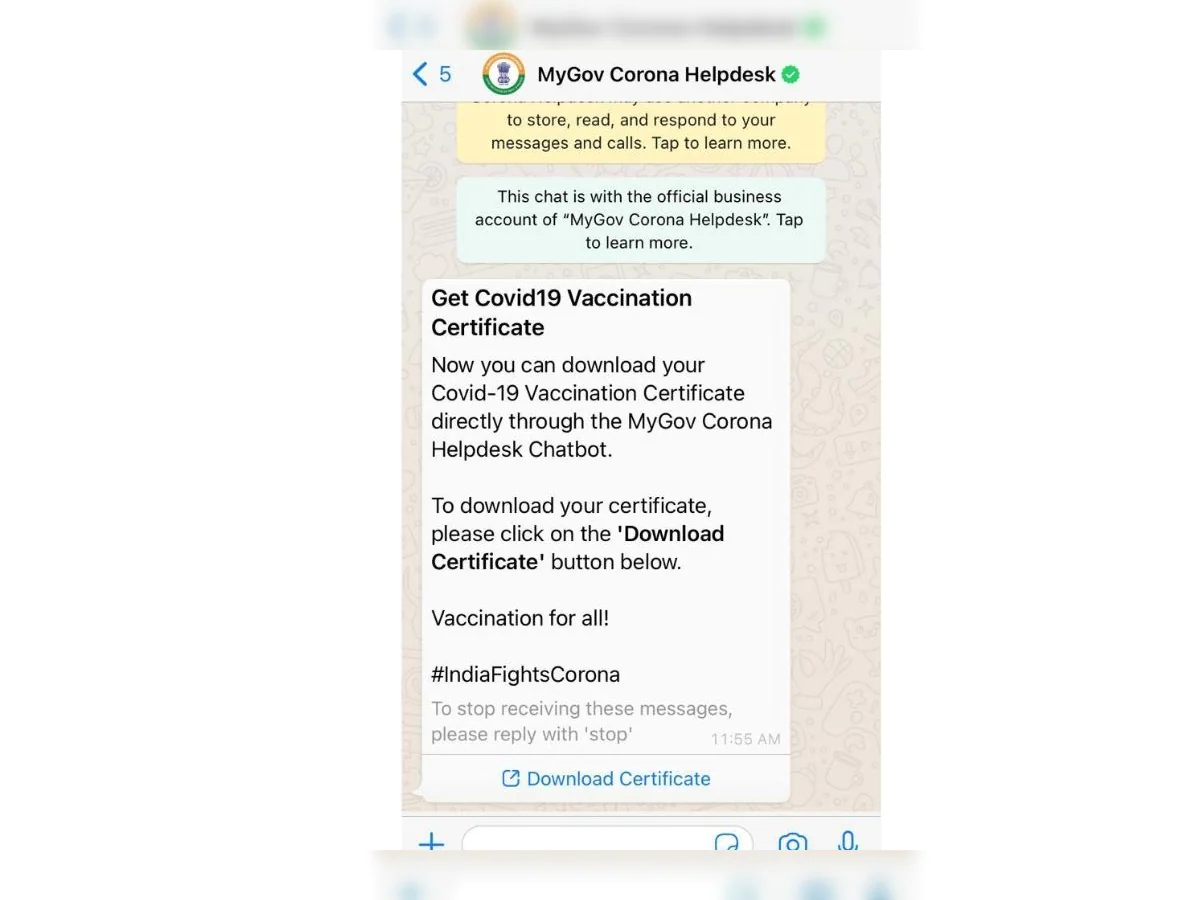
WhatsApp officially allows you to download your COVID-19 vaccination certificate. You will not be required to input your reference ID here; instead, you will be requested to submit your OTP before receiving your vaccination certificate.

Until now, individuals could only obtain the certificate through the Aarogya Setu app. You may now get the certificate via the MyGov Corona Helpdesk chatbot on WhatsApp. This bot was launched in March 2020 to assist in answering COVID-19-related inquiries and preventing disinformation about the coronavirus outbreak.

The vaccine certificate will be issued once you have received the first or second dose of the COVID-19 vaccine. If you are not aware, you will be asked to produce your final vaccination certificate if you want to go anyplace in India or beyond the country.

In some circumstances, if you have the final vaccination certificate, you will not be needed to do the COVID-19 test.

Step 1: Launch WhatsApp and send a “Hi” text to +91 9013151515. If you don’t have this number previously, save this as “Corona Helpdesk bot.”

Step 2: After you send a message, the bot will provide a list of COVID-19-related topics. In the second line of the list, you will find “Download Certificate.” So, simply type “2” and press the send button.

Step 3: The bot will again display three options, so you just need to type and send “3.” The third option says that you want to download the vaccine certificate.

Step 4: An OTP will be delivered to your device, which you must enter into the chat.

If your WhatsApp number differs from the one you registered with CoWin to be vaccinated, you will not receive an OTP. The certificate must therefore be downloaded from the Arogya Setup app.

Step 5: After entering the OTP, the bot will display the names of people who have registered with the number on the CoWIN website.

Step 6: Enter the user ID of the user whose vaccination certificate you wish to download. The vaccination certificate will then be sent through WhatsApp in PDF format by the bot.

Tags: Aarogya SetuCoronavirusCOVID-19COVID-19 VaccinationCoWINPANDEMICVaccinationvaccinewhatsapp
Tweet54SendShare15
Previous Post

Roblox stock plunges 5% after earnings disappoint Wall Street

Next Post

Hacker awarded $7500 bounty for reporting security flaw

Srestha Roy

Recommended For You

How To Optimize Windows For Gaming

by Khilav Jadav
June 20, 2026
0
Microsoft’s 10-Year Call of Duty Deal Raises Questions About Performance Parity

Modern Windows computers are powerful enough to run demanding games, but poor settings and unnecessary background tasks can still affect performance. A few simple adjustments can help improve...

Read more

How To Increase Steam Download Speed

by Khilav Jadav
June 20, 2026
0
How to Link EA Account to Steam

Steam is one of the most popular platforms for PC gaming, but slow download speeds can quickly become frustrating. Whether you are downloading a new title, updating an...

Read more

How To Get The Xenophage Catalyst In Destiny 2

by Khilav Jadav
June 20, 2026
0
How To Summon Pauurc in Destiny 2

Destiny 2 players finally have a reason to revisit one of the game's most iconic Exotic heavy weapons. The Xenophage Catalyst has been added, giving the powerful machine...

Read more
Next Post
Hacker $7500 security flaw

Hacker awarded $7500 bounty for reporting security flaw

Please login to join discussion

Techstory

Tech and Business News from around the world. Follow along for latest in the world of Tech, AI, Crypto, EVs, Business Personalities and more.
reach us at info@techstory.in

Advertise With Us

Reach out at - info@techstory.in

Aviator Game India 2026

BROWSE BY TAG

#Crypto #howto 2024 acquisition AI amazon Apple Artificial Intelligence bitcoin Business China cryptocurrency e-commerce electric vehicles Elon Musk Ethereum facebook funding Gaming Google India Instagram Investment ios iPhone IPO Market Markets Meta Microsoft News OpenAI samsung Social Media SpaceX startup startups tech technology Tesla TikTok trend trending twitter US

© 2025 Techstory.in

No Result
View All Result
  • News
  • Crypto
  • Gadgets
  • Memes
  • Gaming
  • Cars
  • AI
  • Startups
  • Markets
  • How to

© 2025 Techstory.in

Welcome Back!

Login to your account below

Forgotten Password?

Retrieve your password

Please enter your username or email address to reset your password.

Log In
Are you sure want to unlock this post?
Unlock left : 0
Are you sure want to cancel subscription?
