

• Send Us A Tip
  • Calling all Tech Writers
  • Advertise
Monday, July 13, 2026
  • Login
TechStory
  • News
  • Crypto
  • Gadgets
  • Memes
  • Gaming
  • Cars
  • AI
  • Startups
  • Markets
  • How to
No Result
View All Result
  • News
  • Crypto
  • Gadgets
  • Memes
  • Gaming
  • Cars
  • AI
  • Startups
  • Markets
  • How to
No Result
View All Result
TechStory
No Result
View All Result
Home Gaming

How to Find & Use the Rocket Ram in Fortnite

by Khilav Jadav
April 22, 2025
in Gaming, How to
Reading Time: 3 mins read
0
How to Find & Use the Rocket Ram in Fortnite

Credits - Fortnite

TwitterWhatsappLinkedin

Fortnite is known for its ever-changing gameplay, and with Chapter 4 Season 4, a new item called the Rocket Ram has been introduced. This tool not only helps players move quickly across the map but also allows them to break through structures and surprise opponents. Let’s explore how to find and effectively use the Rocket Ram in your matches.
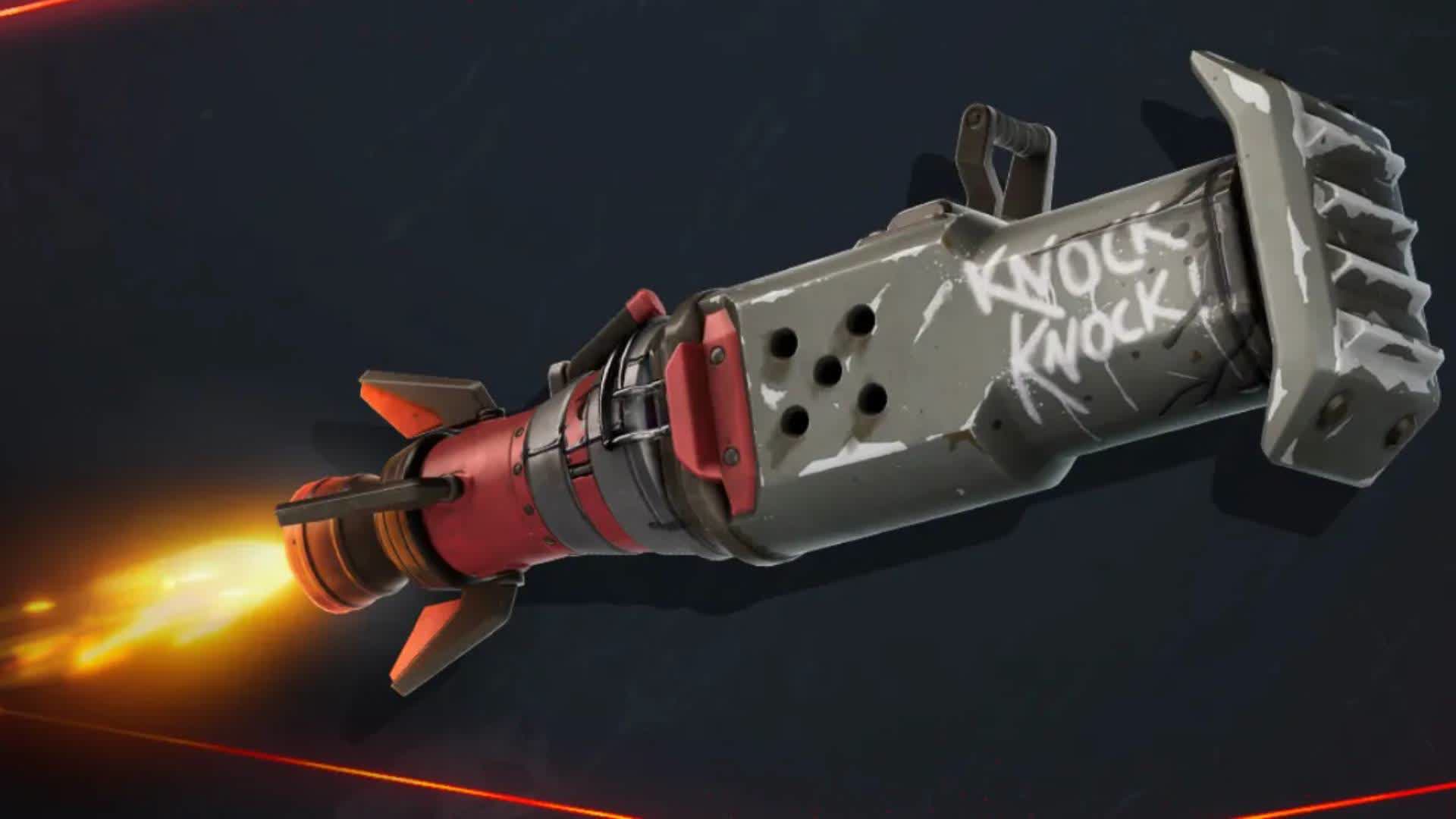
Credits – Fortnite

The Rocket Ram is a rare item, easily identifiable by its blue glow. You can find it in various locations:

  • Floor Loot: Keep an eye out while exploring buildings and open areas.

  • Chests: Standard chests scattered across the map may contain the Rocket Ram.

  • Heist Bags: These duffle bags, introduced in the current season, have a higher chance of containing the Rocket Ram. They are commonly found in areas like Sanguine Suites, Eclipsed Estate, and Relentless Retreat.

  • Defeated Opponents: If you eliminate a player using the Rocket Ram, you can pick it up from their dropped loot.

While the Rocket Ram can appear anywhere, focusing on the new points of interest (POIs) increases your chances of finding one.

Mastering the Rocket Ram

Using the Rocket Ram effectively requires understanding its mechanics:

  1. Charging: Hold down the fire button to charge the Rocket Ram. A laser sight will appear, indicating your launch trajectory.

  2. Launching: Release the fire button to propel yourself in the chosen direction. You can adjust your aim slightly mid-air to fine-tune your landing spot.

  3. Impact: Upon landing, the Rocket Ram deals 50 damage to nearby enemies and destroys surrounding structures.

  4. Cooldown: After use, the Rocket Ram requires a cooldown period of approximately 25 seconds before it can be used again.

It’s important to note that while the Rocket Ram is powerful, it leaves you vulnerable upon landing. Be prepared to build or switch to a weapon immediately to defend yourself.

Strategic Uses

The Rocket Ram offers various tactical advantages:

  • Mobility: Quickly escape the storm or reposition during combat.

  • Offense: Break through enemy structures to surprise opponents.

  • Defense: Create distance between you and aggressive players.

  • Vault Access: Use it to breach cracked walls in vaults, especially in areas controlled by Kado Thorne.

Remember, in competitive modes, the Rocket Ram has been nerfed to have only three charges and no direct damage upon landing. Adjust your strategy accordingly in these settings.

Tips for Effective Use

  • Aim Carefully: Use the laser sight to plan your trajectory and avoid unintended landings.

  • Combine with Builds: After landing, quickly build structures to protect yourself during the cooldown.

  • Mid-Air Activation: You can activate the Rocket Ram while airborne, allowing for creative plays and escapes.

  • Observe Opponents: Watch for players using the Rocket Ram; defeating them can provide you with the item.

By mastering the Rocket Ram, you can add a dynamic element to your gameplay, surprising enemies and navigating the map with ease. Whether you’re breaking into vaults or escaping tight situations, this tool can be a game-changer when used wisely.


You might also like

How to check which websites are tracking you?

How to free up storage without deleting important files?

How to get Eternatus in Pokémon Go?


Tags: FortniteRocket Ram
Tweet55SendShare15
Previous Post

How to Drop Items in The Elder Scrolls IV: Oblivion

Next Post

Sam Bankman-Fried Transferred to Terminal Island Prison Amid Ongoing Legal Moves

Khilav Jadav

Content writer at Techstory Media with a passion for gaming and finance. Currently pursuing a degree in data science, exploring the latest gaming titles and analyzing financial trends.

Recommended For You

How to check which websites are tracking you?

by Afeefa Ansari
July 13, 2026
0
tracking websites

You don't just track websites; websites track you. Here is all you must know about it, and be aware just in case the need arises. Follow the guide...

Read more

How to free up storage without deleting important files?

by Afeefa Ansari
July 13, 2026
0
Storage

If you want to make room on your device storage without deleting files, it can seem like a daunting task. But to an extent, it is still doable....

Read more

How to get Eternatus in Pokémon Go?

by Afeefa Ansari
July 13, 2026
0
Eternatus

Do you have a wish to get Eternatus in Pokémon Go? Follow the guide to know how you can get this Pokémon and build your team even better....

Read more
Next Post
Sam Bankman-Fried Transferred to Terminal Island Prison Amid Ongoing Legal Moves

Sam Bankman-Fried Transferred to Terminal Island Prison Amid Ongoing Legal Moves

Please login to join discussion

Techstory

Tech and Business News from around the world. Follow along for latest in the world of Tech, AI, Crypto, EVs, Business Personalities and more.
reach us at info@techstory.in

Advertise With Us

Reach out at - info@techstory.in

Aviator Game India 2026

BROWSE BY TAG

#Crypto #howto 2024 acquisition AI amazon Apple Artificial Intelligence bitcoin Business China cryptocurrency e-commerce electric vehicles Elon Musk Ethereum facebook funding Gaming Google India Instagram Investment ios iPhone IPO Market Markets Meta Microsoft News OpenAI samsung Social Media SpaceX startup startups tech technology Tesla TikTok trend trending twitter US

© 2025 Techstory.in

No Result
View All Result
  • News
  • Crypto
  • Gadgets
  • Memes
  • Gaming
  • Cars
  • AI
  • Startups
  • Markets
  • How to

© 2025 Techstory.in

Welcome Back!

Login to your account below

Forgotten Password?

Retrieve your password

Please enter your username or email address to reset your password.

Log In
Are you sure want to unlock this post?
Unlock left : 0
Are you sure want to cancel subscription?