

• Send Us A Tip
  • Calling all Tech Writers
  • Advertise
Monday, July 6, 2026
  • Login
TechStory
  • News
  • Crypto
  • Gadgets
  • Memes
  • Gaming
  • Cars
  • AI
  • Startups
  • Markets
  • How to
No Result
View All Result
  • News
  • Crypto
  • Gadgets
  • Memes
  • Gaming
  • Cars
  • AI
  • Startups
  • Markets
  • How to
No Result
View All Result
TechStory
No Result
View All Result
Home Gaming

How to get coin bags in Pokémon Go?

by Afeefa Ansari
July 6, 2026
in Gaming, How to
Reading Time: 2 mins read
0
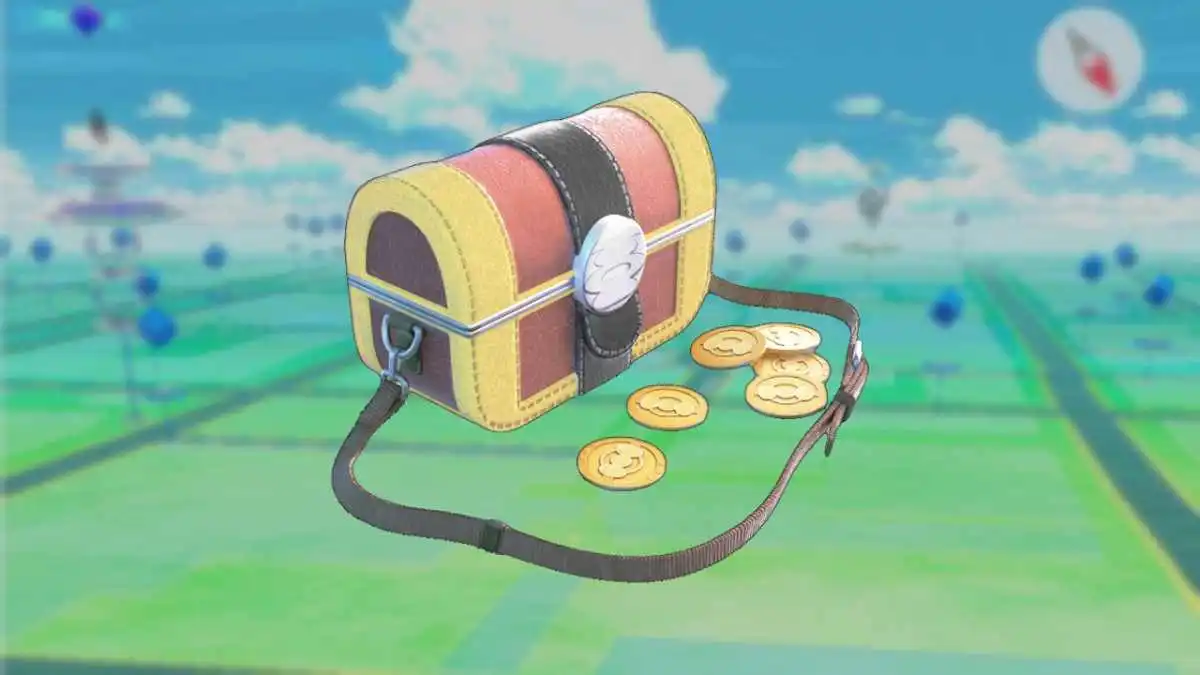
Coin Bags

Credits - progameguides.com

TwitterWhatsappLinkedin

Do you want to get a coin bag in Pokémon Go? Follow the guide to know how you can get this item in the game and then use it too. So, let’s jump in and see how it can be done.

You might also like

How to view instants on Instagram?

How to request money on X?

How To Catch Rare Pokemon In Pokémon GO

What is a coin bag in Pokémon Go?

The Coin Bag is a special, reusable item in Pokémon Go that works just like the Mystery Boxes work in the game. It is specifically for catching Gimmighoul, and that makes it different. You get it by connecting your Pokémon Go account to a Nintendo Switch and sending a postcard to Pokémon Scarlet or Violet.

Once you have got your account activated, the Coin Bag activates, and it acts like a thirty-minute incense. For half an hour, Roaming Form Gimmighoul will spawn around your map, allowing you to catch them and collect Gimmighoul Coins. You need to hoard nine hundred and ninety-nine of these coins to evolve Gimmighoul into Gholdengo. You can use the bag once a day by sending another postcard to the Switch game, and this is really important.

Steps to get coin bags in Pokémon Go

If you want to get coin bags in Pokémon Go, then these are the steps that you need to follow.

  • Just start by starting up your Nintendo Switch and launching your copy of Pokémon Scarlet or Pokémon Violet to get things ready.
  • You can now go to open your Pokémon Go app on your phone, head into your settings menu, and select Connected Devices and Services. When you’re there, tap on the option to link your Nintendo Switch.
  • Press the X button in your Switch game to open the main menu, choose Poke Portal, select Mystery Gift, and click on the option to connect to Pokémon Go to pair the devices, which will ultimately trigger the bag.
  • After doing this, go back to your phone, open your Trainer profile, tap on your Postcard Book, and choose any postcard you have saved from a PokeStop.
  • Now tap on the icon with three bars in the bottom right corner of the postcard screen. After that, click on the Send to Nintendo Switch button.
  • As the next step, return to your Switch game, select Mystery Gift again, and choose the option that says Receive from Pokémon Go to accept the incoming postcard.
  • Take a peek inside your Pokémon Go item bag on your phone immediately. After the transfer is complete, you will see the Coin Bag waiting for you. Just keep in mind that you can repeat this postcard transfer process once every day to refresh and reuse the bag for thirty minutes of Gimmighoul spawns and go out for the hunt!

Tags: #howtoCoin bagsHow to get coin bags in Pokémon Go?Online GamingPokémon Go
Tweet54SendShare15
Previous Post

How to request money on X?

Next Post

How to view instants on Instagram?

Afeefa Ansari

Recommended For You

How to view instants on Instagram?

by Afeefa Ansari
July 6, 2026
0
Instants

Receiving instant messages from friends on Instagram? Here is how you can receive and open them when sent. Let us see how it can be done and how...

Read more

How to request money on X?

by Afeefa Ansari
July 6, 2026
0
X

Want to ask for money from someone on X? Let us assist you. Follow the guide to know how you can judge someone to get money if you're...

Read more

How To Catch Rare Pokemon In Pokémon GO

by Khilav Jadav
July 5, 2026
0
How to Evolve Floette Pokémon GO

Finding rare Pokémon in Pokémon GO is one of the most exciting parts of the game. Whether you are searching for powerful Legendary Pokémon, elusive regional species, or...

Read more
Next Post
Instants

How to view instants on Instagram?

Please login to join discussion

Techstory

Tech and Business News from around the world. Follow along for latest in the world of Tech, AI, Crypto, EVs, Business Personalities and more.
reach us at info@techstory.in

Advertise With Us

Reach out at - info@techstory.in

Aviator Game India 2026

BROWSE BY TAG

#Crypto #howto 2024 acquisition AI amazon Apple Artificial Intelligence bitcoin Business China cryptocurrency e-commerce electric vehicles Elon Musk Ethereum facebook funding Gaming Google India Instagram Investment ios iPhone IPO Market Markets Meta Microsoft News OpenAI samsung Social Media SpaceX startup startups tech technology Tesla TikTok trend trending twitter US

© 2025 Techstory.in

No Result
View All Result
  • News
  • Crypto
  • Gadgets
  • Memes
  • Gaming
  • Cars
  • AI
  • Startups
  • Markets
  • How to

© 2025 Techstory.in

Welcome Back!

Login to your account below

Forgotten Password?

Retrieve your password

Please enter your username or email address to reset your password.

Log In
Are you sure want to unlock this post?
Unlock left : 0
Are you sure want to cancel subscription?
