• Send Us A Tip
  • Calling all Tech Writers
  • Advertise
Sunday, July 26, 2026
  • Login
TechStory
  • News
  • Crypto
  • Gadgets
  • Memes
  • Gaming
  • Cars
  • AI
  • Startups
  • Markets
  • How to
No Result
View All Result
  • News
  • Crypto
  • Gadgets
  • Memes
  • Gaming
  • Cars
  • AI
  • Startups
  • Markets
  • How to
No Result
View All Result
TechStory
No Result
View All Result
Home How to

How to view instants on Instagram?

by Afeefa Ansari
July 6, 2026
in How to
Reading Time: 2 mins read
0
Instants

Credits - tn.com.ar

TwitterWhatsappLinkedin

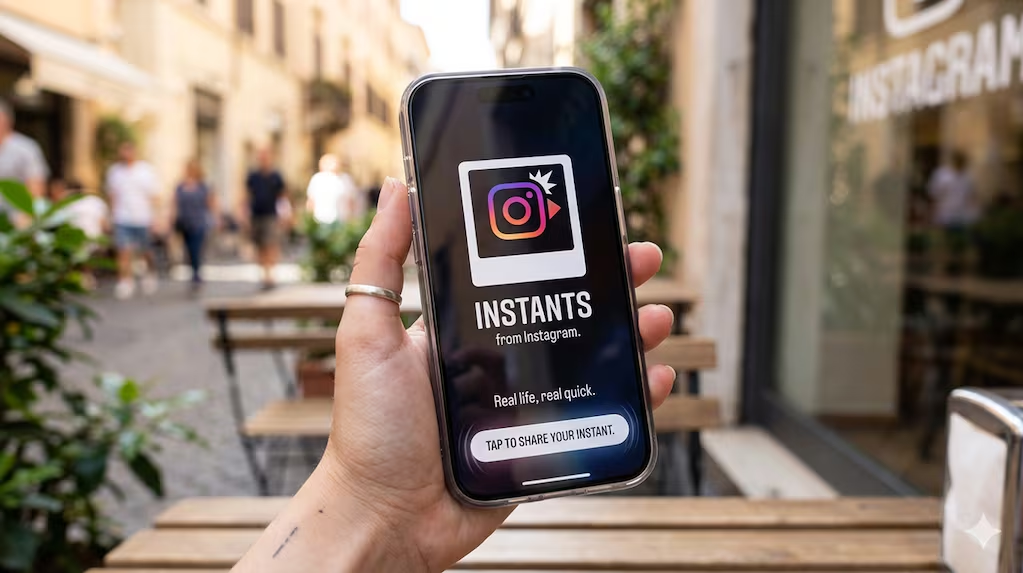
Receiving instant messages from friends on Instagram? Here is how you can receive and open them when sent. Let us see how it can be done and how they work. So, let’s get started.

You might also like

How to spot fake online stores?

How to keep credit card points from expiring?

How to verify information online?

What are Instants on Instagram?

Instagram Instants is a new disappearing photo feature that launched in May 2026 and has been trending ever since.  It works like Instagram’s take on early Snapchat and is much like a Snap that opens only once. It is built directly into your direct messages and lets you share raw, real-time moments with your Close Friends or mutual followers. The catch is that you cannot use filters, upload from your camera roll, or edit the image at all. That’s what makes it all the more candid. You just take a quick picture, add a short caption, and send it. Once your friend opens the photo, it vanishes immediately. Unopened snaps expire after twenty-four hours. You also cannot take screenshots, which makes sharing feel more casual and private. It is all about spontaneous communication that doesn’t feel like a burden or something that someone can store in their devices. It is different from a perfectly polished feed, letting people be candid for that one shot.

Viewing instants on Instagram

If you want to view Instagram, then these are the steps that you need to follow.

  • It is pretty simple and will come naturally to you once you get the hang of it. Start by opening the Instagram application on your mobile device.
  • Jump into your direct message box, which is located in the top right corner of your screen.
  • Here, you have to have a look at the bottom right corner of your inbox screen for a mini photo-stack icon. This is what we’re looking for.
  • Now, check if there is a glowing ring or a notification number attached to this very stack, which indicates your friends have sent you new unread photos. Mind you, this is the place where you will find any instant sent to you.
  • Tap directly on the photo-stack icon to open the incoming stream of images.
  • Now you can view these real-time, unfiltered photos and read the text caption your friend wrote before taking the shot. Open it when you can watch, as you have to keep in mind that you can only view each photo once before it vanishes completely from your screen.
  • Even if you try to take a screenshot or screen recording, the platform blocks this action and will only capture a blank black screen.
  • Also, if you miss any of it and choose not to open it, it will go in this pile and will automatically expire and disappear after twenty-four hours.

Tags: #howtoHow to view Instants on Instagram?InstagramInstagram instantsinstantsview instants
Tweet54SendShare15
Previous Post

How to get coin bags in Pokémon Go?

Next Post

Best Credit Cards for Online Shopping in July 2026: Top Picks for Rewards and Protection

Afeefa Ansari

Recommended For You

How to spot fake online stores?

by Afeefa Ansari
July 26, 2026
0
onlinestores

So many stores online- ever wondered if all are authentic? We'll find out. Here is how you can figure out if an online store is legitimate. This is...

Read more

How to keep credit card points from expiring?

by Afeefa Ansari
July 26, 2026
0
Expiring points

Worried about credit card points expiring? Here is how you can save them from going to waste. Follow the guide to get started and save the points. How...

Read more

How to verify information online?

by Afeefa Ansari
July 26, 2026
0
Information

Do you believe everything you see on the internet? Well, sometimes we all do. But it is always important to verify the information to make out what the...

Read more
Next Post
Best Credit Cards for Online Shopping in July 2026: Top Picks for Rewards and Protection

Best Credit Cards for Online Shopping in July 2026: Top Picks for Rewards and Protection

Please login to join discussion

Techstory

Tech and Business News from around the world. Follow along for latest in the world of Tech, AI, Crypto, EVs, Business Personalities and more.
reach us at info@techstory.in

Advertise With Us

Reach out at - info@techstory.in

Aviator Game India 2026

BROWSE BY TAG

#Crypto #howto 2024 acquisition AI amazon Apple Artificial Intelligence bitcoin Business China cryptocurrency e-commerce electric vehicles Elon Musk Ethereum facebook funding Gaming Google India Instagram Investment ios iPhone IPO Market Markets Meta Microsoft News OpenAI samsung Social Media SpaceX startup startups tech technology Tesla TikTok trend trending twitter US

© 2025 Techstory.in

No Result
View All Result
  • News
  • Crypto
  • Gadgets
  • Memes
  • Gaming
  • Cars
  • AI
  • Startups
  • Markets
  • How to

© 2025 Techstory.in

Welcome Back!

Login to your account below

Forgotten Password?

Retrieve your password

Please enter your username or email address to reset your password.

Log In
Are you sure want to unlock this post?
Unlock left : 0
Are you sure want to cancel subscription?