Mortal Kombat, notorious for its gruesome and visceral combat, has been a staple in the world of video games. Mortal Kombat 1, in particular, doesn’t disappoint when it comes to delivering bone-crunching Fatalities. If you’re eager to perform these finishing moves beyond the basic ones each character starts with, you’ve come to the right place. In this guide, we’ll walk you through the steps on how to execute Fatalities, including the input combinations and positioning required. Plus, we’ll delve into the intriguing world of Kameo fighters’ Fatalities.
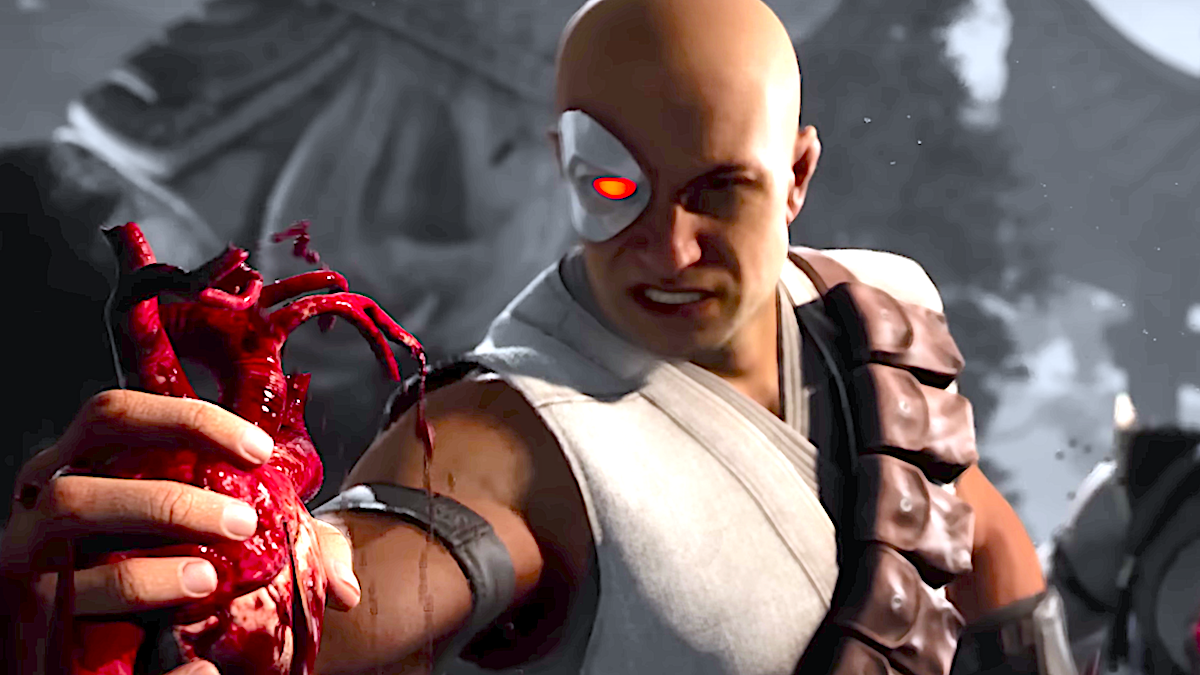
How to Perform a Fatality in Mortal Kombat 1
Performing a Fatality in Mortal Kombat 1 is an exhilarating experience, but it requires precise execution. When you manage to deplete your opponent’s health to zero for the second time in a match, a message reading “FINISH HIM/HER” will boldly appear on the screen. This serves as your not-so-subtle cue that it’s time to unleash a Fatality on your hapless adversary.
To successfully execute a Fatality, you must input a specific four-button combination. Typically, this combo consists of four directional inputs and one of the four primary attack buttons. Even if you input the combo correctly, it’s crucial to ensure you’re positioned at the right distance from your opponent (close, middle, or far). Additionally, you need to act swiftly to avoid running out of time during the “FINISH” phase.
If you manage to complete the combo within the time limit and at the proper distance, you’ll witness a blood-soaked spectacle as your character unleashes a gory attack that leaves your opponent’s body in tatters.
Executing a Kameo Fatality follows the same principle, except you’ll replace one of the four main attack buttons with the assist button. When executed correctly, your character will gracefully evade the attack, allowing your Kameo fighter to seize control and perform the Fatality.
It’s worth noting that Fatalities differ from Brutalities, which are executed before a fight concludes and come with their unique button inputs.
Kano’s Heart Rip Fatality
One of the standout Fatalities in Mortal Kombat 1 is Kano’s Heart Rip. This signature move sees Kano literally tearing the heart out of his opponent’s chest before triumphantly raising the still-beating organ in the air. However, it’s essential to note that the visual details of this Fatality vary depending on the version of the game.
For instance, in the SNES version, Kano may not appear to be holding a heart after performing the Fatality. In the Genesis version, where the blood code is absent, Kano comically swipes the opponent’s cell phone instead of their heart.
Kano Fatality Input Directions
Executing Kano’s Heart Rip Fatality requires a specific input combination. Here are the directions:
- (Mid) Heart Ripper: Back, Down, Forward, Kameo
Standing not too close yet not too far away (about 2-3 steps back ) from the enemy, press the above mentioned keys/buttons followed by the Kameo button in order to execute the fatality
Unlocking Fatalities in Mortal Kombat 1
In Mortal Kombat 1, each character boasts two distinct Fatalities. One is available right from the start of the game, while the second remains a hidden gem you’ll need to discover by playing that character. However, here’s a nifty trick: you can actually perform the second Fatality without unlocking it in advance, as long as you know the correct combo and the required distance. We’ve got all the details for you below.
If you prefer to unlock these Fatalities organically, you’ll need to increase your Mastery level with each character. As you engage in battles with a specific character, whether in Invasions or Towers, you’ll accumulate experience points for them. When your character levels up, you’ll gain access to various rewards, including new cosmetic options and, crucially, the character’s second and final Fatality. Keep in mind that unlocking late-Master character features, like Fatalities, can be a time-consuming endeavor.
If you’re itching to practice your Fatalities or simply want to marvel at the gruesome animations without jumping into a fight first, head over to the Learn menu.
Conclusion
Mastering Fatalities in Mortal Kombat 1 is a rewarding endeavor that adds a layer of excitement to the game. Armed with the knowledge of how to execute these brutal finishing moves and the character-specific inputs, you’re well on your way to becoming a formidable Mortal Kombat player. Whether you choose to unlock Fatalities organically or simply practice them in the Learn menu, the thrill of watching your character unleash their signature Fatality is an experience that every Mortal Kombat fan should savor. So, get ready to dominate the arena and perform the Kano Fatality with precision and style!