For many gamers, performance is everything. Frame rates, loading times, cooling, battery life, and background apps all matter when a system is pushed hard.
But one tool often gets ignored in the gaming setup: the browser.
Modern gaming rarely happens in isolation. Players keep guides open, watch livestreams, follow patch notes, compare gear, browse forums, and look up walkthroughs while games are running.
That means the browser is often competing for the same memory, battery, and system resources as the game itself.
Wave Browser, for example, is a web browser that helps turn everyday browsing into verified environmental impact.
Through its partnership with 4ocean, Wave Browser helps fund the removal of plastic and trash from our ocean, rivers, and coastlines while offering features designed to support productivity, organization, and a more efficient browsing experience. Wave Browser is available on Windows, Mac, Android, and iOS.
For gamers who often browse while playing, features like memory saver, energy saver, split-screen browsing, and sidebar tools reflect how browsers are increasingly used alongside gaming workflows.
Why Browser Efficiency Matters During Gaming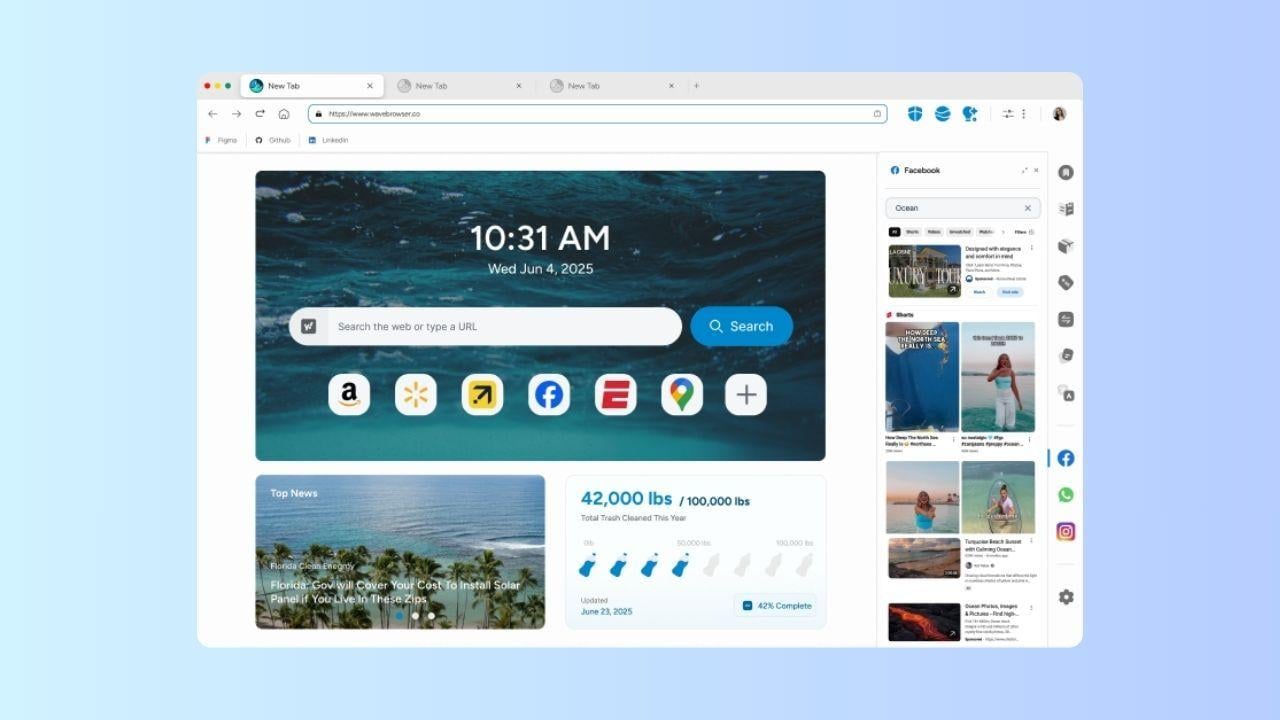
Gaming can be resource-intensive, especially on laptops, older PCs, or systems running several apps at once.
A browser with multiple tabs open can use memory even when some of those tabs are not actively being viewed. Add a video platform, a messaging app, a game wiki, and a few shopping or forum tabs, and the browser can become one more thing competing for system resources.
That is why browser performance features have become more important. Google has described memory saver-style tools as useful when users are running intensive applications, including games, because inactive tabs can be paused so active tasks have more available memory.
For gamers, that idea is easy to understand: the less energy spent managing unnecessary tabs, the more attention can stay on the game.
What is Wave Browser?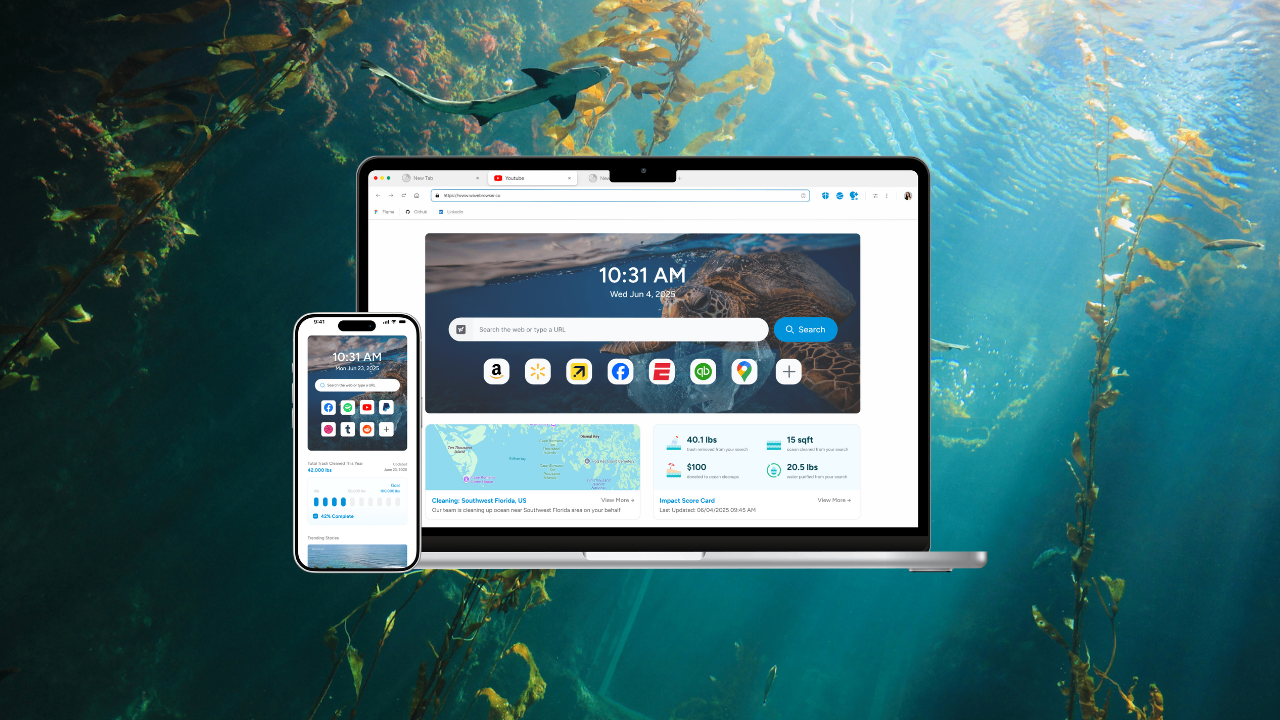
Wave Browser is a web browser available on desktop and mobile platforms, including Windows, Mac, iOS, and Android.
It includes tools designed to support smoother everyday browsing, including:
- Memory saver
- Energy saver
- Split-screen
- Sidebar shortcuts
- Bookmarks and reading lists
- AI assistant
- Translation tools
- Content notifications
The browser is designed for people who move between different online tasks throughout the day. For gamers, that can mean keeping gaming resources close without letting the browser become unnecessarily heavy.
Alongside these features, Wave Browser incorporates an environmental initiative that helps fund the removal of plastic and trash from our ocean, rivers, and coastlines.
Memory Saver: Helpful for Heavy Tab Sessions
Gamers are often tab collectors.
One tab has a walkthrough. Another has patch notes. Another has a video guide. Another has a build calculator. Another has a community thread. Before long, the browser is carrying a full research session while the game is still running.
Wave Browser’s memory saver feature is designed to help reduce the impact of inactive tabs. Instead of allowing every open tab to remain equally active, memory saver helps prioritize the pages users are currently using.
This can be especially useful when playing games that already require a significant amount of RAM. Steam’s monthly hardware survey continues to show that 16GB and 32GB RAM configurations remain major points of discussion among PC gamers, reflecting how important memory has become in modern gaming setups.
Memory Saver does not replace better hardware, and it should not be treated as a performance guarantee. But it reflects a practical reality: gamers benefit when background browsing is more efficient.
Energy Saver: A Practical Feature for Laptop Gamers
Gaming laptops are powerful, but battery life can disappear quickly.
Even outside full gameplay, players often browse gaming news, watch videos, compare accessories, manage accounts, or follow updates while unplugged. In those moments, browser energy use can still matter.
Wave Browser’s energy saver feature is designed to help reduce unnecessary power usage during browsing. For laptop users, that can be helpful when researching, watching content, or managing gaming-related tasks away from a charger.
This aligns with a broader browser trend. Performance settings in modern browsers increasingly focus not only on speed, but also on helping active tabs run smoothly and extending battery life.
For gamers, energy saver is less about replacing a power adapter during demanding gameplay and more about making everyday gaming-related browsing feel more practical on portable devices.
Split Screen for Guides, Streams, and Research
Many players use the browser as a second screen, even when they only have one monitor.
Wave Browser’s split-screen feature allows users to view two webpages side by side in one browser window. That can be helpful when comparing loadouts, following a tutorial while reading notes, checking patch changes against community reactions, or keeping a stream open beside related content.
For gamers with limited screen space, split screen can reduce the constant switching between tabs. It also supports a more organized setup, especially for players who use the browser for research, streaming, or community content during a gaming session.
Sidebar Tools Keep Gaming Resources Within Reach
The sidebar is another feature that can improve gaming workflows.
Players often jump between messaging apps, video platforms, social feeds, and gaming communities. A sidebar with quick access to frequently used services can make those tools easier to reach without opening more tabs than necessary.
That matters because gaming is increasingly social. Players are not just playing games; they are watching creators, talking with friends, joining communities, and following live updates.
A browser sidebar helps keep those touchpoints organized in one place.
Built for Real-Life Multitasking
The modern gaming setup is not just about the game window.
A player might have a game running, a headset connected, a video guide playing, a chat open, and a product page bookmarked for later. Streamers and content creators may manage even more: dashboards, analytics, chat windows, thumbnails, notes, and clips.
Wave Browser’s efficiency-focused tools are designed around this kind of real-life multitasking. And while browsing normally, users contribute to ongoing cleanup operations in marine and coastal ecosystems.
That makes its features relevant for more than convenience. They help reduce friction.
Trust, Transparency, and Software Standards
Wave Browser is also AppEsteem certified, meaning it has been evaluated against standards related to transparency, responsible software behavior, and consumer protection. This certification helps frame Wave within a standards-based evaluation process rather than relying only on marketing claims.
A Browser With an Environmental Mission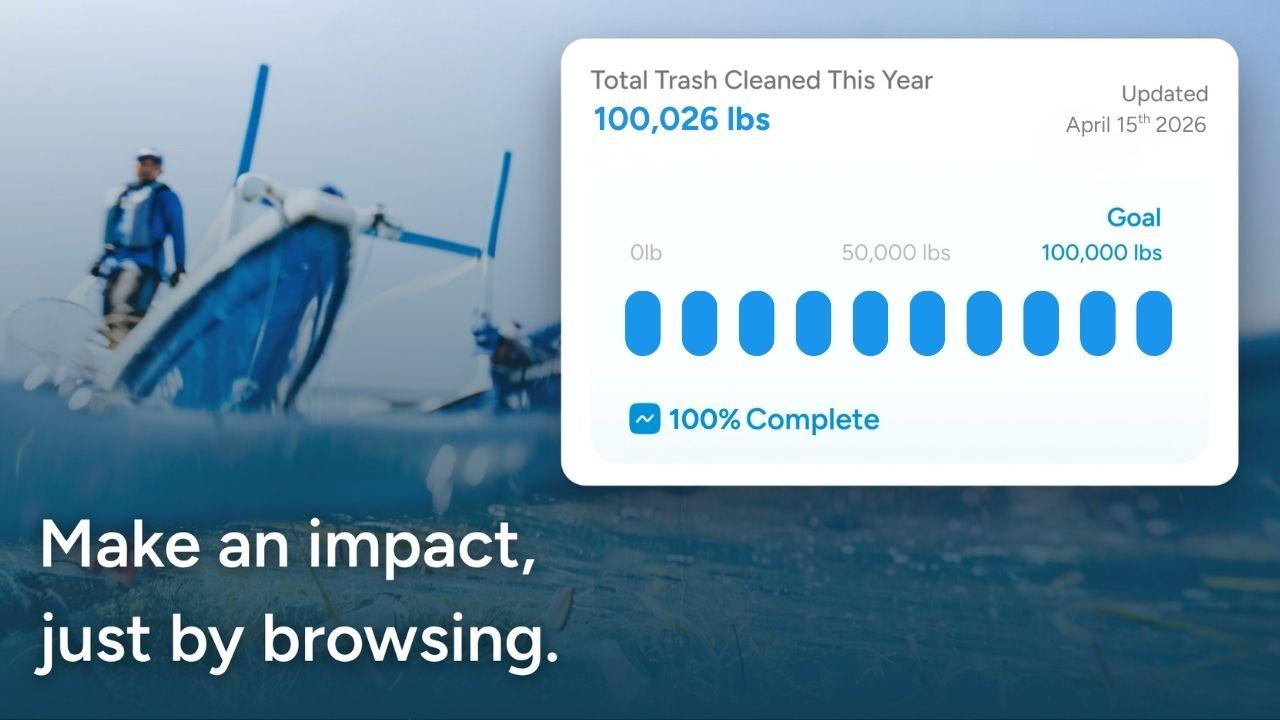
Wave Browser also connects its browsing experience to an environmental mission.
Through a Certified Cleanup Partnership with 4ocean, Wave helps fund the removal of plastic and trash from our ocean, rivers, and coastlines. The company’s long-term goal is to support the removal of 300,000 pounds of plastic and trash by 2028.
The browser also includes a live impact tracker and publishes monthly impact reports related to cleanup progress and partnership activity. This gives users a way to see how the broader Wave community is contributing to verified cleanup efforts over time.
For gamers who care about sustainability, this adds another layer to the browser’s identity. It is not just a tool for browsing guides or watching videos; it is also connected to a real-world environmental initiative.