• Send Us A Tip
  • Calling all Tech Writers
  • Advertise
Saturday, October 24, 2026
  • Login
TechStory
  • News
  • Crypto
  • Gadgets
  • Memes
  • Gaming
  • Cars
  • AI
  • Startups
  • Markets
  • How to
No Result
View All Result
  • News
  • Crypto
  • Gadgets
  • Memes
  • Gaming
  • Cars
  • AI
  • Startups
  • Markets
  • How to
No Result
View All Result
TechStory
No Result
View All Result
Home Business

Apple WWDC 2022: Most exciting announcements!

by Mehardeep Singh
June 8, 2022
in Business, Design, Events, Fitness Tech, Future Tech, Gadgets, Innovations, Learning, Markets, Mobile, News, Popular, Stories, Story, Tech, Trending, Trends, VR, Wireless Charging, Wireless Charging, World
Reading Time: 6 mins read
0
Apple WWDC 2022: Most exciting announcements!
TwitterWhatsappLinkedin
Source: PCMag

As you know, the most anticipated event of the year just took place a few hours ago. Yes, the first Apple event of 2022, and like previous events, this event was also streamed online. Just like what we have been seeing over the years, this time too, there were a lot of new announcements and releases which we will surely come to in a bit!

You might also like

How Accurate Captions Make Short Mobile Videos More Accessible and Easier to Understand

At Least 17 Data Center Campuses Proposed on US Public Lands, Raising Environmental Concerns

Google Employees Resign Amid Backlash Over AI Contracts With Military

But first, As you probably are well aware, Apple Inc. is nothing but an American multinational technology company that is known for being specialized in consumer electronics, online services as well as software, headquartered in Cupertino, California, United States.

Having said that, every year, the global tech giant is said to hold a conference in order to announce the upcoming major software updates and at times announce its new products that are in the pipeline and are about to be launched in the international marketplace. This conference is known to usually be held in the San Jose Convention Centre in California.

In other words, Every year, to kick off the WWDC, Apple holds a keynote event. The keynote for WWDC 2022 was set to take place on Monday, June 6, with the Livestream kicking off at around 10:100 am Pacific time (10:30 am). Also, the said event is known to have been streamed on the Apple Developer App, Apple.com, Apple TV, Apple Developer Website as well as YouTube of course, with on-demand playback available.

Not to mention, this event is being hosted in an online mode and would last from June 6-10. In addition to this, apart from the online conference, Apple also hosted a special day for students as well as developers at Apple Park on June 6 in order to watch the keynote and State of Union videos together, along with the online community, thus adding an offline element of sorts to the event after nearly two years of being entirely virtual.

Apple’s WWDC 2022: latest updates
Source: MobileSyrup


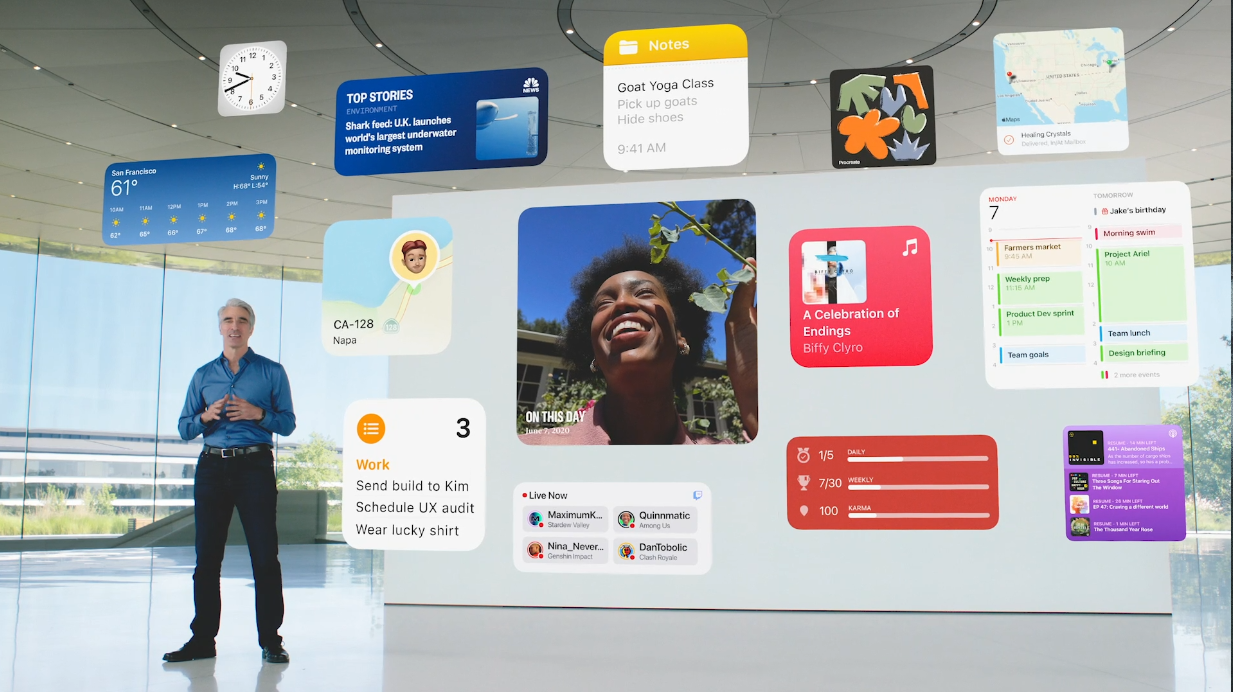
To begin with, in the event, it was anticipated that it is primarily meant for several software announcements, but the rumor had it that, the tech giant might also unveil some new MacBook Airs too. Apart from this, Apple was surely expected to showcase the next iteration for macOS, IOS, watchOS, and iPad OS, while also giving us a look at its new reality OS, which is nothing but a software that is going to power its upcoming mixed reality AR/VR headset.

At this particular event, Apple was expected to be introducing us to the much-awaited IOS 16, the next generation of IOS that will be powering its next generation of iPhones including the iPhone 14 line-up that was most likely to be launched sometime in September this year.

Having said that, now let’s have a quick look at some of the exciting announcements made by the global tech giant, and let’s see as to how many of these rumors or reports were actually true!

WatchOS 9
Source: iDownloadBlog

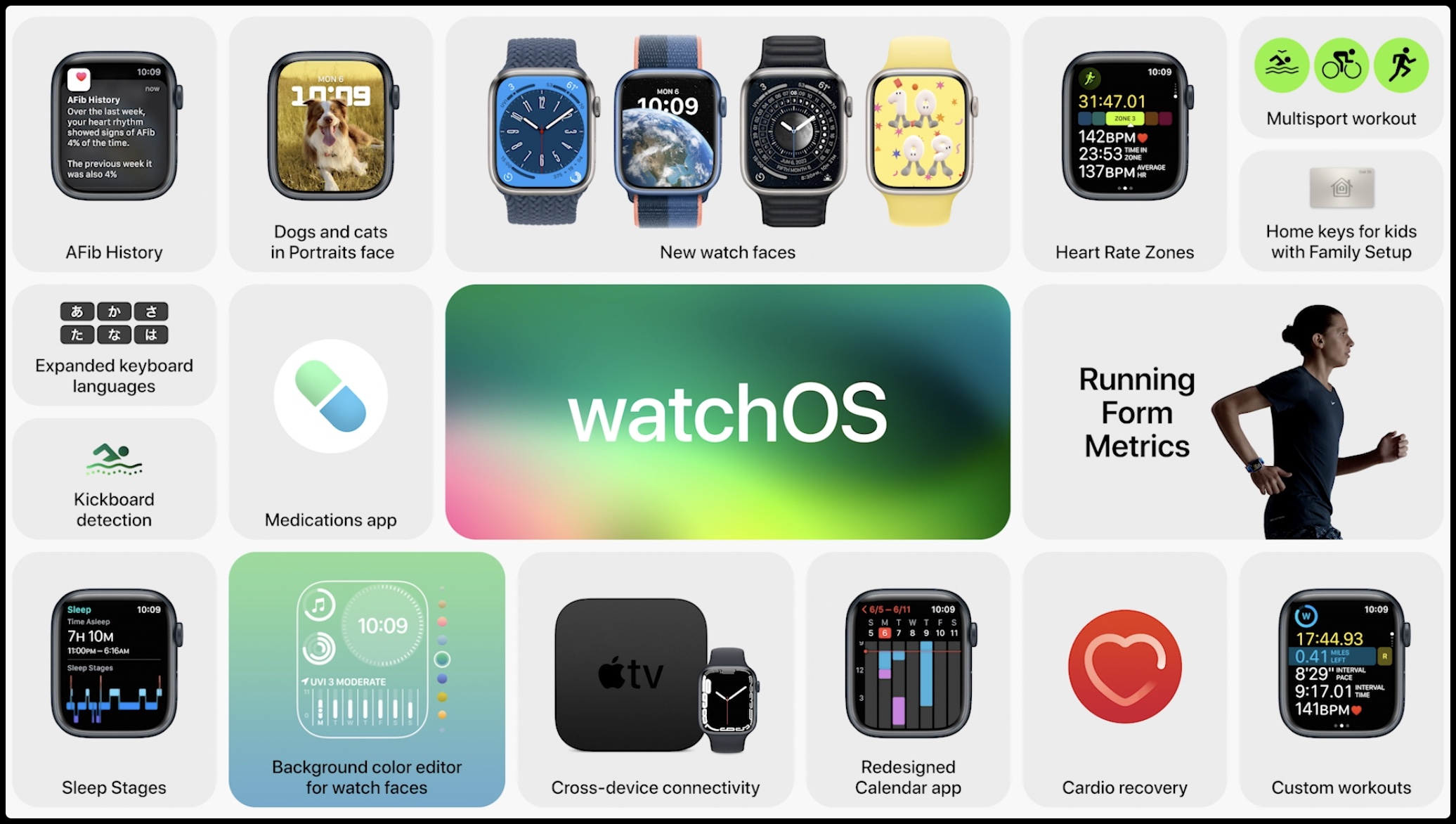
Speaking of the WatchOS 9, there is a lot of new watches faces available now, including one that is based around the cycle of the moon as well as the metropolitan, which looks more or less like a classic watch face itself. Not just that, there are also a lot of new refreshed features like changes made to Siri’s layout and Apple’s podcast app to name a few.

Apart from this, as usual, a WatchOS update can never be complete without the updates made to health and fitness tracking and so, there are three new running metrics tracked in the latest version of the same which will surely give you a more complete look of not just your pace and speed but also your technique.

Also, Sleep tracking has been tweaked a little and gets new sleep stages feature. Not to mention, WatchOS 9 was a pioneer of sorts in tracking atrial fibrillation and so you can now keep track with history available and will also have a new medication section to help you keep track of that too!

IOS 16
Source: 9to5Mac

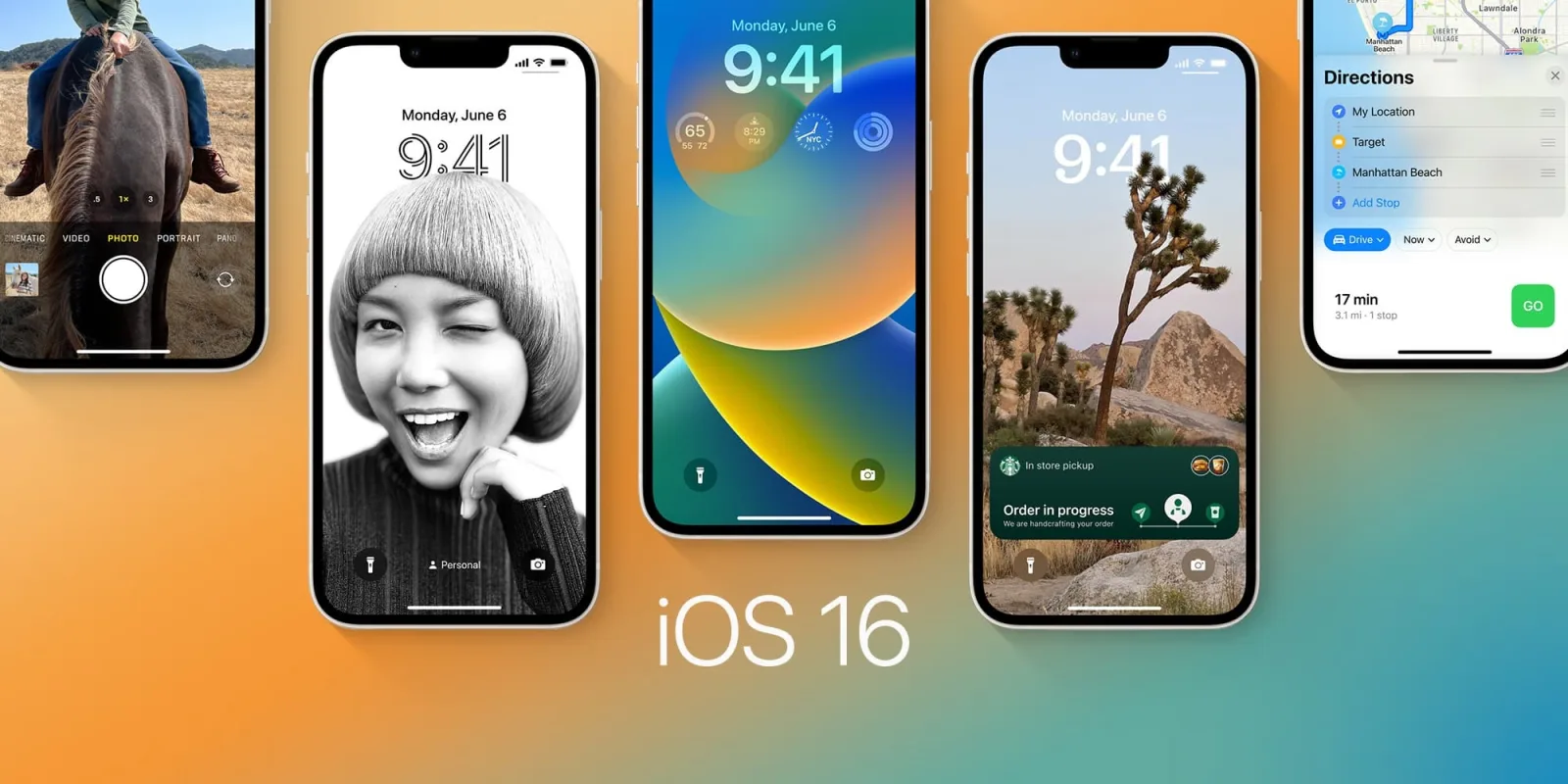
IOS 16 is surely the newest software powering iPhones around the globe and it sure has a few new tricks up its sleeve. Notably so, a few of them are surely inspired by Android. The first one includes changes to the lock screen as you can now personalize the same with filters, fonts, accents, color, swipes, taps, etc. It also allows you to add widgets now.

Also, Apple introduced live activities, thus giving developers a much more elegant way to deliver a lot of notifications, which will surely be better organized on the lock screen as well, yet another Android-inspired change. Not to mention the dictation works on the device and you easily switch between typing in and voice dictation.

M2 Chip
Source: Ars Technica

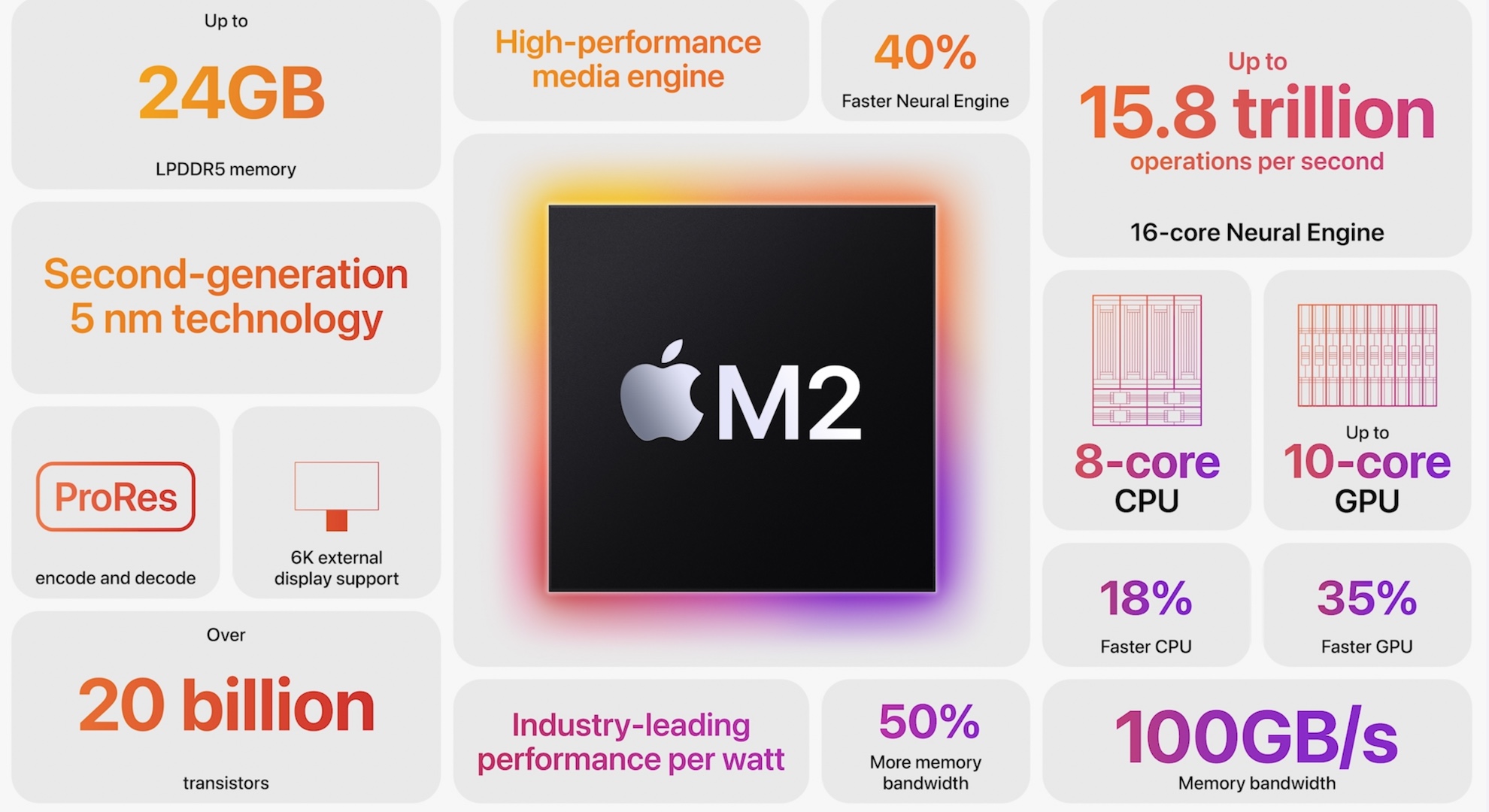
I know it may seem like just a few months ago when Apple launched the ultra-version of the M1 chip but Apple being the leading brand when it comes to innovation and has already come up with the M2 chipset, a true follow-up to the so-called industry-shaking M1 Chip.

Apple claims it to have an 18 percent boost in performance, while it also consumes less power as and when compared to the M1 chip. Also, M2 surely has a 10-core GPU, which is two more than M1. When you try and combine all the specks mentioned above, you get a powerhouse!

MacBook Air and 13-inch MacBook Pro
Source: CNET

So, we now have the much-awaited MacBook Air with an all-new M2 chip, and does not look like it used to but is a thinner version of the MacBook Pro. As a matter of fact, the device weighs just 2.7 pounds and is 11.3mm thick. Not to mention, it supports MagSafe as well, thus freeing up two thunderbolt ports while charging. Just like the MacBook Pro, the Air also features a controversial notch, however, it does have a 1080p webcam.

Apart from this, the second Mac with M2 is the new 13-inch MacBook Pro which looks like a shrunk-down version of other MacBooks. Both laptops will be available in July 2022 and the Air is said to start at 1,199 dollars, while the 13-inch Pro will start somewhere around 1,299 dollars.

macOS Ventura
Source: Apple

To begin with, Ventura’s flagship feature is known as Store Manager, which helps you to manage your open task much more productively and efficiently. When activated, the system will bring the app you are currently working on to the front center and move the rest of them to the side.

Some other tweaks include changes made to the Mail as it has a more advanced search and undoing sends. Spotlight surely is much more powerful now, having the ability to search text within images, making it Apple’s own Google! Not to mention, Safari now has shared tabs, making you capable of sharing work with family and friends.

Safari also includes Passkeys, which is Apple’s attempt towards removing text-based passwords. Moreover, FaceTime now supports Hand-off and it is worth noting that, macOS Ventura allows you to use your iPhone’s camera as a webcam, without any wiring.

iPad OS 16
Source: 9to5Mac

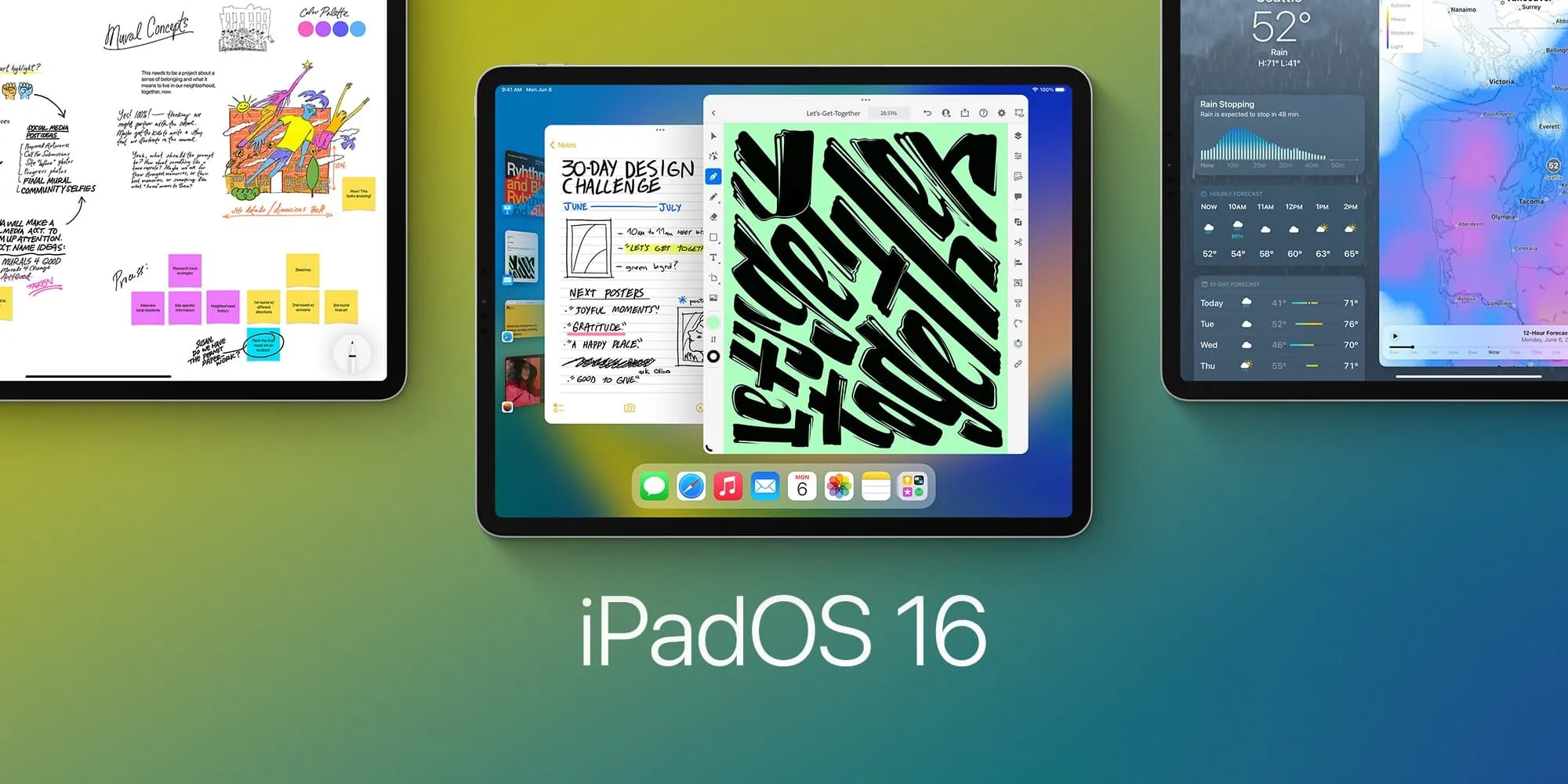
Most of the updates that iPad OS gets are similar to what we discussed in IOS 16 and macOS Ventura, even including Stage Manager. However, some new announcements made are not just specific to iPad and will come to other software as well. One of the main features is of collaboration, thus allowing you to share live documents with collaborators, making it very beneficial for work-in-progress documents.

Also, Free Form is a new collaboration tool, which is a virtual whiteboard within FaceTime calls. In addition to this, the new iPad OS finally gets more desktop-like features like better printing support and changing file extensions on the device itself. All of this focuses on blurring the line between the capabilities of an iPad and a MacBook.

Updates for Apple apps
Source: The Teal Mango

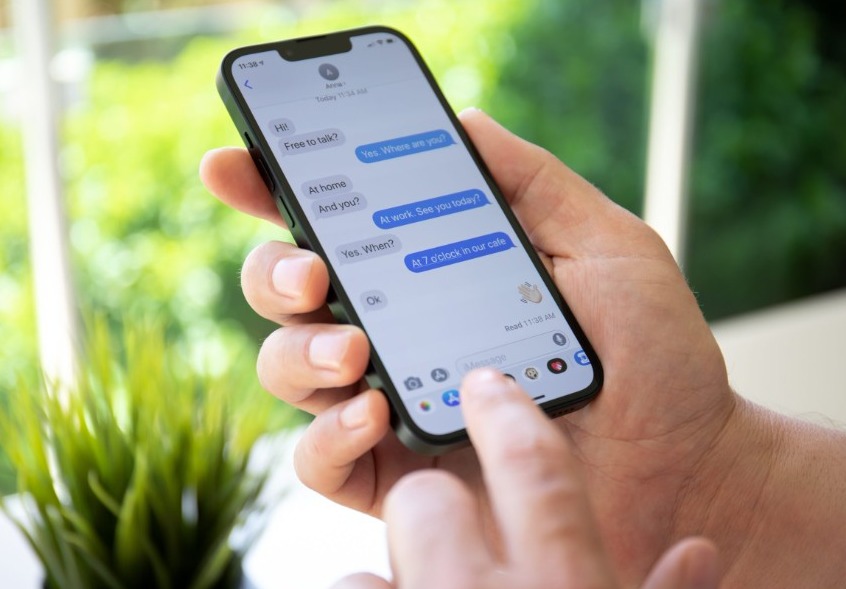
1. Apple’s iMessage now allows editing sent messages and supports unending sends and making threads unread.

2. Apple Maps are now rolling out to more countries with a lot of new features, most of which already exist in Google Maps.

3. It is now easier than ever to control and monitor your kid’s phone usage with Apple’s Family Sharing Center.

4. Apple photos now include an iCloud Shared Photo Library system, allowing you to share a private library of photos with up to five other people.

5. Apple has managed to redesign its Home app to make it more like Google’s similar Home app.

6. The Fitness app is now available to all iPhone users, which also includes those who don’t even own a connected Apple Watch.

Reading so far, I hope you have gotten a fair insight into what is Apple’s WWDC 2022 all about, and by now, I believe you would be more than excited for the releases of all the new announcements that are made by one of the biggest and most popular tech firms all across the globe.

In conclusion, what are your thoughts on Apple’s WWDC 2022? Do let us know in the comments area below. To know more about such reports, do check out other articles we have on our website. Thank you for your time & if you found our content informative, do share it with your investor friends!

Also read: How does Ola make money? Ola’s business model is explained!


Tags: AppleIOS 16iPad OS 16M2 chipMacBookmacOS VenturaMagSafeMost exciting announcements of Apple's WWDC 2022.WatchOS 9WWDC
Tweet54SendShare15
Previous Post

MicroStrategy’s $2.4Billion debt for Bitcoin is a proof showing Saylor’s trust on Crypto!

Next Post

The Lummis GilliBrand Bill’s major objectives – Legal Cover to crypto, NFT a New Class Asset and 100% backing for Stablecoins

Mehardeep Singh

Recommended For You

How Accurate Captions Make Short Mobile Videos More Accessible and Easier to Understand

by Rohan Mathawan
October 24, 2026
0
Short videos have become a daily habit for mobile users. People watch clips on buses, in waiting rooms, during breaks, and late at night with the volume turned down. Gaming highlights, creator tutorials, reaction clips, and quick product reviews all compete for a few seconds of attention. In that setting, captions are no longer a bonus feature. They are a core part of how a video communicates. When captions are accurate, they help more people follow along, understand the message, and enjoy the content as the creator intended. When they are careless, they can confuse viewers or leave them out entirely. Why Captions Matter for Mobile Viewers Many creators now rely on a caption generator to turn spoken audio into on screen text quickly, which saves time when they publish several clips each week. The real value of that text, however, depends on how closely it matches what is actually said and heard. For viewers who are deaf or hard of hearing, captions are the main way to access speech, tone, and important sound cues. For other viewers, captions support situations where audio is not practical, such as noisy streets, shared spaces, or quiet environments. A clip with clear and correct text works for all of these people without requiring any extra effort from them. Accessibility Starts with Accuracy Accessibility is about giving every viewer a fair chance to understand the content. Captions that skip words, change meanings, or misspell names can make that difficult. A viewer who relies on text cannot compare it against the audio, so any error becomes part of the message they receive. Accurate captions should include the spoken words, the speaker when it is not obvious, and meaningful sounds such as music cues, laughter, or alerts. For example, in a cooking clip, a caption that reads "add two teaspoons of salt" instead of "add two tablespoons of salt" changes the result of the recipe. Accuracy protects the viewer from small mistakes with real consequences. Comprehension in Fast Moving Gaming Clips Gaming clips move quickly. Players speak fast, use abbreviations, call out locations, and react to events that happen in a split second. Team callouts such as map positions, weapon names, and character abilities often sound similar when heard quickly, which makes accurate text especially useful. A viewer who is new to a game may not recognize a term by ear, but seeing it written correctly helps them learn it. Captions also help when the in game audio, music, and voice chat overlap. Clear text separates the commentary from the background noise, so the viewer can follow what the player is saying without replaying the clip several times. Creator Clips and Clear Communication Creators share advice, tutorials, opinions, and stories in short formats where every second counts. Captions give them a way to reinforce key points without adding extra length. A beauty creator can display product names exactly as spoken, a fitness creator can show the number of repetitions, and a tech reviewer can spell out model names that are easy to mishear. Captions also help viewers whose first language is not the language of the video. Reading along while listening can make unfamiliar accents or fast speech easier to follow. This does not replace translation, but it supports comprehension for people who are still building their listening skills. Common Caption Errors and Their Effects Some caption mistakes appear again and again in short videos. Understanding them helps creators know what to check before publishing. Homophones, such as "their" and "there," or "to" and "two," can change the meaning of a sentence. Proper nouns, including usernames, game titles, brand names, and place names, are often misspelled. Missing punctuation can make a sentence read as a different statement or question. Lines that appear too early or too late can confuse the viewer about who is speaking. Technical terms and slang may be replaced with common words that sound similar but mean something else. Each of these errors is small on its own, but in a clip that lasts under a minute, even a few of them can reduce clarity. Reviewing the text once before posting is a simple habit that keeps these problems from reaching the audience. Practical Tips for Better Captions Creators do not need advanced skills to improve caption quality. A few steady habits can make a visible difference. Record audio as clearly as possible, because clean speech gives any captioning method a better starting point. Read through the full text while listening to the clip, and correct names, numbers, and terms that are specific to the topic. Keep each line short, so viewers can read it comfortably without missing the picture. Add brief descriptions for important sounds, such as "applause" or "game alert," when they affect understanding. Watch the final video on a phone, since that is where most viewers will see it. These steps are practical rather than technical. They focus on the viewer experience and not on any promise of a specific result. Timing, Placement, and Design on Small Screens On a small mobile screen, the look of captions matters almost as much as their wording. Text should appear at a size that is easy to read, with enough contrast against the background. White text with a dark outline or a soft background box is a common choice because it stays readable over changing scenes. Captions should also avoid covering important parts of the video, such as the game interface, a product being demonstrated, or a speaker's face. Timing is equally important. Text that appears just as the words are spoken feels natural, while text that lags behind can make the video feel out of sync. Careful placement and timing help viewers read and watch at the same time without effort. Conclusion Accurate captions make short mobile videos more accessible, easier to follow, and more useful to a wider audience. They support viewers who cannot rely on sound, help new players understand fast gaming clips, and give creators a reliable way to share clear messages in a few seconds. A caption generator can speed up the first step by producing text from speech, but the best results come when creators review the output, correct names and terms, and check timing and readability on a phone. By treating captions as a real part of the video and not an afterthought, creators can make their content welcoming and understandable for more people, one short clip at a time.

Short videos have become a daily habit for mobile users. People watch clips on buses, in waiting rooms, during breaks, and late at night with the volume turned...

Read more

At Least 17 Data Center Campuses Proposed on US Public Lands, Raising Environmental Concerns

by Shailja Jha
October 24, 2026
0
At Least 17 Data Center Campuses Proposed on US Public Lands, Raising Environmental Concerns

At least 17 data center campuses have been proposed on public lands across the western United States, highlighting the growing demand for infrastructure to support artificial intelligence and...

Read more

Google Employees Resign Amid Backlash Over AI Contracts With Military

by Shailja Jha
October 24, 2026
0
Google Employees Resign Amid Backlash Over AI Contracts With Military

Google is facing renewed internal criticism over its artificial intelligence contracts with military organizations, with reports of employees resigning in protest against the company's involvement in defense-related projects....

Read more
Next Post
Lummis GilliBrand Bill

The Lummis GilliBrand Bill’s major objectives - Legal Cover to crypto, NFT a New Class Asset and 100% backing for Stablecoins

Please login to join discussion

Techstory

Tech and Business News from around the world. Follow along for latest in the world of Tech, AI, Crypto, EVs, Business Personalities and more.
reach us at info@techstory.in

Advertise With Us

Reach out at - info@techstory.in

Aviator Game India 2026

BROWSE BY TAG

#Crypto #howto 2024 acquisition AI amazon Apple Artificial Intelligence bitcoin Business China cryptocurrency e-commerce electric vehicles Elon Musk Ethereum facebook funding Gaming Google India Instagram Investment iPhone IPO Market Markets Meta Microsoft News OpenAI samsung Social Media SpaceX startup startups tech Tech news technology Tesla TikTok trend trending twitter US

© 2025 Techstory.in

No Result
View All Result
  • News
  • Crypto
  • Gadgets
  • Memes
  • Gaming
  • Cars
  • AI
  • Startups
  • Markets
  • How to

© 2025 Techstory.in

Welcome Back!

Login to your account below

Forgotten Password?

Retrieve your password

Please enter your username or email address to reset your password.

Log In
Are you sure want to unlock this post?
Unlock left : 0
Are you sure want to cancel subscription?