• Send Us A Tip
  • Calling all Tech Writers
  • Advertise
Friday, July 17, 2026
  • Login
TechStory
  • News
  • Crypto
  • Gadgets
  • Memes
  • Gaming
  • Cars
  • AI
  • Startups
  • Markets
  • How to
No Result
View All Result
  • News
  • Crypto
  • Gadgets
  • Memes
  • Gaming
  • Cars
  • AI
  • Startups
  • Markets
  • How to
No Result
View All Result
TechStory
No Result
View All Result
Home How to

How to send a bug report to Mi for analysis

by Arya Roy
June 22, 2021
in How to, Tech
Reading Time: 2 mins read
0
How to send a bug report to Mi for analysis

Source: https://www.notebookcheck.net/Xiaomi-Mi-10T-5G.500069.0.html

TwitterWhatsappLinkedin

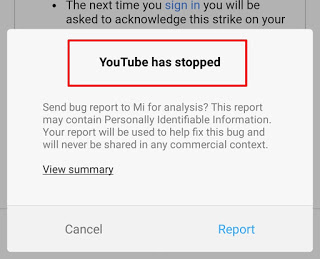
A bug report consists of device logs, stack traces, and other diagnostic information to help you find and solve any bugs in your apps. You can capture a bug report from your device by using any of the following options: Take bug report developer option on the device; the Android Emulator menu; or the adb bug report command which can be found on your development machine.
You might also like

How To Get And Use The Sprite Locator In Fortnite

Thinking Machines Launches Inkling Open-Weight AI Model to Challenge Global Rivals

Nissan Reworks U.S. Lineup as Altima Survives, Rogue Plug-In Heads for Exit

Source: https://www.hindisci.com/2020/01/how-to-mi-mobile-phone-miui-version-bug.html

In order to successfully take a bug report, you must have Developer options enabled on your device so that you can easily access the Take bug report option.

Capturing a bug report from your device 

To receive a bug report directly from your device, follow the steps below:

  1. Make sure that you have Developer options enabled on your device.
  2. In Developer options, tap on the option that reads Take bug report.
  3. Choose the type of bug report that you want and tap on Report. After a few seconds, you should be able to see a notification that the bug report is ready.
  4. To share the bug report, tap on the said notification.

Capturing a bug report from the Android emulator

In the Android Emulator, you will be able to use the File a bug feature in the extended controls.

  1. Click on the three-dot menu in the emulator panel.
  2. In the Extended controls window, choose Bug report, which can be found on the left. This will open a screen where you can see the bug report details, which includes the screenshot, the AVD configuration informantion, and the bug report log. You can also type in a message with reproduction steps that you can save with the report.
  3. Wait for the bug report to finish the collection process, and click on Save Report.

Capturing a bug report using adb

If you have only one device connected, you can get a bug report using adb as explained below:

$ adb bugreport E:ReportsMyBugReports

If you do not specify a path for the bug report, it is automatically saved to the local directory.

If you have many devices connected, you have to specify the device with the -s option. Run the adb commands given below to obtain the device serial number and generate the bug report.

$ adb devices
List of devices attached
emulator-5554      device
8XV7N15C31003476 device

$ adb -s 8XV7N15C31003476 bugreport

Tags: ADBandroidMI
Tweet62SendShare17
Previous Post

Nigerian central cryptocurrency to launch this year

Next Post

Facebook rolls out Live Audio Rooms and Podcasts in the U.S.

Arya Roy

Hi, this is Arya! Writing has always been a passion of mine, regardless of the topic I choose. Besides that, I am a huge foodie and music lover, whose interests range from world politics to horror films to everything in between.

Recommended For You

How To Get And Use The Sprite Locator In Fortnite

by Khilav Jadav
July 17, 2026
0
How To Redeem Codes in Fortnite

If you are trying to complete Spirit Realm activities or simply want to find Sprites more quickly, the Sprite Locator is one of the most useful tools available...

Read more

Thinking Machines Launches Inkling Open-Weight AI Model to Challenge Global Rivals

by Rounak Majumdar
July 16, 2026
0
Thinking Machines Launches Inkling Open-Weight AI Model to Challenge Global Rivals

Thinking Machines, the San Francisco-based AI business founded by former OpenAI Chief Technology Officer Mira Murati, has launched its first general-purpose AI model, Inkling, an open-weight system with...

Read more

Nissan Reworks U.S. Lineup as Altima Survives, Rogue Plug-In Heads for Exit

by Samir Gautam
July 16, 2026
0
Nissan Reworks U.S. Lineup as Altima Survives, Rogue Plug-In Heads for Exit

Nissan is making significant adjustments to its product strategy in the United States, but one familiar nameplate isn't disappearing just yet. After reports suggested the Nissan Altima was...

Read more
Next Post
Facebook Live Audio Rooms

Facebook rolls out Live Audio Rooms and Podcasts in the U.S.

Please login to join discussion

Techstory

Tech and Business News from around the world. Follow along for latest in the world of Tech, AI, Crypto, EVs, Business Personalities and more.
reach us at info@techstory.in

Advertise With Us

Reach out at - info@techstory.in

Aviator Game India 2026

BROWSE BY TAG

#Crypto #howto 2024 acquisition AI amazon Apple Artificial Intelligence bitcoin Business China cryptocurrency e-commerce electric vehicles Elon Musk Ethereum facebook funding Gaming Google India Instagram Investment ios iPhone IPO Market Markets Meta Microsoft News OpenAI samsung Social Media SpaceX startup startups tech technology Tesla TikTok trend trending twitter US

© 2025 Techstory.in

No Result
View All Result
  • News
  • Crypto
  • Gadgets
  • Memes
  • Gaming
  • Cars
  • AI
  • Startups
  • Markets
  • How to

© 2025 Techstory.in

Welcome Back!

Login to your account below

Forgotten Password?

Retrieve your password

Please enter your username or email address to reset your password.

Log In
Are you sure want to unlock this post?
Unlock left : 0
Are you sure want to cancel subscription?