• Send Us A Tip
  • Calling all Tech Writers
  • Advertise
Wednesday, July 1, 2026
  • Login
TechStory
  • News
  • Crypto
  • Gadgets
  • Memes
  • Gaming
  • Cars
  • AI
  • Startups
  • Markets
  • How to
No Result
View All Result
  • News
  • Crypto
  • Gadgets
  • Memes
  • Gaming
  • Cars
  • AI
  • Startups
  • Markets
  • How to
No Result
View All Result
TechStory
No Result
View All Result
Home Gadgets

How to use the PS4 DualShock 4 controller on your PC

by Arya Roy
July 1, 2021
in Gadgets, Gaming, How to, Popular, Tech
Reading Time: 2 mins read
0
How to use the PS4 DualShock 4 controller on your PC

Source: https://www.businessinsider.in/tech/how-to-charge-a-playstation-4-controller-using-your-ps4-console/articleshow/71115833.cms

TwitterWhatsappLinkedin

Whether you are new to PC gaming or do not have a lot of experience when using a controller to PC games before, you will soon learn to appreciate the advantages of playing with a PlayStation 4 controller when using your gaming PC.

You might also like

The DRAM Triarchy Under Fire Tech Giants Sued for Artificially Manufacturing the ‘Rampocalypse’

Hijacking the Cloud Cargo Thieves Target AI Data Center Supplies in Nationwide Heists

How To Beat Orange & Green Boss In Deltarune

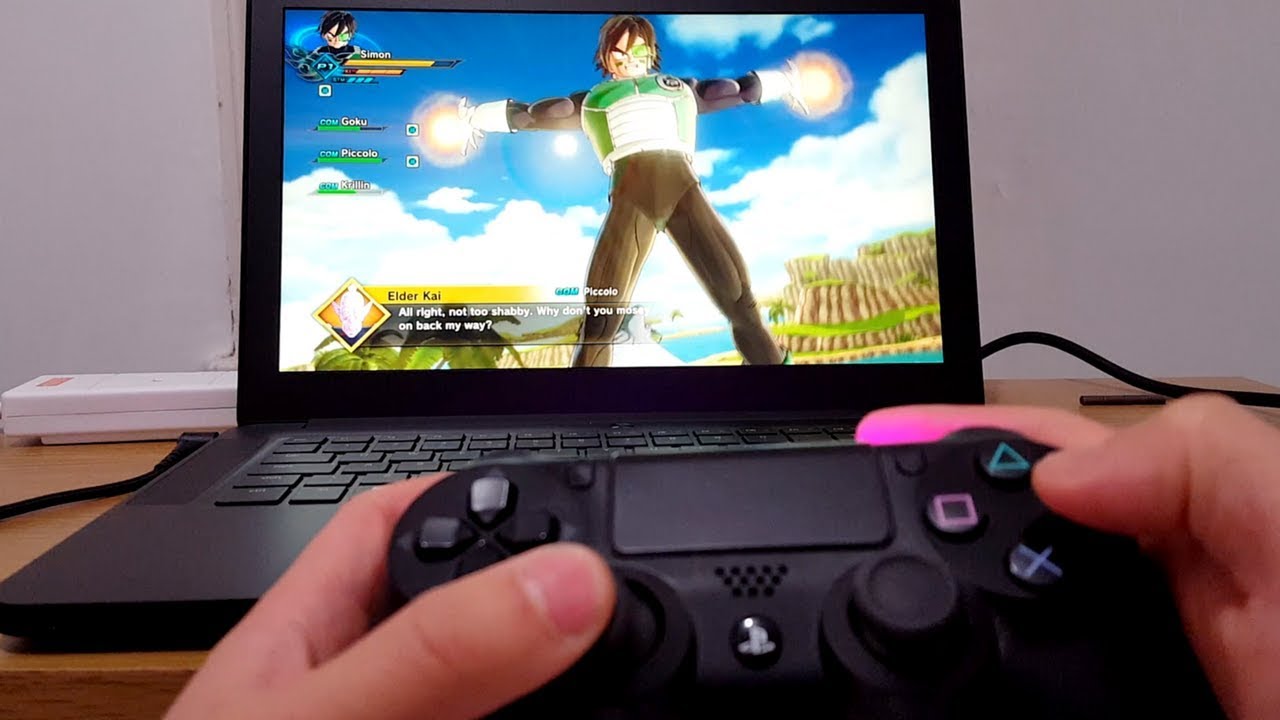
Being a user of the PS4 DualShock 4 controller is not only a bit more personal than using a keyboard and mouse, but there is also a decreased possibility of you pressing the wrong keys, although this largely depends on the type of keyboard that you have. A PS4 controller’s layout includes all of the buttons that most controller-based PC titles need. Therefore, it is also actually relatively easy to change over to the controller without having to think about it too much while you are gaming. Also, you have the luxury of relaxing while playing since it does not have a peripheral that you would be required to anchor to your desk.
Source: https://www.youtube.com/watch?v=z5GQXJL4HgE

Even people who prefer using a PC cannot deny its usefulness, especially when it comes to games that require quick responses and fast movements. Thus, it is much easier to connect the PS4 controller to your PC. Here is a guide on how to do so:

  1. Download DS4 Windows on your device from the DS4Windows website by downloading the most recent build from the GitHub page.
  2. Find the downloaded Zip file, right-click on it, and choose the option that reads ‘Extract All…’
  3. A window will appear on your screen and will ask you where you want to extract the files to. Your options are to extract them to the same folder to which you downloaded the zip file, or choose another different folder.
  4. As soon as the files have been extracted, the destination folder will open, and you will be able to see two files. The first one, DS4Updater.exe, is a program that will keep the DS4Windows program updated with the latest drivers, so you must run this file if you happen to encounter problems later.
  5. The second file is DS4Windows.exe. Double-click on it to start the setup procedure that will allow the PS4 Dualshock Controller to work on your PC.
  6. When you launch DS4Windows for the first time, you will be asked where you want your profiles and settings to be saved. It is highly recommended to choose the default choice of ‘Appdata’.
  7. A new window will be opened. Click on ‘Install the DS4 Driver’ to allow you to use the PS4 DualShock controller in Windows 8, Windows 8.1, and Windows 10. If you use Windows 7 or older, you will also have to click on ‘Install 360 Driver.’
  8. Connect the PS4 DualShock controller with your PC by using a USB cable or Bluetooth. For the first option, you will just require a regular micro USB cable. Regardless of your choice, the connection will be detected by your PC.
Tags: DS4 WindowsGithubPS4 DualShock 4windows
Tweet54SendShare15
Previous Post

Flying car prototype completes a 35-minute test flight between airports

Next Post

Wirecard Scandal and the lessons to be learnt

Arya Roy

Hi, this is Arya! Writing has always been a passion of mine, regardless of the topic I choose. Besides that, I am a huge foodie and music lover, whose interests range from world politics to horror films to everything in between.

Recommended For You

The DRAM Triarchy Under Fire Tech Giants Sued for Artificially Manufacturing the ‘Rampocalypse’

by Anochie Esther
July 1, 2026
0
RAM price-fixing lawsuit

The global consumer electronics market has spent the last year reeling from a devastating surge in component costs. Dubbed the "rampocalypse" by hardware enthusiasts and industry insiders, the...

Read more

Hijacking the Cloud Cargo Thieves Target AI Data Center Supplies in Nationwide Heists

by Anochie Esther
July 1, 2026
0
cargo thieves target AI data center supplies

The rapid buildout of global artificial intelligence infrastructure has created a multi-billion-dollar logistics pipeline, keeping thousands of high-value freight trailers on the road at any given time. However,...

Read more

How To Beat Orange & Green Boss In Deltarune

by Khilav Jadav
July 1, 2026
0
How to Get Shiny Sylveon in Pokemon GO

The Orange & Green boss fight in DELTARUNE Chapter 5 is one of the most unusual battles in the game. At first, it feels like a normal boss...

Read more
Next Post
Wirecard Scandal

Wirecard Scandal and the lessons to be learnt

Please login to join discussion

Techstory

Tech and Business News from around the world. Follow along for latest in the world of Tech, AI, Crypto, EVs, Business Personalities and more.
reach us at info@techstory.in

Advertise With Us

Reach out at - info@techstory.in

Aviator Game India 2026

BROWSE BY TAG

#Crypto #howto 2024 acquisition AI amazon Apple Artificial Intelligence bitcoin Business China cryptocurrency e-commerce electric vehicles Elon Musk Ethereum facebook funding Gaming Google India Instagram Investment ios iPhone IPO Market Markets Meta Microsoft News OpenAI samsung Social Media SpaceX startup startups tech technology Tesla TikTok trend trending twitter US

© 2025 Techstory.in

No Result
View All Result
  • News
  • Crypto
  • Gadgets
  • Memes
  • Gaming
  • Cars
  • AI
  • Startups
  • Markets
  • How to

© 2025 Techstory.in

Welcome Back!

Login to your account below

Forgotten Password?

Retrieve your password

Please enter your username or email address to reset your password.

Log In
Are you sure want to unlock this post?
Unlock left : 0
Are you sure want to cancel subscription?