

• Send Us A Tip
  • Calling all Tech Writers
  • Advertise
Saturday, July 11, 2026
  • Login
TechStory
  • News
  • Crypto
  • Gadgets
  • Memes
  • Gaming
  • Cars
  • AI
  • Startups
  • Markets
  • How to
No Result
View All Result
  • News
  • Crypto
  • Gadgets
  • Memes
  • Gaming
  • Cars
  • AI
  • Startups
  • Markets
  • How to
No Result
View All Result
TechStory
No Result
View All Result
Home How to

How to download COVID vaccination certificate via Whatsapp

by Srestha Roy
August 17, 2021
in How to
Reading Time: 2 mins read
0
How to download COVID vaccination certificate via Whatsapp
TwitterWhatsappLinkedin

A COVID Vaccine Certificate (CVC) issued by the government provides assurance to the recipient about the vaccination, the type of vaccine administered, and the next vaccination due date.
You might also like

How to breed Carillong on Magical Sanctum?

How to speed up an old Android phone?

How to improve the accuracy of a GPS?

Source : news18.com

It also serves as proof for the citizen to provide to any entities that may demand proof of vaccination, particularly while travelling. Vaccination not only protects individuals from sickness, but it also decreases the chance of viral transmission. As a result, in the future, there may be a necessity to present a certificate for some types of social interactions and foreign travel.

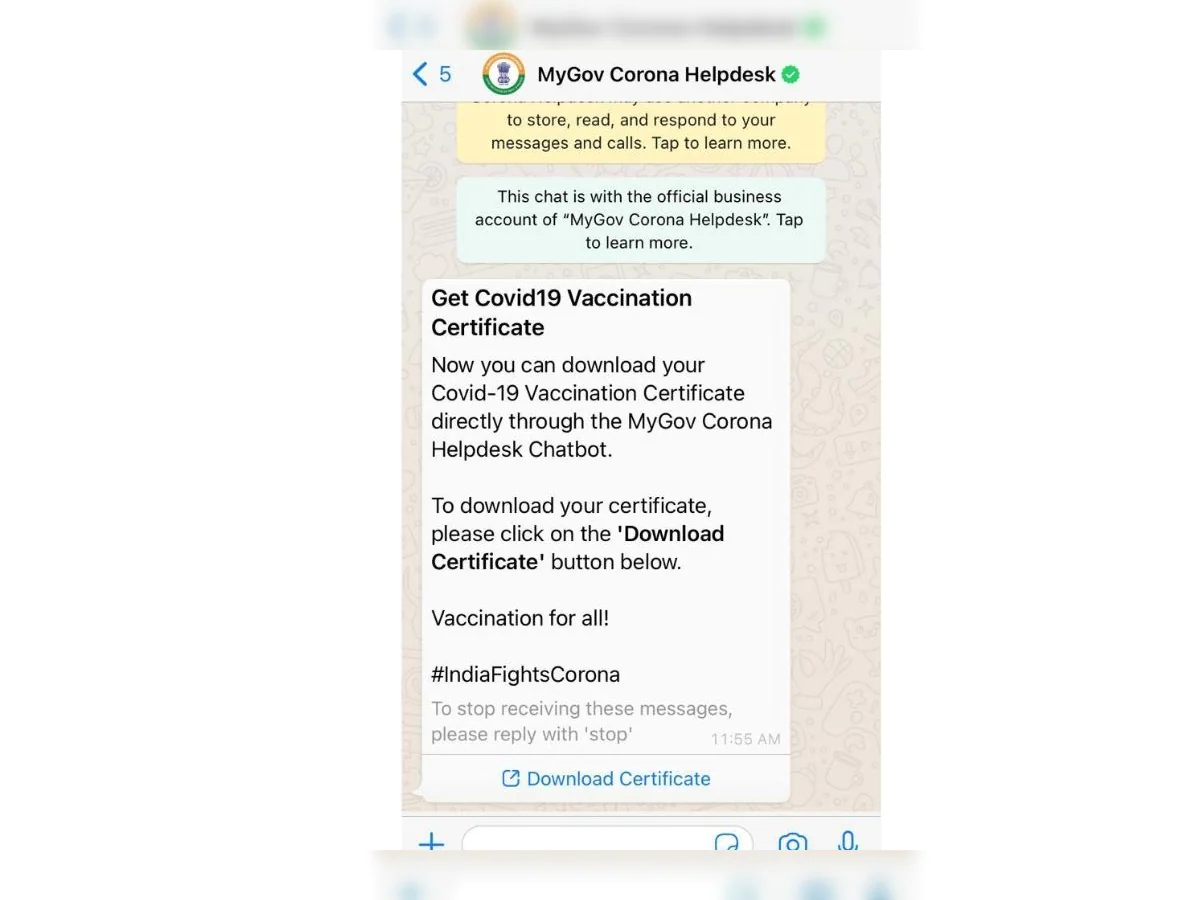
WhatsApp officially allows you to download your COVID-19 vaccination certificate. You will not be required to input your reference ID here; instead, you will be requested to submit your OTP before receiving your vaccination certificate.

Until now, individuals could only obtain the certificate through the Aarogya Setu app. You may now get the certificate via the MyGov Corona Helpdesk chatbot on WhatsApp. This bot was launched in March 2020 to assist in answering COVID-19-related inquiries and preventing disinformation about the coronavirus outbreak.

The vaccine certificate will be issued once you have received the first or second dose of the COVID-19 vaccine. If you are not aware, you will be asked to produce your final vaccination certificate if you want to go anyplace in India or beyond the country.

In some circumstances, if you have the final vaccination certificate, you will not be needed to do the COVID-19 test.

Step 1: Launch WhatsApp and send a “Hi” text to +91 9013151515. If you don’t have this number previously, save this as “Corona Helpdesk bot.”

Step 2: After you send a message, the bot will provide a list of COVID-19-related topics. In the second line of the list, you will find “Download Certificate.” So, simply type “2” and press the send button.

Step 3: The bot will again display three options, so you just need to type and send “3.” The third option says that you want to download the vaccine certificate.

Step 4: An OTP will be delivered to your device, which you must enter into the chat.

If your WhatsApp number differs from the one you registered with CoWin to be vaccinated, you will not receive an OTP. The certificate must therefore be downloaded from the Arogya Setup app.

Step 5: After entering the OTP, the bot will display the names of people who have registered with the number on the CoWIN website.

Step 6: Enter the user ID of the user whose vaccination certificate you wish to download. The vaccination certificate will then be sent through WhatsApp in PDF format by the bot.

Tags: Aarogya SetuCoronavirusCOVID-19COVID-19 VaccinationCoWINPANDEMICVaccinationvaccinewhatsapp
Tweet54SendShare15
Previous Post

Roblox stock plunges 5% after earnings disappoint Wall Street

Next Post

Hacker awarded $7500 bounty for reporting security flaw

Srestha Roy

Recommended For You

How to breed Carillong on Magical Sanctum?

by Afeefa Ansari
July 11, 2026
0
Carillong

Do you want to breed Carillong on Magical Sanctum? Follow the guide to know how you can do that in a few simple steps. This is a monster...

Read more

How to speed up an old Android phone?

by Afeefa Ansari
July 10, 2026
0
Android

Is your old Android phone giving you a hard time? It happens. But don't worry, we've got your back. Follow the guide to learn some magical ways that...

Read more

How to improve the accuracy of a GPS?

by Afeefa Ansari
July 10, 2026
0
GPS

You use GPS, but don't know how accurate it is? We've all been there. But there are still some ways that can help us improve that accuracy tenfold....

Read more
Next Post
Hacker $7500 security flaw

Hacker awarded $7500 bounty for reporting security flaw

Please login to join discussion

Techstory

Tech and Business News from around the world. Follow along for latest in the world of Tech, AI, Crypto, EVs, Business Personalities and more.
reach us at info@techstory.in

Advertise With Us

Reach out at - info@techstory.in

Aviator Game India 2026

BROWSE BY TAG

#Crypto #howto 2024 acquisition AI amazon Apple Artificial Intelligence bitcoin Business China cryptocurrency e-commerce electric vehicles Elon Musk Ethereum facebook funding Gaming Google India Instagram Investment ios iPhone IPO Market Markets Meta Microsoft News OpenAI samsung Social Media SpaceX startup startups tech technology Tesla TikTok trend trending twitter US

© 2025 Techstory.in

No Result
View All Result
  • News
  • Crypto
  • Gadgets
  • Memes
  • Gaming
  • Cars
  • AI
  • Startups
  • Markets
  • How to

© 2025 Techstory.in

Welcome Back!

Login to your account below

Forgotten Password?

Retrieve your password

Please enter your username or email address to reset your password.

Log In
Are you sure want to unlock this post?
Unlock left : 0
Are you sure want to cancel subscription?
